
 dBpoweramp Music Converter
 Dash
Dash DCommander
 Darkroom
 DaisyDisk
 Default Folder
 Cycling '74 Max

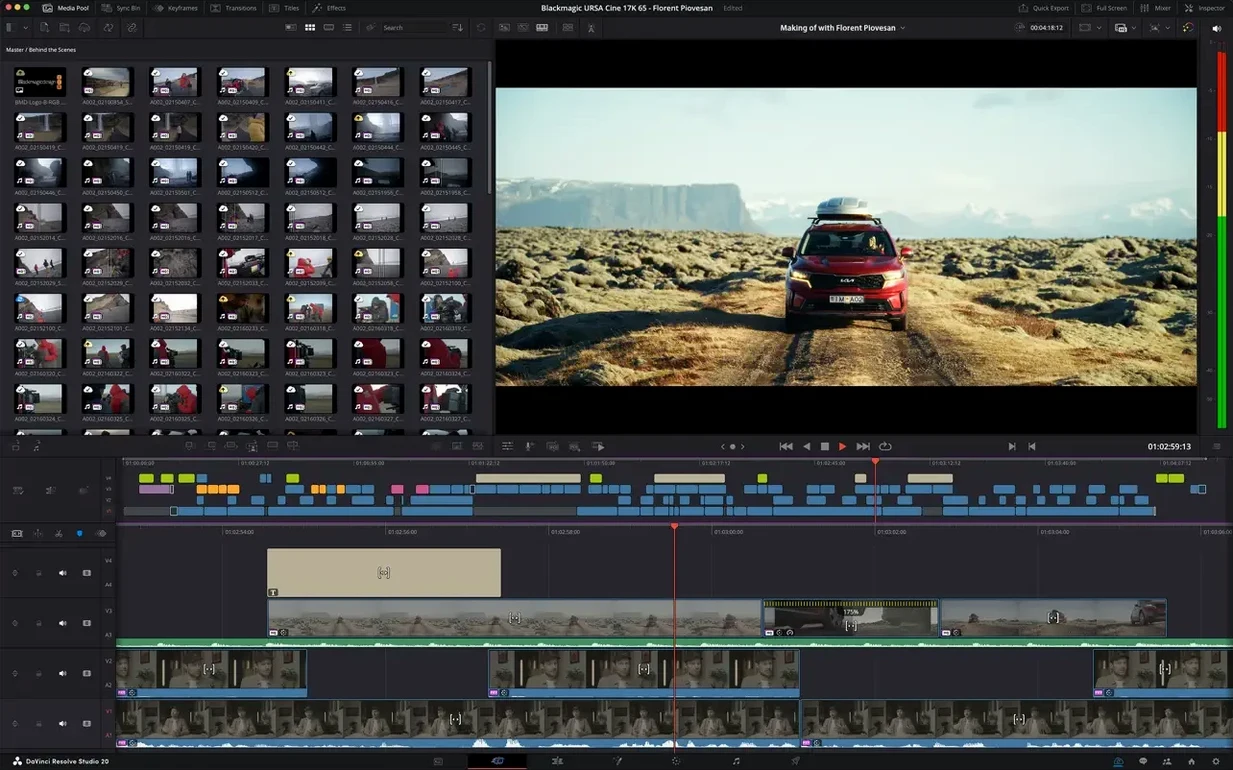
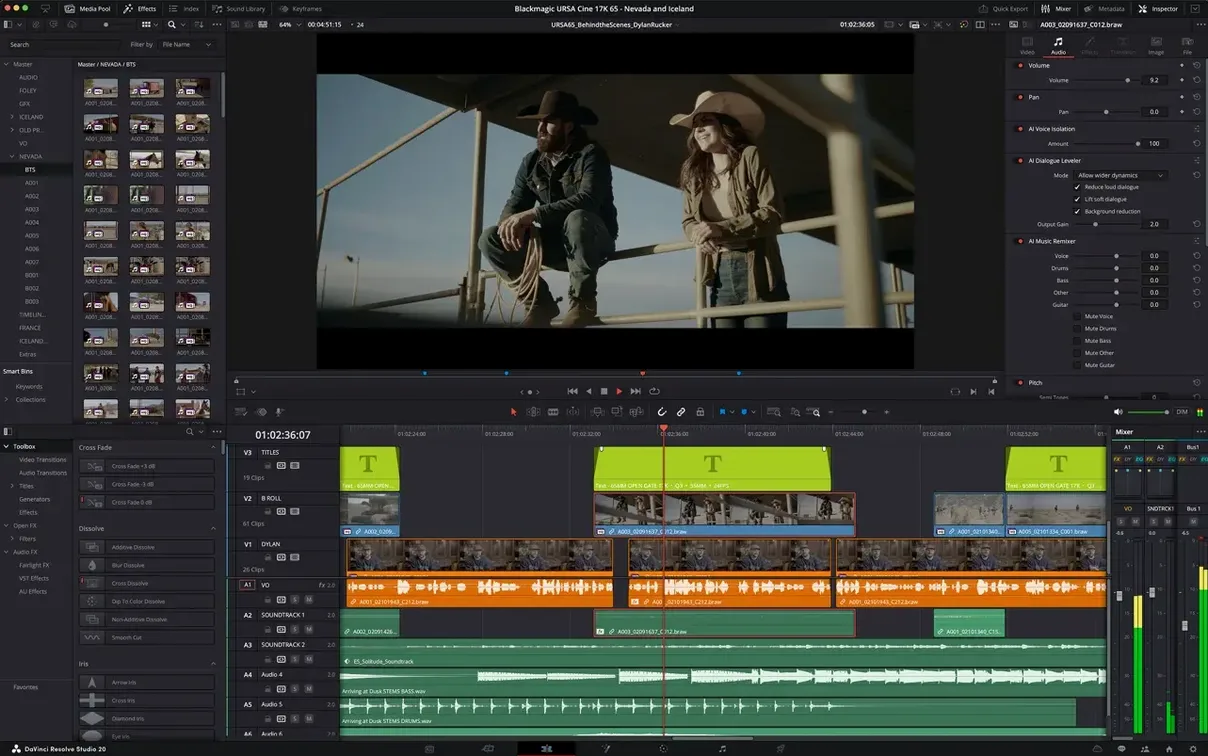
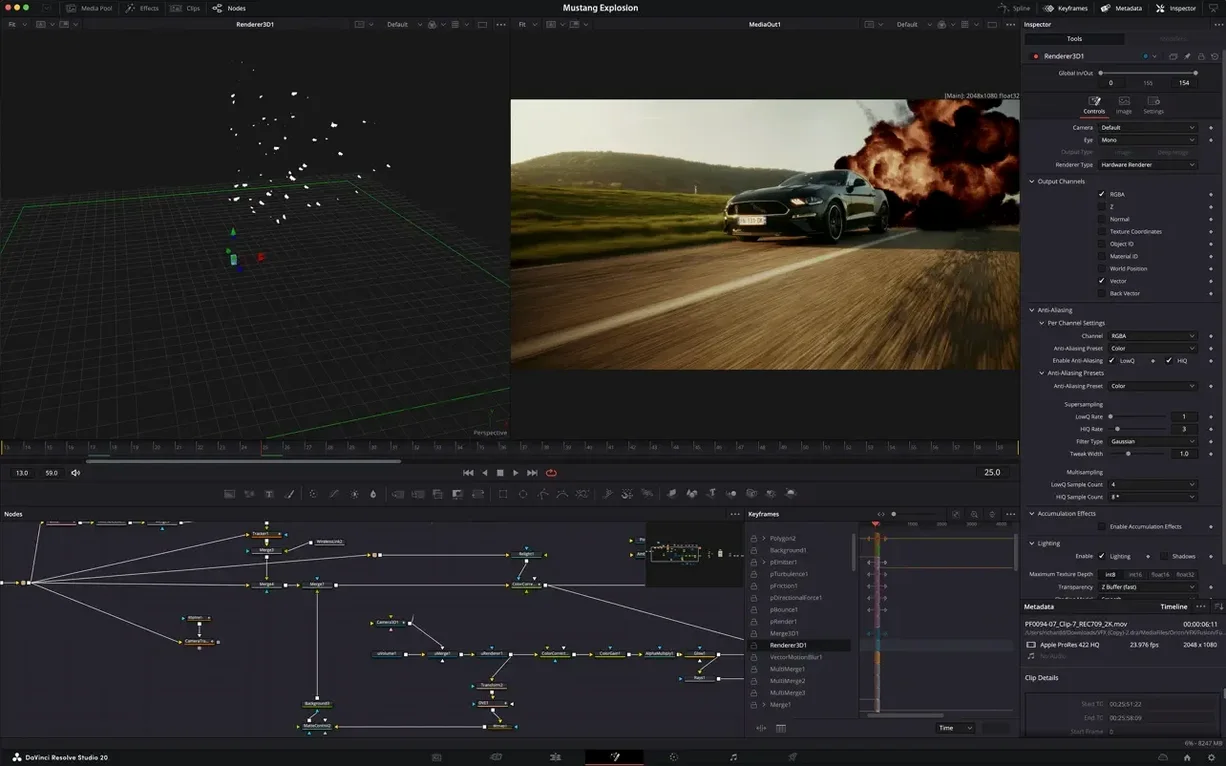
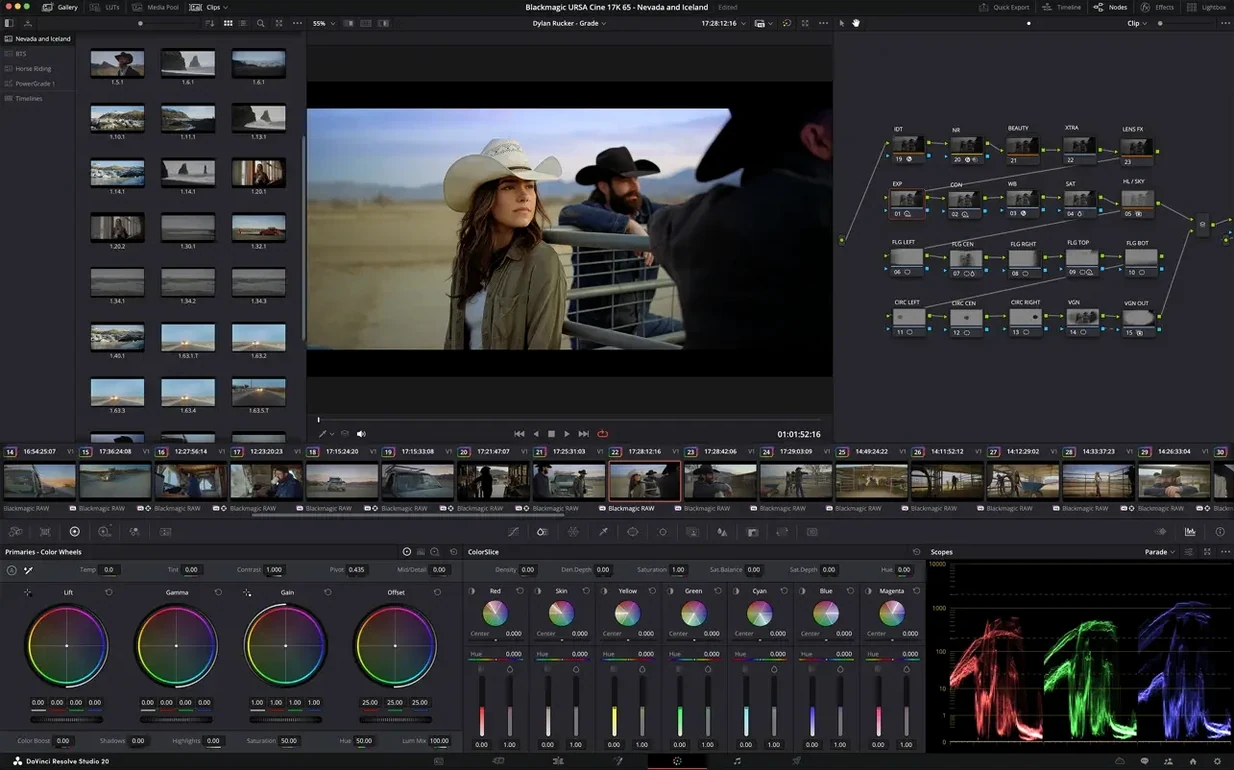
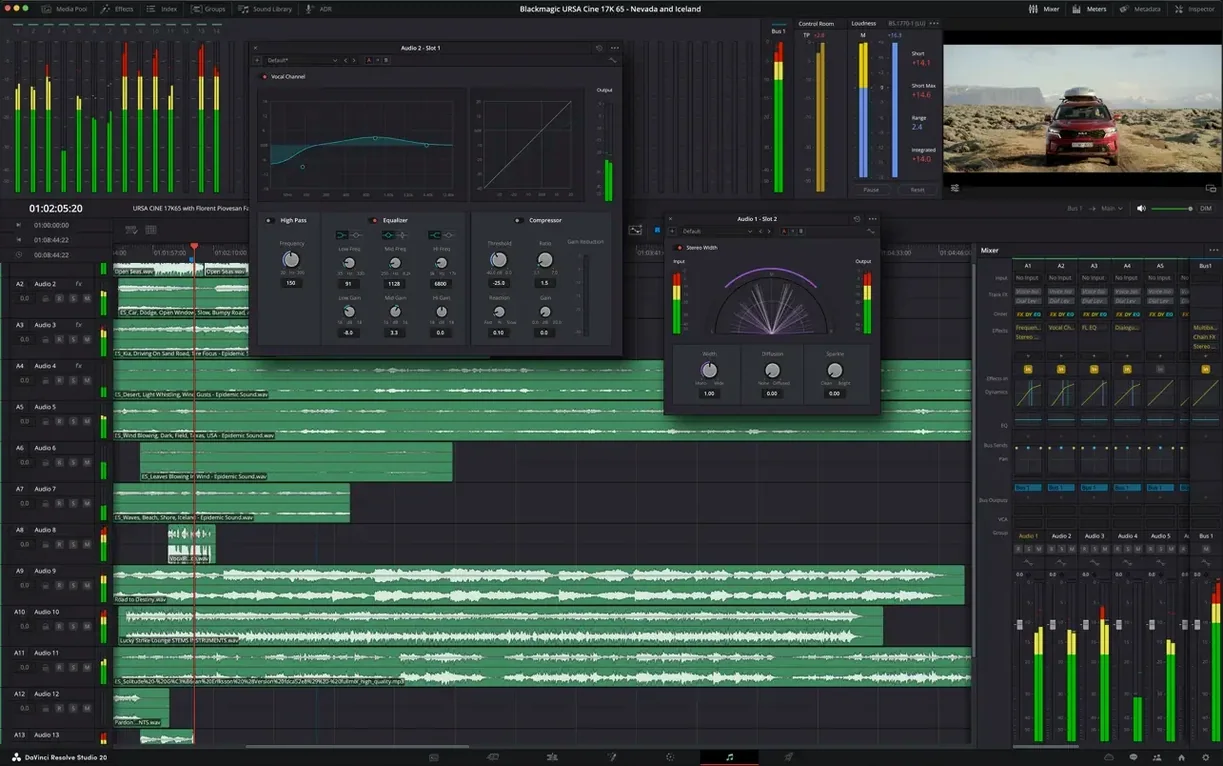
DaVinci Resolve Studio runs on any Mac with macOS 15, on both Apple Silicon and Intel hardware. It is the paid Studio edition of the application, bundling editing, color correction, visual effects, and audio post-production into a single interface that feels straightforward whether you are new to the timeline or have been cutting for years.
| What | Details |
|---|---|
| Developer | Blackmagic Design Inc. |
| Current version | 21.1 |
| Works on | macOS 15 (Apple Silicon & Intel) |
| Key modules | Cut, Edit, Color, Fusion, Fairlight |
The 21.1 update arrives with over 100 new tools for editing and color workflows, plus more than 25 Krokodove graphics tools inside Fusion. An AI assistant can now help with media organisation and batch rendering tasks, while the Photo page sees expanded camera format support. On the audio side, Fairlight handles mixing and mastering, and the whole pipeline speaks HDR natively. It is a deep toolkit, but one that resists clutter — the layout aims to make each page feel approachable without hiding the controls a finishing artist needs.
On an M2 or M3 MacBook Pro, Resolve Studio settles into a rhythm that is hard to fault. Scrubbing through 4K material in the Cut page feels fluid enough that you stop thinking about it — no micro-stutters, no fan whine pulling you out of the shot. The hardware-accelerated HEIC decoding added for Apple Silicon in 21.1 means pulling stills from an iPhone 15 or 16 straight onto the timeline is quicker than rendering a thumbnail from a raw file used to be. Even stacked Fusion comps, the kind that used to make a timeline blink, now preview smoothly once cached.
Memory usage stays reasonable for what is happening under the hood. A typical project with a dozen layers of color nodes, a Fusion title card and a Fairlight stem mix sits around 12–14 GB of RAM. The app rarely balloons past that unless you ask it to render a heavy Neural Engine de-noise pass. Background renders do not lock the interface either — you can keep grading or tweaking a keyframe while the queue ticks along.
Crash frequency across a week of daily use tends to hover near zero. The places where it used to trip — heavy OFX plug-in stacking, switching between Fusion and Color pages mid-render — behave themselves in 21.1. Blackmagic appears to have tightened memory handling around third-party plug-ins, which is where most instability used to hide.
On Apple Silicon the GPU and Neural Engine share work intelligently. Magic Mask tracking, once a patience test, now completes in roughly a third of the time it takes on an Intel Mac of similar spec. The GPU-accelerated HTJ2K decoding via Kakadu matters most for DITs and DPs importing cinema camera material, but the broader point holds: Resolve Studio leans on the hardware you already have instead of demanding an upgrade before it will cooperate.
Resolve Studio does not demand that you abandon your current toolkit. It reads and writes ProRes, DNxHR and H.264 files cleanly, so round-tripping a rough cut from Final Cut Pro is a drag-and-drop affair. The new scripting APIs in 21.1 open a door for studios that want to connect internal asset management tools, and the built-in console means someone comfortable with Python can automate repetitive timeline tasks without leaving the app.
macOS features slot in without friction. Sidecar turns an iPad into a full-screen scopes display or a dedicated Fairlight mixer surface — surprisingly useful when you need faders on a mobile grading rig. Quick Look previews of exported files, Spotlight search inside the media pool through saved metadata, and native iCloud Drive access for project backups all work as you would hope. It feels like a Mac app rather than a cross-platform port that tolerates the OS.
Colorists and finishing editors get the most obvious lift. The 32-bit float YRGB pipeline and HDR grading controls are the reason many switch, and the 21.1 update deepens that lead with over a hundred new grading and editing tools. But the audience that quietly benefits the most are solo video creators juggling multiple roles — someone cutting a YouTube documentary who also needs to sweeten dialogue, track a logo over a coffee cup, and deliver in Rec. 709 and HDR without opening four applications.
DITs on set appreciate how the Photo page now recognises a wider spread of camera formats, letting them pre-grade stills and video from the same bin. Post-production teams lean on the collaborative workflow features that the Studio edition unlocks, though those scale up most in multi-seat facilities. For a single Mac user, the real win is not having to export a timeline just to fix a plosive in Fairlight or to tweak a Fusion shadow that looked fine on the Edit page.
A colourist sits down with a short film locked in the Edit page — 14 minutes, shot on a Blackmagic Pocket Cinema Camera 6K. The director wants a warm, low-contrast look that still holds skin detail under tungsten practicals. She jumps to the Color page, drops a node tree that separates exposure, white balance and a look layer. Magic Mask isolates the lead actor's face in under twenty seconds on an M3 Max, letting her track a subtle highlight roll-off without touching the background. While the render queue churns out a review clip in the background, she opens Fairlight, draws a short fade on a noisy lav track, and closes the project. Two hours, start to delivery file — one app, no round trips.
Good to know: the AI assistant introduced in 21.1 can batch-tag media by scene and shot type, which saves the kind of manual sorting that eats into an assistant editor's morning. It is not a one-click miracle, but it cuts repetitive bin work noticeably.














Chat 0
Hop in or make an account to join the chat.
Quiet in here so far. If you have used this build, tell me what the install actually did.