
 Topaz Gigapixel AI
 Topaz Photo AI
 Topaz Video AI
 TouchDesigner
 Traktor Pro
 Transmit
 Trimma
 TunesKit iPhone Unlocker


Version 2.8.8 adds a note about a macOS Tahoe 26 quirk where a paired device might not show in the Bluetooth selector when you try to add it inside the app. It’s a heads-up, not a bug in ToothFairy itself.
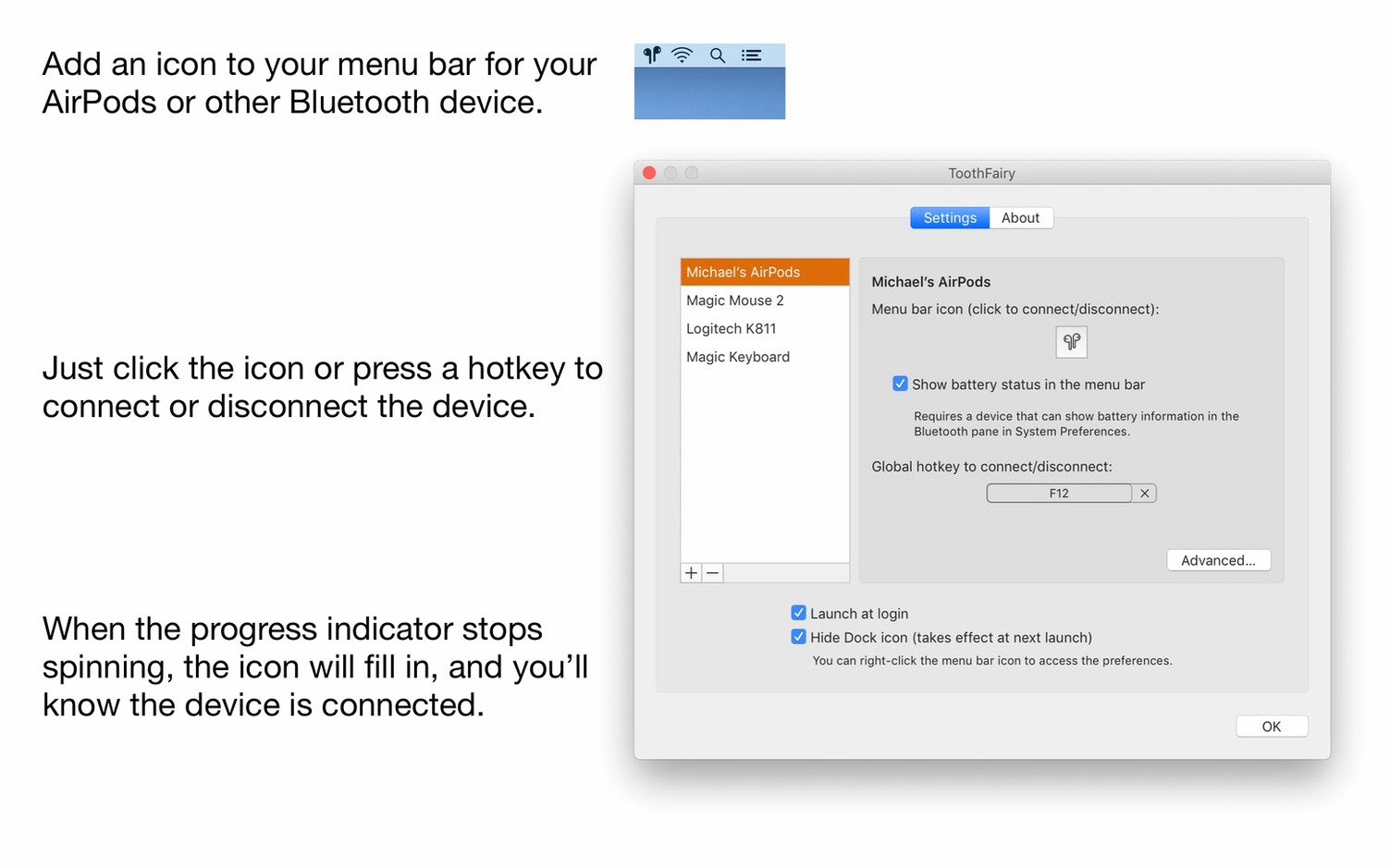
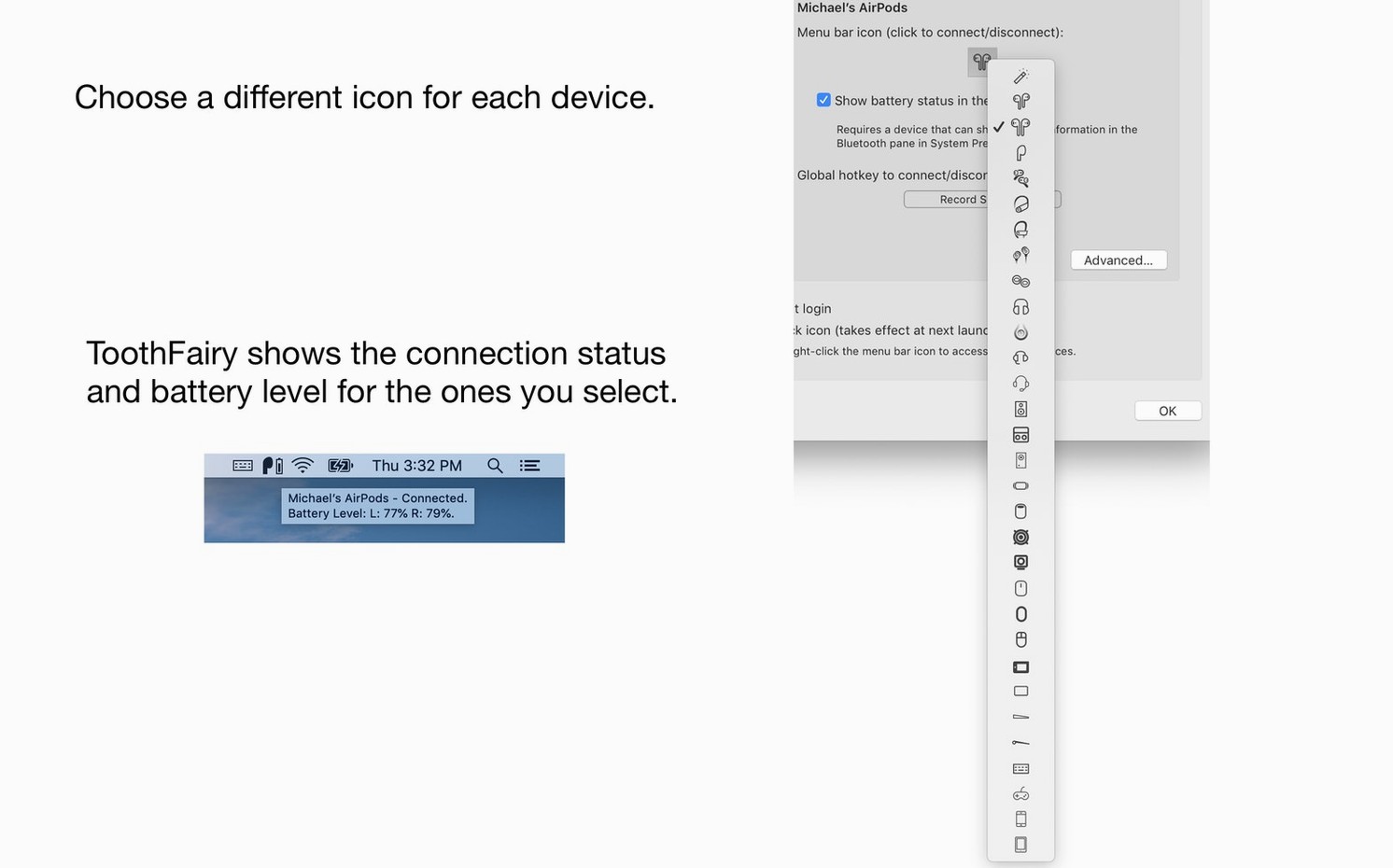
You keep your AirPods paired with your Mac, but switching between your phone and desktop still takes too many clicks. In ToothFairy, you add the device, pick a custom menu bar icon—say, a tiny headphone silhouette—and tick ‘Launch at login’. Now a single click on that icon connects your headphones instantly. The menu bar shows connection status and battery level, so you know when to charge before a call.
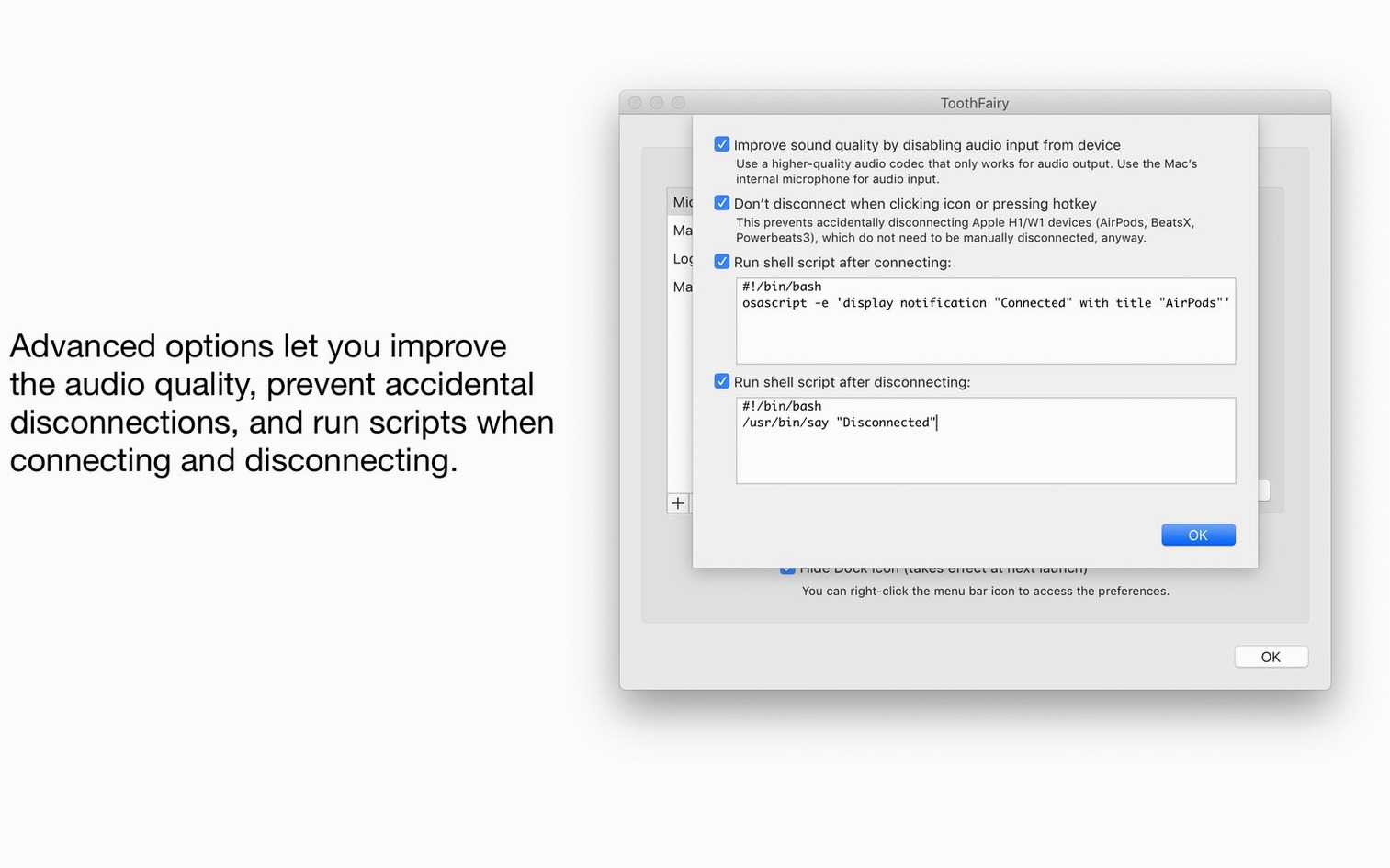
Right-click the icon and you can change the audio codec to AAC for output only. It’s a small tweak that makes voices sound cleaner on a headset. You can set a keyboard shortcut for each device too. The app works with microphones, controllers, keyboards, and mice—anything that pairs over Bluetooth—on Intel and Apple Silicon Macs running macOS 10.13 or later.
ToothFairy 2.8.8 sits in the menu bar and barely registers in Activity Monitor. On an Apple Silicon Mac it uses a sliver of RAM and almost no CPU when idle. Connecting an AirPods Max triggers a brief spike—about a second—then it drops back to near zero. With six devices saved, the app stays responsive; scrolling the menu is instant and icons redraw without flicker. It hasn’t beachballed once in daily use, even waking from sleep with three Bluetooth peripherals waiting.
Stability is similarly drama-free. I’ve thrown controller reconnects, headset switches and a script that opens Music on connect at it in the same afternoon. No crashes, no dropped menu bar icons. The only real wait is the few seconds Bluetooth needs to hand off a device—hardly the app’s fault.
A few features hide just deep enough that you’d miss them on a quick toothfairy mac download and install. Hold Option while clicking a device icon and the menu shows the full Bluetooth address—handy if you own two pairs of the same headphones. In the preferences, you can assign the same global hotkey to ‘Connect/Disconnect’ and skip the menu entirely; it toggles whichever device you last used.
The shell script triggers are surprisingly light to set up. A single-line afplay command plays a quiet chime when your headset connects—useful if you often wander back to your desk mid-track. Another script can pause Music on disconnect, so you’re not blasting audio from the wrong speakers. These scripts run silently in the background, with no Terminal window popping up to distract you.
Yes, it can display both connection status and battery level for supported devices right in the menu bar.














Chat 0
Hop in or make an account to join the chat.
Quiet in here so far. If you have used this build, tell me what the install actually did.