
 SwiftServer - Monitoring & SSH
 SwitchResX
 Sweet Home
 System Dashboard Pro
 SuperDuper!
 TablePlus
 Super Vectorizer Pro
 Sublime Text


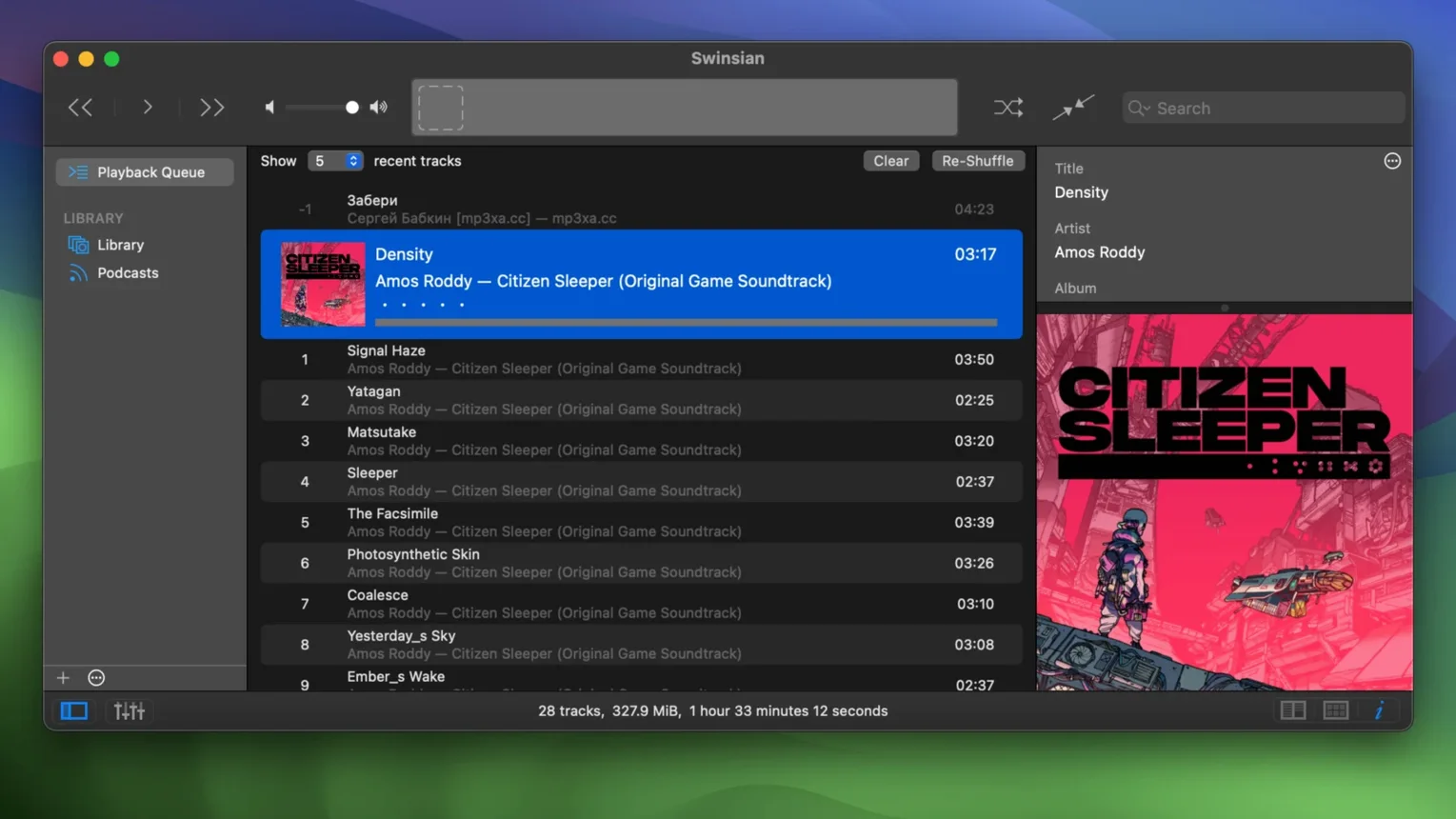
You drag a folder of FLACs onto Swinsian and watch the library panel tick upwards. The app has spotted the new folder without being asked — it watches your music drives and adds anything that lands. That alone changes the rhythm of keeping a collection tidy. No import dialogues, no waiting for a cloud service to catch up.
Open the tag editor early. Select a handful of albums, find a stray genre field, and use the find-and-replace tool with a regular expression to clean it in one pass. Swinsian handles FLAC, MP3, AAC, Ogg Vorbis, WMA, WAV, Opus, APE, and several more — and it writes tags back without fuss. The library statistics panel at the bottom of the sidebar is a small pleasure; it tallies tracks, total time, and file types at a glance.
Try a separate playlist window. Drag it to another display and queue up an evening's listening while the main window stays on the album grid. The art grid labels got extra customisation in version 3, so you can tweak what metadata shows beneath each cover. Last.fm scrobbling is built in too — tick the box in preferences, sign in, and it works.
Swinsian is a local-first player. It does not stream, sync, or upsell. The search bar accepts regular expressions, which is overkill until you need to isolate every track with a featuring artist in the title field. Then it is just fast.
The latest update is a tidy-up release. Quadraphonic FLAC files now play correctly instead of dropping channels — if you have old surround rips sitting in your library, give them a spin. Transcoding rules save reliably again, so any custom conversion setups you built for portables or car stereos will stick between sessions. The Complete Tags window sorts columns without jumping rows, which makes bulk tag reviews less of a squint-fest.
Two quieter additions help day-to-day legibility. Art grid labels accept more customisation, so you can show or hide secondary fields like year and bitrate to suit a dense screen layout. There is also a hidden option to bump up interface text size; dig into the preferences file if album lists feel too tight on a high-resolution display.
Point Swinsian at your main music folder via the Watch Folders pane and let it build the library unattended. The import is fast — it reads metadata on first pass and leaves the files where they sit. If you already have an iTunes library, use the import command to pull playlists, ratings and play counts across in one step.
Set up the equaliser early. The 31-band mode is surgical for headphones that need a nudge in the low end, while the 10-band view covers most speaker adjustments. Tick gapless playback in preferences if you listen to live albums or DJ mixes — Swinsian handles the transitions without a hiccup. Then bind the global keyboard shortcuts for play/pause and skip. You will use them more than the dock icon.
Artwork fetching stalls for some albums with messy tags. Swinsian looks up art by album and artist — if either field has stray punctuation or compilation flags, you will get a blank square. Manually tidy those two tags, right-click the album and choose Fetch Artwork again. It usually resolves on the second ask.
Large libraries on external drives sometimes show tracks as missing after the drive sleeps. Reconnecting and refreshing the folder watch brings them back, but the quicker fix is to prevent the drive from spinning down while Swinsian is open. A small AppleScript that pings the volume every few minutes does the job, and Swinsian's AppleScript support makes it easy to wire up.
If the Find Duplicates tool flags too many false positives, tighten the matching criteria. It compares track metadata by default, so a live version and a studio take with identical titles will show up side by side. Add a filter on length or file type in the duplicate window to narrow the list to actual copies.
Yes. Point it at a folder and it automatically adds new tracks without manual importing — handy for active download or rip folders.














Chat 0
Hop in or make an account to join the chat.
Quiet in here so far. If you have used this build, tell me what the install actually did.