
 TouchDesigner
 Transmit
 Trimma
 TunesKit iPhone Unlocker
 Tuxera NTFS
 Typeface
 Topaz Video AI
 Topaz Photo AI


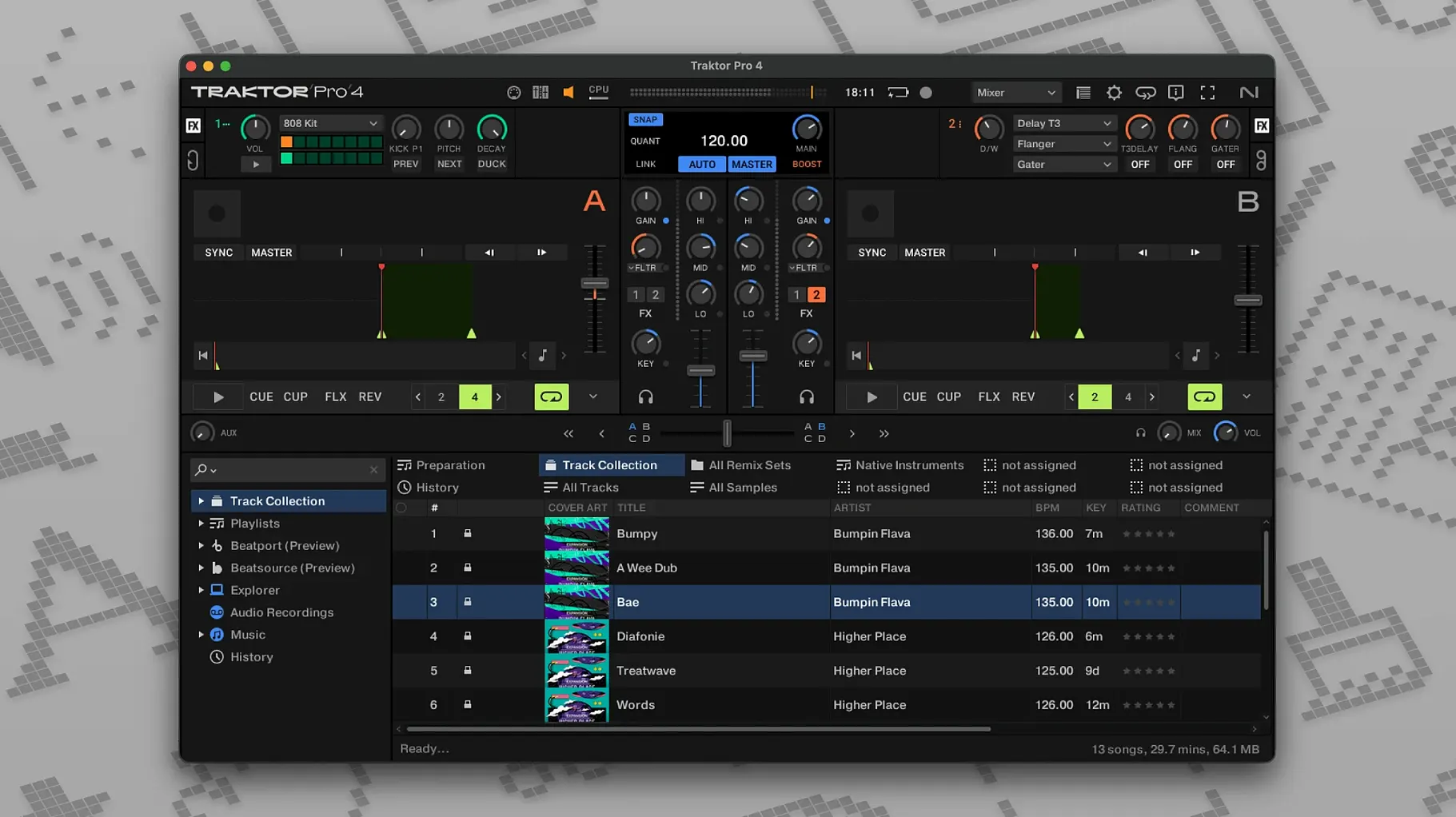
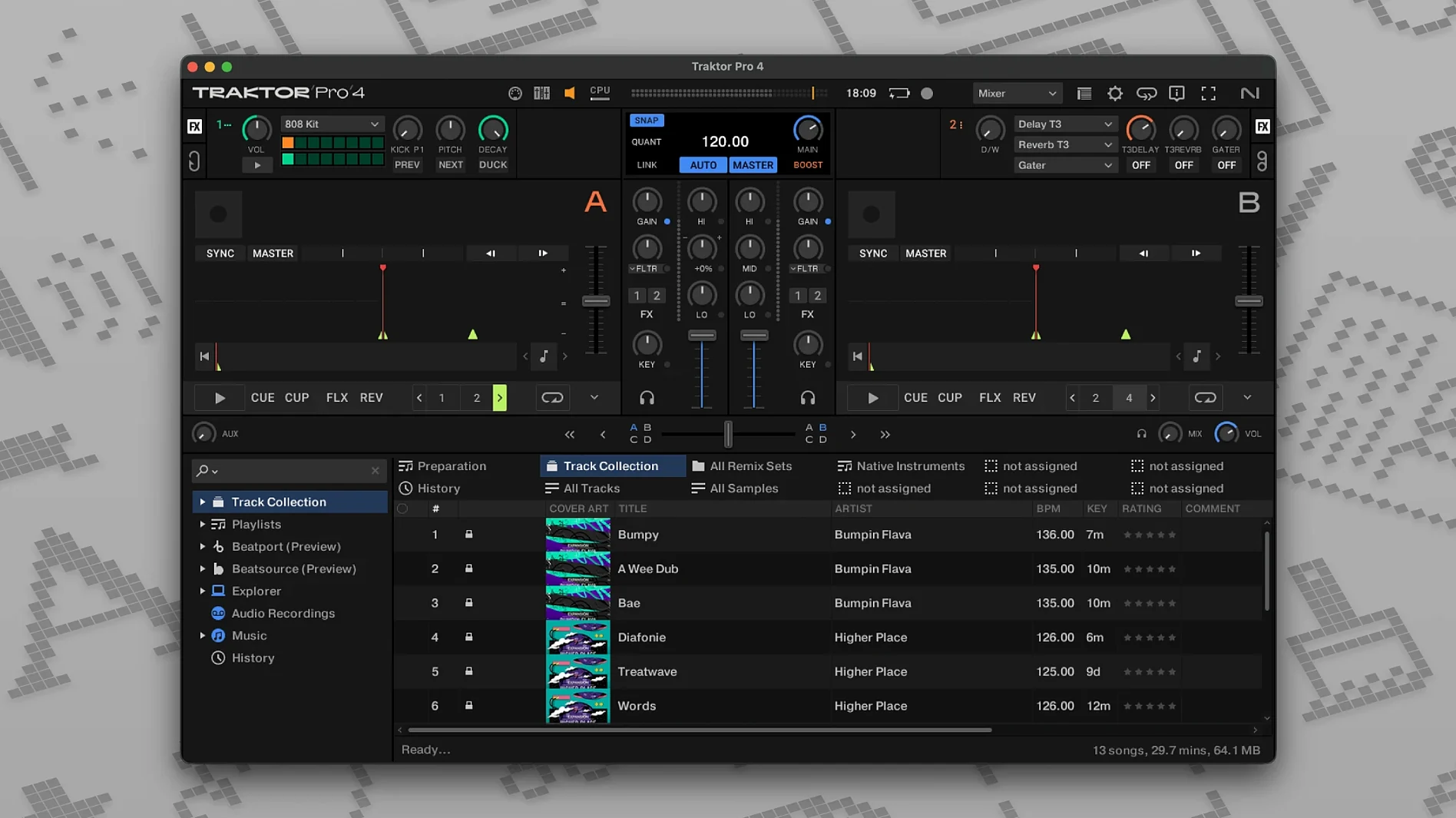
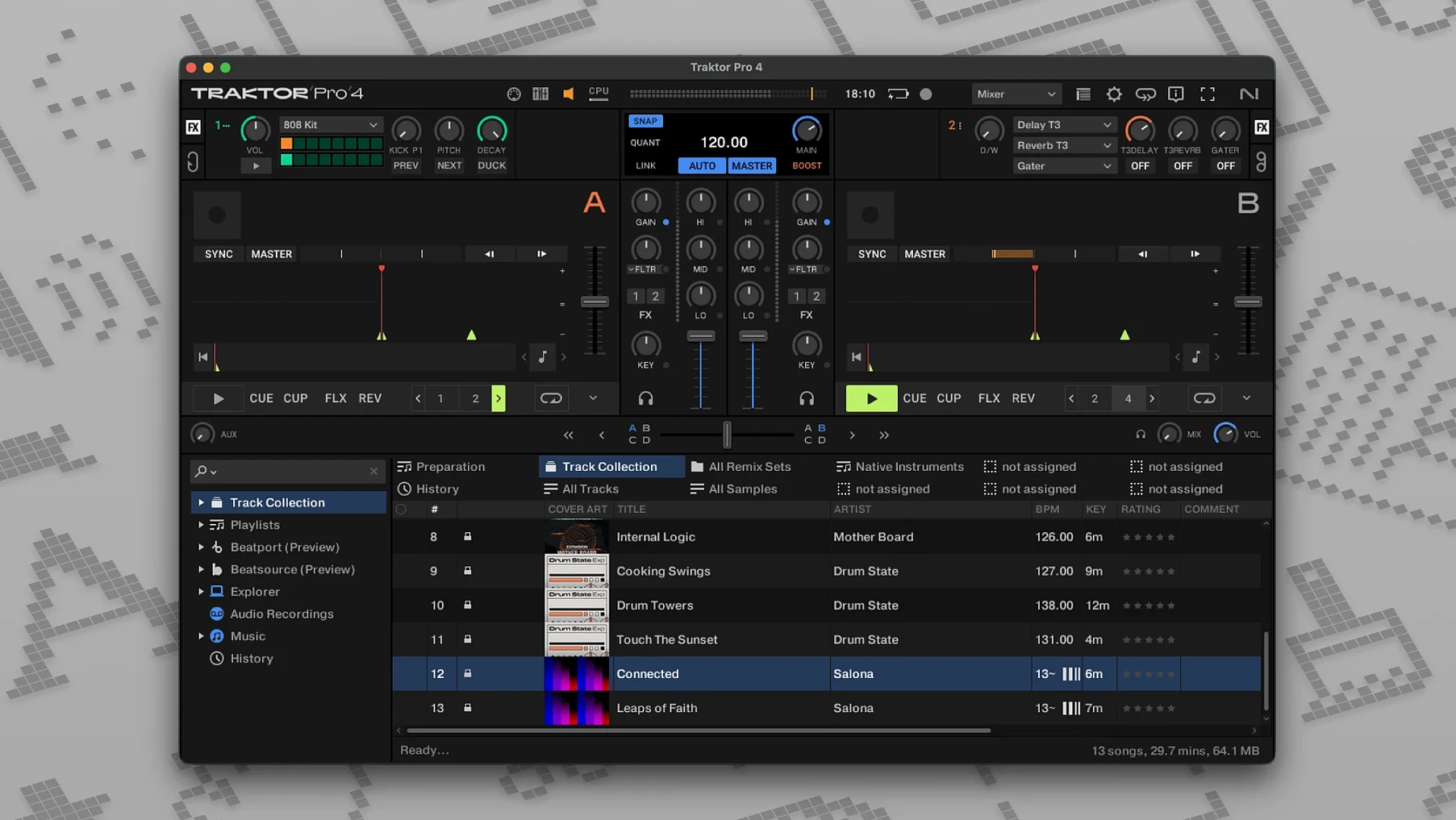
You’ve plugged in a controller, the house lights are dim, and a stack of tracks sits waiting. Traktor Pro opens with four virtual decks in front of you, a clean waveform view, and a transport section that feels immediately familiar if you’ve ever touched a CDJ. The first thing you notice is how little stands between you and the music.
Start by pulling a track onto Deck A. The beat grid snaps into place almost every time, but right-click a downbeat to adjust it manually if the grid drifts. Tap the spacebar to trigger playback, then load a second track on Deck B. The crossfader sits centre screen, and nudging the tempo fader gives you a quick feel for the pitch range before you lock in a sync.
Open the Preferences and head to the Decks Layout section. You can switch between a two-channel view and the full four-deck workspace, or move the mixer panel to the side. Each element—waveform, cue points, loop controls—can be shown or hidden. If you’re coming from Traktor Pro 3, the custom layout options feel more spacious here, letting you collapse anything you don’t need mid-set.
Once a blend sounds right, hit the tape icon in the master panel to record your mix. Traktor saves it straight to a WAV or AIFF file. Later, you can pull in years of iTunes metadata via the import tags feature, or browse Beatport’s streaming catalogue without leaving the browser. Reverse playback and custom MIDI mappings are tucked away for when you’re ready to push beyond the basics.
Don’t try to build a festival set on day one. The software rewards a slower approach. Spend your first thirty minutes inside Preferences. It’s not glamorous, but a few early tweaks save hours of fumbling later.
Traktor Pro doesn’t demand isolation. It slots into a broader ecosystem of apps and macOS features with a little encouragement.
With Ableton Live or Logic Pro. Send MIDI Clock out from Traktor and let Live follow along. You can run a synth arpeggio or a drum rack in Live, and every tempo shift on your decks pulls the DAW with it. OSC support opens the same door for custom setups—Max/MSP patches, TouchDesigner visuals, or lighting rigs that listen for cue-point triggers.
With an external mixer and audio interface. Assign each virtual deck to a separate output pair in the Output Routing tab. Run those channels into four mixer strips, add outboard EQ or a hardware compressor, and suddenly you’re mixing with real knobs and faders. The laptop becomes a playback engine; the desk does the rest.
With macOS itself. Audio MIDI Setup in the Utilities folder lets you create an aggregate device that combines your controller’s sound card with a secondary interface. Traktor sees it as one big output block. You also get full keyboard shortcut customisation, which means you can map deck controls to the function keys on a Magic Keyboard for quick access during library browsing. Split View on a wide display puts the Traktor window next to a notes app or a tracklist spreadsheet—handy when you’re building a setlist on the fly.
Serato leans toward turntablists and DVS users. Its waveform display and crate management feel snappy, and the software stays out of your way. Traktor counters with four-deck mixing as a default posture, plus stem separation baked into the interface. If you want to slice a track into drums, bass, and vocals without a separate plugin, Traktor gives you the tools immediately. Serato’s stems exist, but the workflow feels like an add-on. Traktor’s custom mapping system also runs deeper—you can assign almost any function to any MIDI message, which appeals if you like building your own controller workflows.
Rekordbox dominates club booths because it pairs with Pioneer DJ hardware and exports straight to USB sticks. If your goal is showing up with a thumb drive and playing on a CDJ-3000, rekordbox is the obvious path. Traktor Pro takes a different route: it treats the laptop as a creative hub. Stem decks, remix decks, and live input channels turn a set into something closer to live performance than simple track playback. Rekordbox has caught up with four-deck support and lighting control, but Traktor’s layout flexibility and OSC integration still give it an edge for anyone building a hybrid DJ-and-production rig.
djay Pro wins on approachability. Its Spotify and Tidal integrations, slick visuals, and automatic beat-matching make it a great first step for casual mixing. Traktor Pro asks more of you. The trade-off is depth: djay Pro doesn’t offer four fully independent deck types, remix slots, or OSC support. If you’re curious about traktor pro 2 download mac workflows or moving to the traktor pro 4 download free full version experience, the jump from djay Pro feels significant—more control, more customisation, and a steeper learning curve that pays off once you dig into stem manipulation and live remixing.
Everyone hits the same rough patches. Spotting them early keeps the frustration at bay.
If you’re moving from an earlier version, native instruments traktor pro 4.5.1.21 reads your collection and playlists without a lengthy import. Point it at your music folder, wait a minute for the waveform cache to rebuild, and you’re back where you left off. The stem separation engine runs best on Apple Silicon machines, but an Intel Mac handles two stem decks without much complaint if you keep the buffer sensible. And while traktor pro 4 para mac shares the same installer as the Intel build, it defaults to the right architecture automatically during setup.














Chat 0
Hop in or make an account to join the chat.
Quiet in here so far. If you have used this build, tell me what the install actually did.