
 Topaz Photo AI
 Topaz Gigapixel AI
 ToothFairy
 TouchDesigner
 Traktor Pro
 Transmit
 Trimma
 TunesKit iPhone Unlocker


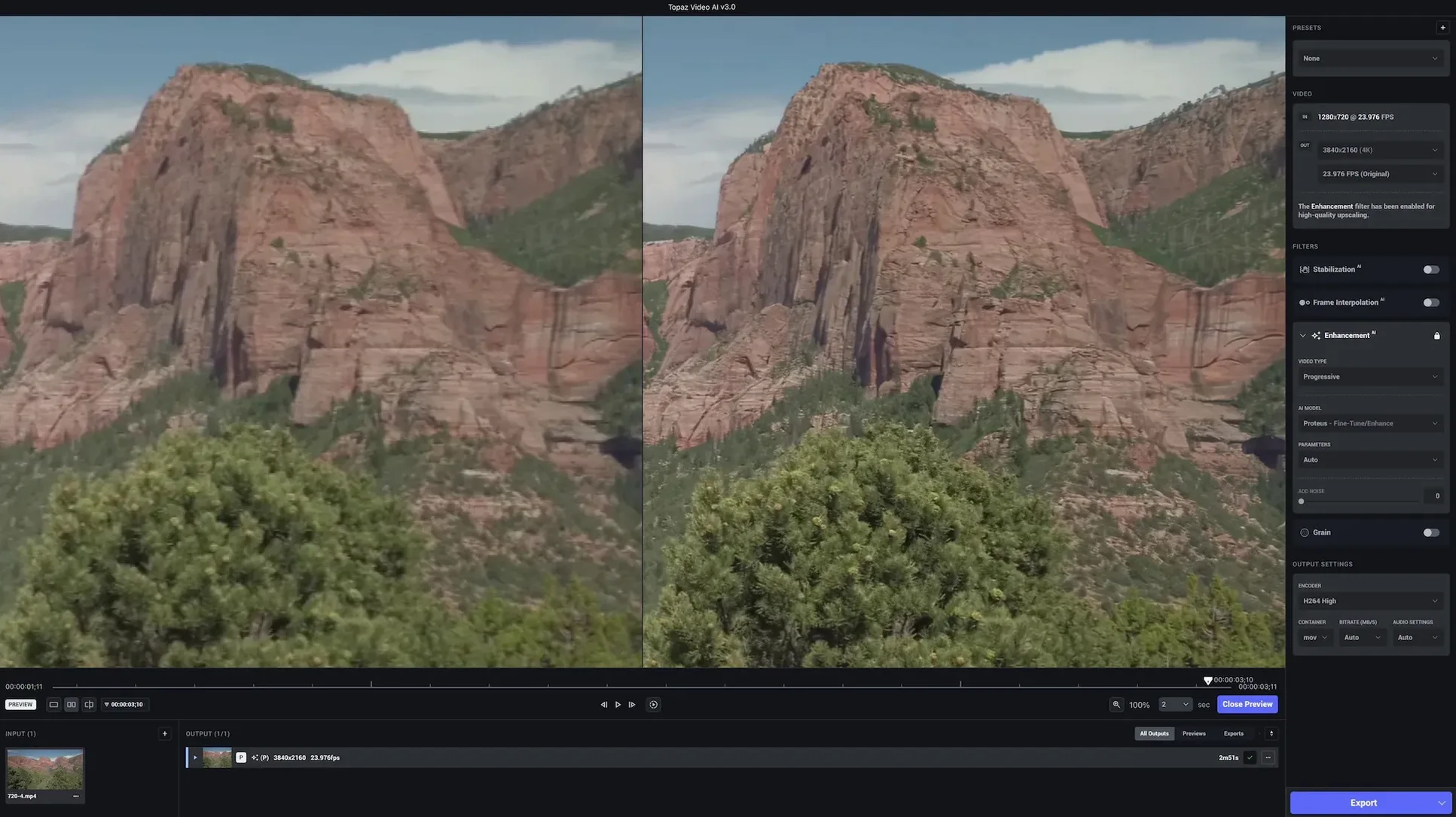
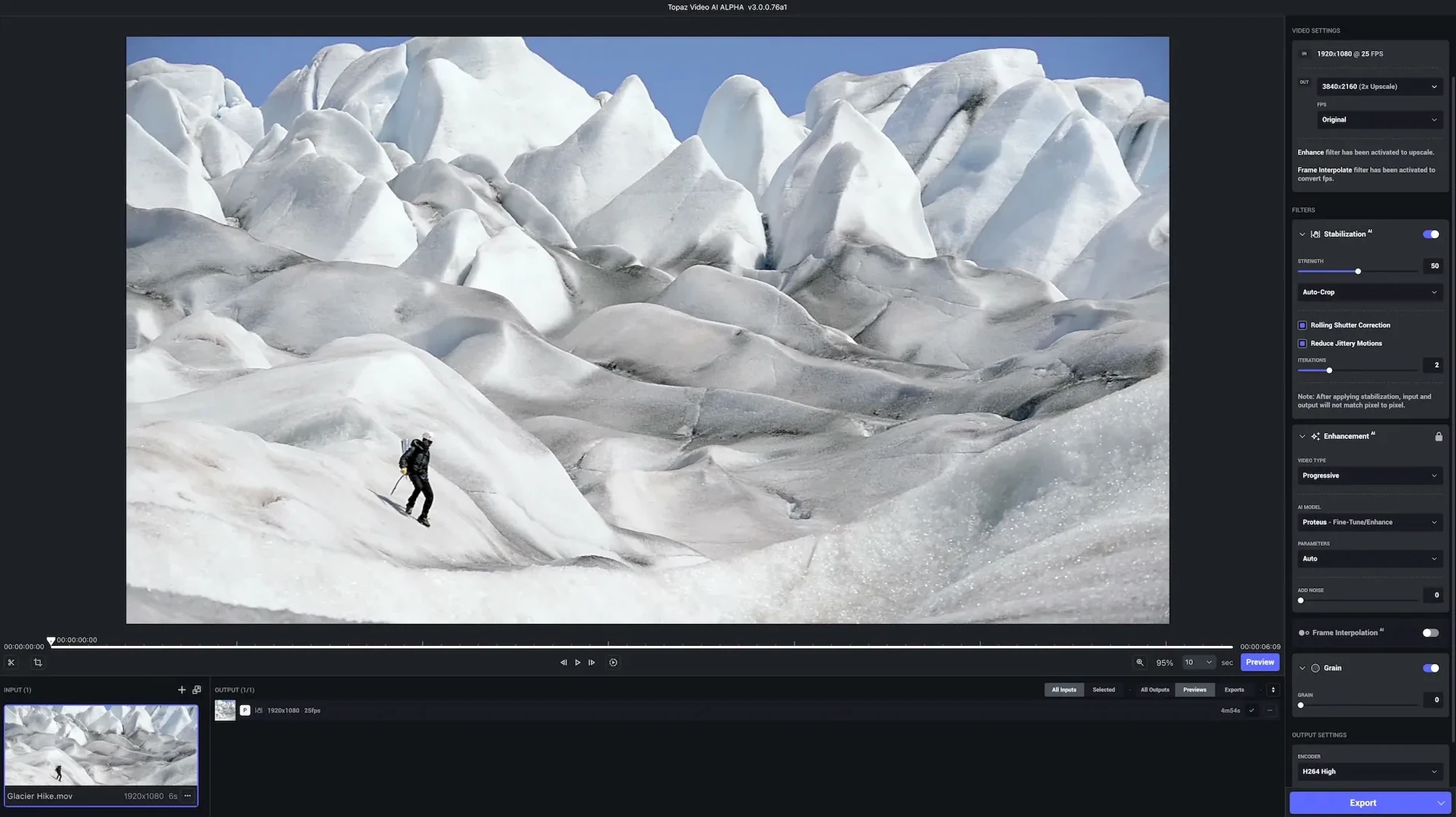
Editors working with older DVD footage, noisy DSLR clips, or game captures that need a resolution bump before a final render. That’s who Topaz Video AI is built for. It’s a desktop app that runs several AI models locally to clean up, enlarge, and smooth out video without round-tripping through a compositor.
It sharpens soft focus, reduces grain and compression noise, and can generate new frames to change frame rate. Stabilising handheld wobble is also in the toolkit.
Footage can be scaled up to 8K with motion consistency kept between frames. It’s designed for HD sources heading to higher-resolution timelines.
The timeline scrubber accepts a quick right-click to set in and out points without dragging. That's handy when you're only improving a 20‑second section inside a long clip. Pressing Space previews just the region between those markers — saves re‑rendering the whole file on a test run.
If you work with the same source type often, save a preset from the bottom‑right panel. Name it after the camera or codec, and a single click loads your denoise, sharpen, and upscale choices together. No rebuilding the stack each morning.
A few other moves worth knowing:
The preview resolution dropdown (1:4, 1:2, full) isn't just for speed. Lower resolutions let you gauge motion consistency faster, because the GPU spends less time per frame and playback stays fluid. Switch to full only when you're checking fine texture detail.
Documentary editors pulling footage from archive DVDs notice it first. Grain patterns that would flicker on a cinema screen settle down after a pass through the Artemis denoiser, and the 4K upscale holds enough texture that it doesn't look like a cheap blow‑up.
Game capture creators get a lot out of the frame‑rate tools. A 30 fps capture from a Switch or older console can be bumped to 60 fps with Chronos, and the generated frames handle particle effects better than most optical‑flow methods in NLEs.
Wedding videographers often shoot long takes in dim venues, then need a clean slo‑mo section. Running the clip through Topaz Video AI to denoise first, then generating slow‑motion frames, gives smoother results than pushing ISO noise through a timeline retime.
Restoration hobbyists working with home‑video transfers like VHS or Hi8 also get good mileage. The combination of stabilisation plus upscale turns shaky handycam footage into something watchable on a modern TV. Just don't expect miracles from tapes that are physically damaged.
The most common snag is the preview window showing a black frame. Usually that means the source file uses a variable frame rate. Running it through HandBrake to a constant frame rate before importing almost always clears it up.
Another head‑scratcher: on some Apple Silicon Macs, the export progress bar freezes around 98%. The file actually finishes writing — check the output folder before force‑quitting. If you're on a Mac with 8 GB of RAM, stick to shorter clips or lower the preview resolution while the export runs. The app keeps frames in memory aggressively, and macOS will swap hard.
Some users hunting for a Topaz Video AI 7 cracked version find builds that won't load models at all because the model files are missing or mismatched. A clean install with the full package sorts that. If you've grabbed a Topaz Video Pro download from a source that bundled the wrong model folder, the symptom is usually a "model not found" toast after picking a filter. Re‑running the Patch.command script once usually re‑links things.
When the stabilisation introduces weird border warping, drop the "crop" slider to zero and apply a slight zoom instead. The warped edges get pushed outside the visible frame, and the centre stays usable.
Here's a real path someone takes with a 720×480 MPEG‑2 clip ripped from a documentary DVD that needs to sit in a 4K timeline.
Step 1 — trim the fat. Open the clip in Topaz Video AI. Set in and out points around the 90‑second segment you actually need. No sense processing the whole disc.
Step 2 — read the noise. Zoom the preview to 100% on a dark frame. If the grain is fine and monochrome, Artemis Low Quality is enough. If it's blocky compression noise from the MPEG encoder, switch to Artemis High Quality and nudge the denoise slider to about 60.
Step 3 — sharpen wisely. DVD footage loses high‑frequency detail, so add the Iris sharpen model. Start at 40% strength. Anything higher often brings ringing around text overlays.
Step 4 — set the output size. Pick 4K (3840×2160) as the output. The app will letterbox automatically because the source is 4:3. That's fine — you crop or reposition in the NLE later.
Step 5 — pick the codec. ProRes 422 HQ keeps things clean for the edit. H.264 would add another round of compression you don't want before colour grading.
Step 6 — export and spot‑check. Render the clip, drop it into the timeline, and scroll to a frame with fast motion. If the generated pixels smear, back in Topaz Video AI, add the Chronos model set to "fast" with a 1x speed multiplier (no frame‑rate change) — it often improves temporal stability even when keeping the same frame rate.
Some editors who end up on a topaz download mac page after seeing a topaz video ai 3.4.3 reference in a forum are looking for exactly this kind of pipeline. The newer version handles the same job in fewer steps because the model picker now suggests combinations based on the source resolution it detects.
DVD content, DSLR and phone footage, HD stock, commercials, music videos, film scans, and YouTube game captures. Basically anything that needs a cleaner, larger version.
macOS 11 and newer. It runs on both Intel and Apple Silicon Macs.
The interface is currently only in English.
Yes, it can generate new frames to convert footage to a different frame rate, keeping motion smooth.














Chat 0
Hop in or make an account to join the chat.
Quiet in here so far. If you have used this build, tell me what the install actually did.