
 Movist Pro
 Movavi Video Suite
 Movavi Video Editor
 My Metronome - Tempo Keeper
 Movavi Video Converter
 Native Instruments Reaktor
 MouseBoost Pro


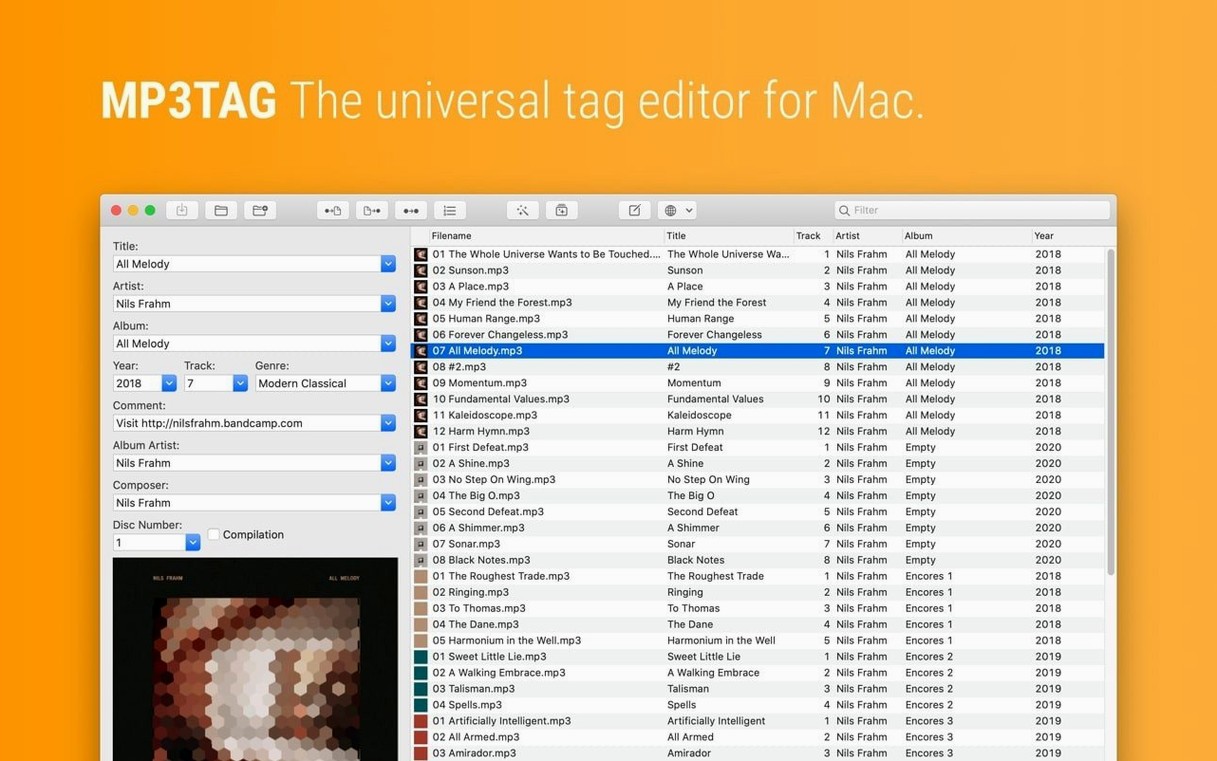
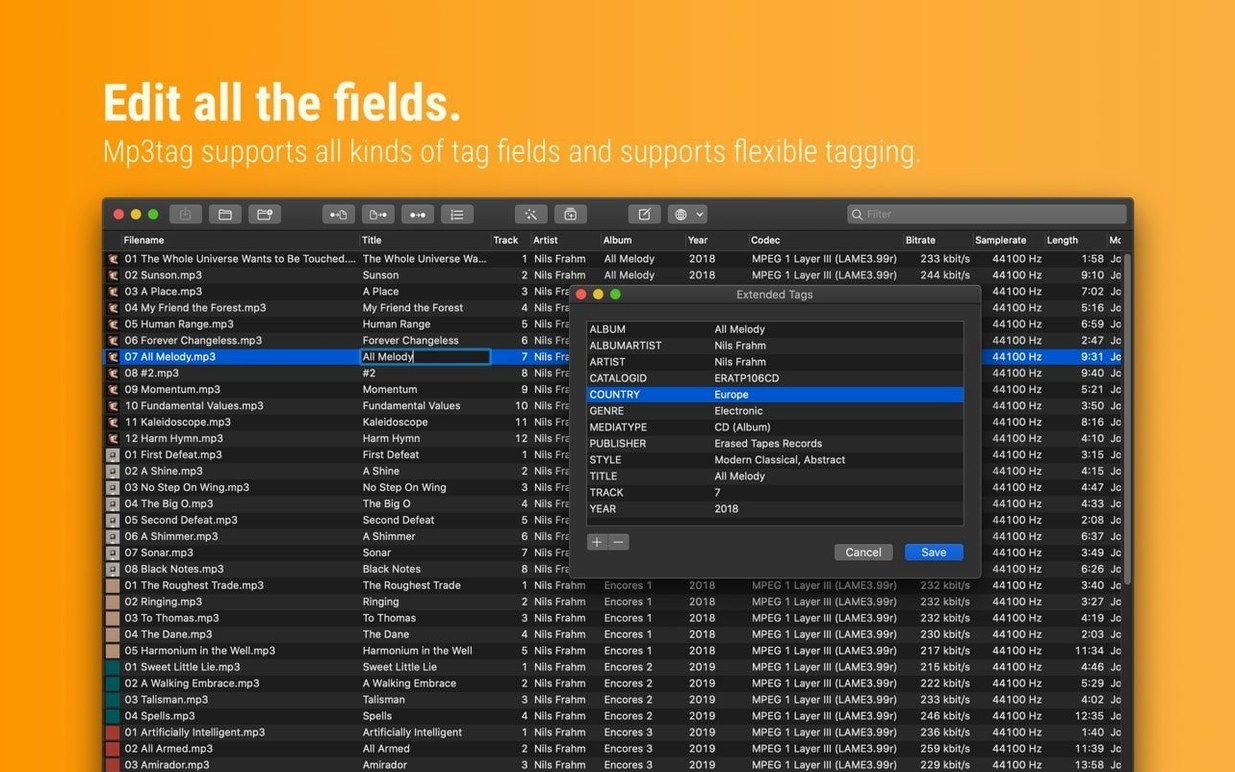
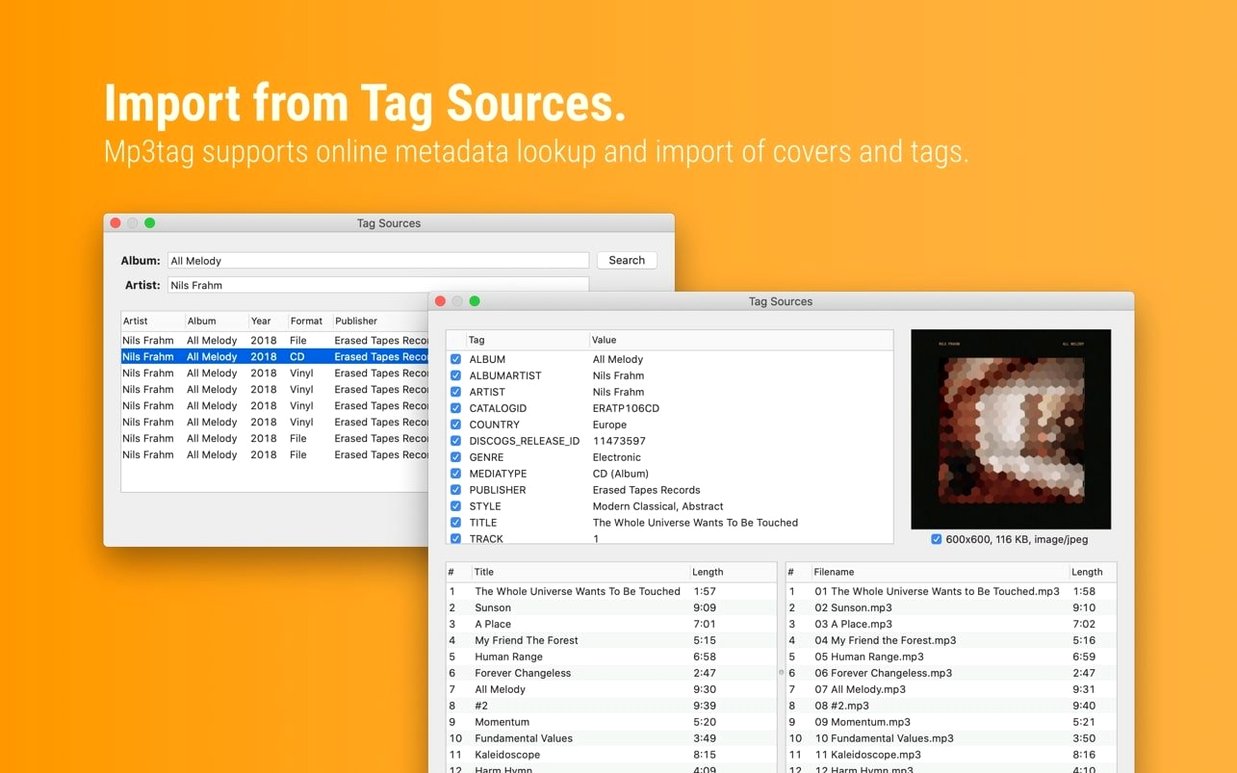
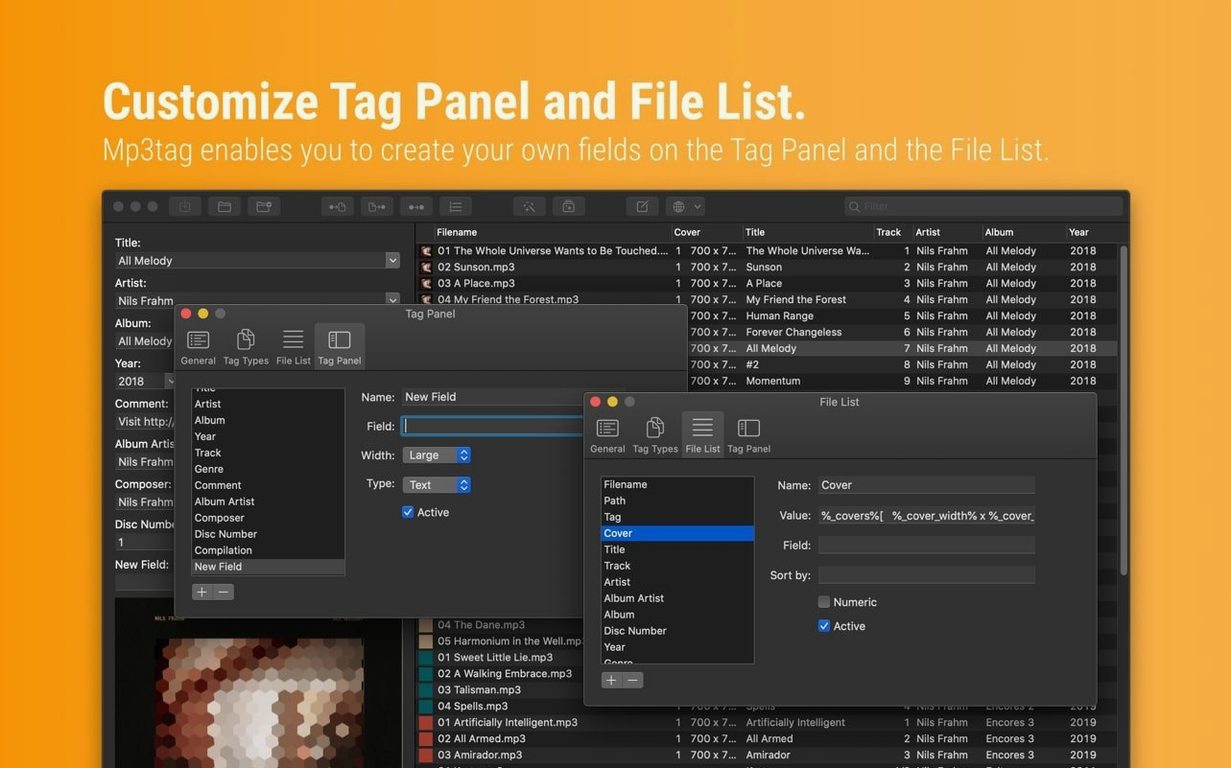
Batch renaming is where it earns its keep. Feed Mp3tag a folder of unnamed WAVs or AIFFs and it pulls artist, album and track titles from online sources, then rewrites every filename to match a pattern you set. No more Track 01 in your library.
The tag editor handles the obvious fields plus embedded cover art. You can resize images right inside the file, strip bloated artwork, or switch the format from PNG to JPEG before the file leaves your machine. Drag a new cover onto the panel and it replaces the old one everywhere you select.
Repeated cleanup jobs live in action groups. Define a sequence once — say, fix the case, remove leading numbers, add the year to the album field — then run it across hundreds of tracks in one click. The app also imports tag data from structured text files, handy when an online source isn’t available.
It is a focused tool for people who keep large local music libraries and want their metadata tidy before anything reaches Plex, a DAP or a USB stick for the car.
Most people now have a mix of old MP3s and newer FLAC files sitting across drives. Mp3tag handles both without switching modes. The file list updates as soon as you drag a folder in, and the column layout stays consistent whether you are looking at four fields or fourteen.
People often ask if the app rewrites the entire audio stream when you save a tag. It does not. The audio stays untouched. Only the metadata container changes, so a FLAC from Bandcamp or an MP4 from a voice recorder keeps its original sound. Cover art resizing also leaves the music alone — it works on the embedded image block separately.
Another common worry is losing tags when moving files between macOS and Windows. Mp3tag writes standard ID3 and Vorbis comment frames. A file tagged here opens the same in MusicBee on a PC or on a Linux box. The character encoding respects Unicode by default, so Cyrillic or Japanese track titles survive a cross-platform hop.
Some users want to know if they can work offline. The tag sources need a connection, but everything else — manual entry, file renaming, case conversion, action groups — runs without it. You can tag a whole offline archive on a train and queue up Discogs lookups for later.
Version 1.14.1 addressed a handful of edge cases that tripped up fast workflows. The most visible fix covers the Tag Panel interaction with cover art. Before the update, if you swapped a cover in the panel, then opened Extended Tags to tweak a comment or composer field, the cover change would quietly disappear when you hit save. Now the cover sticks regardless of which panel you visit next.
A related fix stopped the app from discarding unsaved Tag Panel edits when you jumped to Cover Search, Tag Sources, Converters, Auto-Numbering or Actions before committing. In practice, that means you can start typing a new album title, get distracted by a Discogs lookup, and come back to find your title still sitting there waiting for the save command.
The release also resolved a crash when adding action groups inside the Actions Groups window on macOS 27. For anyone maintaining large preset libraries, that removes a sudden quit that could lose a freshly built group.
BPM nerds got a small but meaningful correction: decimal tempo values no longer truncate to whole numbers in MP4 containers. A track marked 124.5 now stays 124.5 when written to an M4A file.
Mp3tag launches in under two seconds on an Apple Silicon Mac, even with a library of several thousand tracks in the recent directory list. The interface stays responsive during batch writes; you can scroll the file list or open a context menu while tags are being saved to disk. The progress bar in the status area gives an accurate count of files remaining rather than a vague spinner.
Memory use runs modest. With 800 FLAC files loaded, the app sits around 180 MB of RAM. That figure climbs if you load high-resolution cover art into the preview, then drops back once you move to a text-heavy view. It does not balloon over a long session.
Disk writes are sequential and measured. Tagging 200 MP3s in one action finishes in a few seconds, and the undo buffer keeps the previous state for each file until you close the window. That undo buffer lives in memory, not on disk, so an accidental close discards it — worth knowing before you muscle-memory a Cmd+W.
The app has handled every macOS release from Mojave forward without requiring a Rosetta fallback. Native Apple Silicon support means no translation layer overhead, which matters when you batch-process a large FLAC collection and want the CPU free for other tasks. I have seen no beachballs during extended tag source lookups, provided the network connection is stable.
Cmd+Shift+F to show a filter field above the file list. Type a word and the list instantly narrows to matching filenames or tag contents. It is faster than scrolling through a full library to find one mislabeled track.Some users searching for an mp3tag torrent end up here because they want to try the app without delay. That is understandable when you have a drive full of messy files and just need to clean them up tonight. The same goes for those typing mp3tag mac torrent or mp3tag mac crack — the tool has a reputation among collectors who remember it from Windows and want the Mac version running immediately.
Yes, it can construct new filenames using any combination of tag fields, letting you standardise an entire library with a single command.














Chat 0
Hop in or make an account to join the chat.
Quiet in here so far. If you have used this build, tell me what the install actually did.