
 attn LED
 Audiobook Builder
 AutoCAD
 Astro Gold
 BAO Mask Avenger
 Bartender
 BatFi
BatFi BBEdit

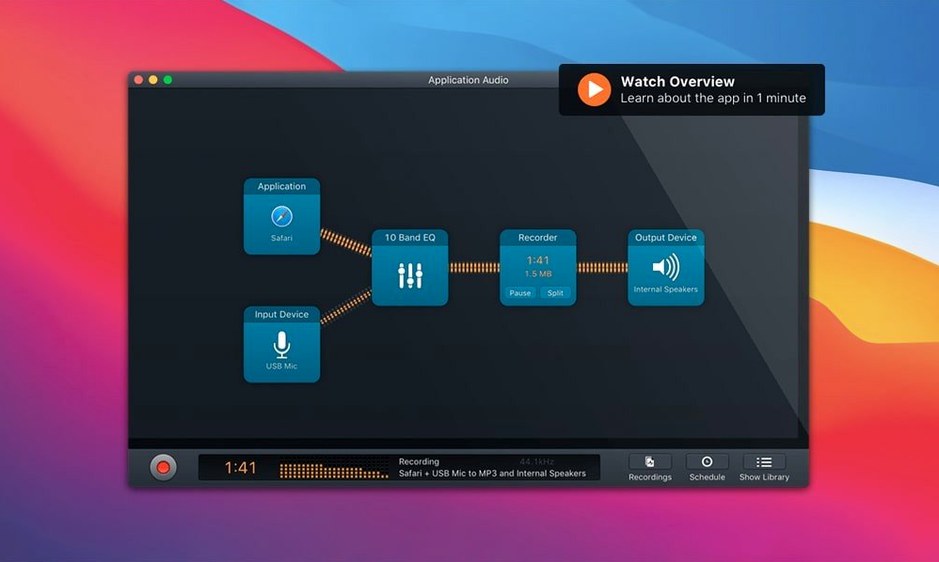
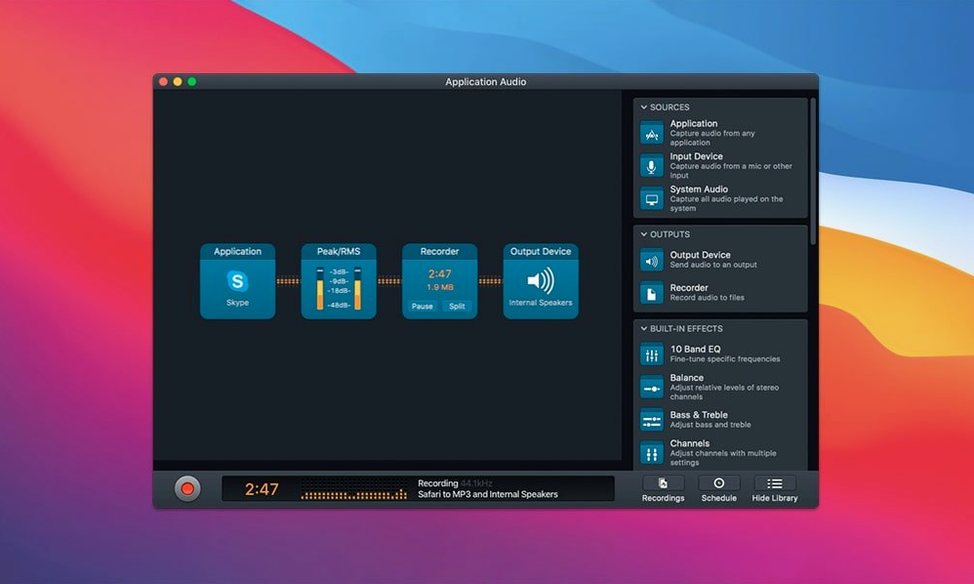
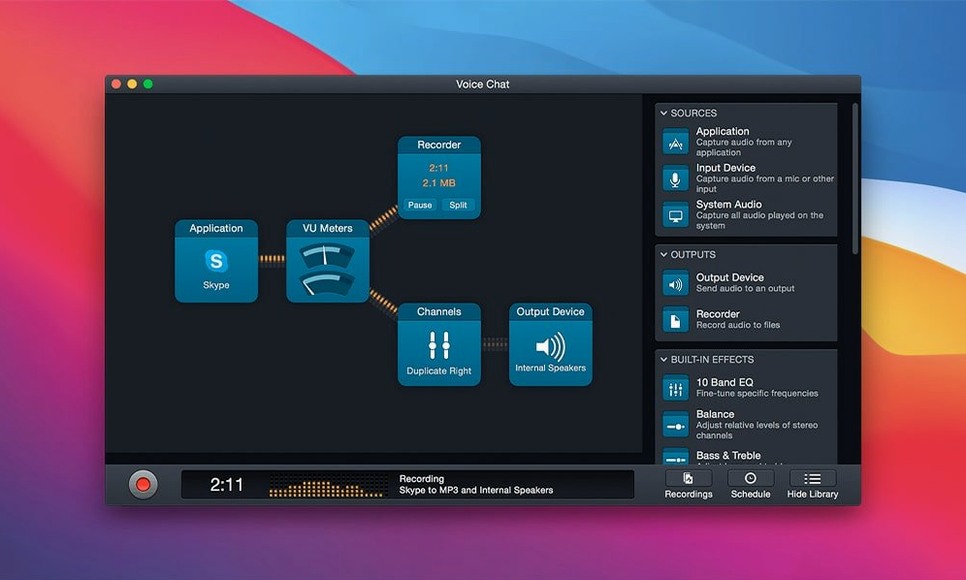
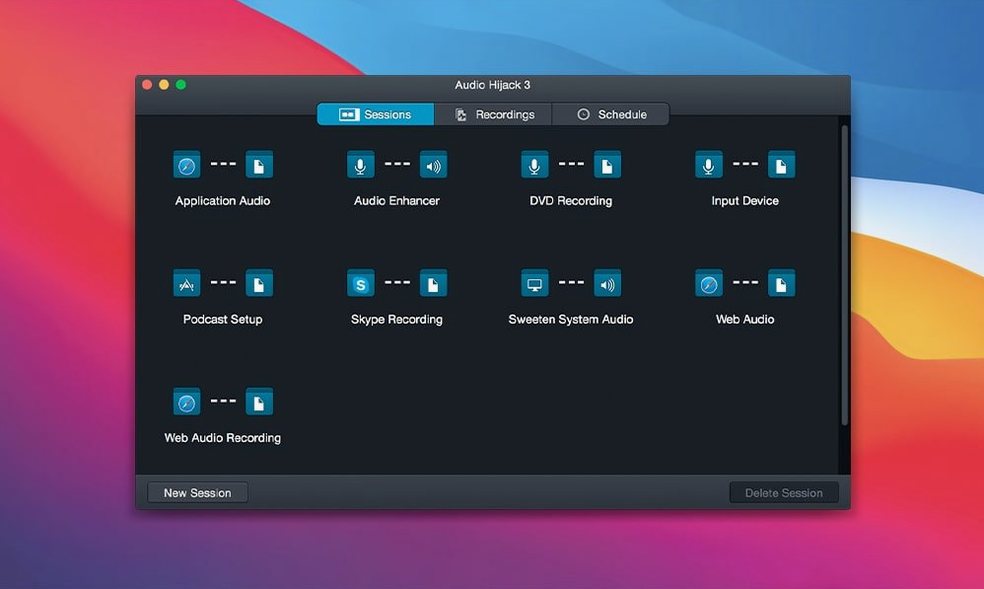
You’re listening to a radio drama in Safari, and a sudden burst of static threatens to ruin the best scene. In Audio Hijack, you’d just drop a Declick filter into the chain before it hits the recorder. The block-based interface makes this kind of fix feel obvious — each sound source, effect and output sits as a resizable tile you connect with virtual cables.
A single session can grab audio from multiple places at once. Pull a mic feed alongside iTunes, apply the Denoise filter to the voice track, then send the mix straight to a FLAC file. The Dehum block is handy when electrical buzz sneaks into older recordings.
The Transcribe block got a quiet overhaul. Version 4.6.0 picks a Recommended model by default, leaning on an updated Whisper.cpp backend that sharpens accuracy without you touching a setting. It’s the kind of polish that turns a recording app into a proper field notebook.
Everything runs natively on Apple Silicon and Intel Macs, now including macOS 27 Golden Gate. No workarounds, no virtual routing tricks — just pick your sources and press record.
Mae runs a fortnightly interview show. Guests are often remote, so she patches together FaceTime audio, her USB mic and a browser tab for theme music. Last month a guest’s connection dropped three words into a key anecdote. Because Mae had set up a session with the source split — FaceTime on one track, her local mic on another — she could punch in a clean retake from her side without losing the whole segment. The block view showed her exactly where each stream was going, and the recording kept rolling while she troubleshot.
After the call she ran the voice track through the Denoise filter, nudged the detection slider until air-conditioner hum disappeared, then exported a FLAC master for archiving. The guest never knew there’d been a hiccup. That’s the quiet value here: redundancy that lives in a visual layout you can scan in half a second.
Loopback, also from Rogue Amoeba, creates virtual audio devices but doesn’t record. Plenty of people pair it with Audio Hijack — Loopback pipes the audio, Audio Hijack captures it. If you only need routing, Loopback is the lighter tool. If you want recording plus on-the-fly processing, Audio Hijack does both in one window.
Piezo is aimed at quick captures: pick a source, hit record, done. It skips the multi-source canvas and the effects blocks entirely. For a one-off Skype snippet or a snippet of streaming audio, Piezo feels faster. But the moment you want to apply a Dehum filter, record two sources together, or schedule a timed capture, Audio Hijack’s extra layer of control makes the difference.
SoundSource handles per-app volume and output routing — it’s an everyday control panel rather than a recorder. Some users keep it running alongside Audio Hijack, adjusting levels before the signal ever reaches a recording block. They don’t overlap; they complement.
Audio Hijack talks well with other tools that treat audio as a file. You can record a call and drag the resulting FLAC straight into a Reaper or Logic session for detailed editing. The Transcribe block outputs text that plays nicely with a notes app like Obsidian or Bear — paste a rough transcript, add timestamp markers, and you’ve got a searchable log of a two-hour meeting.
On the macOS side, the app respects the system audio stack rather than fighting it. The built-in mic privacy indicator lights up when expected, and the app shows as a source in Shortcuts. You can wrap a scheduled recording in a Shortcut that also opens your note-taking app and sets a Focus mode, all triggered at 3pm. Drag that Shortcut into the menu bar and you’ve got a one-click press-kit setup.
If you’re the type who sometimes grabs an audio hijack torrent from a forum to test the waters, the block layout here is worth seeing in its proper build — the filters and routing don’t behave the same in stripped-down versions. An audio hijack mac torrent might give you the basic capture, and to get the Declick and Denoise blocks firing on all cylinders you’ll want to confirm the full processing engine is active in preferences. A cracked audio hijack download also tends to lag behind macOS updates by months, which matters when Golden Gate support just landed. The real deal keeps its plumbing intact.
Start with a template. Open the template chooser, pick “Application Audio” or “Podcast Interview,” and watch how the blocks connect. Run a thirty-second test with a mic and a Safari tab playing music; open the recording in the built-in player and click through the waveform. That small loop teaches you more than reading the manual.
On day two, try the timer. Set a session to record a late-night radio stream from a browser source, choose FLAC as the output format, and tick the box that stops recording after the stream ends. Wake up to a clean file with no dead air. By the third day, drag a filter block into an existing chain — the Dehum block works wonders on old cassette transfers — and save your tweaked version as a new template.
If you do go looking for a hijack torrent download on a sketchy site, a quick setup check — like verifying template auto-update permissions and confirming the Transcribe block’s model files are present — gets those small workflow wins humming right along. The app is built to become background infrastructure; after a week you stop noticing it’s even open, which is the highest compliment a utility can earn.
Yes. You can combine audio from Safari, iTunes, a microphone and other sources in a single recording session.














Chat 0
Hop in or make an account to join the chat.
Quiet in here so far. If you have used this build, tell me what the install actually did.