
 Audio Hijack
 AutoCAD
 attn LED
 Astro Gold
 BAO Mask Avenger
 Bartender
 BatFi
BatFi BBEdit

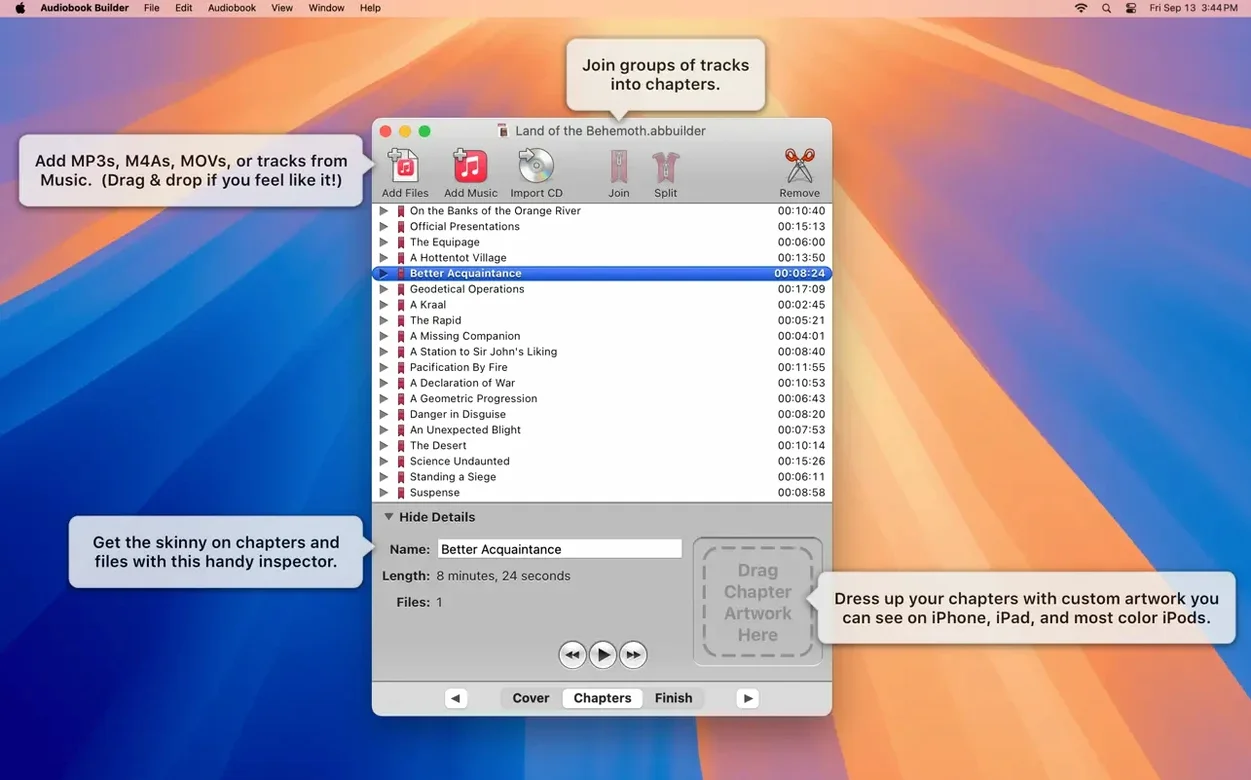
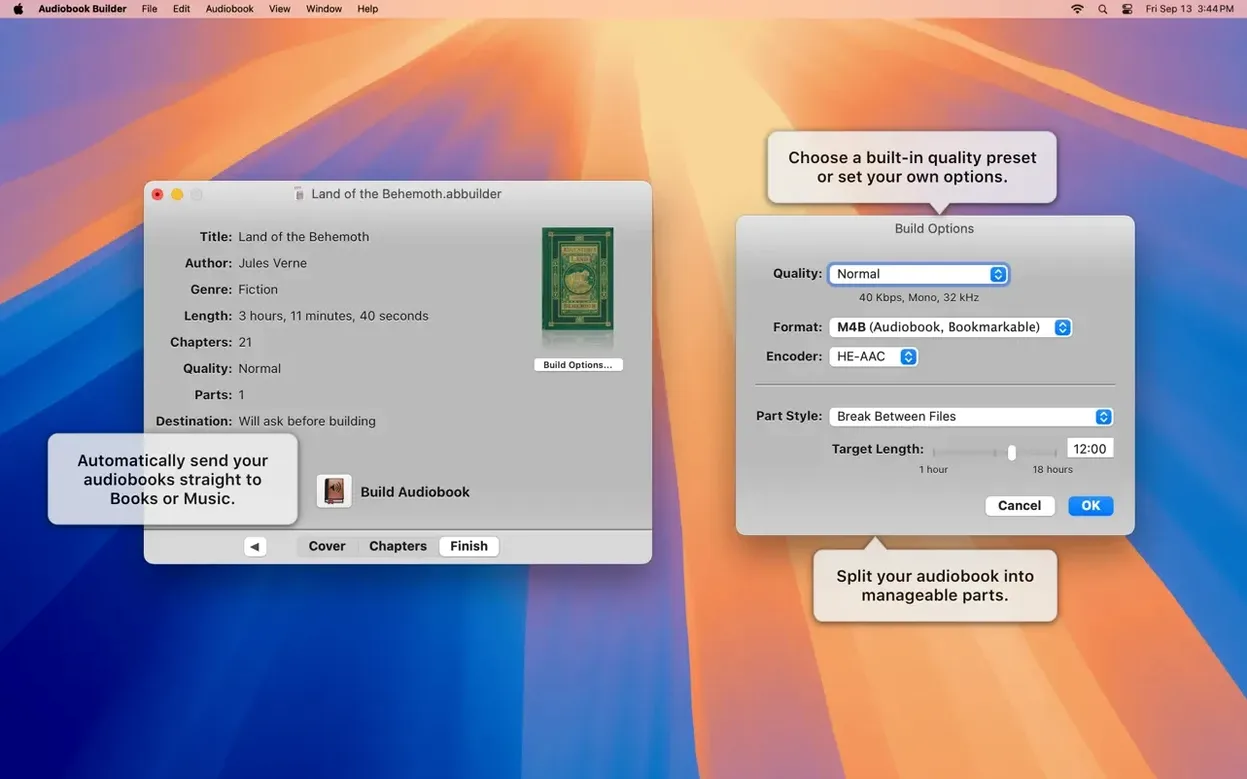
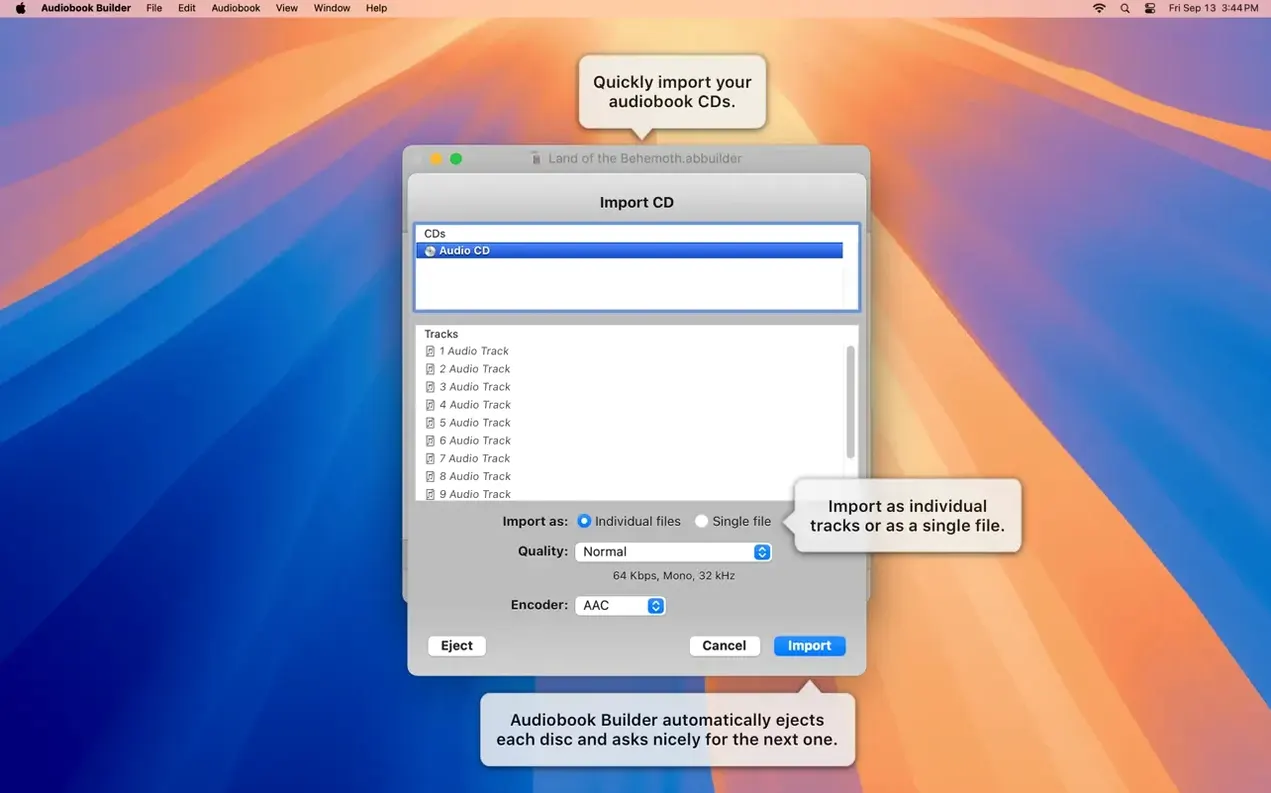
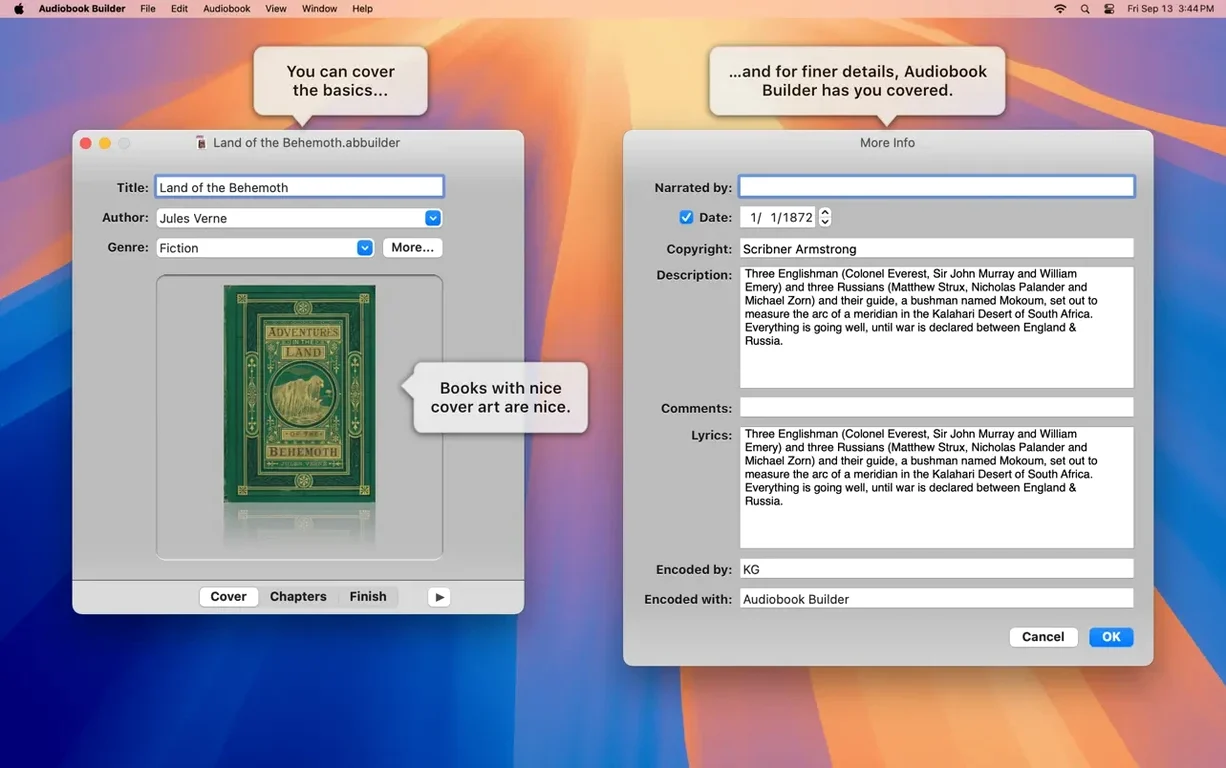
A single CD rip can mean dozens of untitled tracks. Audiobook Builder knows what to do with them.
What it is — a Mac app that converts a stack of audio files, or the contents of a CD, into one properly structured audiobook.
Who it's for — anyone who wants their spoken-word collection to behave like a real book on Apple devices, with chapters, cover art and a place in the Books app.
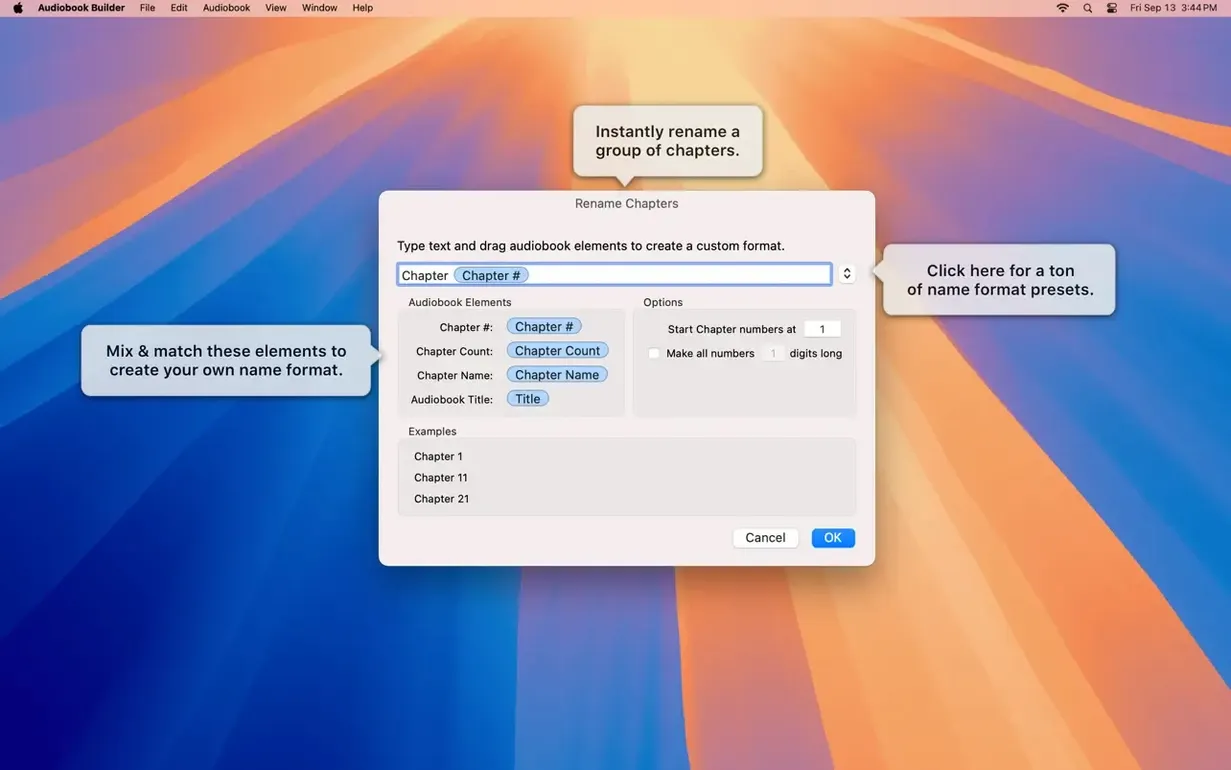
Chapter stops — you can merge short files into chapters or split a long file into named sections. Every chapter gets a custom title.
Quality presets — pick a sound setting once and the app remembers. No fiddling with bitrates unless you want to.
Artwork that sticks — add a cover and chapter images. They travel with the book to your iPhone or iPad.
Where it lands — finished books go straight to the Music or Books app, ready to sync.
Here’s one route. Insert a CD. Audiobook Builder pulls the tracks and you give the project a title and author. Choose Audiobook as the output type and set quality to Spoken Podcast — it keeps file sizes small without muddling speech.
Group the first five tracks into chapter one and name it Greetings and basics. The next six become Ordering food. Drag a photo of a market stall onto chapter two. Add a clean cover image for the whole book. Hit Build Audiobook and the app joins the raw CD audio, writes chapter markers and encodes a single .m4b file. It appears in the Books app, complete with artwork, ready for a commute.
Someone with a folder of The Wind in the Willows MP3s — one file per chapter — doesn’t want to tap next track while driving. They drag the folder into Audiobook Builder, check that the chapter order matches the book, and set the narrator’s name. A quick listen confirms the speech is clear at the default bitrate. They snap a photo of the book cover with their phone, drop it into the artwork well and build. Twenty minutes later the story sits in the Books app on an iPad, chapters labelled and ready for a toddler in the back seat.
Audiobook Builder focuses on one thing: turning audio into a structured book for Apple’s ecosystem. That’s worth measuring against a few other tools.
Next to Audiobook Binder. Audiobook Binder is a free utility that joins MP3 files into a single M4B and writes basic chapter stops. It doesn’t import directly from CDs and its artwork support is limited to one cover image. Audiobook Builder handles CD import, lets you set per-chapter images and offers quality presets that survive an upgrade. If your project is a quick folder-to-book conversion, Audiobook Binder gets it done. If you want control over chapter splits, artwork and output quality, Audiobook Builder gives you more levers.
Next to a general pkg builder or audio editor. Tools like GarageBand or Audacity can chop and export audio, but they don’t produce a Books-ready M4B with chapter metadata. A generic pkg builder has no concept of a chapter stop. Audiobook Builder skips the manual markup stage — you build the structure visually and the app writes the metadata during encoding. The trade-off is that you won’t get a multitrack editor or effects panel; you get a focused path from source audio to a finished audiobook.
Next to iTunes-based workflows. Older guides describe stitching files together in iTunes and manually changing the media kind to Audiobook. That approach gives no chapter images, no quality presets and no way to name chapters after the fact. Audiobook Builder collapses that whole routine into one window and adds niceties like custom chapter titles and cover art that sticks on Ventura and Sequoia.
Good to know: if you work with a lot of WAVE files that actually contain MP3 data, version 2.2.9 no longer throws the “no audio in file” error that used to block those encodes.
Yes. You can import directly from a CD and the app will combine the tracks into a single audiobook with the chapter layout you choose.
They're added straight to the Apple Music or Apple Books app on your Mac, then sync to your iPhone, iPad or other Apple devices.
Yes, version 2.2.9 runs natively on both Apple Silicon and 64-bit Intel Macs, and it's ready for macOS 15 Sequoia.














Chat 0
Hop in or make an account to join the chat.
Quiet in here so far. If you have used this build, tell me what the install actually did.