
 Disk Drill
 Default Folder
 djay Pro
 DockView
 Dorico Pro
 DCommander


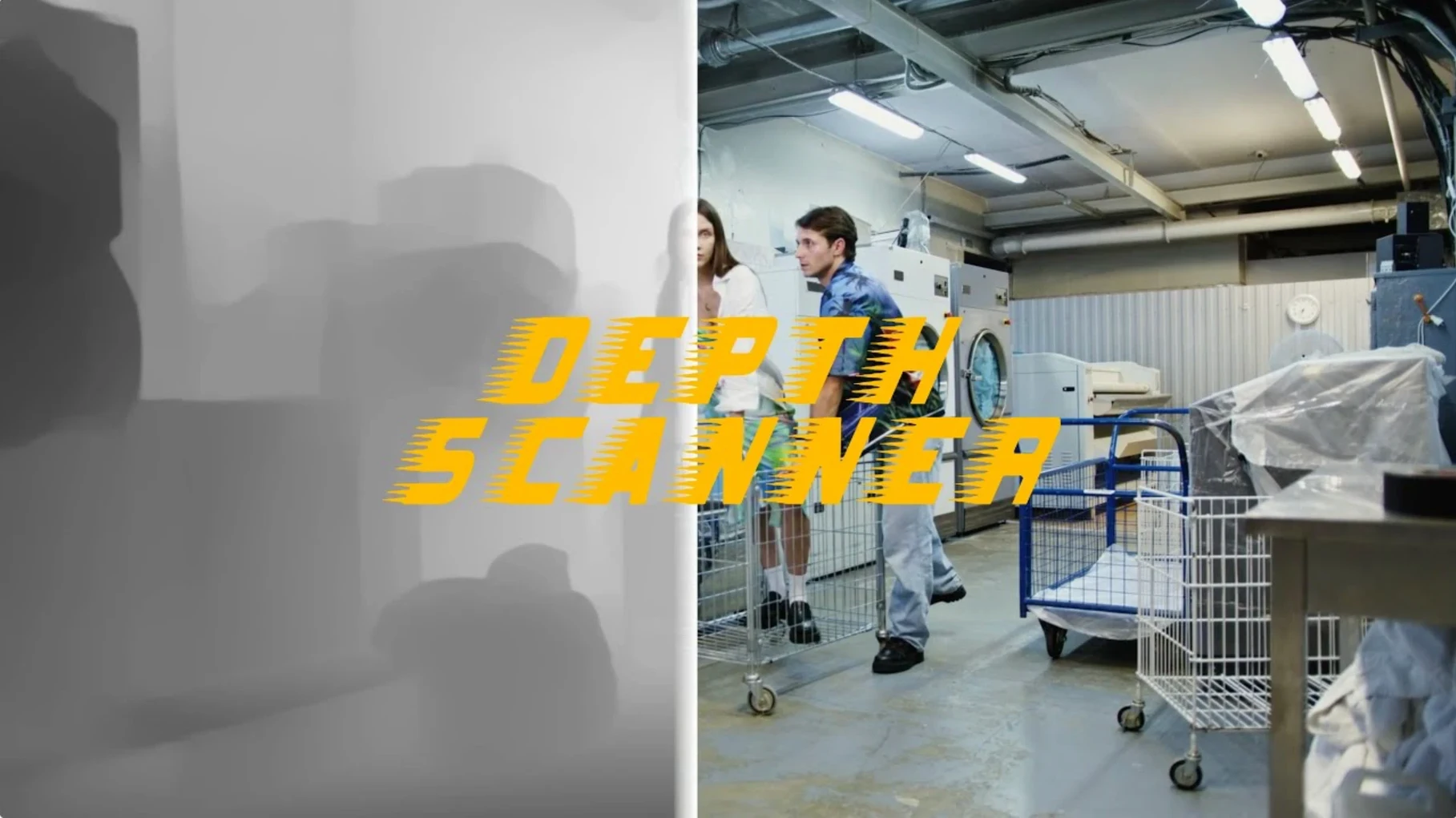
If you have spent any time with After Effects' Camera Lens Blur, you know it leans on a depth map to sell the shot. Depth Scanner from Blace Plugins builds that map straight from your footage or stills, no external round-tripping needed. It sits in your timeline as a native AE plugin.
| Format | Host |
|---|---|
| After Effects plugin | Adobe After Effects |
The generated greyscale depth pass slots neatly into two classic compositing moves: driving a 3D parallax shift across layers, or dialling in shallow depth-of-field blur that tracks correctly with distance. The plugin shares a lineage with Depth Scanner 2 in Blace's own docs, so the core idea feels familiar if you have glanced at the newer release. English is the interface language, and setup follows the standard AE plugin routine.
Does the plugin need a dedicated GPU? Depth Scanner leans on your system's neural engine or GPU for the heavy lifting, but it does not demand a specific card. As long as your Mac runs the version of After Effects you already use, the plugin slots in without extra driver fiddling.
Can it handle 4K footage? Yes. Longer clips at high resolution simply take more time to process frame by frame, which is exactly what you would expect. Short 4K bursts or stills chew through the analysis quickly enough to stay in flow.
What makes the generated map different from painting one by hand? Speed, mostly. Hand-painting a depth matte for every frame of a handheld shot is painstaking. The AI inside Depth Scanner reads luminance, edge contrast and focus fall-off to guess what sits closer to the lens. The result is rarely final-grade on its own, but it gives you a strong starting matte you can refine with a quick levels adjustment or a soft roto.
A rack focus that shifts attention from a foreground object to the background in one shot works like this:
The whole setup stays live, so tweaking the focal point mid-shot is a single keyframe edit. For a parallax version, swap the blur step for a 3D camera push-in mapped to the same depth matte.
Imagine a title-sequence animator working on a indie documentary opener. She has a slow push-in on a crowded market stall — fruit crates in front, hanging lamps behind, faces moving in the middle distance. She needs the typography to sit behind the nearest crates but in front of the far wall, with a gentle fall-off so the text does not feel cut out.
She drags Depth Scanner onto the clip, exports the depth pass and uses it as an inverted luma matte for the title layer. A quick curves adjustment on the matte pushes the mid-grey values toward white, carving out a soft pocket of space exactly where the text needs to sit. The whole job — from first frame to preview render — fits inside a coffee break. No external AI tools, no file export dance.
She saves the setup as an animation preset and reuses it on three more clips before lunch. Depth Scanner becomes a one-click depth pass generator that feeds straight into whatever compositing trick the next shot demands.
You can drive 3D parallax motion across layers or apply realistic depth-of-field effects that blur based on distance.
No, it is an Adobe After Effects plugin from Blace Plugins and runs inside AE.
Blace Plugins lists Depth Scanner alongside Depth Scanner 2 in their plugin documentation, so they share a family line.














Chat 0
Hop in or make an account to join the chat.
Quiet in here so far. If you have used this build, tell me what the install actually did.