
 Dropzone 5
 DVDFab
 Dropover
 DxO FilmPack 8
 DriveDx
 DxO PhotoLab
 DynamicLake Pro
 Drama
Drama


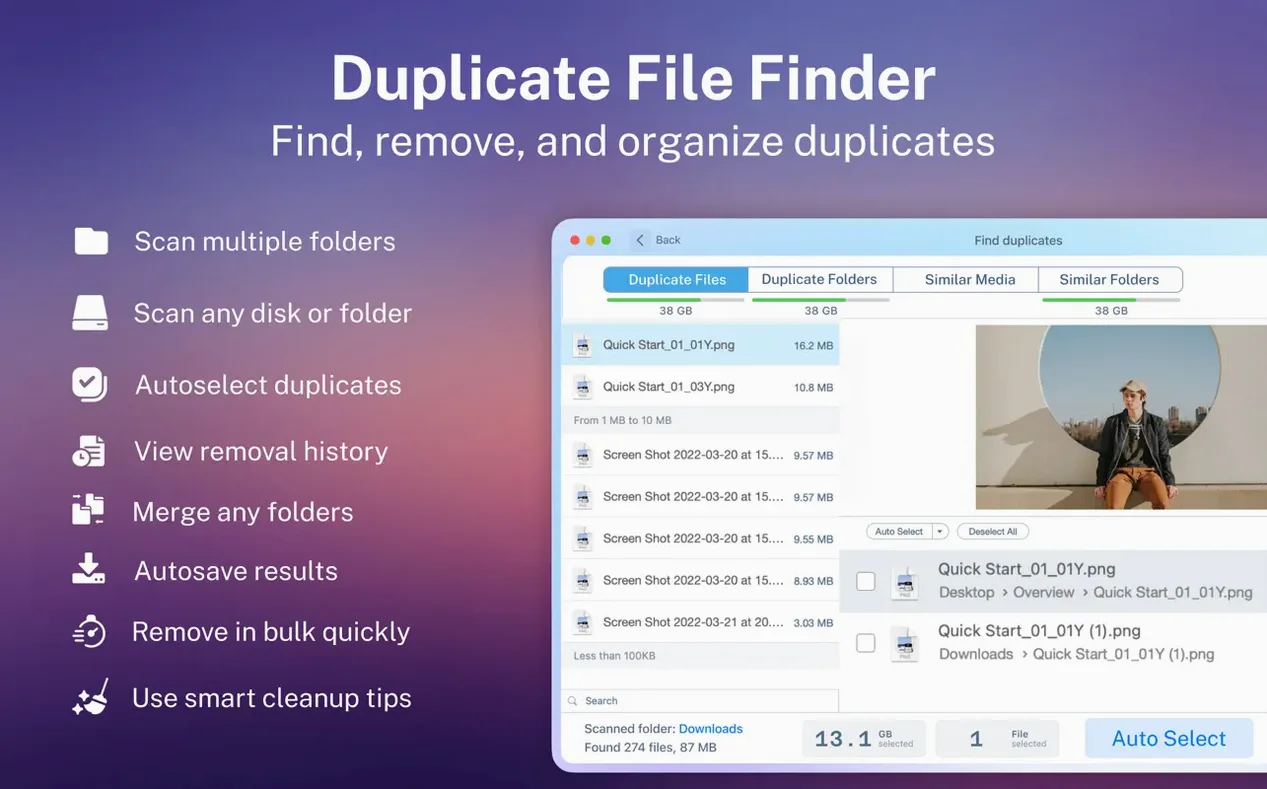
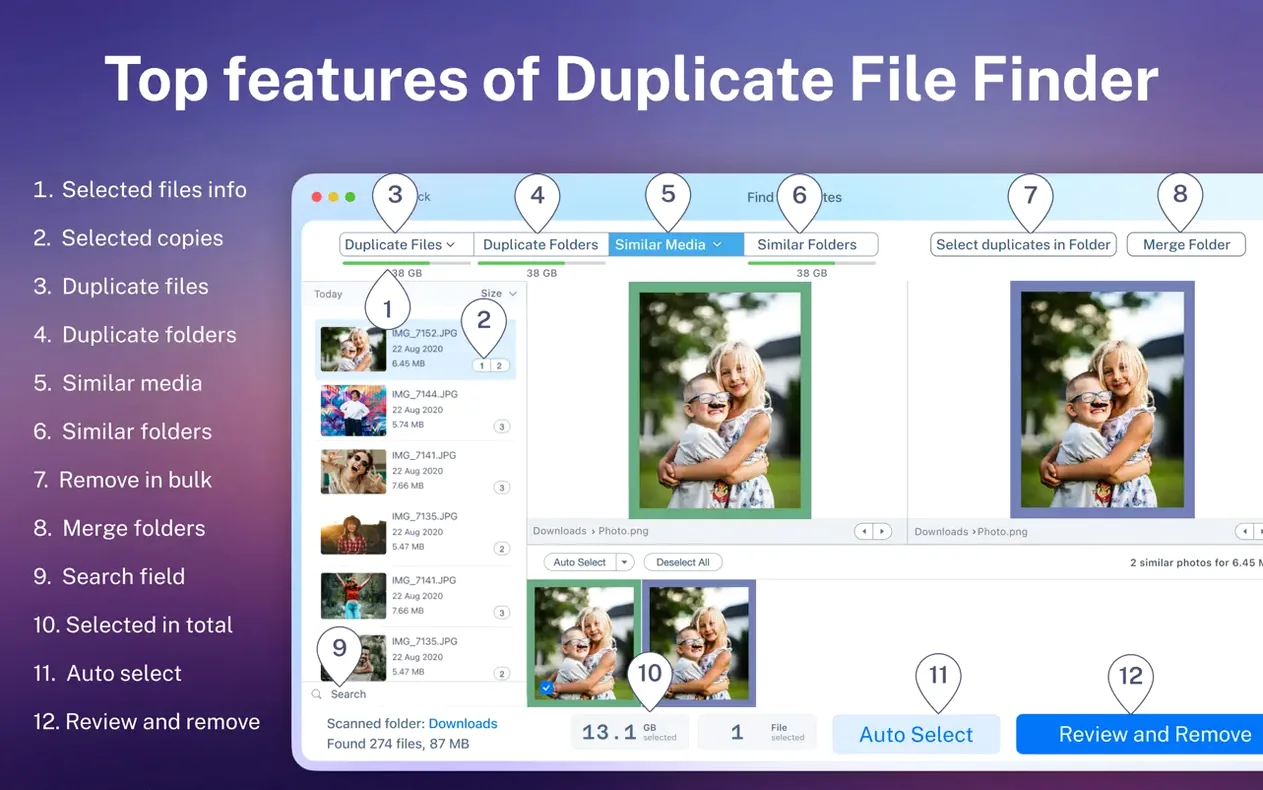
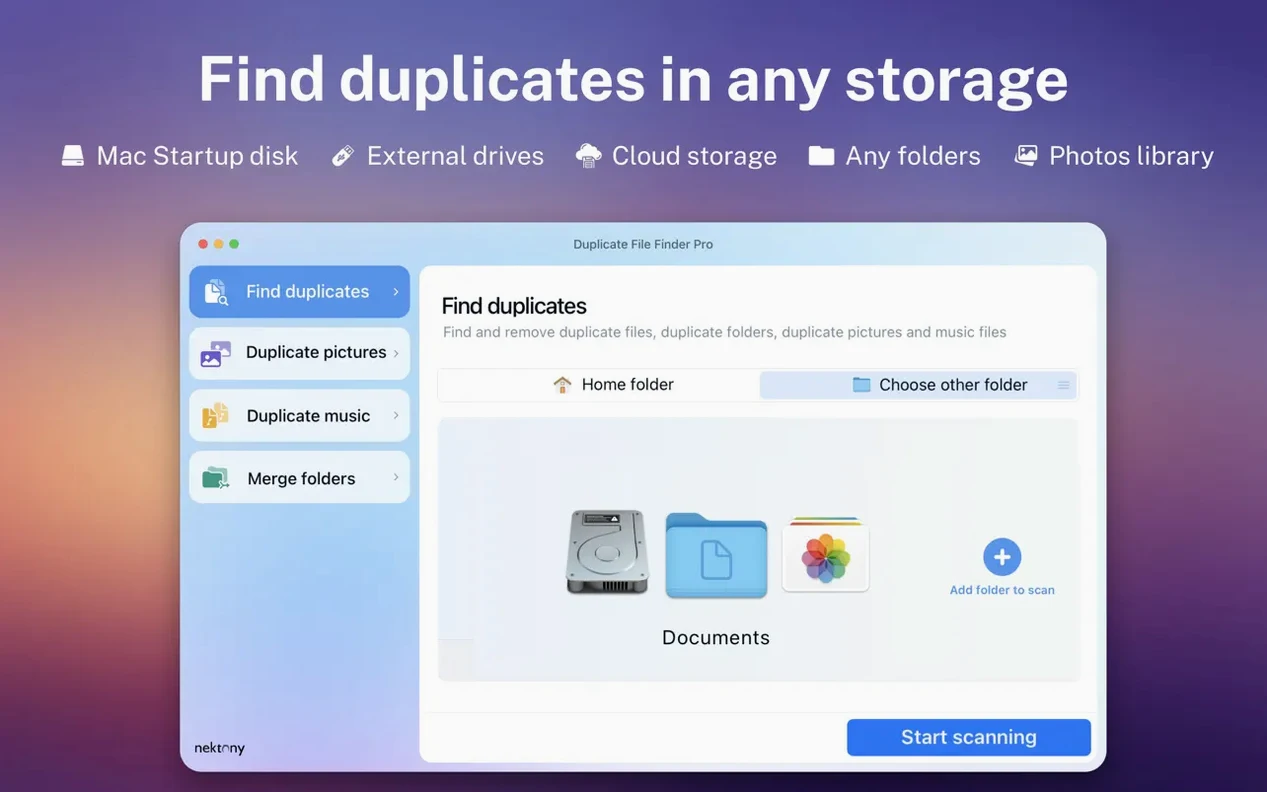
Photographers with bursting libraries, office workers juggling shared drives, anyone who has ever dragged a folder into another 'just in case'. Duplicate File Finder Pro is built for people who need to slim down storage without manually picking through thousands of files.
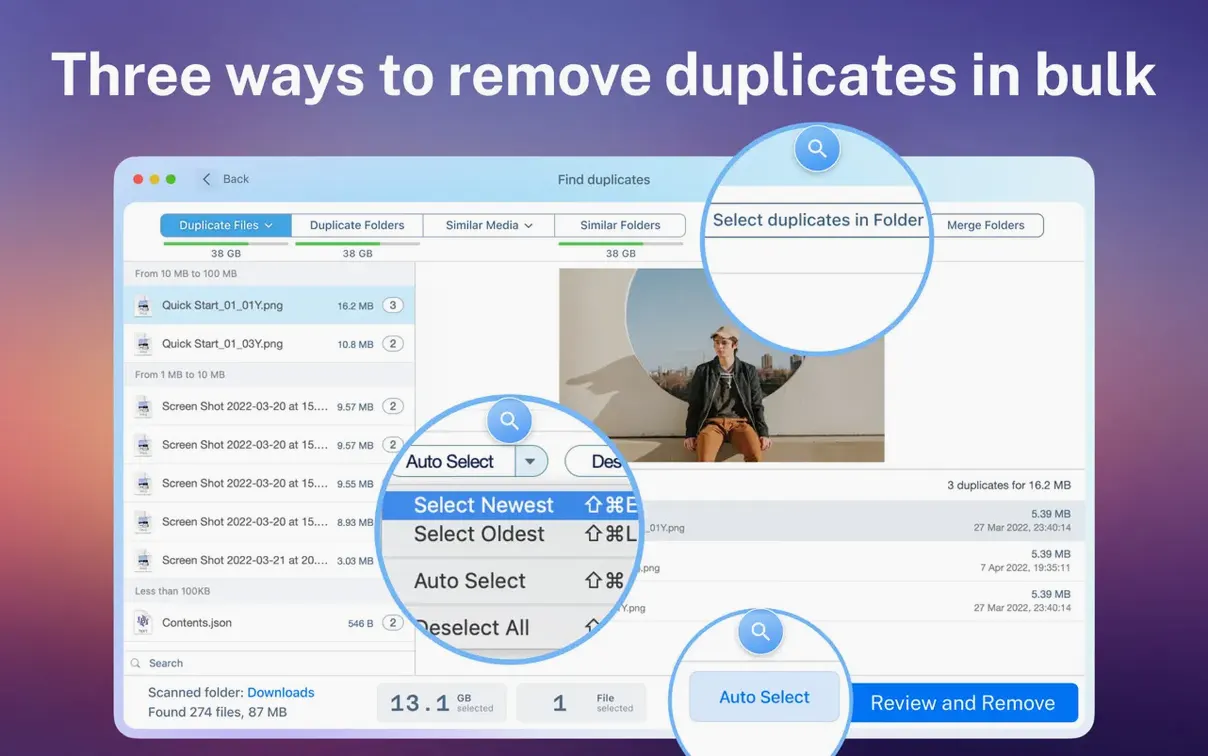
Once the scan finishes, you can order the results by name, size, total size, type or duplicate count. Smart selection picks the copies to clear with one click, and a single button selects multiple duplicates for bulk actions. From there you move them to Trash or delete them permanently. If two messy folders make more sense as one, the merge folders tool combines their contents so you stop hunting through split‑up projects.
On a Mac, the nearest neighbours are usually Gemini 2 and Easy Duplicate Finder. Gemini 2 leans hard into a clean, single-window flow and its smart cleanup picks are solid, but it doesn't touch duplicate folders or similar folder structures the way Duplicate File Finder Pro does. If your library has splintered into half a dozen slightly different 'Final Edits' folders, Gemini won't spot the pattern. Easy Duplicate Finder brings more control over scan rules than Gemini, yet its interface can feel like a settings panel crossed with a spreadsheet. Duplicate File Finder Pro sits in the middle: more folder‑level smarts than Gemini, less configuration noise than Easy Duplicate Finder. Where it really pulls ahead is the merge tool. Neither competitor lets you unite two messy folders from the same screen where you found the duplicates.
New installs invite overconfidence. Do three things early and you will dodge the usual stumbles.
Imagine a Tuesday evening. A portable SSD labelled 'Archive 2023' sits on the desk, and the Mac's internal storage has been complaining about space for a week. The plan is to clear the drive without losing a single keeper.
You open Duplicate File Finder Pro and drag the SSD icon straight into the scan area. No fussing with file type filters yet, just the whole volume. While the progress bar ticks along, you grab tea. The report lands in under four minutes. The visual chart at the top shows music files chewing the most duplicates, so you click that category. The list narrows. A quick sort by total size pushes the heaviest clusters to the top, and a live preview confirms the copies are bit‑identical.
Smart selection marks all but one copy in each group. You spot a batch inside a hidden folder named .old_backups, which explains why the space never showed up in a normal Finder window. A tap of the select button grabs the lot, then you send them to Trash. Before emptying the Trash, you remember the old habit of adding OneDrive to Mac Finder a year ago, and sure enough, a mirrored set of duplicates sits in the cloud‑synced folder. You run one more targeted scan there, clear 11 GB, and call it a night.
As long as the OneDrive folder appears in a Finder window on your Mac, the app can scan it the same way it handles any local or network folder.
Yes, it supports both Apple Silicon and Intel Macs running macOS 10.13 or later.
They sit in the Trash like any other files, and you can restore them through the app if you change your mind.














Chat 0
Hop in or make an account to join the chat.
Quiet in here so far. If you have used this build, tell me what the install actually did.