
 Sonarworks SoundID Reference

Download Slate Digital Fresh Air for macOS
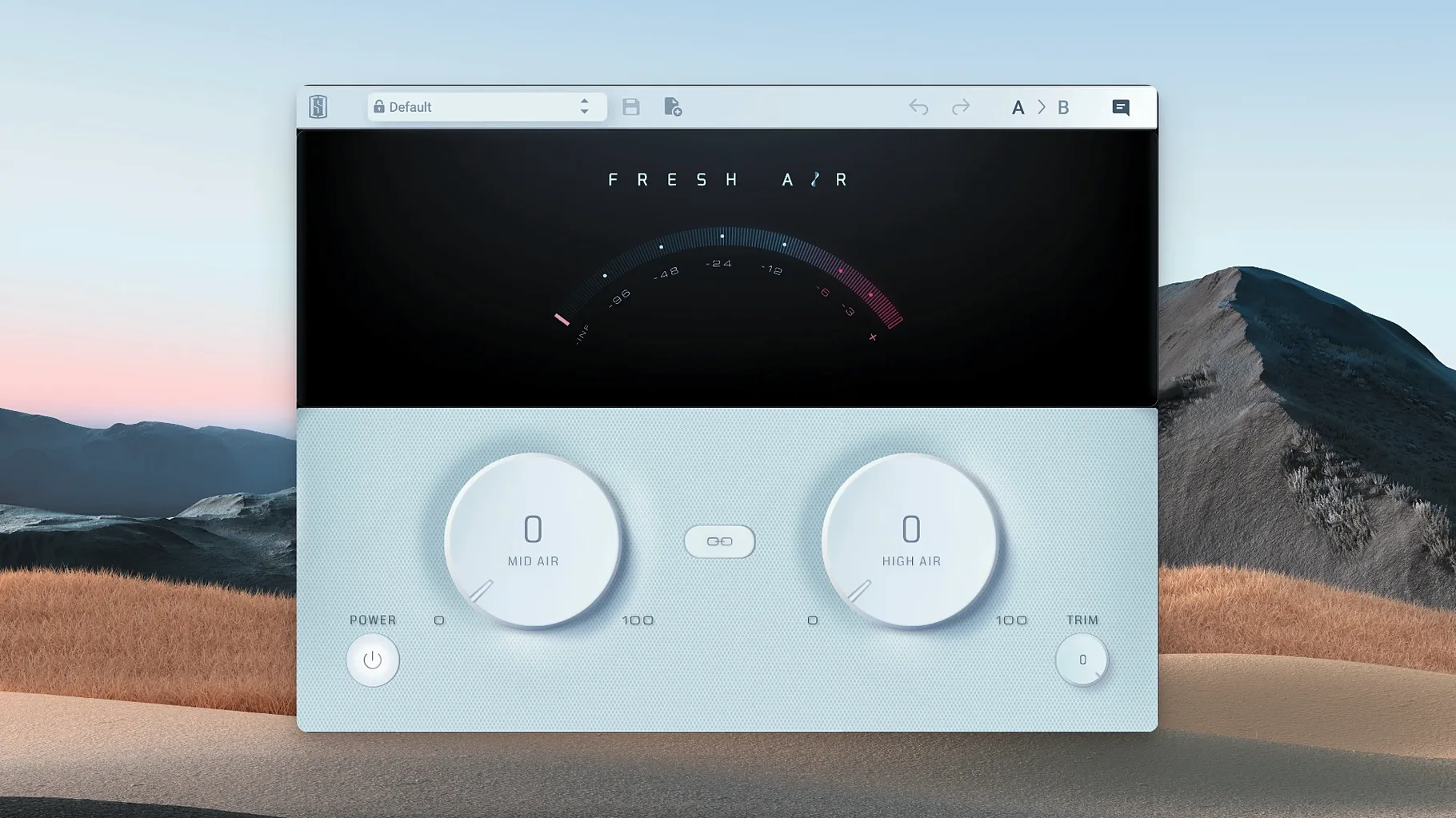
You pull up a vocal track that's sitting a little too far back in the mix. A touch of high-end lift would bring it forward, but a standard EQ push brings a brittle edge you don't want. Fresh Air adds that lift differently, using a blend of vintage exciter modelling and dynamic processing to open up the top end without the grit.
- Runs as a VST, AU or AAX plugin on macOS 11 and up with Apple Silicon support
- Works on single tracks, buses or across the full mix bus
- Two-knob design: Mid Air for presence, High Air for the top octave sheen
- Trim dial lets you level-match the output after adding gain
- Based on old exciter circuits paired with modern dynamics so transients stay controlled
It's a focused tool. You turn a knob, the sound opens up. The processing stays clean enough that you can push it further than you'd expect on a dull room recording or a flat synth pad before things get scratchy.
Pushing Mid Air too hard flattens the excitement
The first few times you drop Fresh Air on a track, it is easy to overdo it. The processing is so clean that your ears adjust quickly. You push the Mid Air knob to three o'clock on a vocal, it sounds great for five minutes, and then you come back the next morning and the singer sounds like they are broadcasting through a telephone earpiece.
Another classic stumble is treating it like a regular EQ. It is not. A standard high-shelf boost raises every frequency above a set point by the same amount. Fresh Air is dynamic — it responds to the material. When you slap it on a busy mix bus thinking you will just add a little shine, the processor latches onto the loudest transients and the cymbals get glassy before the rest of the mix opens up at all. Try it on individual stems first, then decide if the full bus needs it.
Beginners also tend to ignore the Trim knob. Adding Mid and High Air increases perceived level. Louder always sounds better in the moment. If you do not pull the output back to match the input, you are just fooling yourself with volume. Bypass the plugin, match the levels, and then judge what the processing is actually doing.
Snare crack jumps out when High Air hits the drum bus
Snag: You insert Fresh Air on a drum bus and the snare starts poking out too aggressively. The High Air knob is grabbing the snare's top-end crack and pushing it forward while the overheads stay polite.
Fix: Pull back the High Air and lean more on Mid Air instead. Mid Air targets the presence range where the body of the snare lives, so you get punch without the brittle attack. If the cymbals still need help, send them to their own bus and process them separately.
Snag: A vocal track gets that wispy, papery texture that sounds like an old cassette tape losing its coating.
Fix: You have pushed both knobs too far on a source that already has a lot of high-frequency content. Back both controls to halfway, unlink them if they are linked, and try a small nudge on just the High Air knob. A little goes a long way on a bright condenser recording.
Snag: The plugin interface is frozen or not passing audio after installation.
Fix: This version runs on Apple Silicon and expects macOS 11 or later. If your DAW is running in Rosetta mode, flip it to native ARM. Rescan the plugins. If the plugin still will not wake up, remove it from the components folder and run the standard installation procedure again.
Solo a finished mix to learn what each knob grabs
A good way to learn what the knobs actually do is to take a track you know well — a finished mix you have heard a hundred times — and solo one element at a time. Start with a lead vocal. Turn Mid Air fully counter-clockwise, then slowly bring it up. Notice where the voice stops feeling recessed. Do the same with High Air and listen for the point where breath sounds and consonants feel open but not sizzly. Write those settings down.
Day two, try it on something you would not normally process. A bass guitar that lacks definition. A kick drum that needs more beater attack. Mid Air on a bass can pull out string noise and finger slides without thinning the fundamental. On a kick, a touch of High Air can make the click of the beater cut through a dense rock mix.
Day three, stack it gently. Put a modest instance on the vocal bus, another on the drum bus, and a very light touch on the master. The cumulative effect of small moves across multiple buses often sounds more natural than one heavy-handed pass at the end of the chain.
Unlink the controls so presence and air move separately
The Link button is on by default. Unlink the controls. Mid Air and High Air operate in different frequency ranges and you almost never want them moving in lockstep. A vocal might need a generous Mid Air boost for presence but barely any High Air to keep sibilance under control. A dull acoustic guitar might want the opposite — more High Air for string shimmer, less Mid Air to avoid boxiness.
Set the Trim knob to roughly offset whatever gain you add with the two main controls. If your DAW has a gain reduction meter on the channel, use it. If not, bypass Fresh Air periodically and toggle between processed and unprocessed at the same perceived loudness. Your mix decisions will be more honest.
Finally, place Fresh Air after compression in your signal chain. A compressor will react to the high-frequency energy you are adding and might clamp down in ways that undo the air you just dialled in. Let the dynamics processor do its work on the raw signal, then open up the top end.
- macOS 11 or newer
- Apple Silicon native support
Questions I get
Yes. Slate Digital designed it to work on individual tracks or across the full mix bus for adding overall brightness and air.
No. The plugin combines vintage exciter circuits with dynamic processing to add brightness while keeping the sound smooth and free of unwanted artifacts.







Chat 0
Hop in or make an account to join the chat.
Quiet in here so far. If you have used this build, tell me what the install actually did.