
 Sonarworks SoundID Reference

Download Slate Digital Submerge for macOS
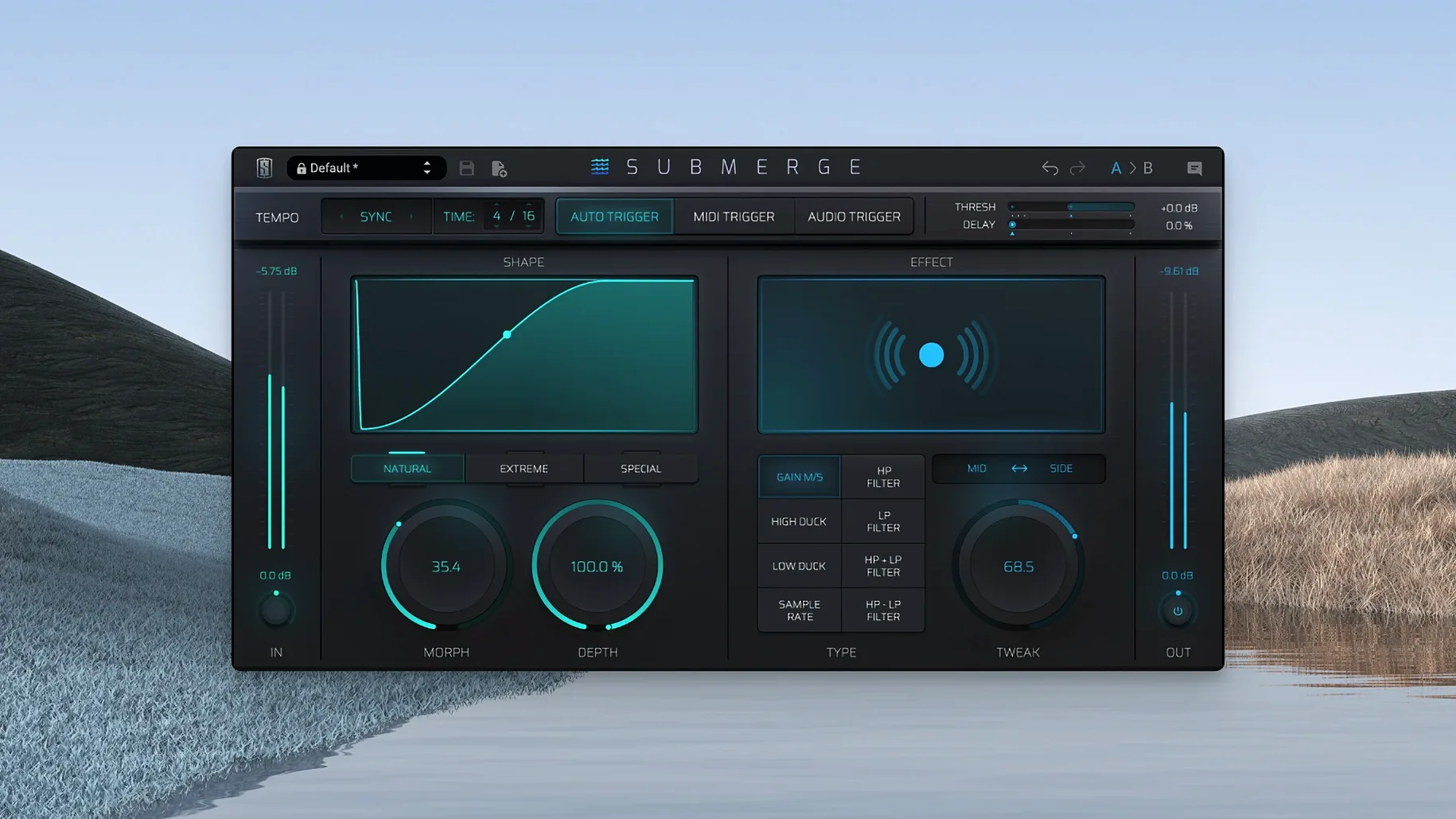
Routing a sidechain compressor to get a kick drum to duck a bass line isn't hard, but it is fiddly — and easy to get wrong when you're moving fast. Submerge skips the DAW routing tangle. Drop it on a track or bus, set a threshold and it ducks the audio for you, with the same pumping feel you'd spend ten minutes dialling in by hand.
Kick and bass separation
- Kick and bass separation — duck the bass on every kick hit for a cleaner low end
- Pads and vocals — push a synth pad aside every time the vocal lands
- Creative pumping — use MIDI notes or the eight built-in effects to shape movement that doesn't rely on a kick drum at all
- Bus processing — tighten a drum bus or synth group with gentle ducking tied to the project tempo
- Audio-triggered sidechain — feed in an external signal and let Submerge follow its dynamics
Shift inverts the curve
- Holding Shift inverts the curve — ducking flips to pushing, so a signal gets louder on the trigger instead of quieter
- The Morph, Speed, Depth and Tweak controls shape the envelope beyond a standard attack/release pair
- Built-in effects include high-pass and low-pass filtering, so the ducking can target a specific frequency range
- Trigger modes cover project sync, MIDI notes and audio side-chain input — you're not locked to one workflow
Once you stop treating Submerge as a utility and start pushing it with fast MIDI patterns, you notice how little it fights you. On an M-series Mac the plug-in window opens instantly — no beachball, no sluggish redraws when you scrub through curve shapes. CPU use stays flat enough that I forget it's there, even stacked across a dozen tracks in Logic. That matters more than it sounds: a ducking plug-in that makes you second-guess timing because of latency isn't one you reach for twice.
Stability has been uneventful. No crashes when switching trigger modes mid‑playback, no glitching when the audio trigger gets a wild dynamic range fed into it. If you push the sample‑rate reduction effect hard while the custom curve is steep, you might get a click — but that's the kind of artefact you'd lean into, not a bug.
Settings to change out of the gate
- Switch the curve to custom. Natural and extreme work for quick results, but dragging the breakpoints yourself is where the envelope stops feeling like a compressor and starts feeling like an LFO tool with intent.
- Enable Mid/Side early. Ducking only the centre channel keeps stereo width intact on pads and keys — something you can't do with a standard compressor sidechain without extra routing.
- Map Morph to a controller. Morph blends between the dry and fully‑ducked shape. Riding that in real time during a breakdown or build‑up gives you pumping that breathes with the arrangement, not against it.
A different kind of envelope shaper
Submerge vs. Cableguys VolumeShaper
VolumeShaper gives you multiband envelope drawing and a steeper learning curve. Its trigger options are thinner — mostly audio and MIDI — and it leans on you to draw shapes by hand. Submerge gets to a musical result faster when all you want is tight kick‑driven ducking, and the auto‑tempo sync means you don't redraw curves every time the BPM changes. For sound‑design work where you need per‑band ducking, VolumeShaper pulls ahead; for mix session speed, Submerge wins.
Submerge vs. Xfer LFO Tool
LFO Tool is a classic for a reason, but it shows its age in the trigger department. You're mostly drawing and syncing, with MIDI retrigger as the main alternative. Submerge's three trigger modes cover more ground without making you open a manual — set audio trigger from a hi‑hat and the plug-in just follows. LFO Tool's filter section is deeper, yet Submerge's built‑in effects like sample‑rate reduction and the invert‑via‑Shift trick open creative doors LFO Tool doesn't touch.
Submerge vs. Nicky Romero Kickstart 2
Kickstart 2 is a one‑knob wonder with a fixed set of curves. It loads fast and works for straightforward four‑on‑the‑floor ducking, but the moment you want an odd‑time signature or an external trigger source, it bows out. Submerge covers Kickstart's territory effortlessly and then keeps going — custom curves, Mid/Side, the Tweak knob for fine envelope shaping. If someone's hunting for a slate digital torrent to try before committing, Submerge is the kind of tool you test on a busy mix and immediately wonder how you did without it. The same users who once looked for a slate digital mac torrent often stick around because no other ducking plug‑in in Slate's catalogue handles audio‑triggered sidechain this cleanly. Any mention of a slate digital crack mac usually comes from people who've heard the pumping quality and want to hear it on their own stems — the response once they do tends to be quiet nodding at the screen.
- macOS 11 or later
- Apple Silicon native
- Interface: English







Chat 0
Hop in or make an account to join the chat.
Quiet in here so far. If you have used this build, tell me what the install actually did.