


Download Toontrack EZkeys for macOS
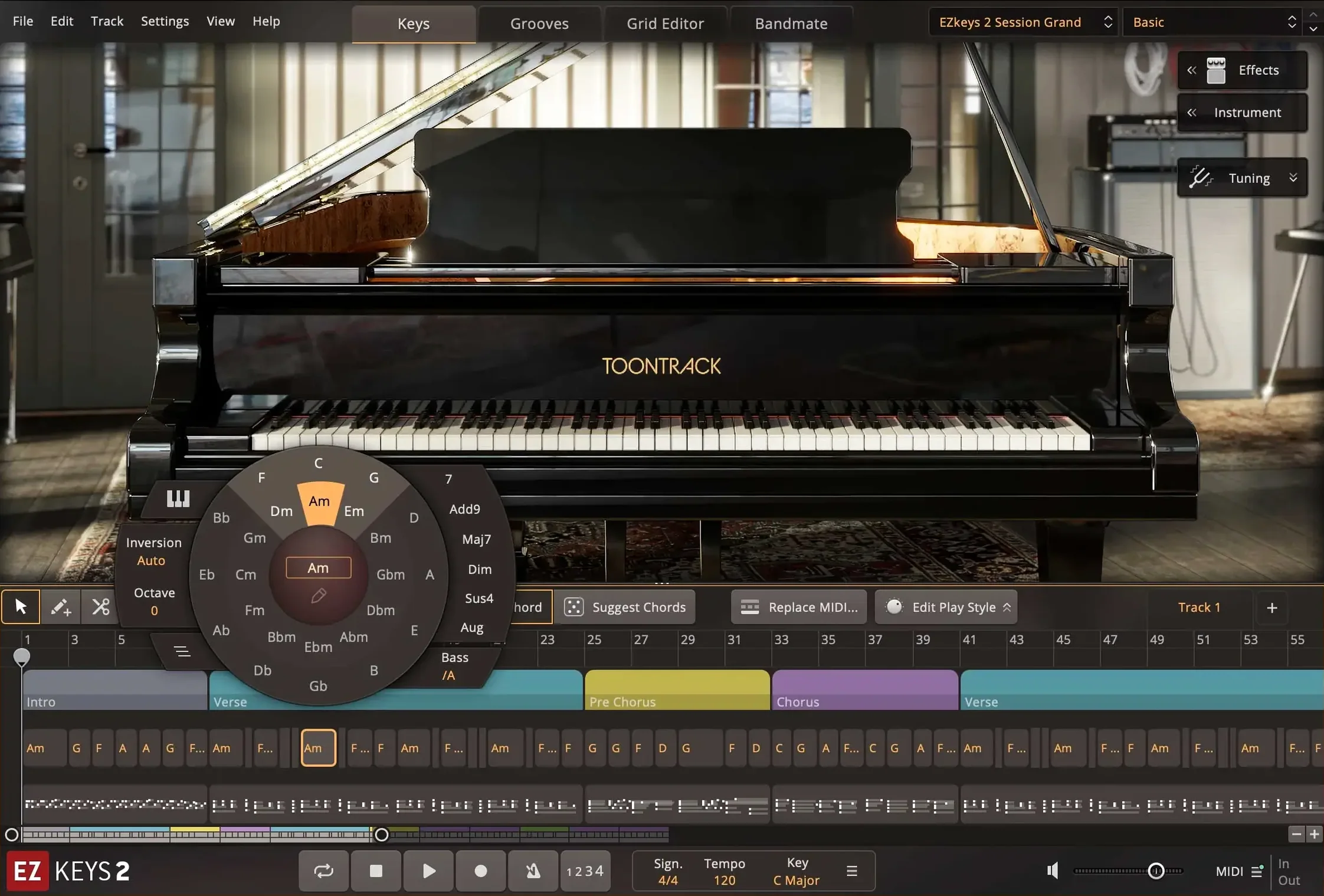
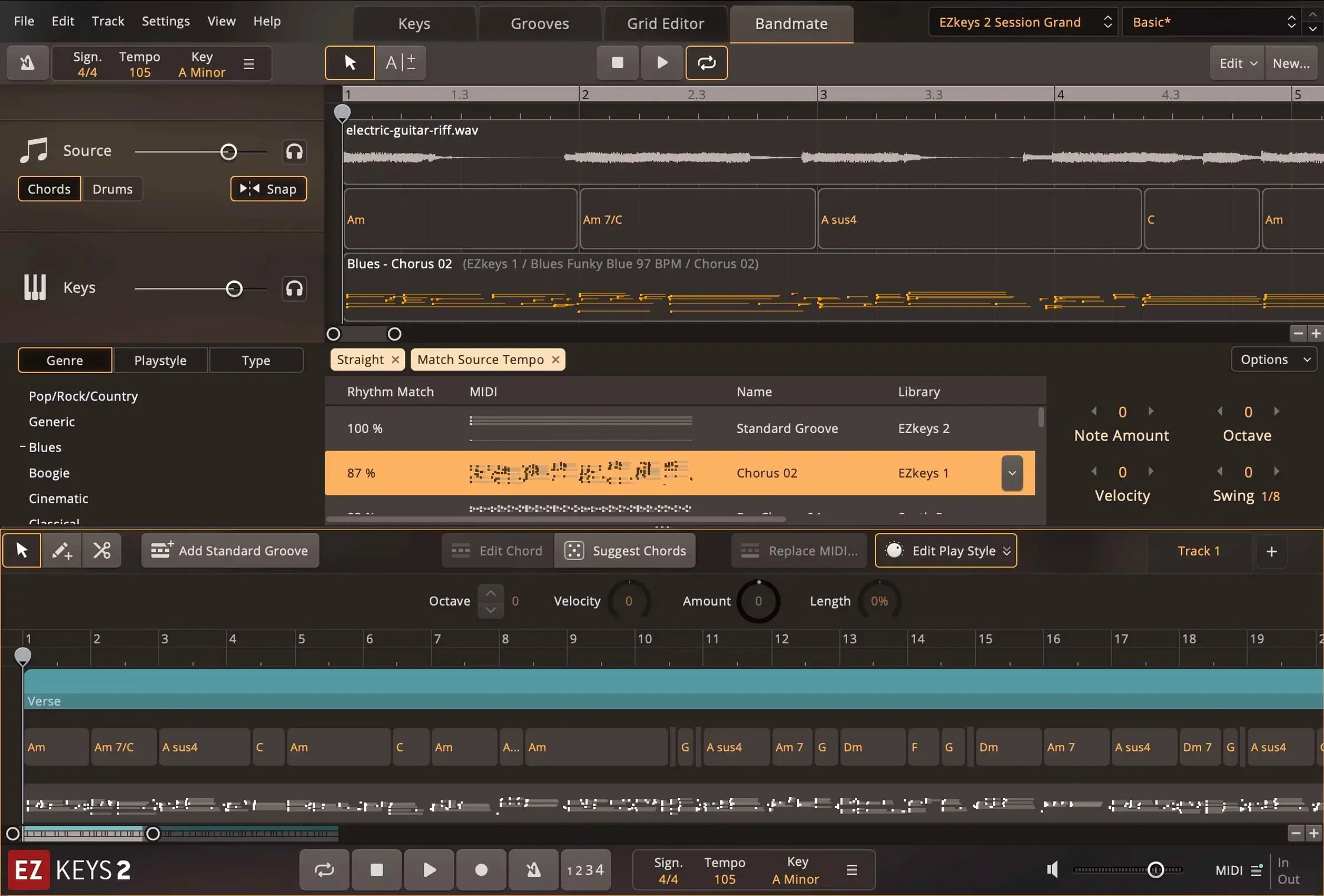
Toontrack EZkeys is a virtual piano and songwriting instrument that pairs a recorded grand piano with tools for creating and arranging music.
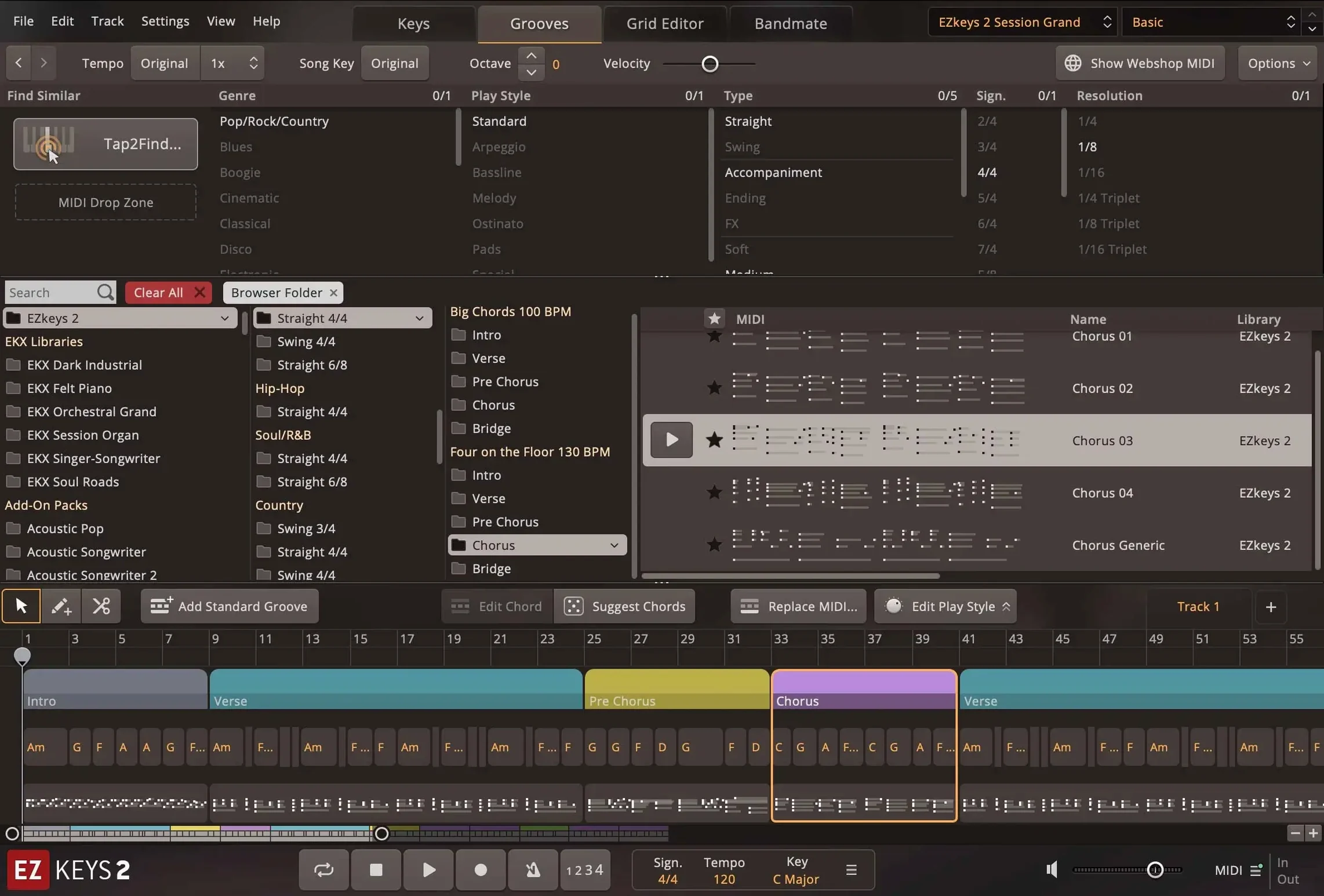
Tap2Find — suggests accompaniment based on the rhythm and notes you play.
Chord Wheel — a built-in tool for exploring chord progressions.
MIDI library — patterns performed by professional pianists, ready to drag into your arrangement.
Core sound — a grand piano captured with multiple microphones and ambiences.
Mix-ready presets — a range of styles and tones, no tweaking required to get started.
Resizable interface — fully scalable to fit your screen and workflow.
It runs as a standalone app or as an AU and AAX plugin on Mac. The current version updates the icons to the macOS Tahoe style and improves performance with multiple CPU cores.
AU and AAX in Logic, Live, GarageBand, or Pro Tools
EZkeys slots into a Mac setup without friction. The AU and AAX versions show up inside Logic Pro, Ableton Live, GarageBand, Pro Tools — anywhere you would load a software instrument. MIDI drag-and-drop works across the board too. Grab a pattern from the browser, pull it onto a track in your DAW, and the notes land as editable MIDI. No export dialogue, no intermediate file.
On the macOS side, the app respects Retina scaling, stays responsive on multi-core Apple Silicon machines, and the standalone icon now matches the lighter Tahoe look. Core Audio handles the audio routing — you can select any connected interface or output from the preferences panel. If you use a MIDI controller, EZkeys picks it up as soon as macOS recognises the device, no extra mapping needed unless you want custom assignments.
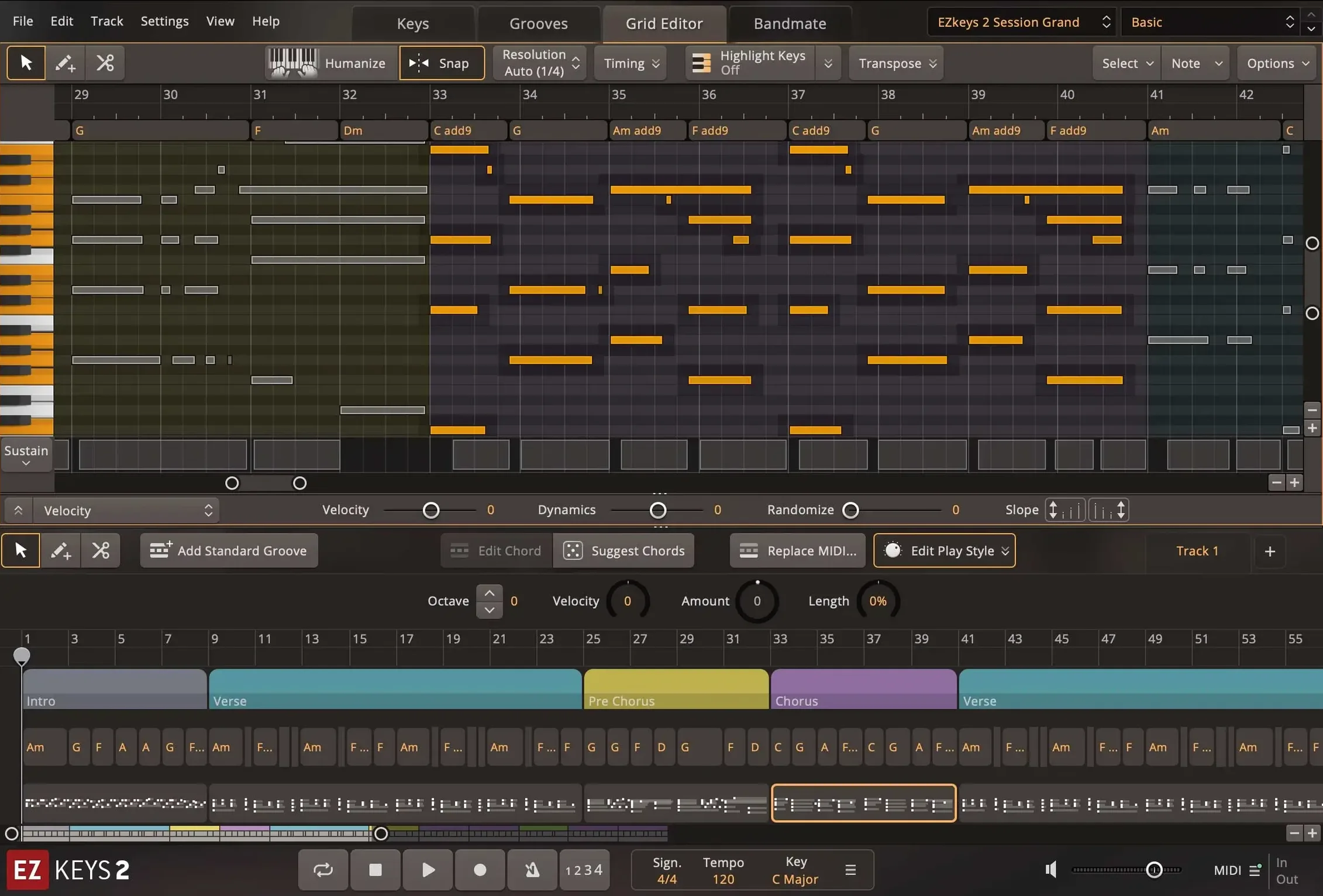
For producers who already lean on Toontrack’s drum or bass instruments, EZkeys follows the same drag-and-drop rhythm. The Song Track — a timeline inside the plugin where you stack chord progressions and pattern blocks — can feed MIDI to Superior Drummer or EZBass, so a sketch on the piano can suggest bass grooves and drum parts that stay in key.
A workflow: backing track from a hummed idea
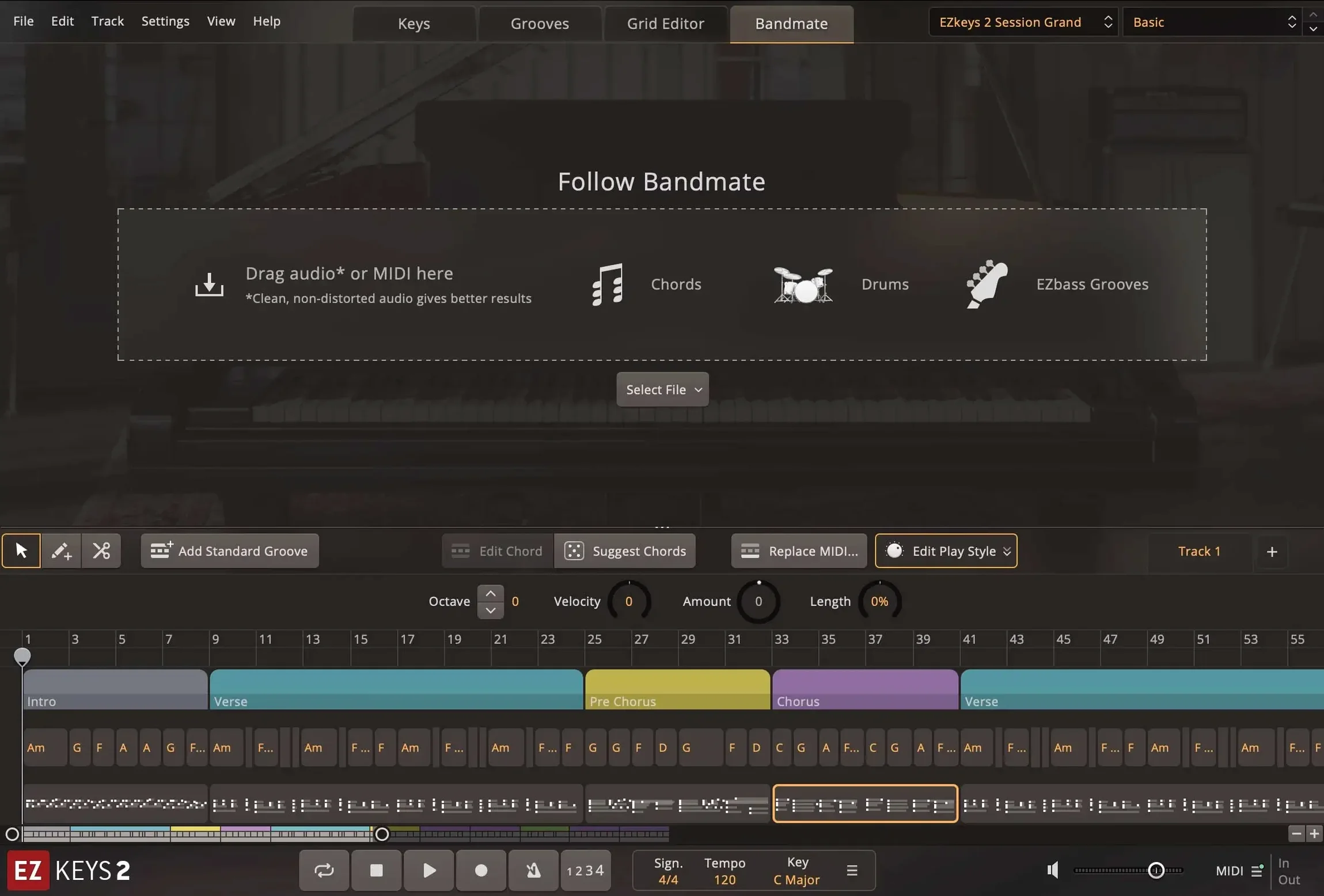
Imagine you have a melody in your head but no keyboard at hand. Open the standalone EZkeys app. Click Bandmate, choose the audio input, and hum or sing a few bars. The engine analyses pitch and timing, then suggests chords and a groove. You can play back the result straight away — it sounds like a pianist responding to your line.
Switch to the Song Track. Drag the Bandmate chord progression onto the timeline. Now browse the MIDI library: filter by a style that fits, say a relaxed pop feel. Preview patterns in time with the chords. When one clicks, drop it onto the first section. Repeat for a chorus section, picking a slightly busier pattern. The whole structure — intro, verse, chorus — builds up in minutes, all in key, all editable.
From here, save the MIDI. Open your DAW, load EZkeys as an AU plugin on an instrument track, and drag the MIDI file in. The piano sound is already dialled in with a mix-ready preset. Add a light reverb send, maybe a touch of EQ, and the bed track is ready. If you later swap the core grand piano for a Transistor Organ EKX, the same MIDI performances adapt without reprogramming.
Native ARM support on M‑series Macs
Will it work on an Apple Silicon Mac? Yes. The build supports ARM and Intel 64‑bit processors natively. No Rosetta translation layer required. Performance on multi-core M‑series chips is noticeably snappier since version 2.1.5 improved CPU core handling on Mac.
Does the piano sound realistic enough for finished tracks? The core library is a Fazioli F212 grand recorded at Riksmixningsverket in Stockholm. Multiple microphone sets and ambience channels let you shift from close and dry to a hall-like bloom. Many producers treat it as their go-to session piano, not a placeholder.
Can I use it without a MIDI keyboard? Absolutely. You can tap rhythms on your Mac keyboard or trackpad, use the Chord Wheel to select progressions, and build arrangements entirely from the MIDI library. The Tap2Find feature turns tapped rhythms and single notes into full accompaniment suggestions.
What if I only want the MIDI patterns, not the sounds? Drag any pattern straight into your DAW as MIDI data. You can trigger other software instruments with it — strings, synths, whatever suits the track. The library covers a broad spread of styles and genres, so it doubles as a composition scratchpad even when the built-in piano stays muted.
Are older EZkeys MIDI packs compatible? MIDI packs from the original EZkeys line work fine as long as you have a working installation of version 1 or 2. They appear in the browser alongside the included patterns, and drag-and-drop behaviour is identical.
- Transistor Organ EKX is now supported.
- Standalone and project icons updated to the macOS Tahoe style on Mac.
- Multi-core CPU performance improved, particularly on Mac.
- macOS 10.13 or later
- Intel or Apple Silicon Mac
Questions I get
Yes, it works as a standalone application on Mac and Windows, so you don't need a DAW to play or write.
The core library features a grand piano recorded with a range of microphones and ambiences, plus mix-ready presets for different styles.
Tap2Find listens to the rhythm and notes you enter, then suggests matching accompaniment patterns from the built-in MIDI library.







Chat 0
Hop in or make an account to join the chat.
Quiet in here so far. If you have used this build, tell me what the install actually did.