


Download UJAM Beatmaker VICE for macOS
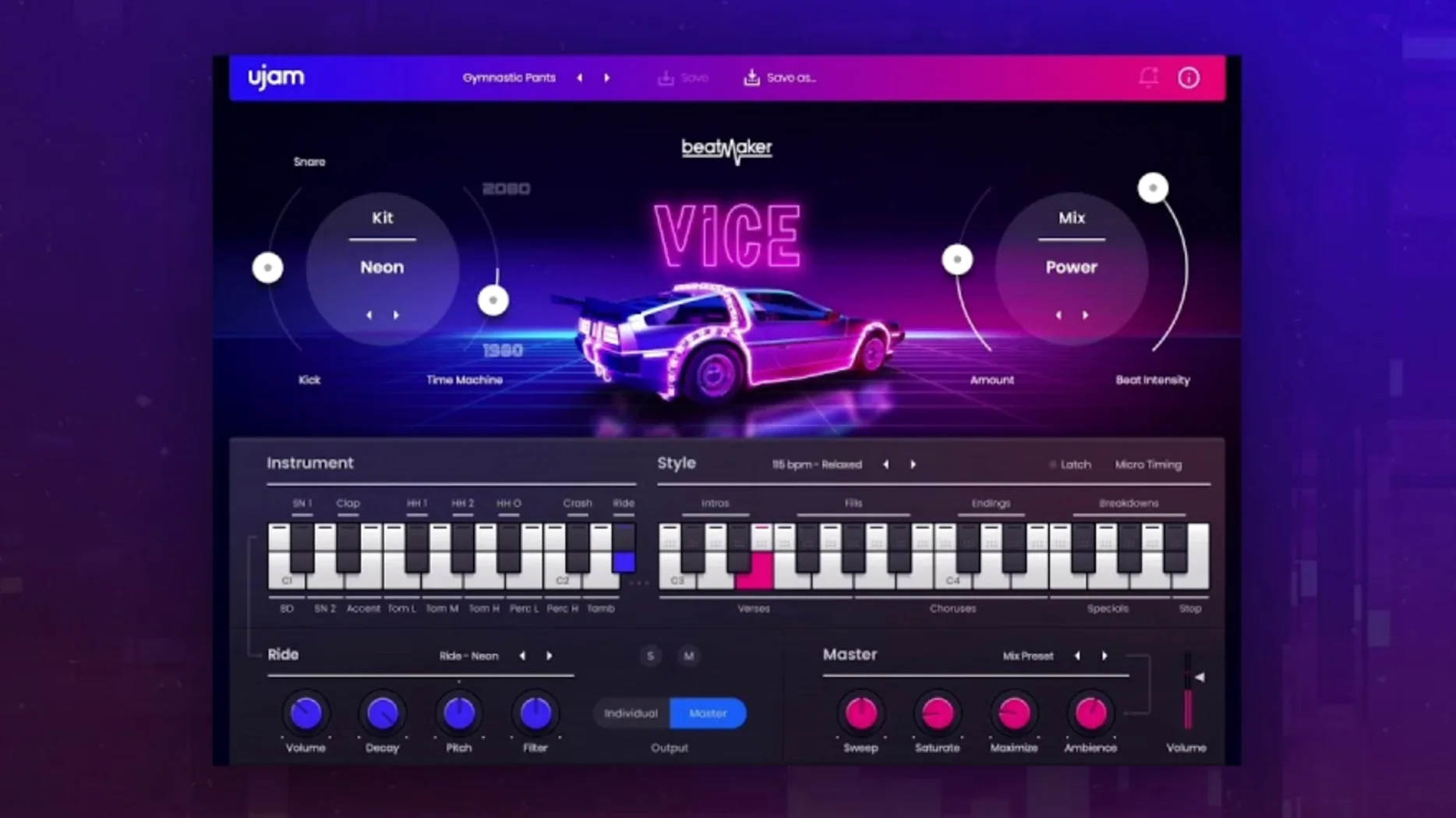
10 kits, 460 patterns, one resizable window. Beatmaker VICE loads up a full 1980s drum department without leaving your DAW.
- Pick a kit. The 10 onboard kits pull from Linn, Roland, Simmons and Korg DNA — tight kicks, gated snares, crunchy toms. Each kit swaps the whole palette at once.
- Dial a style. 20 styles steer the pattern engine. Tap a pad and VICE plays a full groove, not a single hit. The 460 patterns span straight-ahead pop to dark synthwave.
- Tweak the sound. Modern processing sits under the hood. Push the faders to shape compression, saturation and reverb. The interface scales to fit your screen, so fine adjustments never feel cramped.
VICE runs inside the Beatmaker host plugin, which installs once and handles every title in the series. It slots into macOS 10.15 or later, Apple Silicon or Intel, and talks to the latest UJAM App. The result lands somewhere between a dusty 12-bit sampler and a polished modern drum bus — snappy transients with enough grit to cut through a dense mix.
Ctrl-click the pattern name in the browser to copy it straight to a MIDI track. Most people drag the pad, but the right-click shortcut is faster when you’re auditioning ten grooves back to back. Same trick works on the kit browser — copy a kit name without leaving the plug-in window.
Three other small things worth knowing:
- Solo a drum lane by double-clicking its label. Stops you hunting through the mixer view when a kick needs its own EQ pass.
- Hold Shift while dragging the Time Machine knob for fine control. The standard drag jumps in broad strokes; Shift snaps it to smaller increments, which matters on fills where a few milliseconds change the pocket completely.
- Patterns lock to project tempo automatically. VICE reads the DAW transport, so a 96 BPM ballad groove doesn’t break when your session sits at 120.
Kit-switching no longer stutters during playback
The 2.4.0 update tightened the plug-in’s response when switching kits mid-playback. Earlier builds could stutter for a beat while loading sample data; now the transition is instant, which matters when you’re flipping through snare sounds during a chorus. UJAM also smoothed the MIDI drag behaviour — patterns drop into Logic Pro and Ableton Live without the occasional blank clip that crept in on Apple Silicon machines running Ventura or later.
Under the hood, the Beatmaker host plugin saw a stability pass. Users who stack multiple Beatmaker titles in one session — say VICE for drums and another for bass — reported fewer random UI freezes after the update. The resizable window now remembers its position between sessions, a small fix that removes a daily annoyance.
Four-instance arrangement runs under 500 MB RAM
On an M1 MacBook Air with 8 GB of RAM, VICE idles at about 120 MB of memory and barely nudges the CPU meter. A full arrangement with four instances, each running a different kit and pattern, sat around 480 MB and left the fan silent. Intel machines show a slightly heavier load — expect 8–12% CPU per instance on a 2019 iMac — but nothing that threatens a typical mix session.
Load times are under two seconds from the UJAM App launcher. The plug-in streams samples from disk rather than preloading everything, so that 0.96 GB of content never forces a long wait. The trade-off is occasional disk access during heavy pattern switching, though on any SSD-equipped Mac the delay is barely perceptible. If you’ve grabbed the ujam torrent for the full Beatmaker bundle, VICE installs alongside the others without bloating the shared plugin — each title stays self-contained.
- Version 2.4.0 is the current release on macOS.
- macOS 10.15 or later
- Apple Silicon or Intel processor
Questions I get
The plugin draws from classic 1980s units by Linn, Roland, Simmons and Korg, then processes those tones with modern saturation and compression tools.
It ships with 460 patterns organised across 20 musical styles, from synthwave to straight pop grooves.
Yes. Version 2.4.0 runs natively on Apple Silicon and Intel Macs with macOS 10.15 or later.







Chat 0
Hop in or make an account to join the chat.
Quiet in here so far. If you have used this build, tell me what the install actually did.