


Download VocalSynth 2 for macOS
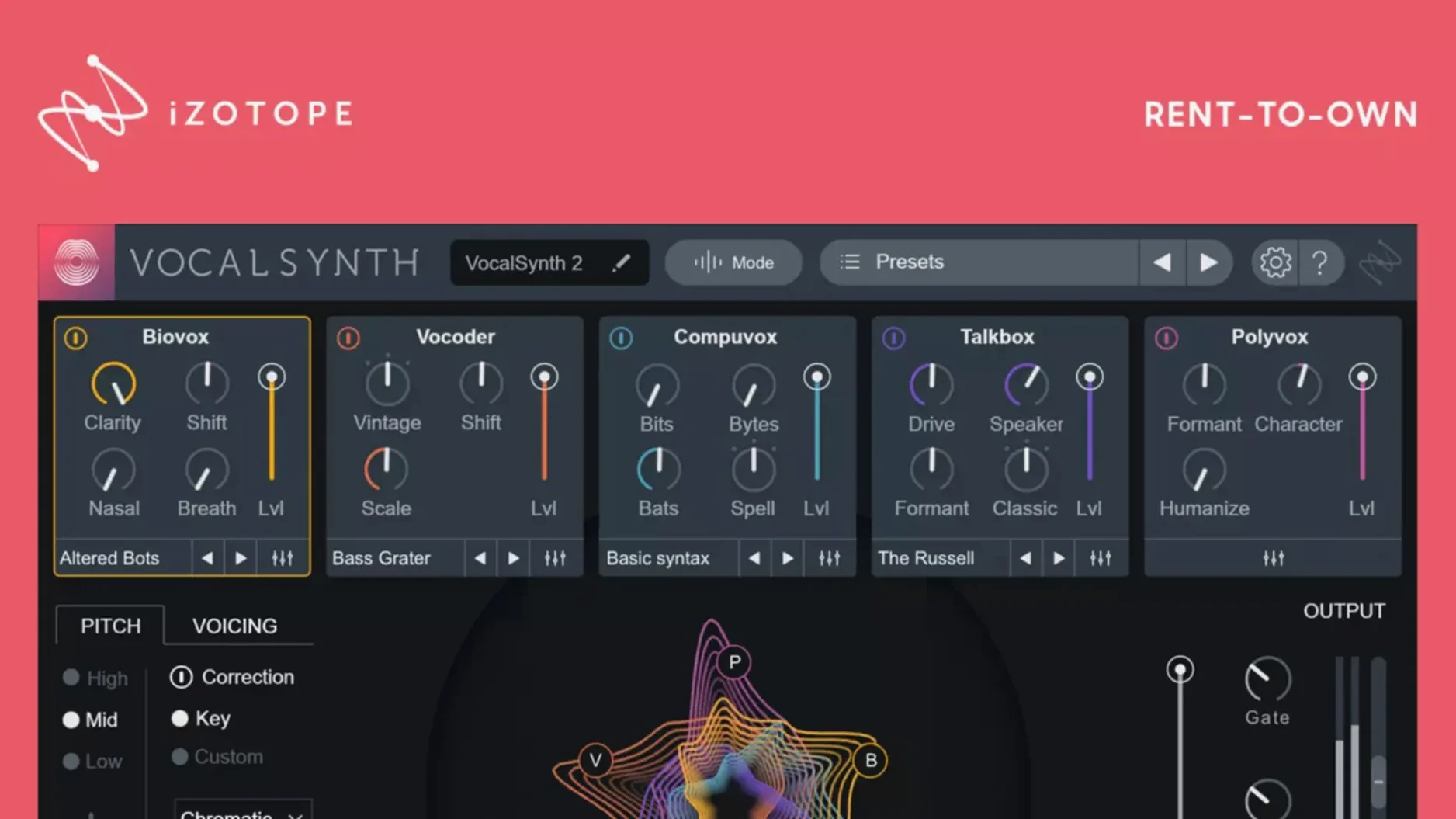
Think of VocalSynth 2 as the wilder cousin to your everyday channel strip. Where a standard compressor reins things in, this plug-in pushes vocals into modulated, harmonised and filtered territory. The current build keeps that identity intact while tidying up what broke in the last update.
- Apple silicon support arrived in version 2.5.0, so M-series Macs run it without Rosetta.
- The spectral display reacts to vowel sounds, giving visual feedback as you tweak.
- Stompbox-style modules group studio effects into a familiar pedalboard layout.
- Version 2.6.1 fixed a hiccup where existing authorisation wasn't recognised after the 2.5.0 update.
- It slots into the wider iZotope ecosystem, talking to their other plug-ins in a session.
At its core, the same vocoder-inspired controls and signal routing that made it a go-to for vocal shaping are all still here—just with fewer auth headaches on the latest macOS.
Drop it between your iZotope and Valhalla
VocalSynth 2 isn't a standalone island. Drop it onto a vocal track in Logic Pro or Ableton Live and it slots into your chain like any AU or VST3 plug-in. The real advantage shows when you pair it with other iZotope tools in the same session. Neutron can detect masking frequencies and nudge them aside while VocalSynth adds harmonic layers on top—without either plug-in fighting for headroom.
On the macOS side, it respects system-level routing. Set it up inside a Multi-Output instrument in Logic and send MIDI from a software synth directly into VocalSynth's vocoder mode. The plug-in grabs the carrier signal from your synth and applies the modulator from your vocal in real time. It also plays nicely with Apple's built-in accessibility zoom, so the spectral display stays readable on smaller laptop screens.
Side by side with similar vocal processors
Compared to Antares Harmony Engine, VocalSynth 2 leans harder into texture than into realistic doubling. Harmony Engine builds choirs that fool the ear; VocalSynth builds pads that wrap around a lead vocal like a synth layer. For pitched harmonies, Antares wins. For warped, talkbox-style grit and vowel-filtered atmospherics, VocalSynth pulls ahead.
Against Waves OVox, the iZotope plug-in feels more visual. The spectral display in VocalSynth reacts to vowel changes as you sing, so tweaking the Biovox module becomes intuitive—drag the formant curve and watch it shift. OVox offers similar vocoder and talkbox functions but keeps its feedback largely to the ears. If you mix with your eyes as much as your ears, VocalSynth gives you more to hold onto.
Soundtoys Little AlterBoy is another compact alternative. It does pitch and formant shifting beautifully, and it does nothing else. VocalSynth 2 covers that ground but stretches into harmonisation, distortion and stereo modulation. Little AlterBoy stays lean; VocalSynth gives you a broader set of colouring tools in one window.
Ditch the five‑module pile‑up
The default state loads with all five modules active and blend levels sitting at middling values. It's a safe starting point, but a few tweaks make it sing.
- Switch processing mode early. Auto mode works for quick previews, but MIDI mode locks pitch tracking to incoming notes, which tightens up vocoder phrases. Sidechain mode lets you route another track as the carrier, opening the door to synth-vocal hybrids.
- Dial back Compuvox. The bit-crush module defaults to 50% mix, which can mask the subtler Biovox and Vocoder layers. Try it at 20% or lower unless lo-fi is the whole point.
- Adjust the spectral display range. Click the gear icon and widen the frequency range if you're working with a low baritone or a high soprano. The default view centres on typical midrange speech but misses extremes.
- Lock the output limiter. The stompbox effects include a limiter that ships with a high ceiling. Lower it to -1 dB to catch the spikes that stacked modules can produce, especially when Talkbox and Shred are both engaged.
These small shifts change the plug-in from a preset browser into a responsive shaping tool, and they take less than a minute to dial in on a fresh instance.
- Fixed an issue where existing authorisation was not recognised for some users after updating from version 2.5.0.
- macOS (Intel and Apple silicon supported)
- English interface
Questions I get
Yes, native Apple silicon support was added in version 2.5.0, so M1 and M2 Macs don't need Rosetta.
It resolved a bug where existing authorisation wasn't recognised for some users who had updated from version 2.5.0.







Chat 0
Hop in or make an account to join the chat.
Quiet in here so far. If you have used this build, tell me what the install actually did.