

Download WaveLab Pro for macOS
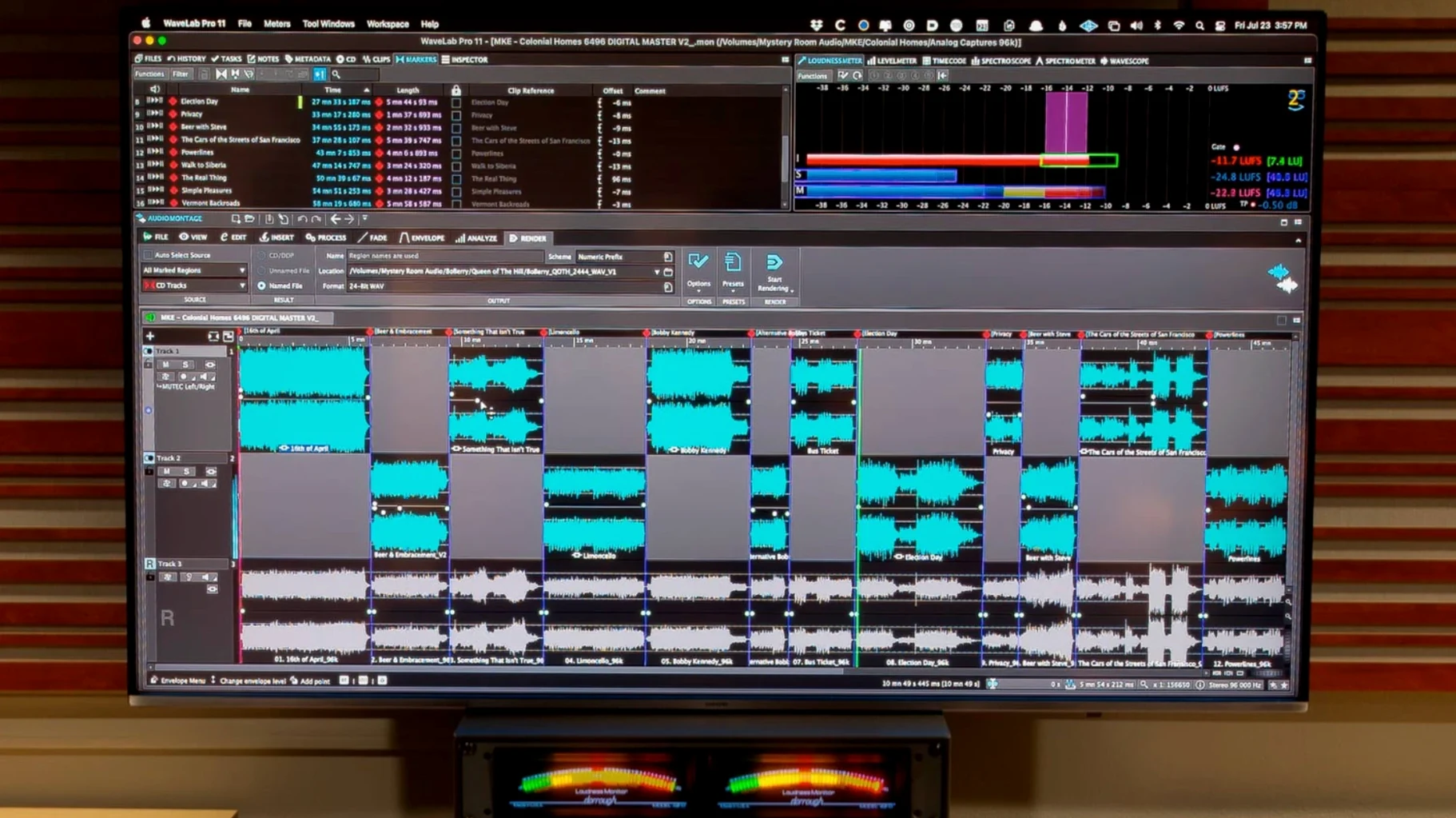
If you've ever nudged a fader in Cubase or Nuendo, WaveLab Pro feels like the mastering desk next door. It opens as an ARA plug-in right inside your session, so you can jump from mixing into detailed editing without rebuilding your timeline. The file and montage navigation move together, keeping your clips and project view locked in sync.
What does the spectral editing actually show?
It lays out your audio as a visual heatmap of frequencies over time. You can spot a chair squeak or a mouth click, isolate it, and attenuate it without touching the surrounding dialogue or music.
How does audio restoration work here?
The restoration tools target specific problems—clicks, crackle, broadband noise—and let you audition the removed signal solo. That way you hear exactly what you're taking out and can back off if you're pulling too much tone.
Can it handle surround and Atmos projects?
Yes. Master montages now accept channel-based surround files inside Dolby Atmos workflows, and you can load a personal HRTF profile for binaural monitoring to check how the mix folds down to headphones.
Setting up a mastering chain for a podcast episode
Imagine a freelance audio editor who gets handed a 45-minute interview with uneven levels, chair noise and a guest whose plosives hit the mic hard. She opens the raw file, drops a spectral view and immediately spots the low-frequency bumps from the chair. A few clicks isolate them, and she pulls them down by 6 dB without the host's voice sounding thin. Next she sets up a montage with the intro music, the cleaned interview and a closing jingle, then applies loudness normalisation to hit -16 LUFS for the podcast platform. The whole job—from first listen to exported master—stays inside one window.
First days with WaveLab on your Mac
Start with a short file you know well. Open it in the Audio Editor and switch between the waveform and spectrum views just to see how the display responds when you zoom vertically. The peak scaling adapts to what's visible, so quiet sections don't vanish when you're inspecting loud transients.
Drag a handful of clips into a new montage early on. Even a dummy arrangement teaches you how clip edges snap and how crossfades behave. If you use Cubase 13 or Reaper 7, load the ARA plug-in in a session with a few stereo bounces—copy a range with effects active, then paste it dry into the montage to see the difference.
Spend ten minutes with the restoration panel. Solo the removed signal while adjusting threshold and reduction; hearing only the clicks and crackle you're stripping out is the quickest way to build confidence with the sliders.
It opens natively on Apple silicon
Will it run on an M1 or M2 Mac without Rosetta? The build for version 13.0.30 is universal, so it opens natively on Apple silicon and Intel 64-bit Macs. You don't need to toggle any compatibility switch—macOS 13 or later handles it automatically.
Do I need a dongle or constant internet? Activation is included in the package and follows Steinberg's standard offline-capable system. Once the licence is placed on your machine, you can edit on a flight or in a studio with no network.
Is the ARA plug-in version the same editor, or a cut-down panel? It's the full editor running inside a compatible DAW. You can sample-accurate edit, open the spectral view and apply restoration without leaving your Cubase 13, Nuendo 13 or Studio One 6.5 project. Copy and paste across the plug-in boundary keeps clip timing intact.
Can I try a Dolby Atmos workflow on headphones? The binaural monitoring supports loading a personal HRTF profile, so you can fold a channel-based surround montage down to stereo headphones and still judge spatial placement. It's not a replacement for a speaker array, but it's a practical starting point for checking panning decisions.
People looking for a wavelab torrent or a wavelab free download torrent for mac sometimes ask whether the full feature set is available without restrictions. The package here delivers the complete tool set: spectral editing, audio restoration, forensic analysis and the Dolby Atmos montage features introduced in the latest update. Anyone grabbing a wavelab mac torrent often wants the same mastering chain that runs inside a DAW, and that's exactly what the ARA plug-in gives you—just open it and start editing. If you've searched for wavelab for mac or a wavelab pro torrent, you're after the same sample-accurate editor that mastering engineers lean on for surgical work and final loudness compliance.
- Dolby Atmos master montages can now include channel-based surround files.
- Binaural monitoring for Dolby Atmos supports loading a personal HRTF profile.
- macOS 13 or later
- Apple Silicon or Intel Mac






Chat 0
Hop in or make an account to join the chat.
Quiet in here so far. If you have used this build, tell me what the install actually did.