


Download Ample Guitar M for macOS
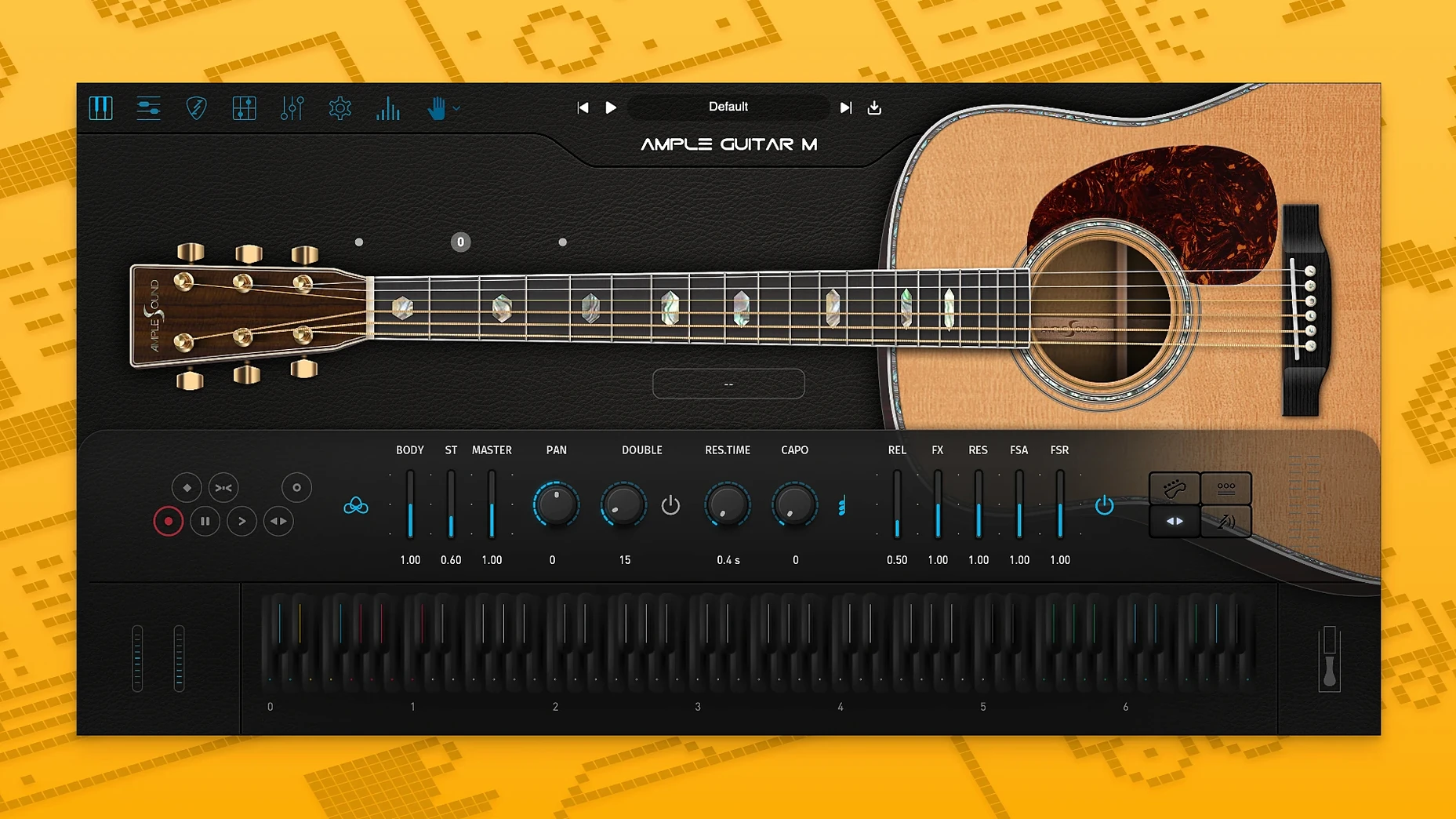
The 4.1.0 update tightened up the sampler engine—patches load quicker and playback feels snappier. Auto Vibrato Curve and Swing Quantisation also landed in Riffer, giving rhythm parts a more human push and pull.
Where Ample Guitar M sits in a session
- Instrument track. Load it on a stereo instrument track. The steel-string tone sits well in folk, country and sparse pop arrangements.
- MIDI input. Play in chords and melodies with a keyboard, or drop a Guitar Pro file straight onto the tab player. Hammer-ons, slides and harmonics trigger from velocity and keyswitches.
- Strumming lane. Build rhythm patterns in the strummer. Palm muting and vibrato add texture without leaving the piano roll.
- Bus processing. Send it to a room reverb or a gentle compressor bus. The raw DI-style output takes EQ well, so you can shape it to fit a dense mix.
A fingerpicking part from scratch
Let’s build a soft verse pattern with a capo feel, no strumming engine needed.
- Load and set the key. Insert Ample Guitar M on a fresh stereo instrument track. Set the capo to fret 5 in the main panel—this shifts the voicing up without transposing the MIDI, keeping the fretboard logic natural.
- Pick a preset. Open the browser and choose a dry fingerstyle patch. The Martin body resonance already gives it warmth, so a flat preset leaves headroom for your own processing later.
- Sketch the chord progression. In your DAW’s piano roll, paint a simple four-bar loop: Am7, G, C, Fmaj7. Keep notes in the D3–G4 range so the capo logic places them on the right strings.
- Shape the picking hand. Stagger the note starts slightly—don’t let all chord tones hit on the beat. Shift the inner voices 10–20 ticks late. Add a low C3 root note just ahead of each chord change as a subtle anchor.
- Lay in articulations. Slide into the G chord with a C4 keyswitch at velocity 110. Drop a harmonic on the last Fmaj7 by sending a D5 keyswitch with velocity under 60. The engine reads these switches per note, so you can weave them into the same clip.
- Add Riffer swing. Open Riffer, drag the MIDI clip in, and dial Swing Quantisation to 18%. It nudges off-beat plucks just enough to soften the grid. Enable Auto Vibrato Curve on the long chord tails—notes above half a bar get a gentle waver that mimics a held finger.
- Polish the output. Route the channel to a bus with a short plate reverb and a low-cut around 180 Hz. The steel strings sit above a bass guitar cleanly without extra EQ cuts.
The whole process takes under ten minutes once you know the keyswitch map. The tab player visualises every slide and harmonic as you go, so you can double-check the part against a real fretboard layout before committing.
Day-to-day feel on a busy timeline
On an M1 MacBook Air with 16 GB of RAM, Ample Guitar M idles at roughly 180 MB of memory when the sample library is fully cached. Loading the instrument and its core articulations takes about four seconds after the 4.1.0 engine tweaks—noticeably brisker than the previous version’s cold start. During playback, CPU usage stays low enough that twenty instances didn’t trip the system overload warning in Logic Pro at a 128-sample buffer.
Disk streaming is smooth even on an external USB-C SSD. Strum-heavy patterns with overlapping palm mutes don’t spike the voice count, and the sampler threads don’t fight for I/O when other sample-based instruments are running. The Riffer window redraws quickly when you drop in a Guitar Pro file, though large tab files with dense automation lanes add a half-second pause—barely a hiccup.
Stability holds up across long sessions. No crashes during three-hour arranging stretches, and AU validation passes first time after the PKG install. The activation helper runs once and stays out of the way. If you’re hunting for an Ample Guitar M torrent to test the workflow before committing, the official library download is the bit that needs a solid connection—the plugin installer itself is lightweight.
What the 4.1.0 shift changed in practice
The sampler engine update means less waiting between patch swaps. Scrolling through fingerpicking presets now feels instant, where earlier builds had a slight lag that made A/B comparisons clumsy. The improved playback start time also helps when you’re scrubbing a busy arrangement—notes trigger right at the playhead instead of catching up a beat late.
Riffer’s Auto Vibrato Curve removed the need to draw modulation lanes for held notes. You set a threshold and depth, and the engine handles the rest. Swing Quantisation tightens strummed parts that previously sounded too robotic, especially on eighth-note patterns at slower tempos. Together, the two features save a lot of manual MIDI editing, and the results sound closer to a recorded performance than a programmed grid.
The update didn’t change the core tone, so old projects open identically. If you’ve grabbed an Ample Guitar Mac torrent or library download before, the new installer overwrites the plugin cleanly and leaves user presets untouched. The activation stays valid across minor version bumps, which keeps the daily workflow interruption-free.
Good to know: The full sample library clocks in at several gigabytes, so an ample sound torrent or direct download is best left running overnight on a slower connection. Once it’s in place, the instrument runs without phoning home, and the iLok activation sits quietly in the background.
It’s a Martin D-41 under the hood—bright, mid-forward and detailed. Fingerpicking patterns come through cleanly, and the legato articulations keep lead lines from sounding stiff.
- Sampler engine loads faster and plays back more smoothly.
- Auto Vibrato Curve and Swing Quantisation added to Riffer.
- macOS 10.13 or later
- Intel or Apple Silicon Mac
- Sample library download required
Questions I get
Yes, you can load Guitar Pro files directly into the built-in tablature player.
It runs on macOS 10.13 and later, with native support for both Intel and Apple Silicon Macs.
It covers fingerpicking, strumming, palm muting, hammer-ons, pull-offs, legato, slides, harmonics and vibrato.







Chat 0
Hop in or make an account to join the chat.
Quiet in here so far. If you have used this build, tell me what the install actually did.