

Download Arturia Pigments for macOS
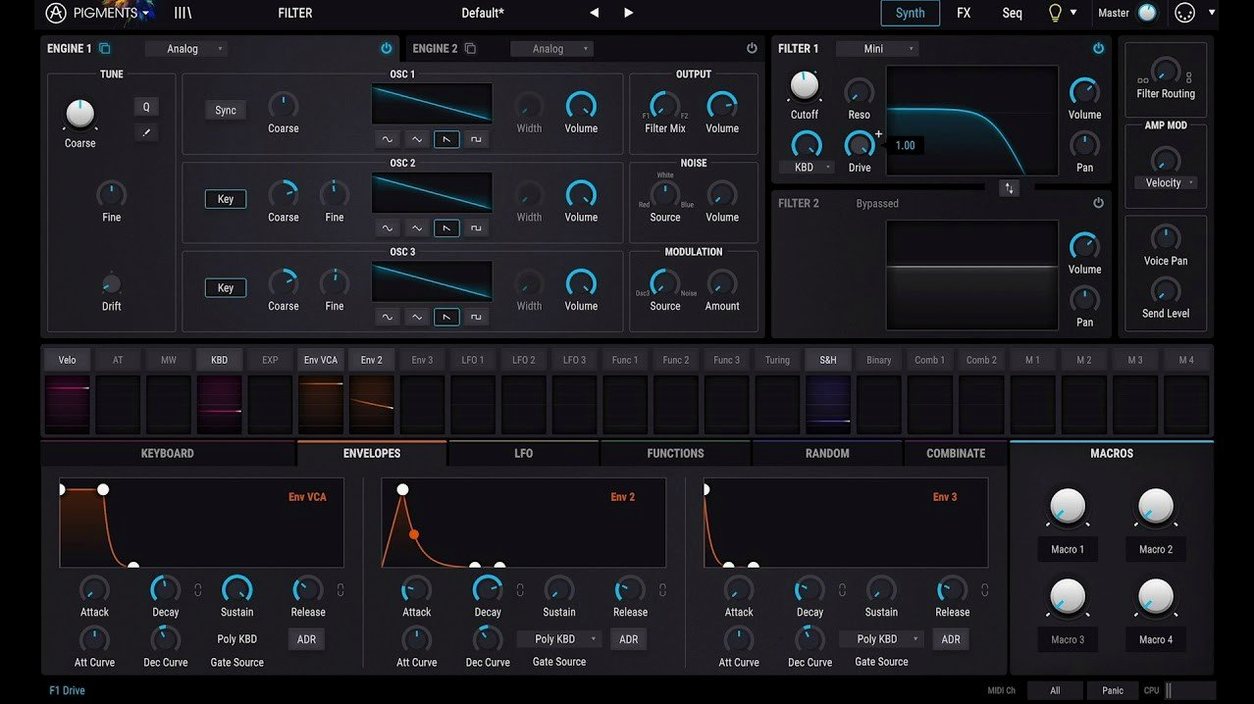
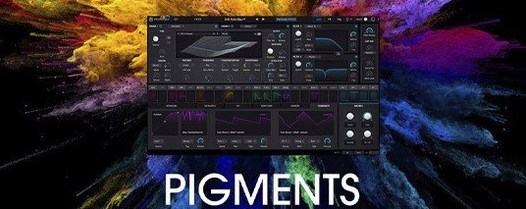
6 engines. That's the core of Pigments. Arturia's flagship soft synth combines virtual analogue, wavetable, sample, granular, harmonic, and utility engines in a single window.
Plugin formats and native Apple Silicon support
Pigments runs as a VST, Audio Unit, and AAX plugin. Drop it into Ableton Live, Logic Pro, FL Studio, or any major DAW on a Mac. The 64-bit build covers both Apple Silicon and Intel machines.
What's new on the sound design front?
Version 7.0.1 adds 50 wavetables, 30 samples, and 20 noise sources to the raw material pool. Three new filter types—Rage, Ripple, and Reverb—join the Corroder effect for dirtier textures. A redesigned Play Page ties it together for quick macro tweaks.
What kind of synth is it, really?
It's a deep modulation playground with generative sequencing. Route almost anything to anything, layer engines, and run the output through built-in effects. The 150 new factory presets show off the range, from clean keys to chaotic loops.
Right-click any knob to assign a macro
Right-click any knob and pick Assign Macro. Four macros sit top-left on the Play Page, ready for live tweaks. Drag a parameter straight onto one of them and it's mapped. No menu diving.
The sequencer has a tricksy little randomisation button. Click the dice icon in the bottom bar to shuffle step pitches, velocity, or gate length per lane. Handy when a pattern feels too stiff. Hold Shift while dragging a modulator cable to keep it tidy—the routing line snaps cleanly around other modules.
If you're browsing presets and land on something close to what you need, hit Cmd+Shift+R to randomise from that starting point. Pigments keeps the macro assignments intact, so a lucky mutation is still playable. The in-app tutorials added in this version are worth a minute—they live behind a question-mark icon and pop up context-sensitive overlays for the filter section and the Corroder effect.
The wavetable workhorse alongside Serum and Massive X
Pigments doesn't try to be a faithful emulation of a vintage box. It's closer in spirit to Xfer Records Serum and Native Instruments Massive X. All three are workhorse wavetable synths with heavy modulation, but they split the job differently.
Serum stays laser-focused on wavetable manipulation. Its warp modes are deeper, and the visual feedback on the waveform editor is immediate. Pigments pulls ahead when you layer engines—stack a granular cloud on top of a wavetable sweep, then run both through a comb filter. Serum can't do that without multiple instances.
Massive X feels like a modular rack in a plugin window. The routing is flexible but the interface leans more industrial than colourful. Pigments' colour-coded modulation view is easier to scan at a glance—you see which LFO is driving the filter cutoff without tracing every cable. Massive X wins on raw bass weight for some producers, but Pigments offers a lighter touch when you want to build slowly evolving pads or generative sequences.
If you've used a pigments vst free download mac search before, you've probably seen the three compared often. The difference usually comes down to workflow: Pigments trades some per-parameter depth for a broader palette and faster visual feedback.
Sound designers who build patches from scratch
Sound designers who build patches from scratch tend to get the most out of Pigments. The modulation system rewards curiosity—drag a random LFO onto a sample start point and the result is instant. Composers chasing cinematic textures benefit from the granular engine and the new Reverb filter, which can wash a simple triangle wave into a wide backdrop.
Beatmakers and electronic producers lean on the sequencer and the Corroder effect. The sequencer outputs pitch and gate per lane, so a bassline can evolve across 16 steps while drums stay locked. The Corroder adds a gentle tape-like crumble or full bit-crush without leaving the plugin window.
Beginners who found Massive X intimidating often settle into Pigments faster. The Play Page strips things back to four macro knobs and a handful of performance controls. From there you can open the hood gradually. Tutorials aren't buried in a PDF—they're inside the plugin, pointing at the controls you're actually looking at.
- Redesigned Play Page for fast macro control.
- New Rage, Ripple, and Reverb filters.
- Corroder effect added for textured degradation.
- 150 new factory presets.
- 50 wavetables, 30 samples, and 20 noise sources.
- macOS 11 or later
- Apple Silicon or Intel 64-bit processor







Chat 0
Hop in or make an account to join the chat.
Quiet in here so far. If you have used this build, tell me what the install actually did.