


Download Arturia Efx AMBIENT for macOS
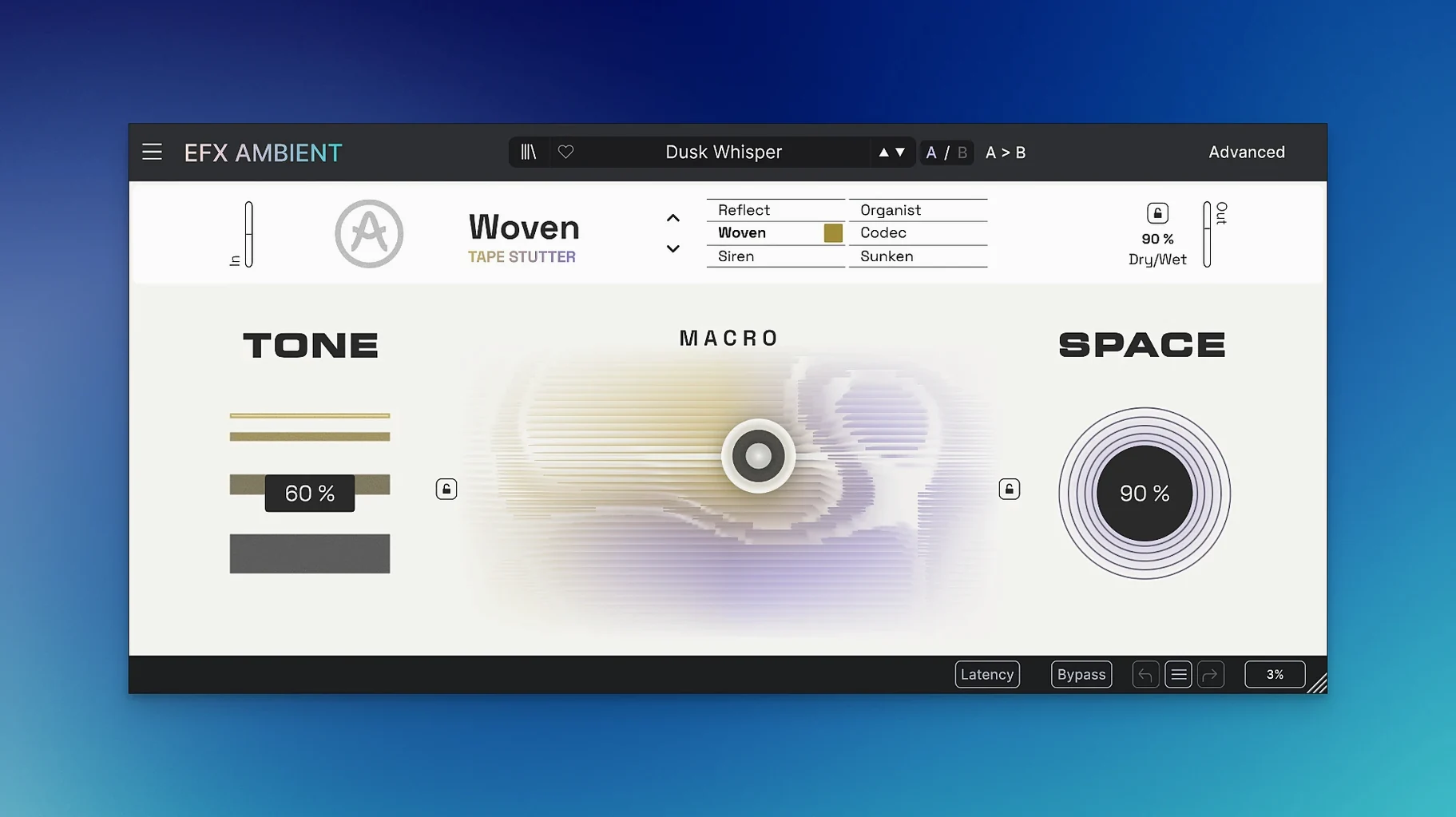
Experimental producers and sound designers looking to push a mix into strange, spatial territory will find plenty to work with here. Efx AMBIENT is built for fast, dramatic transformations that feel more like playing an instrument than tweaking a processor.
Blur and soften a signal
One set of modes focuses on washing out transients into smooth, velvety textures. It turns sharp attacks into beds of tone that sit behind a vocal or synth line.
Shift pitch in real time
Other modes let you warp pitch on the fly. The 2D Macro control makes it easy to glide between shifted intervals, creating rising or falling trails that move around the stereo field.
Deform and reverse audio
A third group is where things get properly twisted. You get detailed deformation tools alongside reverse playback, so you can flip a phrase backwards and then mangle it further with the motion and depth controls.
Try it on a return track first
Try it on a return track first. Send a few stems – a piano, a vocal chop, maybe a reverb tail – and let Efx AMBIENT build a shifting, otherworldly wash underneath the dry mix. It works beautifully after a simple delay or at the end of a pedalboard-style chain in Logic’s mixer.
The plug-in reports latency honestly to the host, so delay compensation stays tight even when you stack modes. Audio Units, VST3 and AAX formats mean it drops into Ableton Live, Bitwig or Pro Tools without fuss.
On the Mac desktop, dragging audio from Finder straight onto a track in your DAW and then dialling in one of the pitch-shifting modes is a quick way to sketch out risers and fall-offs for a transition. The processed signal stays phase-coherent enough to layer back under the original without messy cancellation.
Snappy on M-series, bounce heavy patches
On an M-series MacBook Air the interface stays snappy, and the 2D Macro dot tracks pointer movement without lag. CPU use climbs noticeably when you introduce heavy spectral processing alongside the feedback delay network, but bouncing in place takes seconds. Intel Macs running Monterey handle a handful of instances before the fan kicks up – think four or five on a busy session.
Memory footprint is modest. The plug-in loads fast and hasn’t shown a beachball or an unexpected quit across a few weeks of daily use. That matters when you’re ten layers deep in a sound-design session and don’t want to babysit a temperamental effect.
A morning spent shaping a cue
You open a half-finished cinematic cue. The low end is fine, the melody works, but the spaces between phrases feel empty. You instantiate Efx AMBIENT on a send and feed it a muted guitar stem.
First move: switch to a blur mode and pull the Macro dot toward the upper left. The guitar softens into a hazy pad that breathes in time with the modulation you dial in from the Advanced panel. You pan the return slightly right.
Next, you duplicate the track, switch the duplicate to a reverse-and-deform mode, and automate the depth knob to swell during the last two bars of each section. The backwards fragments push against the forward motion of the drums, creating tension without clutter.
Finally, you record a Macro sweep live – dragging the dot in a slow arc while the cue plays. That performance gets written as automation. Thirty minutes in, the cue has an atmospheric backbone that feels played, not programmed.
- Initial release, version 1.0.0.
- macOS 10.10 or later
- Apple Silicon and Intel Macs (64-bit)
Questions I get
It includes six operating modes that split into three distinct groups: blurring and softening, pitch shifting, and detailed deformation with reverse playback.







Chat 0
Hop in or make an account to join the chat.
Quiet in here so far. If you have used this build, tell me what the install actually did.