

Download Arturia Analog Lab V for macOS
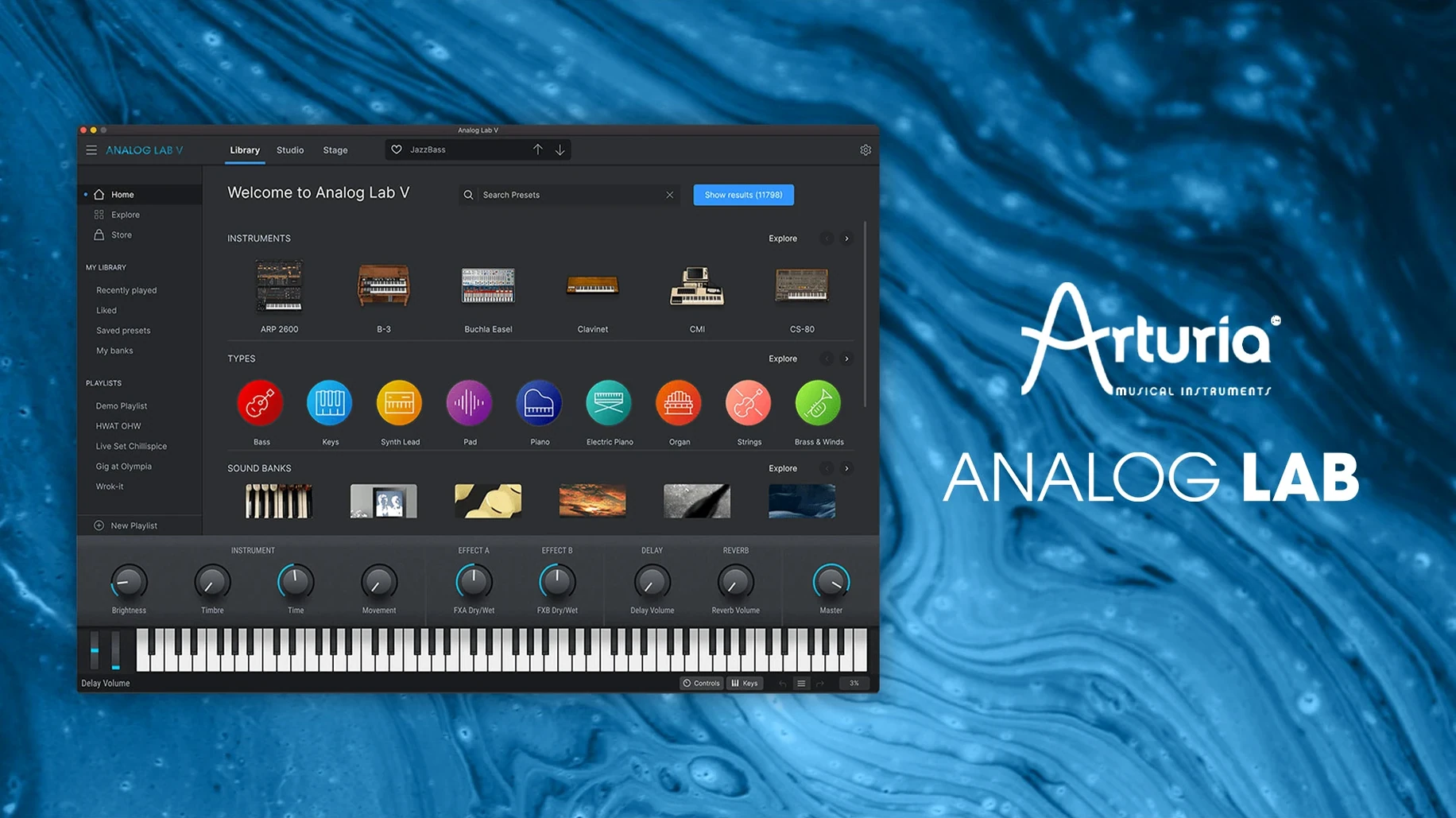
Analog Lab V runs on any Mac with macOS 11 or later, whether you are on an Intel machine or Apple Silicon. That covers most Macs from the last several years, so you can load it up and start flicking through sounds without worrying about architecture.
Load it on tracks and stacked buses
- On instrument tracks. Load it as a plugin, pick a preset, and play. It handles leads, pads, basses and keys from vintage emulations and modern synths alike.
- On buses. Stack a few instances for layered pads or split a keyboard range across two tracks. The integrated browser makes it quick to audition combinations.
- Typical jobs. Sound design sprints, writing sessions where you need a patch fast, and live performance setups where you map the instant-access controls to a MIDI controller.
The browser does the heavy lifting
Instead of scrolling through folders, you lean on the intelligent filter. Tell it you want a warm pad or a biting lead, and it narrows the collection of vintage and modern presets on the spot. Once you land on something close, the macro controls let you shape it without diving into the full synth architecture.
Lock in your audio buffer first
A few defaults in Analog Lab V are sensible but not optimal for every setup. Tweaking them early saves head-scratching later.
- Audio buffer and sample rate. Open the Audio MIDI Settings panel in the standalone app before you load a single preset. The buffer defaults to a safe 512 samples. On Apple Silicon Macs you can often drop it to 128 or even 64 without pops, which makes the keyboard response feel immediate — a real difference when you are trying out patches quickly.
- MIDI controller mapping. The macro knobs and faders do not automatically latch onto your hardware. Give them five minutes in the MIDI Learn window. Map the four central macro controls to physical knobs on your controller and you will rarely need to reach for the mouse again.
- Browser behaviour. By default, selecting a preset in the browser loads it straight away. If you prefer to browse without losing the sound you are already playing, switch the Auto-load presets toggle off. You can still preview with a double-click, but the current patch stays put while you scroll.
- Resizable interface. The UI scales from 60% to 200%. If you are on a 13-inch MacBook screen, pulling it down to 80% stops the plugin from eating the whole display. On a large studio monitor, 120% makes the macro strip legible from across the desk.
How it runs day-to-day
Analog Lab V is not a lightweight plugin — it streams samples and models circuitry from Arturia's full instrument line — but on both Intel and Apple Silicon Macs it holds its ground. Loading times for presets hover around a second on an M1 MacBook Air; dense multi-layer patches might take two. The browser stays responsive even when you scroll through thousands of presets rapidly, which is more than some sample-based instruments manage.
RAM use sits around 400–600 MB per instance with typical presets. That climbs if you stack several heavyweight acoustic piano or string machine patches, but the plugin shares resources between instances sensibly. You can run four or five on a 16 GB machine and still have headroom for drums and effects. CPU spikes are rare during preset changes — Arturia smoothed that out in the 5.x updates — and I have not seen a crash in a session running Logic Pro or Ableton Live for hours. One annoyance: the plugin occasionally takes a beat longer to wake up if your Mac has been sleeping. A quick re-instantiation fixes it.
Stability with older Intel Macs depends on the specific chip. A 2018 Core i5 Mac mini handled three instances comfortably at 256 samples, though an i3 machine from the same era might need the buffer nudged higher for complex pad presets. Apple Silicon Macs barely break a sweat.
Plug into any DAW via AU or VST3
Because Analog Lab V runs as AU, VST2, VST3 and AAX, it sits nicely in Logic Pro, Ableton Live, Bitwig, Cubase and Pro Tools without format juggling. The standalone app also talks directly to Core MIDI, so you can route it into a system audio recorder like Audio Hijack or Loopback without a DAW in the middle — useful for sampling sessions or quick idea captures.
Drag-and-drop MIDI from the standalone app into your DAW works as expected. You record a phrase, drag the clip to the desktop, and drop it onto a track. The plugin also respects macOS dark mode automatically, matching the system appearance switch without a separate preference.
Integration with Arturia's own ecosystem is the real glue. If you also run Arturia V Collection, each preset that references a full instrument opens a button that launches the detailed synth view — no window hunting required. The macro mappings you set in Analog Lab V carry over to the full instruments as well, so your controller assignments do not reset when you switch views.
Check output routing before you play
New users tend to make a few predictable missteps when they first install Analog Lab V. Knowing them ahead of time keeps the first session smooth.
- Skipping the output routing check. The standalone app sometimes defaults to the Mac's built-in speakers even when an audio interface is connected. Before blaming the plugin for silence, open Audio MIDI Settings and point it to the right output pair.
- Over-filtering the browser. The intelligent filter is powerful, but stacking too many criteria — style, instrument type, character, and bank all at once — often narrows results to nothing. Start with one or two tags and scroll. You can always refine once you hear the general direction.
- Ignoring the macro strip. Beginners sometimes dive straight past the four central knobs and fader, assuming they are cosmetic. They are not. In many presets those controls reshape the entire sound — filter cutoff, envelope depth, effect mix — and tweaking them is faster than searching for another patch.
- Expecting every patch to be a full instrument. Analog Lab V presents presets from Arturia's modelled synths and keyboards, not the original interfaces. A preset might play one velocity layer where the full instrument has four. If a sound feels thin, check whether you are hearing the curated snapshot or need the deeper version unlocked inside V Collection.
- Forgetting to check the tuning reference. The plugin defaults to 440 Hz, but the Master Tune control sits right there on the toolbar. If you collaborate with guitarists who tune down a half-step, adjust it before recording rather than warping audio later.
- macOS 11 or later
- Apple Silicon and Intel Macs
Questions I get
Yes. Arturia now calls it Analog Lab Pro, but the software and plugin still show the Analog Lab V name.







Chat 0
Hop in or make an account to join the chat.
Quiet in here so far. If you have used this build, tell me what the install actually did.