

Download Tone Empire EDYN for macOS
The latest build is a maintenance drop that tightens things up for modern Macs. AU validation in Logic Pro on macOS Sequoia is sorted, Pro Tools parameter automation behaves again, and offline rendering on the master bus no longer trips over itself. The interface now scales cleanly on high-res displays, and Apple Silicon performance got a trim—lower CPU, fewer multi-instance crashes.
Apple Silicon native with scalable 5K interface
- Runs as VST3, AU, or AAX—covers pretty much every DAW on a Mac.
- Native Apple Silicon from day one, plus Intel support. macOS 10.14 or later.
- Scalable UI that finally looks crisp on a 5K screen.
1204 console preamp with switchable impedance weight
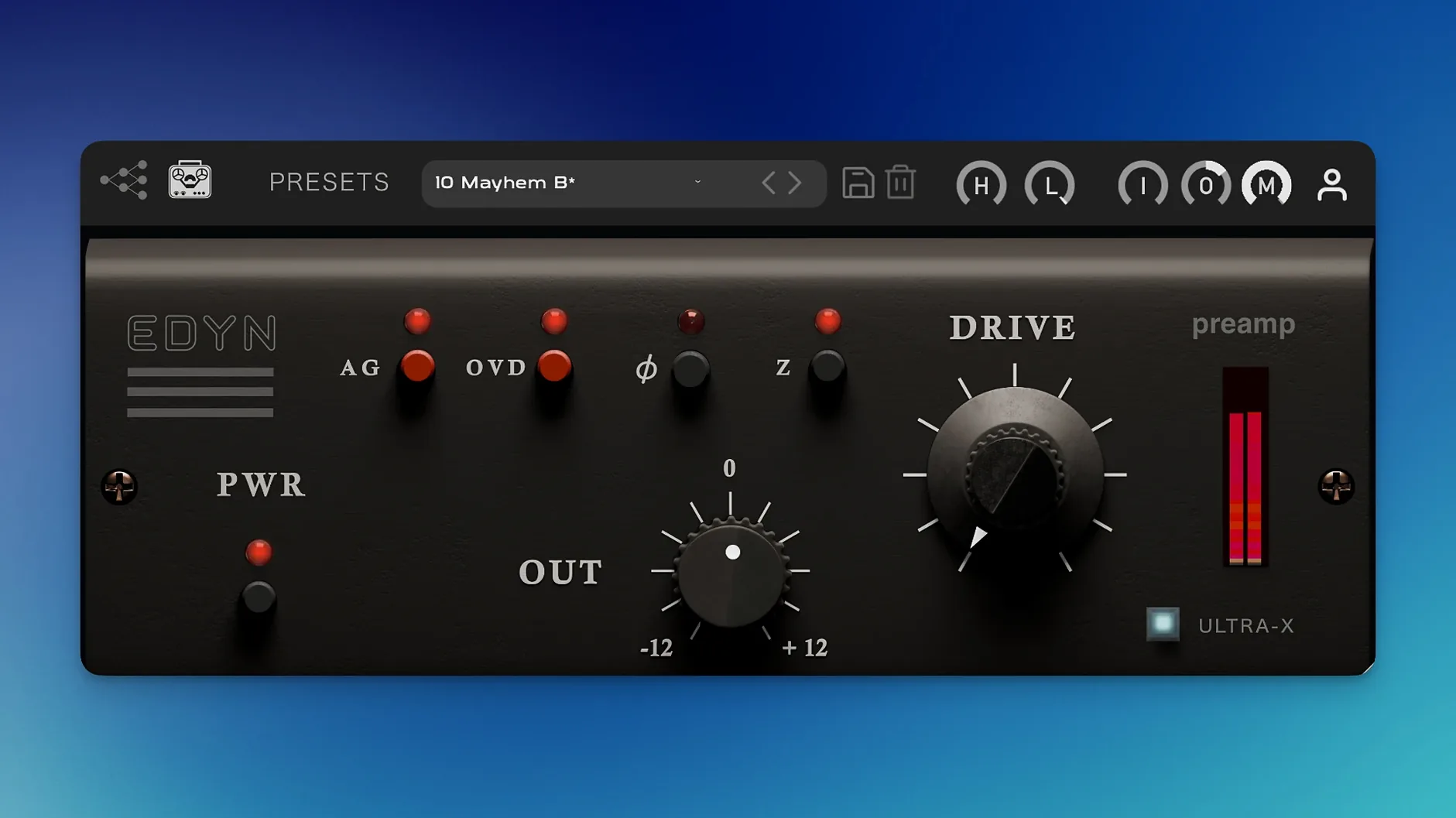
EDYN is a preamp, not a channel strip. The modelling points straight at the Electrodyne 1204 console—dense mids, a rounded bottom, and a top end that softens without going dark. Switchable input impedance (50 or 200 ohms) shifts the weight of the signal before it even hits the gain stage. Filters are simple: high-pass and low-pass, nothing surgical. Automatic gain compensation keeps your levels honest while you push into that 60s American console thickness. It’s a colour box for tracks that need density and a bit of dust.
Good to know: The NM2 ENGINE tech under the hood arrived with the initial release, bringing the emulation to AU, VST3, and AAX alongside native Silicon builds from the start.
First moves after installing
Drop EDYN on a drum bus first thing. Start with the Drive at about 10 o'clock and the high-pass filter nudged up to 40 Hz to clean out any subby mush before the saturation stage. Flip the impedance to 50 ohms—it loads the signal heavier and pushes the mids forward, great for a snare or a room mic that needs more knock.
For vocals, try the 200 ohm setting. It opens the top end a little and keeps sibilants from turning brittle. Then dial the Mix knob back to about 70%. Parallel saturation on a vocal means you can drive it harder without the gain sounding obvious. Auto-gain will fight you a bit here—toggle it off while you find the sweet spot, then switch it back on to compare.
Phase flip for tighter parallel blend
- Phase flip saves time. The little Ø button near the output isn't just for multi-mic alignment. When you blend a driven signal in parallel, flipping phase can cancel out a hollow mid buildup that sometimes happens with the 50 ohm impedance.
- OVD mode doesn't live on its own. The overdrive circuit kicks in after the main Drive stage, so cranking OVD with the Drive low gives you a tight, fuzzy edge. Doing it the other way—Drive up, OVD low—rounds out transients first, then adds a whisper of grit.
- LPF as a tone shaper. The low-pass filter reaches further down than you'd expect. Dial it to about 8 kHz on a bright acoustic guitar, then push the input gain. The top end softens while the low mids thicken—a fast way to get a tape-ish feel without an extra plugin.
A quick session with EDYN
A stripped-back rock mix lands on the desk. Kick and snare are punchy but too clean—digital, no glue. First move: EDYN on the drum group, impedance at 50 ohms, Drive at 11 o'clock, high-pass at 30 Hz. Snare gains body within seconds; the kick loses its plastic click and settles into something drier. Over on the bass DI, another instance with the impedance at 200 ohms and the low-pass filtering down to 6 kHz. Pushing the input about 4 dB brings the low end forward without flub, and the filtered top keeps it out of the guitar's way. Then the lead vocal: Mix at 60%, OVD at a modest 9 o'clock, just enough to roughen the edges of a clean condenser recording. Auto-gain stays on through most of the balancing, switched off briefly to check what the drive is actually adding. Three instances, no crashes, the fans haven't spun up once.
- Squashed the AU validation errors in Logic Pro on macOS Sequoia.
- Parameter automation in Pro Tools now stays locked in.
- Offline rendering on the master output no longer glitches.
- Multi-instance crash fixes for Logic Pro, plus reduced CPU load on Apple Silicon.
- Scalable interface that doesn't blur on high-res displays.
- macOS 10.14 or later
- Apple Silicon or Intel Mac
- Host that supports VST3, AU, or AAX
Questions I get
It's modelled on the Electrodyne 1204, an American console from the 1960s and 70s known for its dense, characterful preamp sound.







Chat 0
Hop in or make an account to join the chat.
Quiet in here so far. If you have used this build, tell me what the install actually did.