
 Apple Remote Desktop
 Araxis Merge
 ArchiCAD
 Apple Keynote
 Artlantis
 App Cleaner & Uninstaller
 ApolloOne
 AnyTrans for iOS


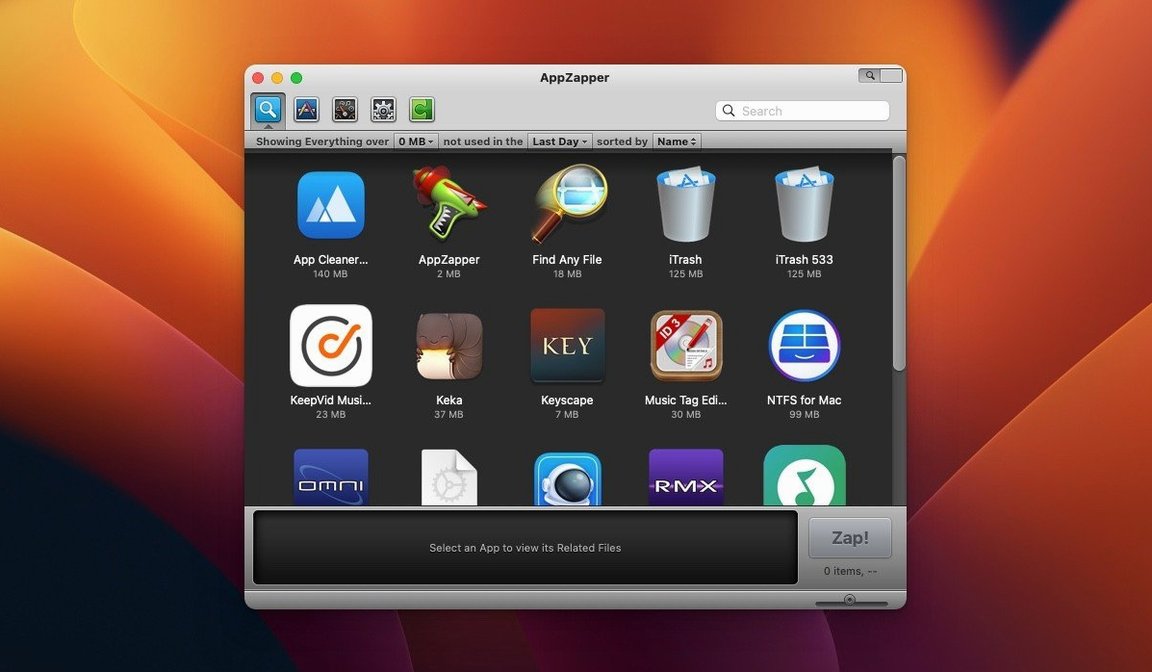
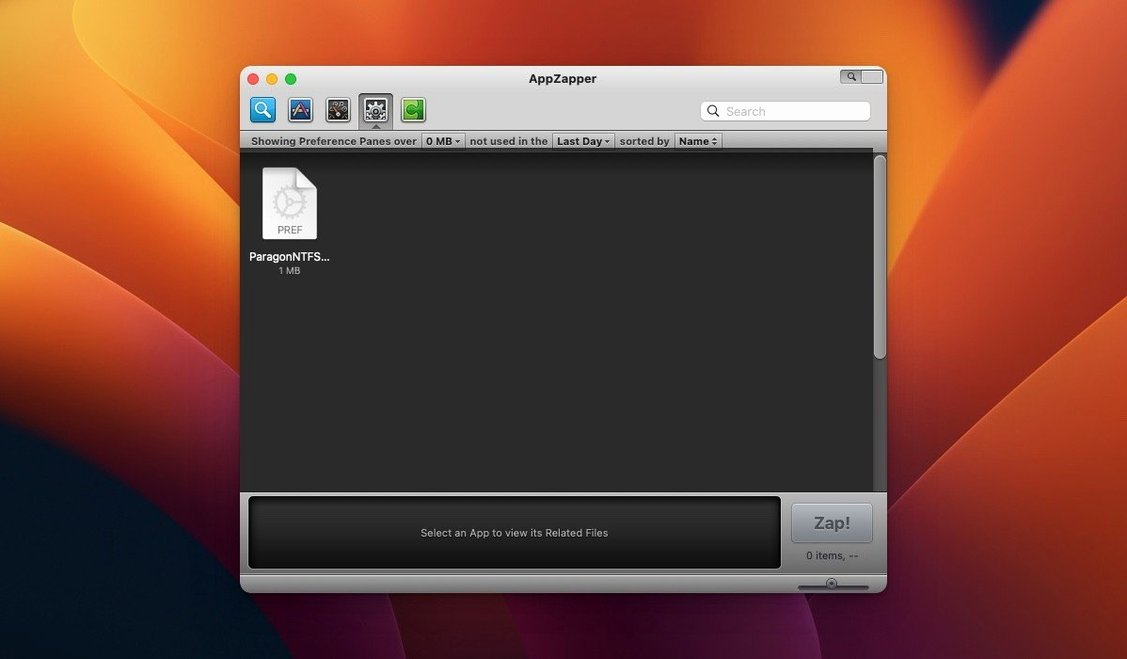
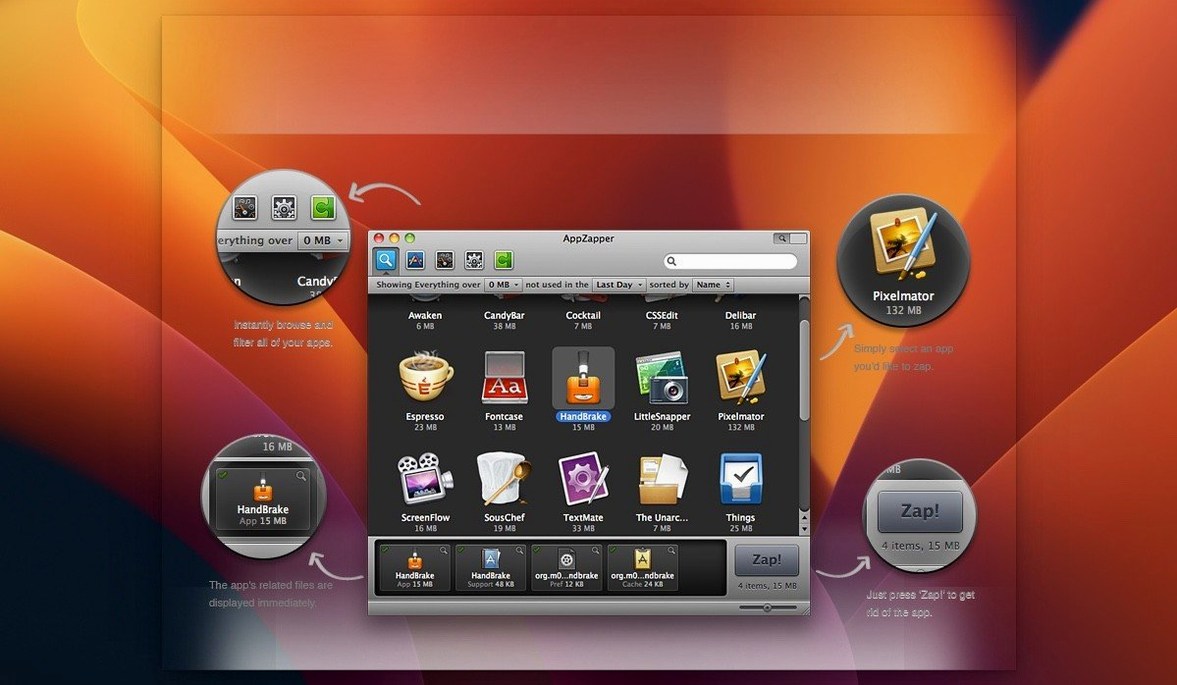
You drag an app to the Trash, then weeks later find leftover preference files and caches still sitting in Library folders. AppZapper is built for that moment — it checks what belongs to the app before anything gets deleted.
| Detail | What you get |
|---|---|
| macOS version | OS X 10.9 or later |
| Architecture | Intel 64-bit |
| Interface | English |
| Current version | 2.0.3 fix |
Once you pick an app, AppZapper shows the related files it found before you confirm anything. You can untick items you want to keep, so a blanket cleanup doesn't take something you still need. The second version added a grid-style browser with large icons, which makes scanning a crowded Applications folder feel less like reading a spreadsheet.
People who test a lot of software see the benefit straight away. Designers trialling icon sets, developers running nightly builds, anyone who installs five menu-bar utilities in an afternoon — each one scatters support files. AppZapper turns what would be a thirty-minute Library hunt into a single drag.
Mac users who prefer a lean system also click with it. If you notice when your ~/Library/Application Support folder starts to bulge, the app fits how you already think. You want the program gone, not just hidden from the Dock.
Folks migrating from Windows sometimes carry over the habit of hunting for an uninstaller. AppZapper scratches that itch without adding a resident background agent. It runs when you need it, then quits.
AppZapper doesn't compete with your usual Mac workflow — it extends the Trash. You can keep using Spotlight to launch apps and Finder to browse ~/Applications. When you decide something has to go, that's the moment to open the Zapper.
The export feature from version 1.7 works well with backup tools. Before wiping a large suite, you can save a copy of the app and its related files as a single package, then archive it. If you run Time Machine already, that gives you a second safety net.
ZapGenie, the browser from version 1.5, sorts by last-used date. That pairs naturally with macOS Storage Management — you might spot an app in System Settings that you haven't touched since 2021, then jump into AppZapper to see all the support files it left behind. The authentication prompts added in 1.8 mean it plays nicer with standard user accounts too, asking for permission only when a protected folder needs cleaning.
The most common slip is trusting the checkmarks without reading the list. AppZapper shows related files, but "related" means files the app created — not files you manually placed in its folder. A plug-in you dropped into an audio app's support directory might show up as collateral. Untick anything that looks custom before you confirm.
Another trap: zapping an app that other software relies on. Remove a shared helper tool, and a sibling app suddenly throws errors on launch. If you're cleaning a suite like Adobe or Microsoft, do the whole group together or leave them alone — half measures create orphans.
Some people treat AppZapper like a disk cleaner and run it weekly. It's not designed for that. The app is a scalpel, not a broom. Use it when you uninstall something specific, not as a maintenance sweep.
Start with something safe. Pick a free utility you downloaded last month and barely touched — a menu-bar clock or a trial you forgot about. Drag it onto the AppZapper window, scan the file list, and zap it. That gives you a feel for what gets caught without risking anything important.
Next, switch to the grid view using the button in the upper-right corner. Sort by last-used date and look for apps you haven't opened in over a year. Those are your cleanup candidates, but check each one — some old apps hold licence files you'll need if you ever reinstall.
After your first few zaps, open the Trash and glance at what landed there. You'll see preference plists, caches, and occasionally a folder you didn't know existed. That's the point. Leave the files in the Trash for a couple of days before emptying it, just in case something unexpected stopped working.
If you find yourself searching for an appzapper mac alternative later, you'll already have a baseline for what a focused uninstaller does. The app doesn't need configuration or maintenance — once it's in your Applications folder, it's ready whenever you decide something needs a clean exit.
The app is built for 64-bit Intel Macs, so Apple Silicon systems would rely on Rosetta 2. The stated requirement is OS X 10.9 and later.
Yes. Related files are shown before deletion, and any checked item can be excluded so it stays on your Mac.














Chat 0
Hop in or make an account to join the chat.
Quiet in here so far. If you have used this build, tell me what the install actually did.