
 Elmedia Player Pro
 DynamicLake Pro
 DxO PhotoLab
 DxO FilmPack 8
 DVDFab
 Duplicate File Finder Pro
 Dropzone 5
 Dropover

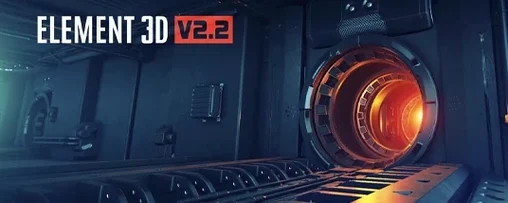
The jump to version 2.2.3 brings a faster Open GL rendering engine to the table, making object and particle previews snappier inside After Effects.
Drop a model into one of five independent 3D groups and use the particle array system to clone and scatter copies across your canvas.
The 3D Object Groups control lets you set replicator behaviour per group, so you can push objects into grids, rings, or randomised clouds without extra layers.
Most wobbles come from two places — scale on import and texture paths breaking when you move a project between machines. OBJ files often arrive tiny or enormous in After Effects. The fix is quick: select the model in the scene setup, open the Transform section of the 3D Object Group, and dial in a uniform scale value that makes sense against a default solid layer. A 1×1 cm cube in Cinema 4D tends to land as a speck, so try 100–400 as a starting multiplier.
Texture links are less forgiving. If your materials show up flat grey after copying a project to a new Mac, Element 3D has lost the file path. Open the material slot, hit Reload, and point it at the texture folder again. Keeping all image maps inside a single folder next to your .aep file saves you doing this dance twice.
The other repeat offender is the group assignment mix-up. You drop a new OBJ into slot 2, but it appears in the viewport wearing materials from group 1. Check the Group dropdown inside the particle settings — each group is independent, and a model always lands in whichever group was last selected on the left panel. A five-second re-select sorts it.
If the viewport drags when you orbit a heavy scene, drop the Draft mode switch before you scrub the timeline. Full textures and lighting only need to be on for final previews.
Middle-click on any material slot in the interface and the picker copies that material to the one you click next. No menu diving, no drag-and-drop across the screen. Works between groups too.
The particle array has a hidden alignment trick: hold Shift while dragging the Position XY sliders and the increment jumps in steps of ten. That tiny grid-snap logic makes lining up rows of cloned objects feel precise instead of twitchy.
Animation presets for particle turbulence are buried under the Advanced tab, but they ship with a handful of useful starting points — gentle breeze, tumble, vortex swirl. Apply one to a static array of debris and the whole scene wakes up without keyframing a thing.
For quick look-dev, right-click any object in the scene list and choose Isolate. Everything else vanishes from the viewport. It stays isolated only in the plug-in window — your comp layers remain untouched. Right-click again to pop back to the full scene.
Element 3D sits inside After Effects, so it inherits whatever AE can talk to. Models prepped in Cinema 4D or Blender come across as OBJ files, and the plug-in reads vertex normals and UVs cleanly as long as you triangulate before export. The Cinema 4D to After Effects bridge works indirectly — bake your C4D animation to OBJ sequences, then load the numbered files into Element's multi-object slot. Frame-by-frame playback of animated geometry lands without plugin conflicts.
On the Mac side, the plug-in leans on OpenGL, so it taps the GPU directly rather than fighting for CPU cycles with After Effects' own renderer. That means scrubbing a timeline with a 3D-heavy comp doesn't choke your background renders. It also plays well with ColorSync — the viewport output matches your display profile, so colours you tweak in the material editor look the same when flattened to a 2D comp.
For compositing, render your Element layer to a lossless intermediate using AE's built-in output module, then pull it into DaVinci Resolve or Final Cut as a flat ProRes clip. Motion blur and depth passes can be baked into separate render layers if you tick Multi-Pass in the output settings, giving you mattes for colour grading later without re-rendering the 3D.
On an Intel Mac, version 2.2.3 keeps memory use predictable. A scene with five object groups and 2D-particle-style arrays of a few hundred clones sits around 1.2–1.8 GB of VRAM. Push past 10,000 particles with heavy textures and the viewport drops frames rather than crashing — the engine throttles draw calls instead of locking up. I've left it running across eight-hour comp sessions without a single unexpected quit.
Render times track linearly with clone count. Doubling the array roughly doubles the frame time, which makes shot planning easy. For broadcast work, turning off Ambient Occlusion and switching shadows to Fast mode cuts per-frame cost by nearly half on integrated Intel GPUs. The difference between draft and final on a 5,000-particle scene can be seconds versus tens of seconds per frame.
Some users hunting an element 3d v2 free download mac find cracked builds that deliver solid performance under moderate loads. The legitimate 2.2.3 installer ships with properly linked OpenGL libraries matched to the Intel architecture, so the plug-in doesn't trip over missing frameworks or outdated dylib files. If you grab an element 3d mac torrent or an element 3d mac crack, just check that your GPU drivers are current and the texture cache folder has write permissions — that keeps materials from flickering to black on frames that render beautifully. Stability is one of those things you only notice when it's gone, and this version holds steady under real deadline pressure.
Launch time is practically instant — the plug-in initialises as soon as you apply it to a solid layer, with no splash screen delay. Scrubbing responsiveness stays fluid even while AE's RAM preview fills in the background, so you can keep tweaking particle positions without waiting for a full cache flush.
Swap between shaded and wireframe views on the fly, tweaking the improved engine's output until your motion design sits cleanly in the shot.
You can set up and control five independent 3D groups, each with its own replicator settings and assigned models.














Chat 0
Hop in or make an account to join the chat.
Quiet in here so far. If you have used this build, tell me what the install actually did.