
 Folder Preview Pro
 FontLab
 FL Studio
 Fork
Fork ForkLift
 Find Any File
 FotoMagico

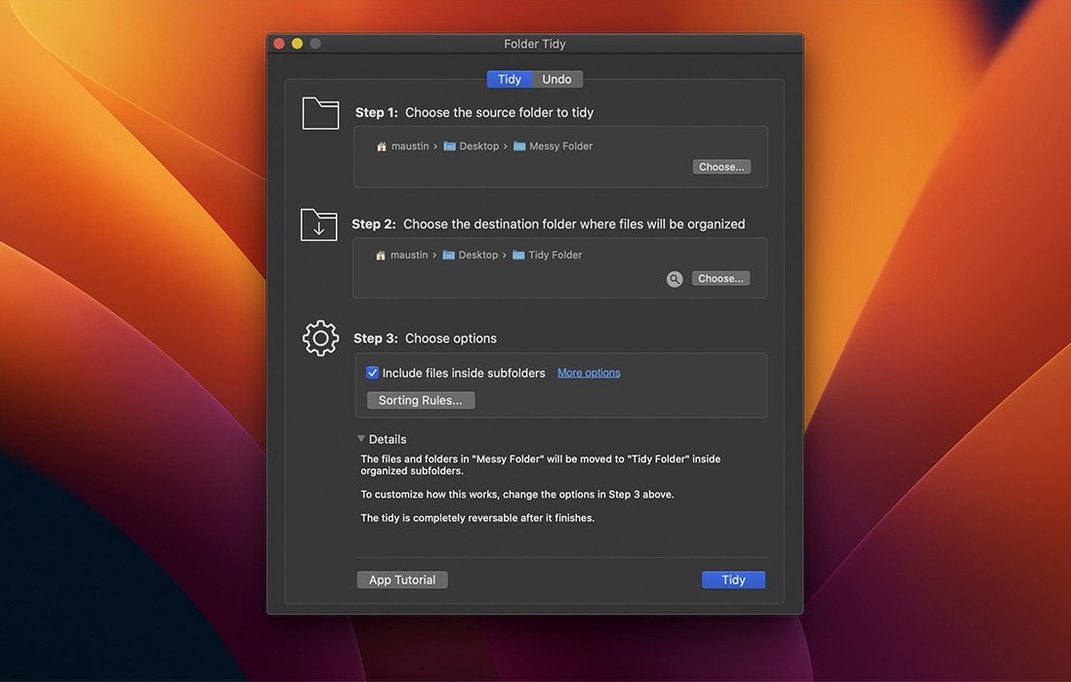
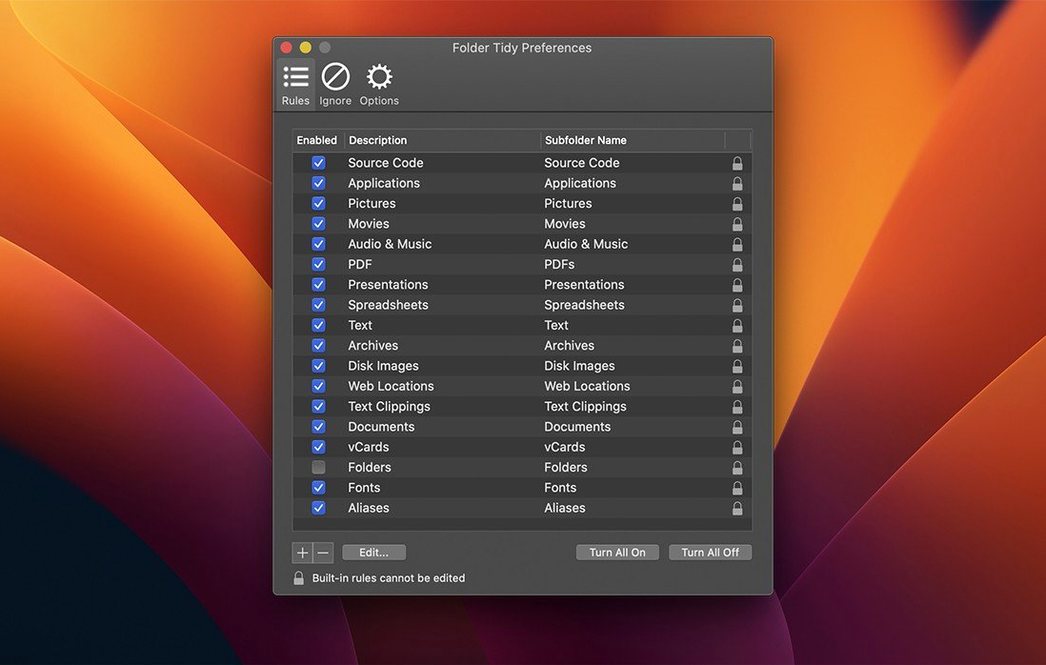
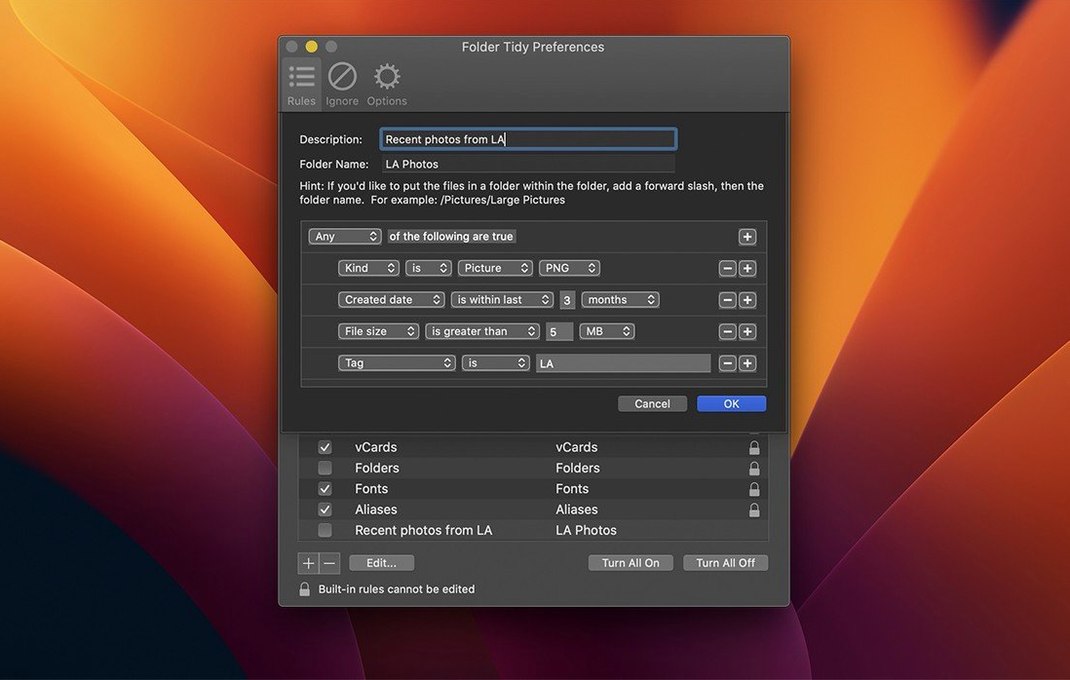
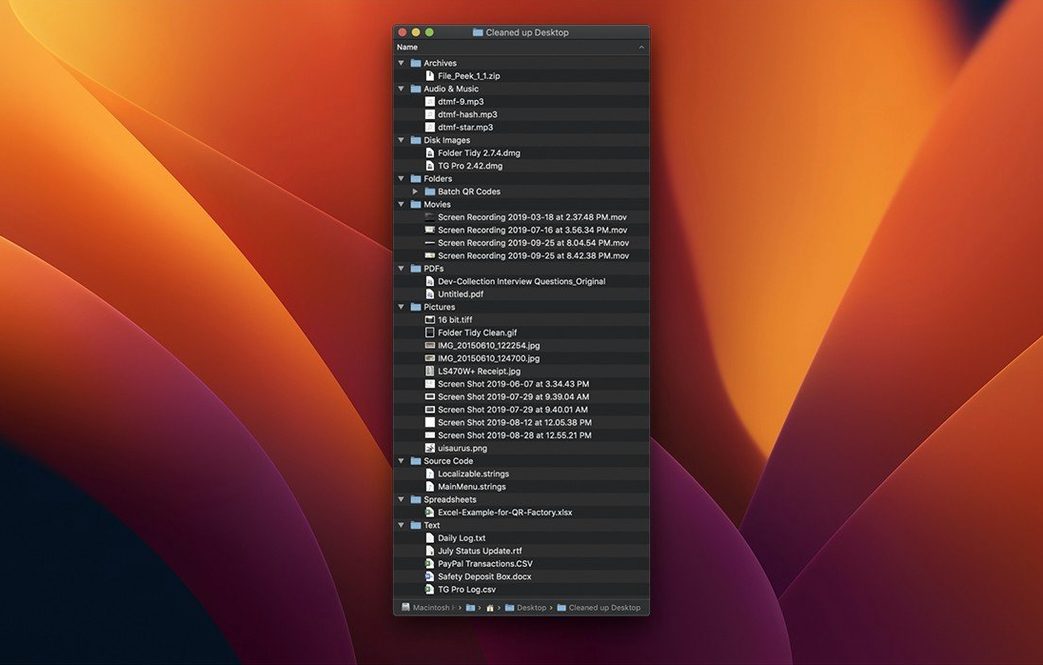
Two clicks and a folder with hundreds of loose PDFs, PNGs and Keynote files becomes a clean set of labelled subfolders. Folder Tidy runs on 15+ built-in rules that group files by extension, kind or custom patterns you set.
Drag any folder onto the app window, or choose it from the file browser. The app reads the entire contents before suggesting a rule.
Built-in options cover common messes: group by file type, separate photos from documents, or sort presentations into their own folder. You can also write a custom rule using file name patterns or extensions.
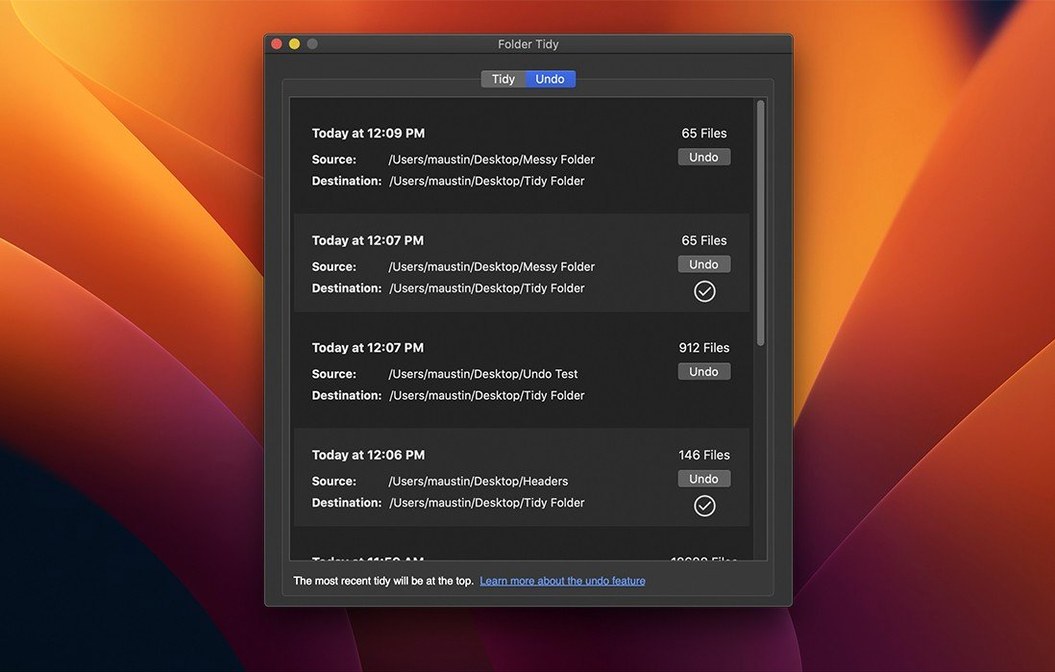
Tap Tidy and the app pushes files into new subfolders instantly. It uses all available CPU cores, so the only bottleneck is your disk speed. If a result doesn’t suit you, the undo command moves everything back — hidden files and freshly created folders included, even after a restart.
Version 2.9.7 adds full support for macOS Tahoe and fixes a launch hiccup some users hit. The tidy engine itself stays out of the way: no background daemons, no watchers, just a straightforward tool that sorts and quits.
Start with a copy. Duplicate a messy folder in Finder and run your first few sorts on the duplicate. It takes the pressure off while you learn which rules match your filing habits.
Name your custom rules clearly from day one — Client drafts – PDF only reads better than Rule 4 a month later. The app remembers every rule you create, so a little labelling upfront saves time down the track.
For folders you clean regularly, save the rule and drag the folder onto the app icon in the Dock. Same sort, zero clicks to reconfigure. The undo list persists between sessions, so even a tidy you ran last Tuesday can be reversed if you spot a file in the wrong subfolder.
Sarah shoots real estate. After a morning on site, her SD card dump lands in a single folder — 340 ARW raw files, 120 edited JPEGs, a few drone MP4s and a stray invoice PDF from the agency.
She drags the folder onto Folder Tidy, picks the By file type rule, and hits Tidy. In under four seconds the app splits everything into Images, Video and Documents subfolders. The MP4s land with the drone inspector’s notes she almost missed. She spots the invoice immediately because it’s the only file in the Documents group.
Sarah keeps a custom rule called Client delivery that filters only the edited JPEGs by extension. She runs that next, pulls the selects into a clean folder, and uploads before lunch. The raw files stay behind, untouched, ready for archiving.














Chat 0
Hop in or make an account to join the chat.
Quiet in here so far. If you have used this build, tell me what the install actually did.