
 Iconize
 iMazing
 Infuse Pro
 HitPaw Watermark Remover
 iReal Pro
 HitPaw Video Converter

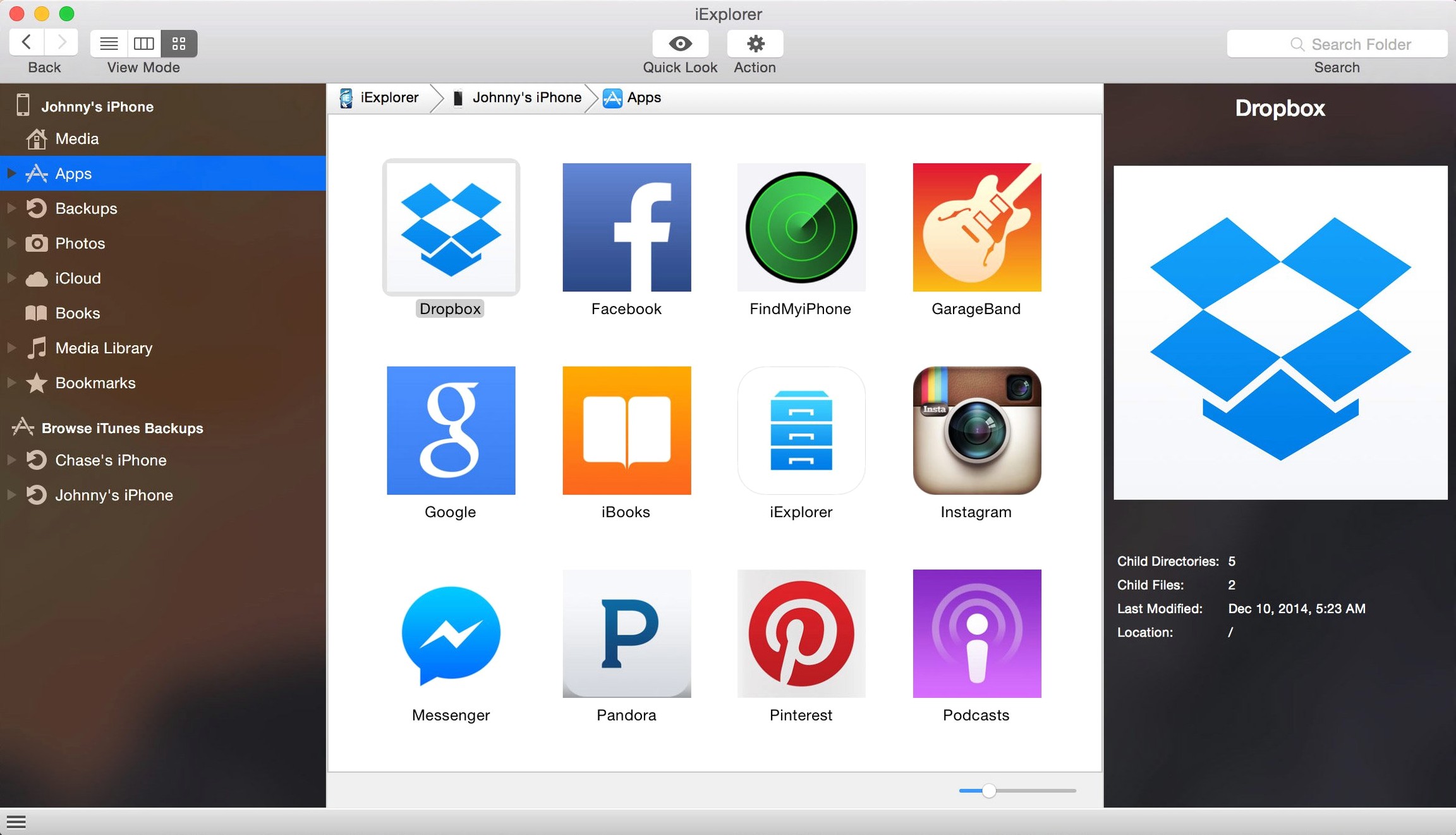
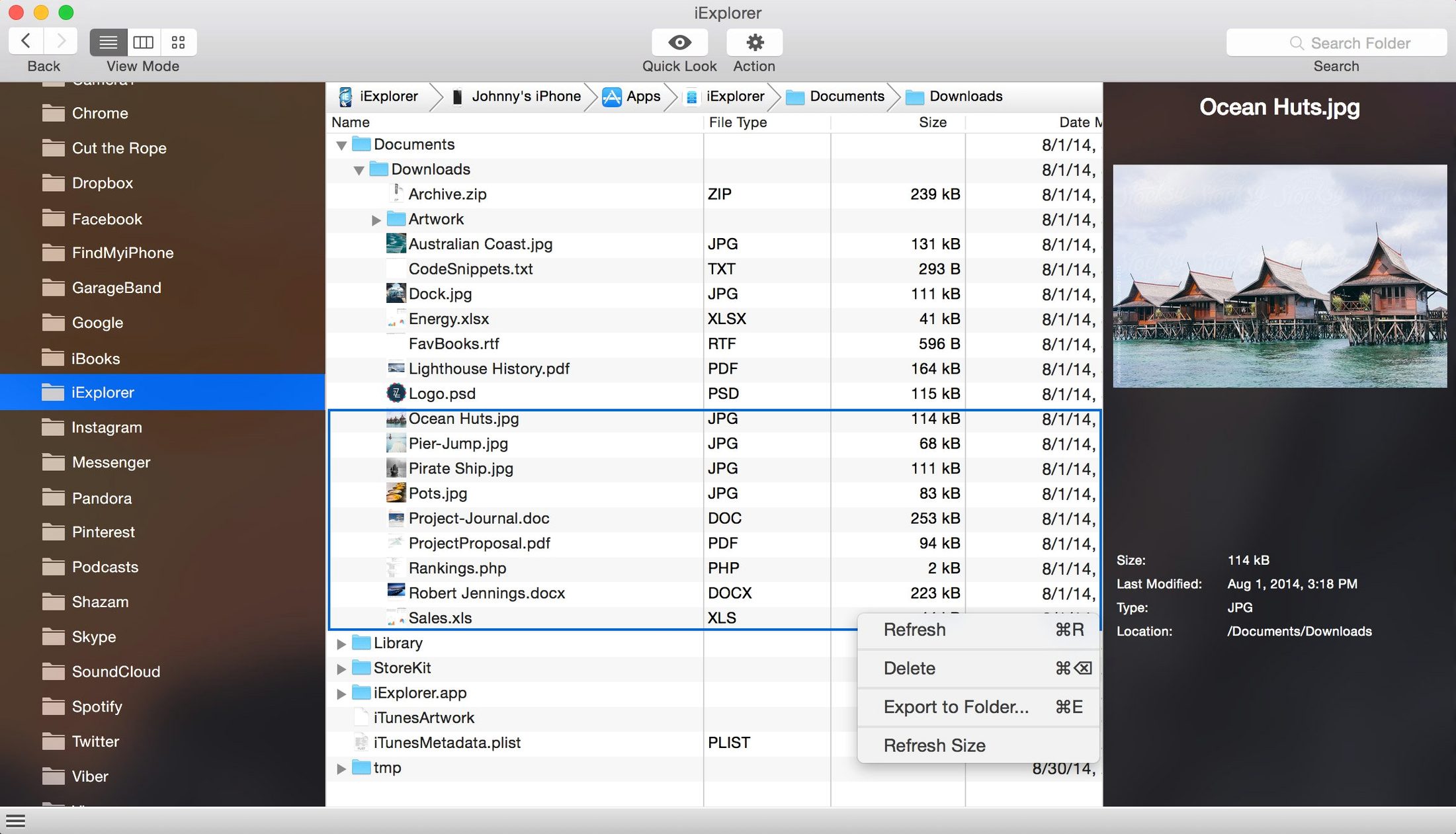
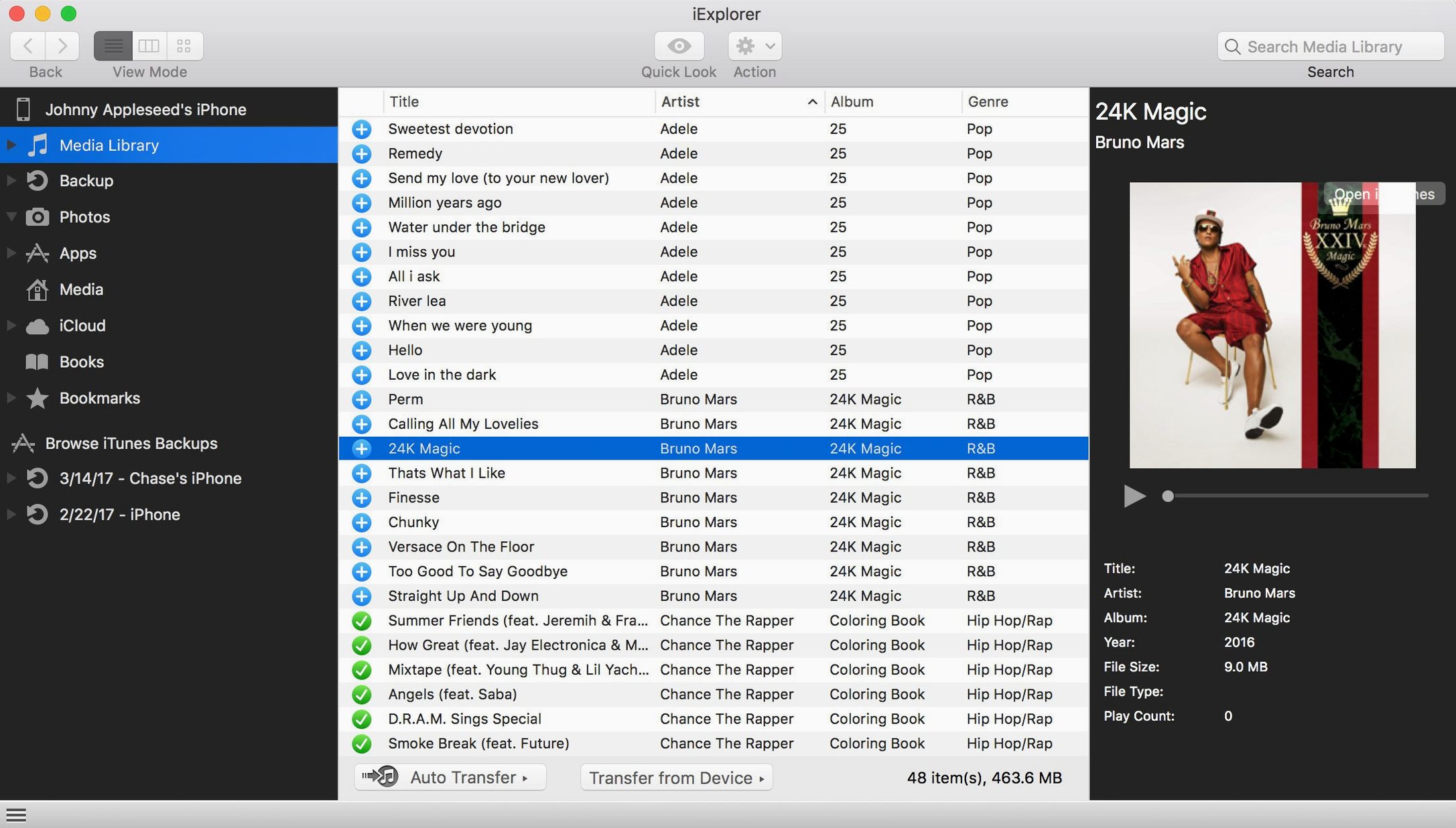
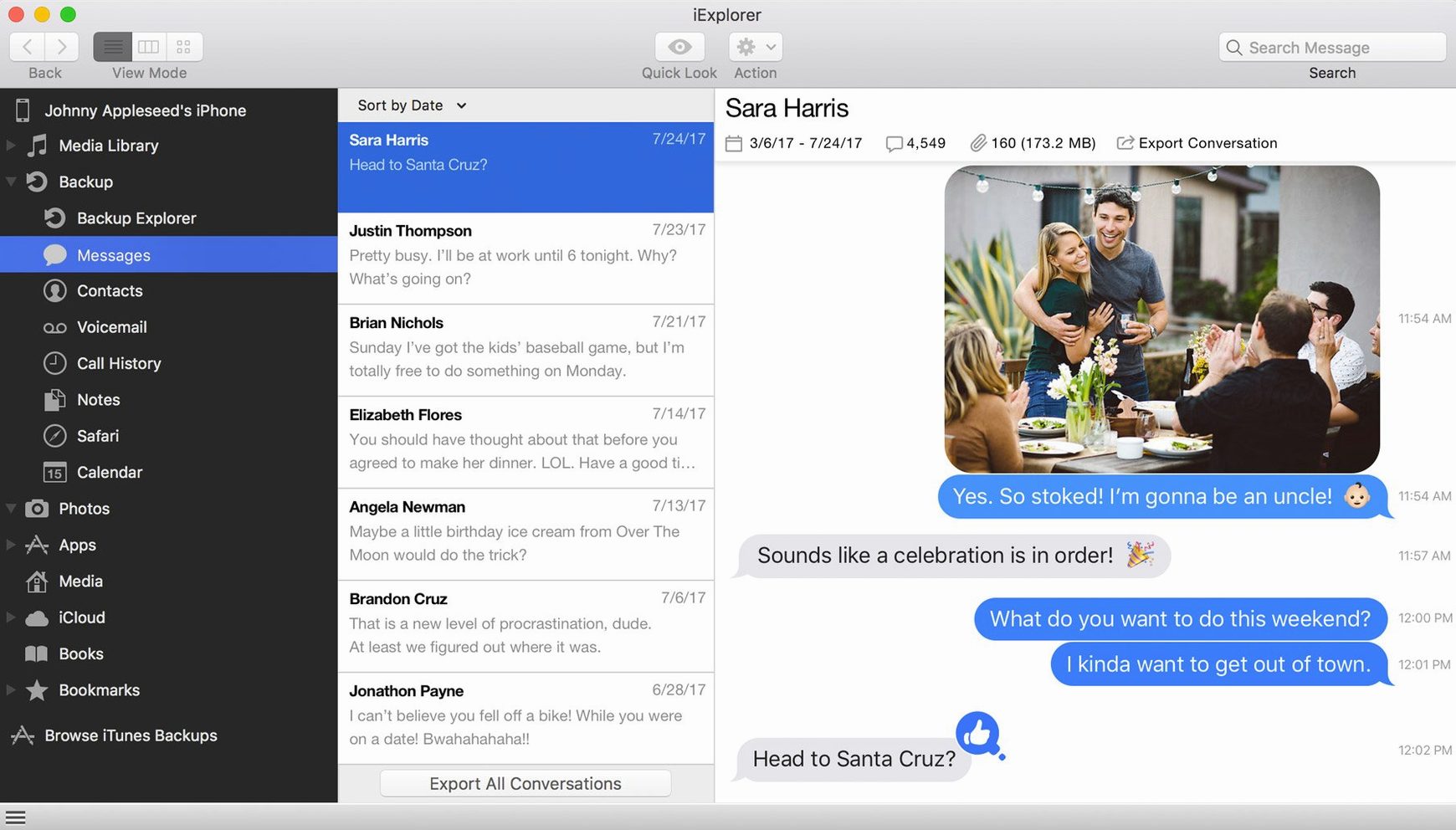
Version 4.6.0 landed with a quiet but crucial update: it plays nicely with iOS 16. That means if you've recently updated your iPhone, the connection stays smooth. Think of it as a desktop window into your device's filing cabinet.
Plug in and you'll see your device laid out like a USB drive. The first thing to try is grabbing photos off the camera roll without Photos.app getting in the way. Just drag a folder to your desktop. Next, peek at your old backups stored on the Mac — the app can open those archives so you can pull out a single lost text message or voice memo instead of restoring everything.
Music transfers are where it surprises most newcomers. You can pull playlists and tracks from an old iPod straight into your Mac's Music app. It's a direct line that sidesteps syncing dramas. Adding files back to the device works the same way, no iTunes required.
People who treat their iPhone like a USB stick notice the value first. If you regularly pull photos and videos off your device without wanting Photos.app to organise them, the drag-and-drop approach saves real time. Designers and photographers who shoot on iPhone and edit on Mac fall into this camp — they need raw files on the desktop, not a synced library.
Another group that clicks with it straight away: anyone holding onto an old iPod or an iPhone they never wiped. Maybe it has playlists from a decade ago, or a voice memo from a late friend. iExplorer lets you reach into that device and copy things out without touching iCloud or risking an accidental sync that erases everything. The backup browser alone makes it worth keeping around — open an archived backup, find one text thread, export it as a PDF. Done.
If you use multiple apps that store documents locally on the iPad — drawing apps, notation apps, video editors — this gives you a file manager those apps never shipped with. You can browse app containers, pull out project files, and archive them on your Mac without going through a share sheet.
Does it need the device to be jailbroken? No. iExplorer reads what iOS already exposes over USB. You plug in, tap Trust on the device, and the app populates a folder tree. Nothing is installed on the phone or tablet.
Will it mess up my iTunes library? It reads from the device and writes to your Mac. Music transfers go one direction unless you deliberately copy files back. The app does not automatically sync or delete anything. If you are hunting for a reliable way to move tracks from an old iPod to a new Mac, grabbing an iExplorer torrent is a popular way to test the workflow before committing.
Does it cover messages and call history? Yes. The export tools pull out SMS conversations, iMessages, notes, contacts, and call logs. You get them as plain text or CSV files depending on what you pick. No HTML formatting, just clean data you can open in Numbers or a text editor.
What about iCloud access? The iCloud tab inside the app shows photos, app data, and backups stored remotely on your account. It is a read-only view, but useful for grabbing something you forgot to download before wiping a device. Some users looking for an iexplorer full setup do so because they want the iCloud browser alongside local device access in one tool.
Say you found a 2012 iPod classic in a drawer. The battery holds, the screen lights up, and it still has those playlists you made in university. Here is one way to pull them into your current Music app without syncing.
Step one: Plug the iPod into your Mac and open iExplorer. Dismiss iTunes if it launches — the app needs it installed but not running interference.
Step two: In iExplorer's device sidebar, click Media Library, then Playlists. You will see every playlist the iPod holds, complete with track counts and durations.
Step three: Select the playlist you want, then hit the Transfer to iTunes button in the toolbar. The app copies tracks and the playlist structure into your Music app. After the progress bar finishes, open Music on the Mac — the playlist sits there with every track intact.
Step four: If you prefer loose files, skip the transfer button. Drag the playlist folder straight to your desktop. iExplorer copies the audio files as-is, preserving artist and album metadata.
This same pattern works for voice memos, photos, and app documents. Find the folder, select what you need, drag or click transfer. No cloud, no sync, no waiting for a restore that overwrites your current setup.
For a quick win, check the iCloud section inside the app. It surfaces photos and app data stored remotely, all in one tidy list.
Yes, it can transfer music and playlists directly from an iPhone, iPod, or iPad into the Music app (formerly iTunes) on your Mac.
It can open backups stored on your computer, letting you browse and extract specific items like text messages and photos.














Chat 0
Hop in or make an account to join the chat.
Quiet in here so far. If you have used this build, tell me what the install actually did.