
 Jump Desktop
 Jettison
 Keyboard Maestro
 KeyCue
 KeyShot
 iZotope Ozone
 Klack
Klack iStat Menus


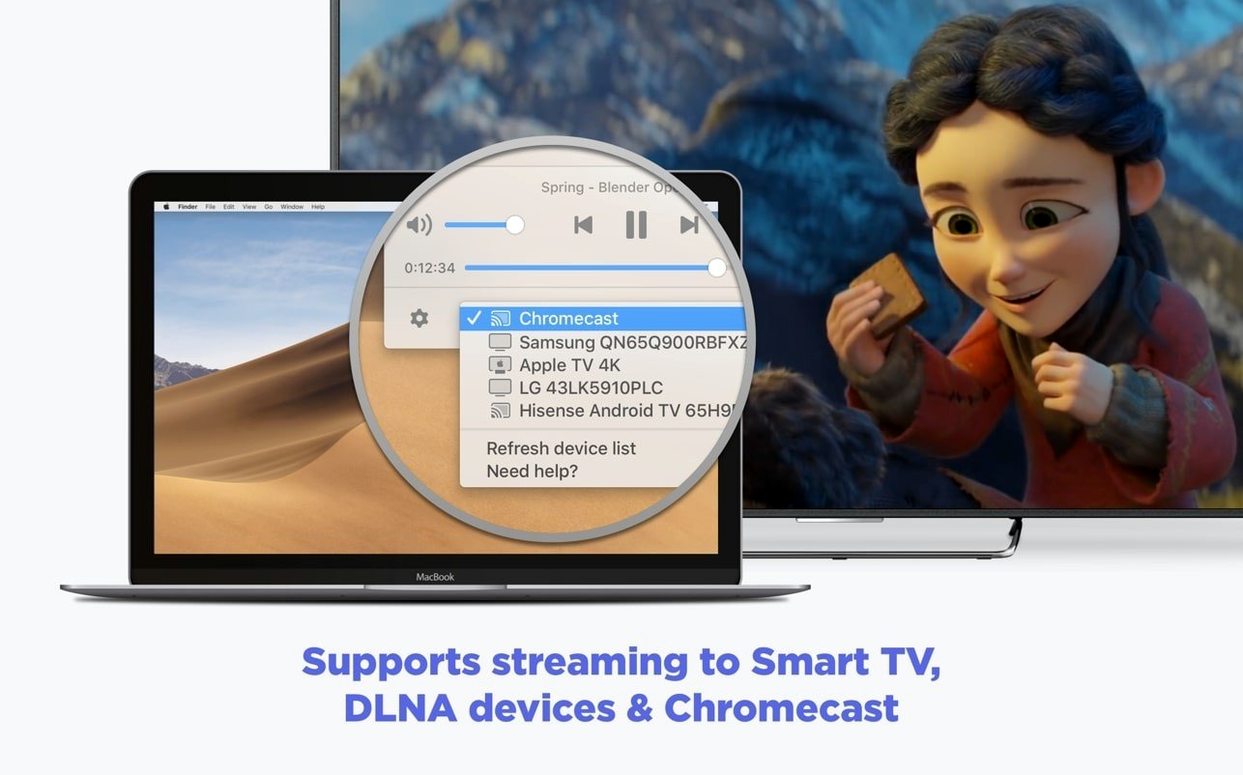
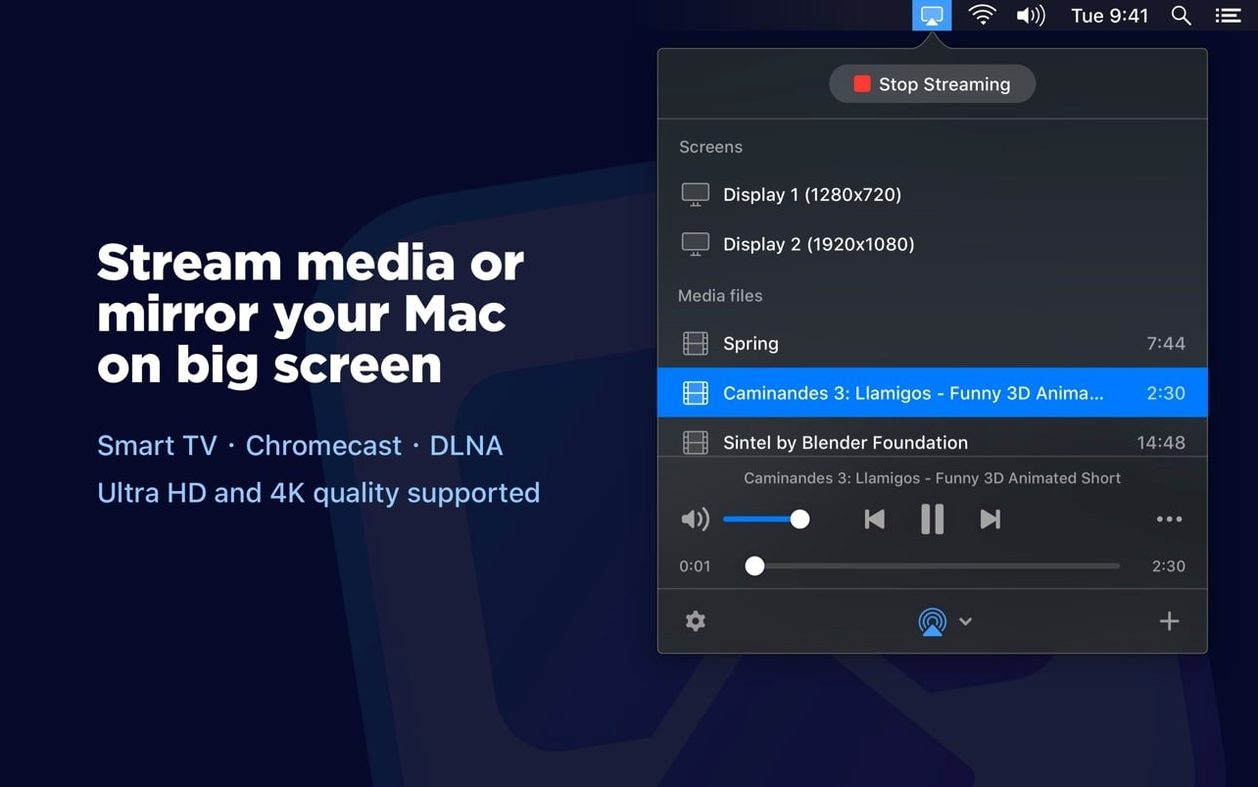
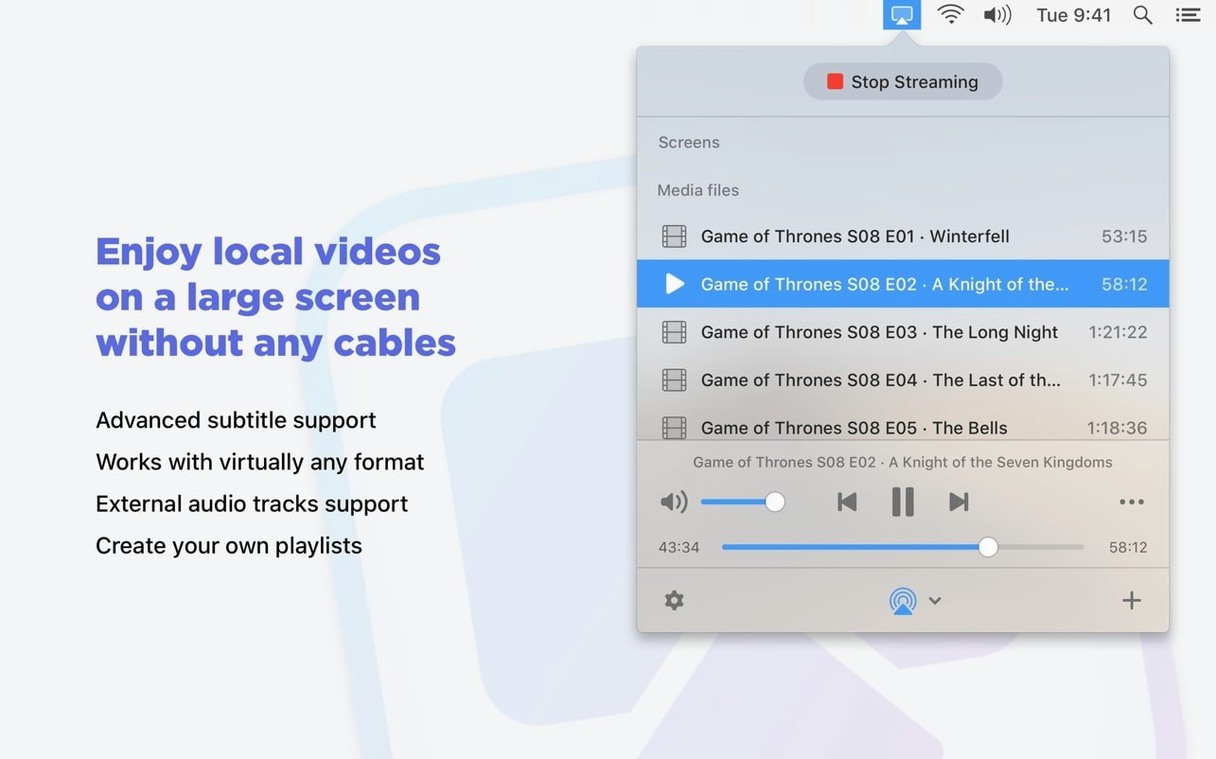
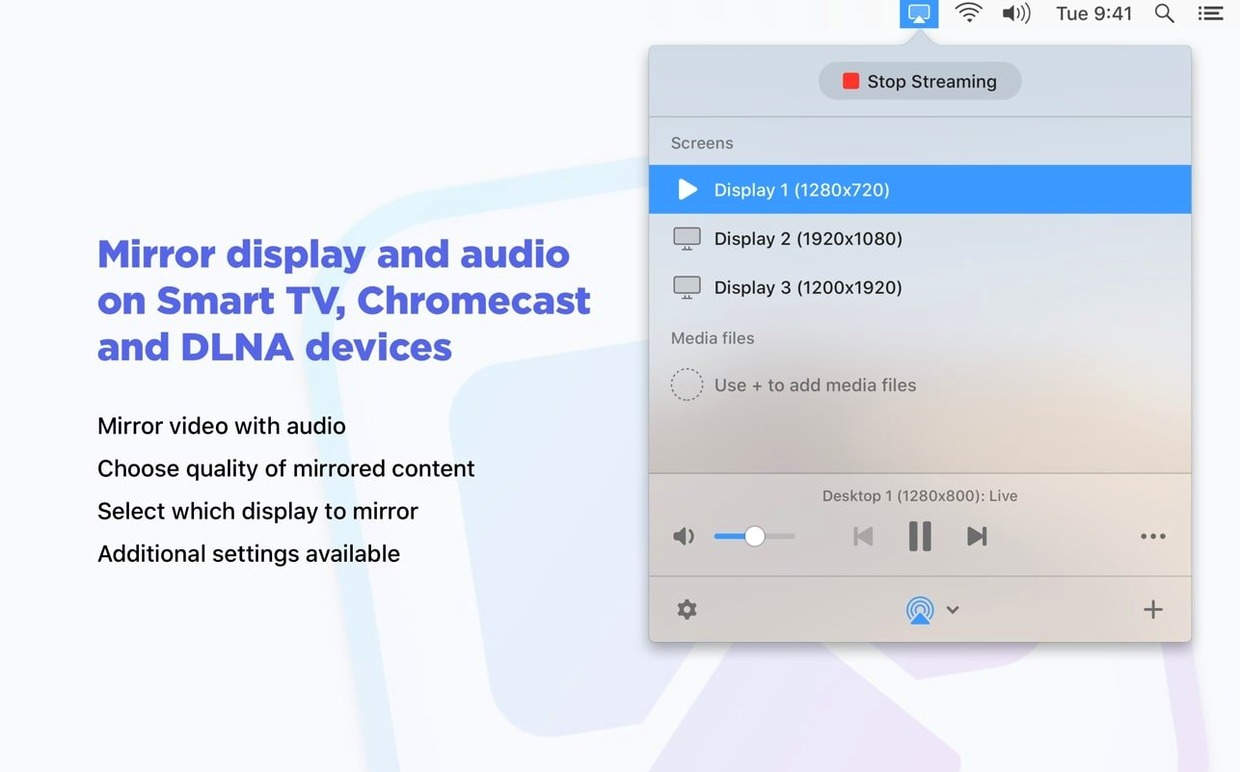
JustStream PRO is a Mac utility that sends your screen or video files straight to a nearby television or streaming stick.
Good for
Keep in mind
Recent updates focused on tightening reliability. Streaming to Chromecast and other devices got steadier, and the app now does a better job of stopping your Mac from nodding off mid-stream. A few rough edges around the device list and pause function were also filed down, along with early compatibility work for macOS 26.
On a modern Apple Silicon Mac, the app opens almost instantly and settles into the menu bar without a flicker. Mirroring my desktop to an LG smart TV over a home 5 GHz network introduced barely a half-second delay — mouse clicks and cursor movement showed up on the television with a rhythm that felt natural, not laggy.
Memory usage stayed modest during testing. With a Full HD 1080p mirror session active, JustStream PRO hovered around 180 MB of RAM and rarely nudged the CPU above 6%. Sending a 4.5 GB MKV file with soft subtitles to a Chromecast Ultra pushed that figure closer to 9%, mostly because of real-time transcoding. The Mac stayed cool and quiet throughout.
One welcome change in this version: the app now prevents your Mac from sleeping mid-stream without you needing to adjust Energy Saver settings. It worked reliably across three hours of playlist playback — no black screens, no dropped connections.
AirBeamTV mirrors a Mac screen to Samsung, LG and Sony TVs without extra hardware, much like JustStream PRO handles Smart TVs and DLNA devices. Where AirBeamTV leans heavily on per-brand TV apps, JustStream PRO feels more agnostic — it talks to Chromecast, Apple TV and Roku in one package. For subtitle fans, AirBeamTV lacks the font and size controls JustStream PRO offers on Chromecast streams.
Mirroring360 shines in classroom and meeting-room setups where you want to receive mirrored screens from other devices. JustStream PRO takes the opposite lane: it streams out, not in. For a designer who simply wants to throw a video or a Keynote preview onto a lounge TV, JustStream PRO's menu bar approach is lighter and faster. Mirroring360 feels bulkier and more configuration-heavy for that one-direction use case.
Elmedia Player PRO is a full media player that happens to stream to Chromecast and DLNA devices. It plays more exotic formats natively without transcoding. JustStream PRO focuses purely on getting content onto a screen — mirror the desktop or queue up a playlist and press play. No playback controls on the Mac itself. For quick streaming sessions where you don't need an on-screen player, JustStream PRO is the tidier tool.
Yes, it supports both embedded subtitles and external subtitle files during streaming.
It does. Version 2.14 runs natively on ARM Macs as well as 64-bit Intel models.
You can choose between Auto, Full HD 1080p, and HD 720p output quality.














Chat 0
Hop in or make an account to join the chat.
Quiet in here so far. If you have used this build, tell me what the install actually did.