
 Jump Desktop
 iZotope Ozone
 JustStream PRO
 Keyboard Maestro
 KeyCue
 iStat Menus
 KeyShot
 iReal Pro


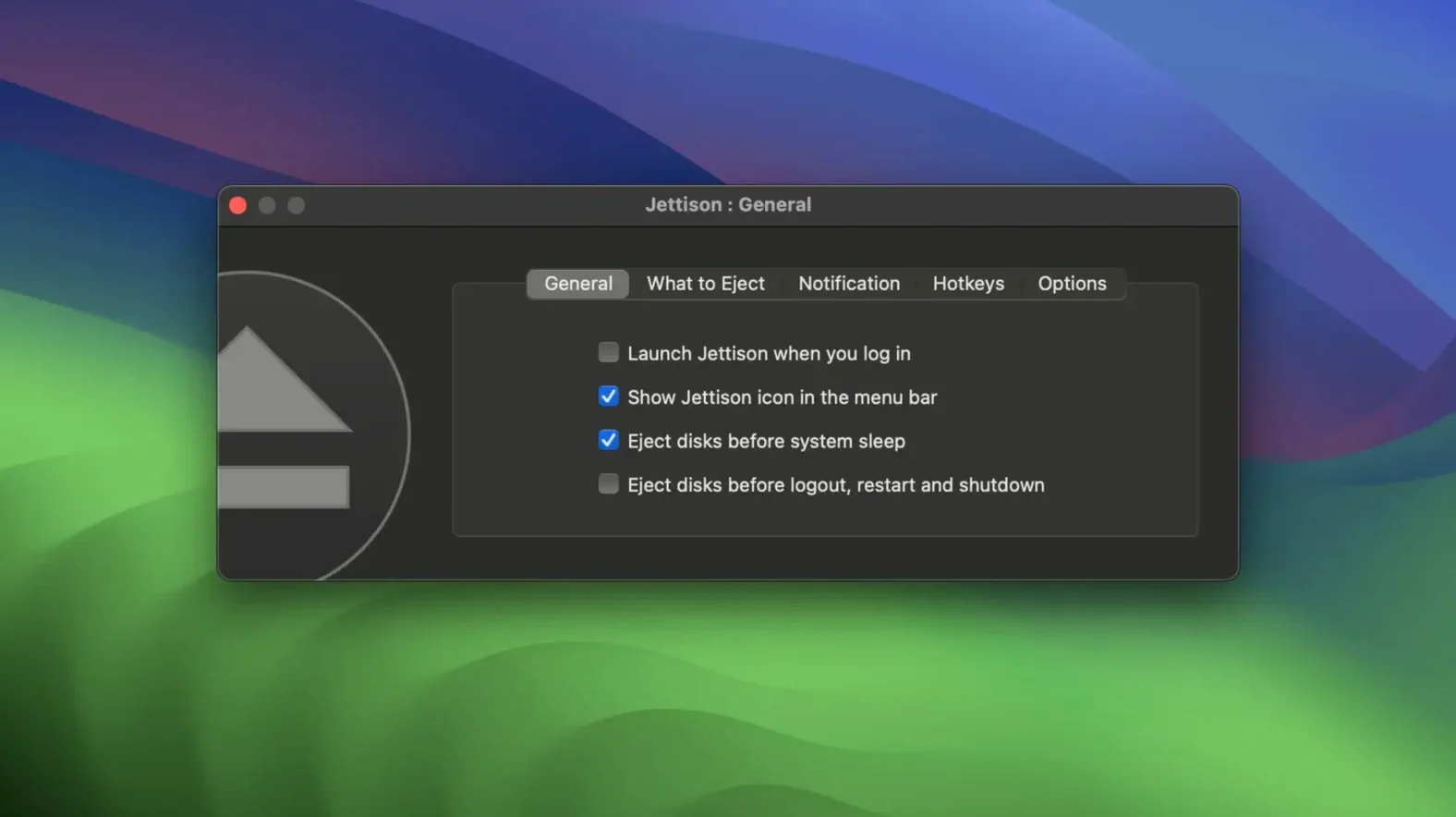
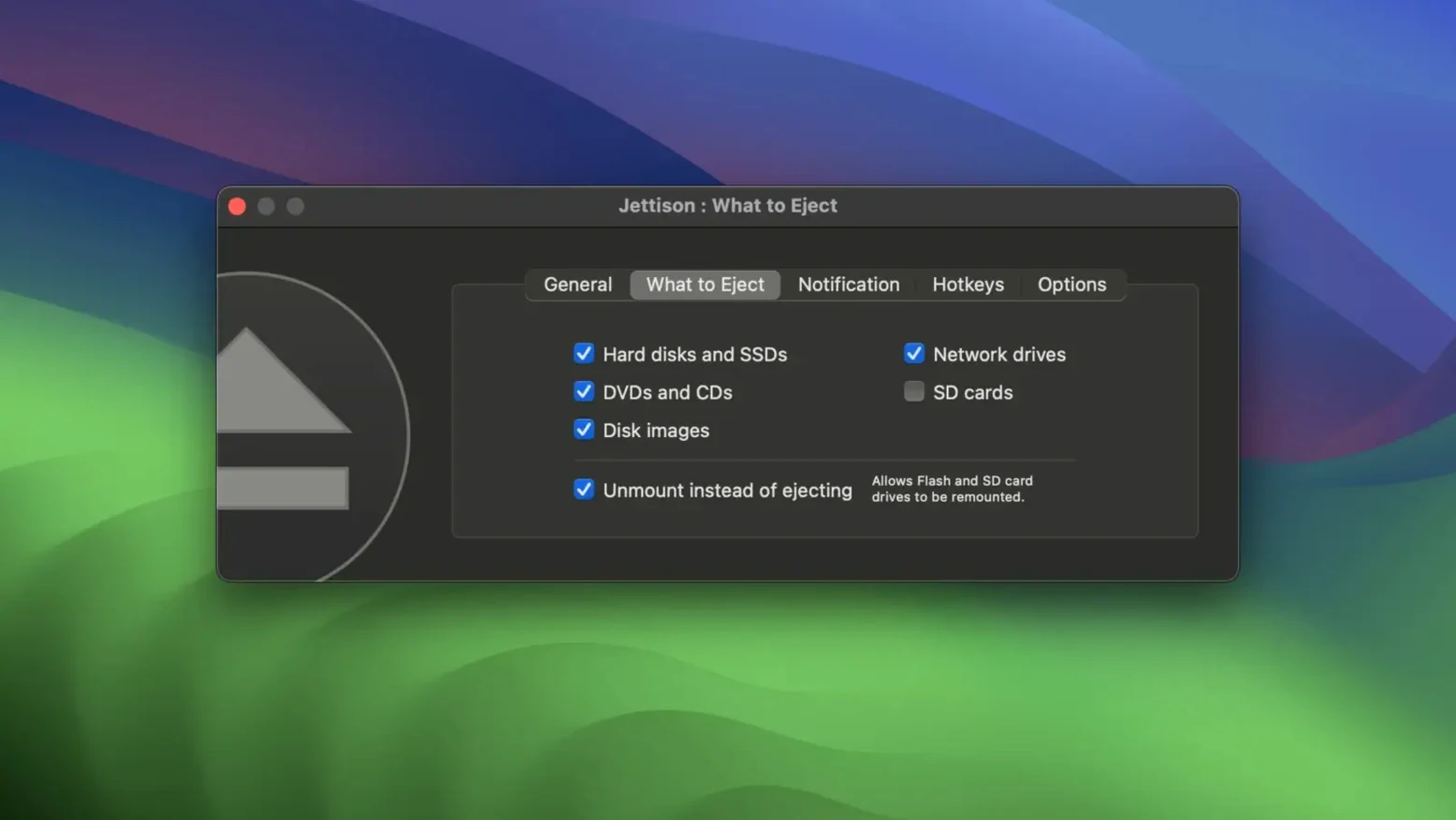
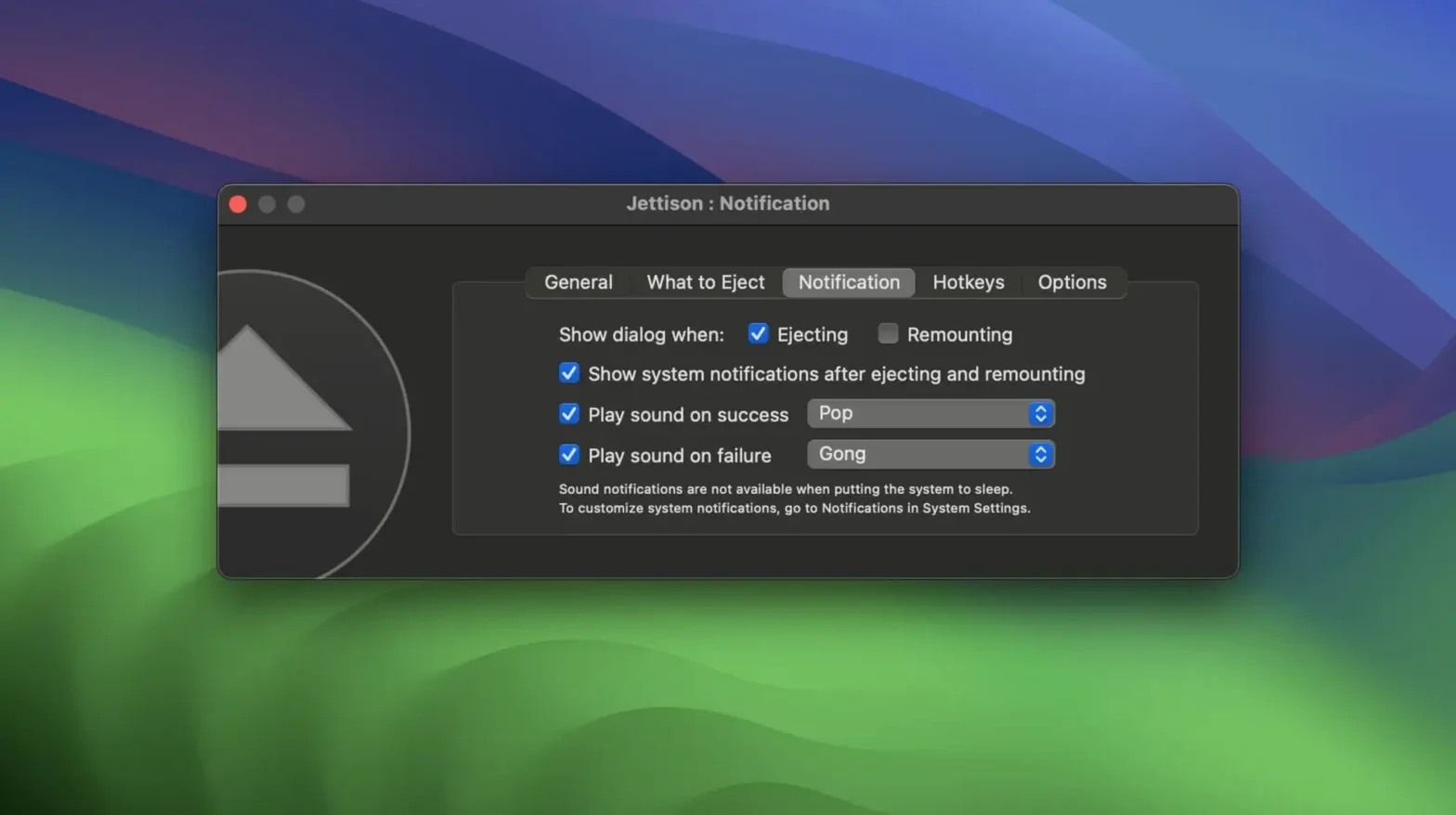
You close the MacBook, toss it in your bag, and head out. Halfway down the street you remember — two external drives were still plugged in. With Jettison sitting in the menu bar, that moment never comes. It quietly ejects everything before sleep and brings it all back when you lift the lid.
| Detail | Note |
|---|---|
| Current version | 1.9.7 |
| macOS | 10.13 or later |
Version 1.9.7 tightens up a few loose ends without changing the core job. A bug that could hide or freeze the eject progress window is gone. Another fix stops the app from getting stuck during rapid back-to-back eject and remount cycles — the kind that happen when you accidentally trigger sleep twice in a row. The menu bar drive count also responds faster now, and there is a new Quit button that appears when a blocking app holds things up. Under the hood, Jettison no longer quits mds_stores before sleep, which keeps Spotlight indexing happier. Everything else — Time Machine handling, server volume ejection, per-drive rules — works as it always has.
Picture a video editor who works from a co-working space. They arrive, plug in a RAID enclosure and a portable SSD, then get pulled into a quick stand-up. The MacBook goes to sleep on battery, and Jettison steps in. Drives spin down, no unsafe disconnection warnings pile up, and when the editor returns with coffee and opens the lid, both volumes are already mounted and ready. The timeline opens instantly — no Finder poking, no reconnecting cables, no Time Machine hiccup interrupting the first render of the day.
Eject and remount cycles feel almost invisible. On an Intel MacBook Pro, a full eject of two mechanical drives and a bus-powered SSD takes about three seconds before the sleep light starts pulsing. Wake-up remounts are just as quick — drives appear on the desktop before the screen brightness finishes ramping up. Memory use stays around 30–40 MB, and CPU time rarely ticks above a fraction of a percent unless a file server connection needs a gentle nudge. The 1.9.7 update removed a nagging stall that could leave the progress sheet hanging, so the whole sequence feels more predictable, even when you open and close the lid several times in a row.
This utility earns its place for anyone who treats external storage like a permanent desk extension. Photographers with card readers and working drives, audio engineers running sample libraries from Thunderbolt enclosures, and anyone who relies on Time Machine backups to a spinning disk all see the payoff within the first week. Laptop-first users gain the most — the habit of manually ejecting before unplugging disappears, and the dread of “Disk Not Ejected Properly” notifications fades. Desktop users with multiple externals that spin up at odd hours appreciate the menu bar’s eject-all shortcut too, especially when leaving the studio for the night.
mds_stores before sleep.













Chat 0
Hop in or make an account to join the chat.
Quiet in here so far. If you have used this build, tell me what the install actually did.