
 Loop Mash Up Pro
 Luminar AI
 Luminar Neo
 Lunar Pro
 MacBooster
 Logic Pro
 MacCleaner Pro
 Live Home 3D Pro


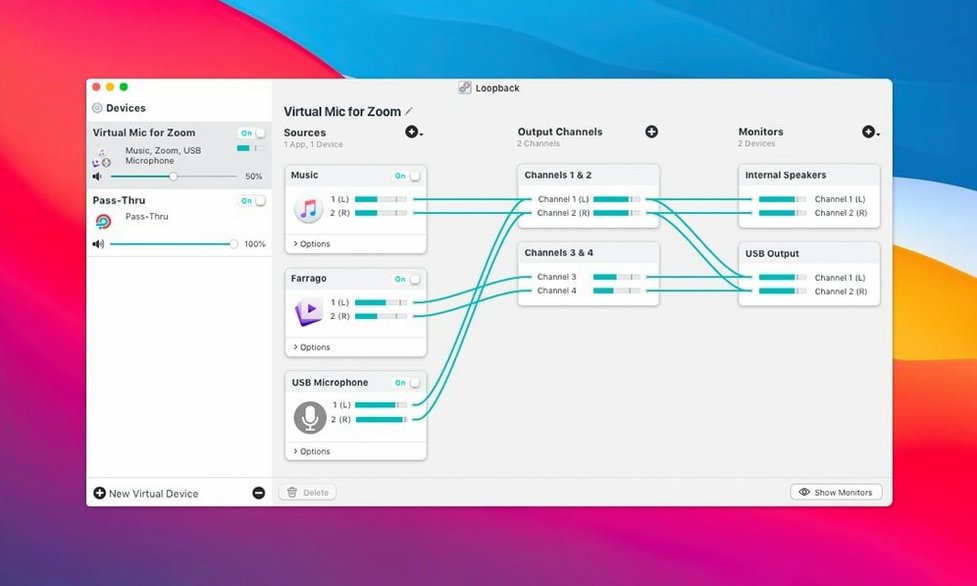
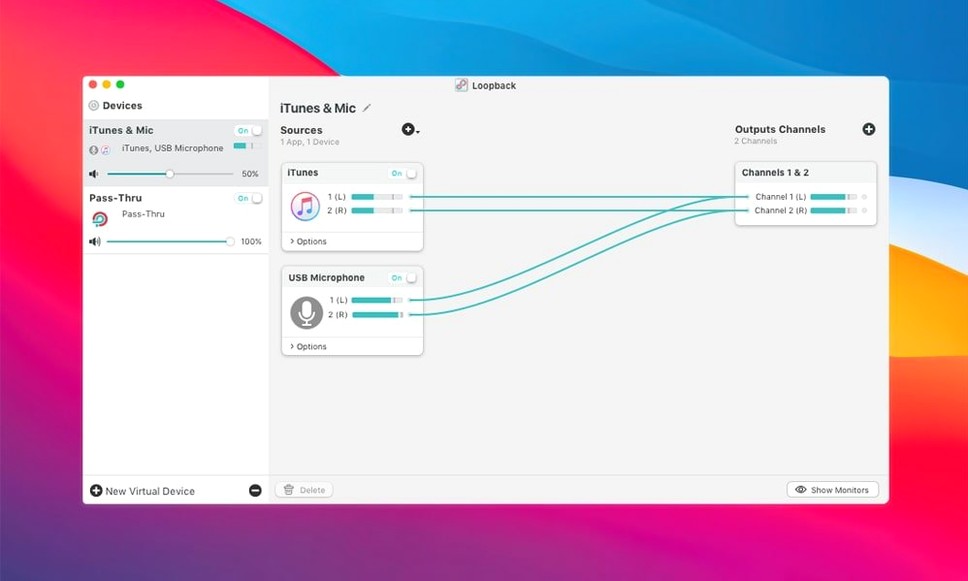
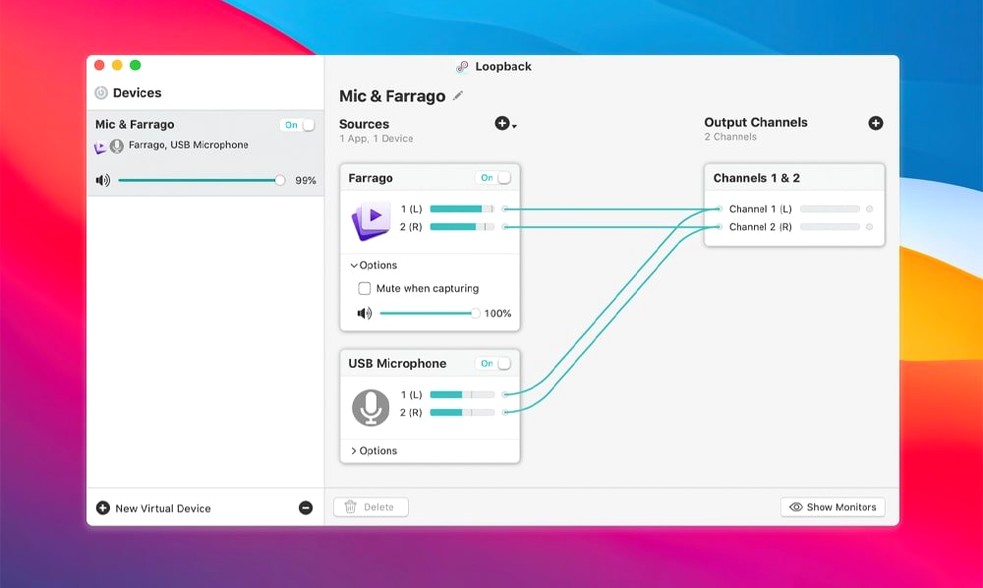
Think of Loopback as a patch cable for your Mac’s audio — the same way Audio Hijack grabs sound, Loopback wires it between apps and devices.
Virtual device — a software-only audio input that shows up in your Mac’s Sound preferences and any app that can select a microphone. You build it from real mics and application sources.
Combine sources — blend your mic with Spotify or a game’s output into a single stream, ready for screen recordings or Elgato Game Capture hardware.
App-to-app routing — send sound from one application directly into another. No cables, no extra hardware.
Audio Hijack chain — Loopback appears as an output device inside Audio Hijack, so you can pipe cleaned-up audio straight into a capture session.
If you already had Loopback installed, the jump to 2.5.0 is quiet rather than dramatic. The headline item is macOS 27 support — no more launch warning when you fire it up on a newer system. That matters more than it sounds, because the previous behaviour made the app feel like it was limping along on borrowed time.
The ARK audio plugin moving to version 13.5 sits underneath everything. You won't see a new button or a redesigned panel. You might notice a touch less latency when you toggle a source on and off mid-recording, and the virtual device tends to settle faster after a sleep-wake cycle.
If you've been holding off because your Mac runs a recent macOS, this is the version that stops nagging you at launch.
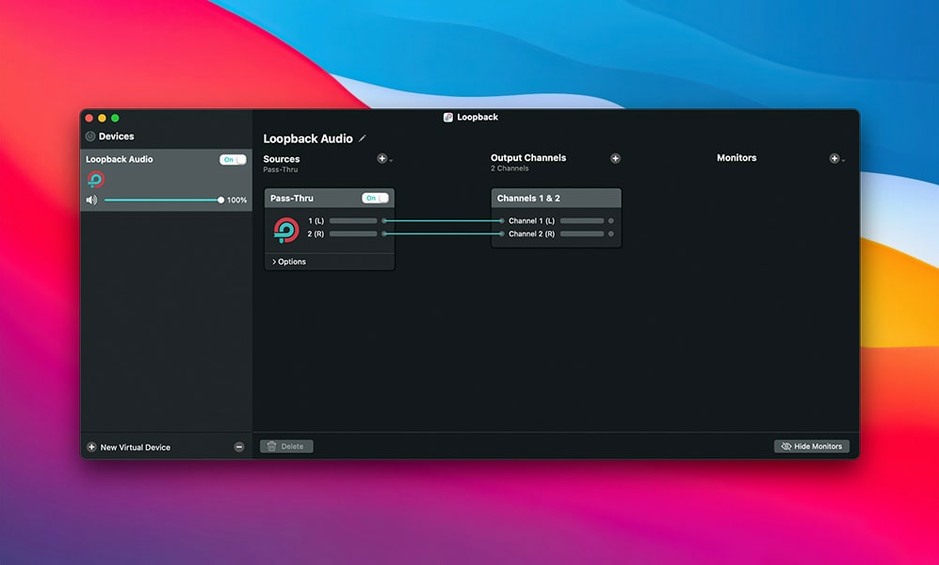
Once the disk image is open and the app is dragged into Applications, resist the urge to build a monster device on day one. Start with one source, one pass-through. Get a feel for how Loopback names things.
Three habits that pay off early:
If you're planning to grab Loopback for a recording setup, the first hour is mostly about naming things well and deleting your first experimental device.
In daily work, Loopback is the kind of app you forget is running. It sits in the menu bar, holds your routing in memory, and doesn't fight for CPU time. On Apple Silicon and Intel alike, the footprint stays small — a few percent of CPU during active routing, near zero when idle.
Where you'll feel it is reliability. A virtual device that drops mid-recording is a special kind of misery, and Loopback tends to hold its wiring through sleep, app crashes and device unplugs. If a source disappears, the device keeps the remaining sources live rather than falling over.
Latency is low enough that voice chat and live monitoring feel immediate. You're not getting zero-latency hardware monitoring, but for podcast intros, game capture and screen recordings, the delay is imperceptible in practice.
Say it's Tuesday evening. You're recording a quick walkthrough of a design tool, and you want your voice plus the app's audio in one file.
You open Loopback, and the pass-thru device is already there from last time. You click it, glance at the sources: your USB microphone is lit, the app source for the design tool is still from the old project. You delete it, drag in a new app source, select the current app. You set the pass-thru device as your Mac's output, so the app's sound routes through Loopback.
Then you open QuickTime, start a new screen recording, and in the microphone dropdown you pick your Loopback device instead of the raw mic. One input, two streams, already mixed. You hit record, run the demo, stop.
You open Audio Hijack afterwards because you want a clean version of just the app audio for a different cut. Loopback shows up there as an output device, so you drop it into a chain, capture ten minutes of clean sound, and export. Two files, two different mixes, one routing setup.
That's the whole appeal: the wiring happens once in Loopback, and every other app just sees a tidy, named input.
Good to know: version 2.5.0 bundles the ARK audio plugin v13.5 and runs without launch warnings on macOS 27.
You can route audio from one app into another, combine microphone and application sound for screen recordings, or feed mixed audio to Elgato Game Capture hardware.
Yes, it integrates directly with Audio Hijack — Loopback can act as an output device in an audio-capture chain.
It can combine multiple audio sources, like a microphone and a music app, into a single virtual input device available anywhere on your Mac.














Chat 0
Hop in or make an account to join the chat.
Quiet in here so far. If you have used this build, tell me what the install actually did.