
 Marvelous Designer
 Marmoset Toolbag
 MAXON Cinema
 MAMP PRO
 MediaMate
 Mela
Mela MainStage
 Magnet


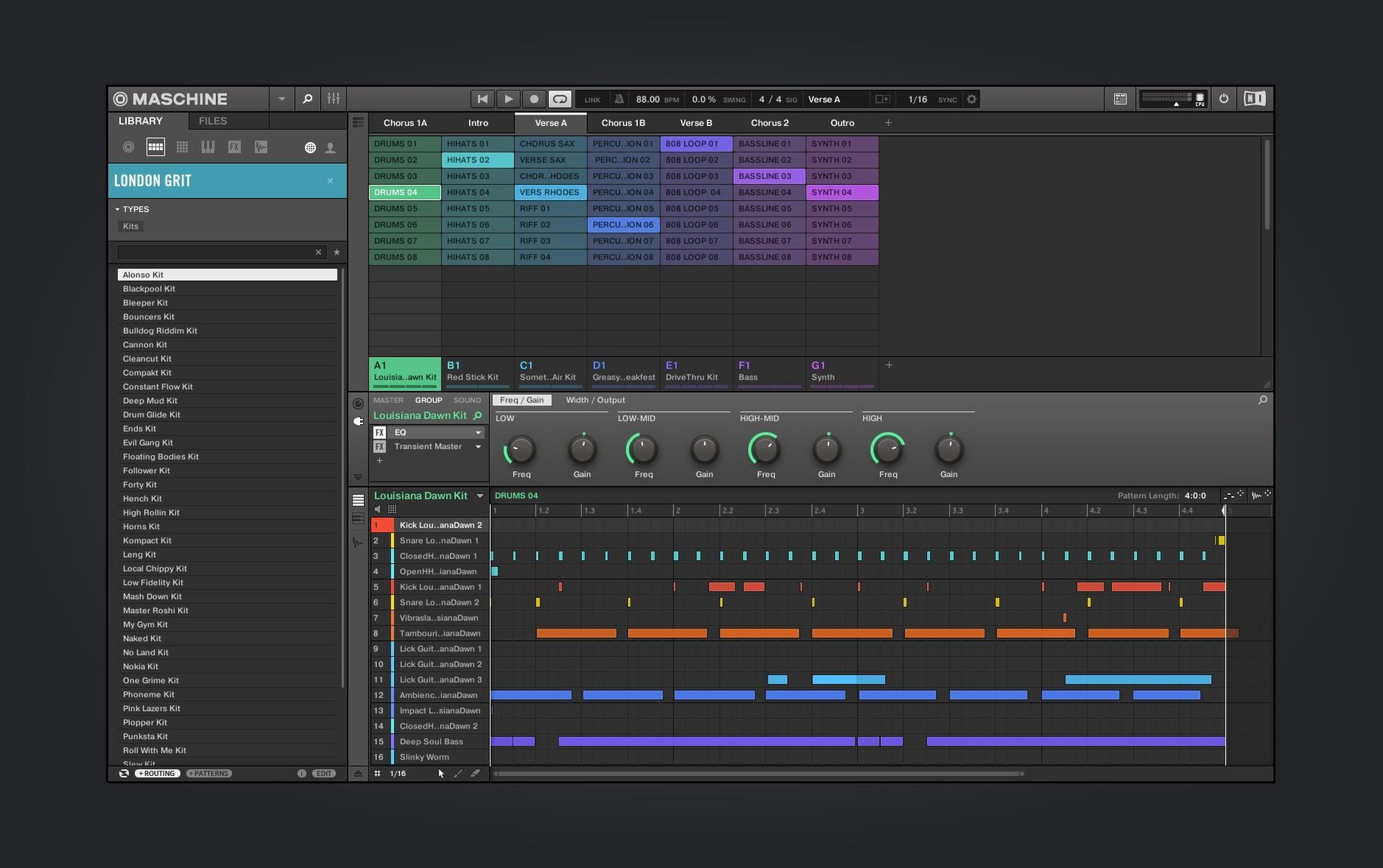
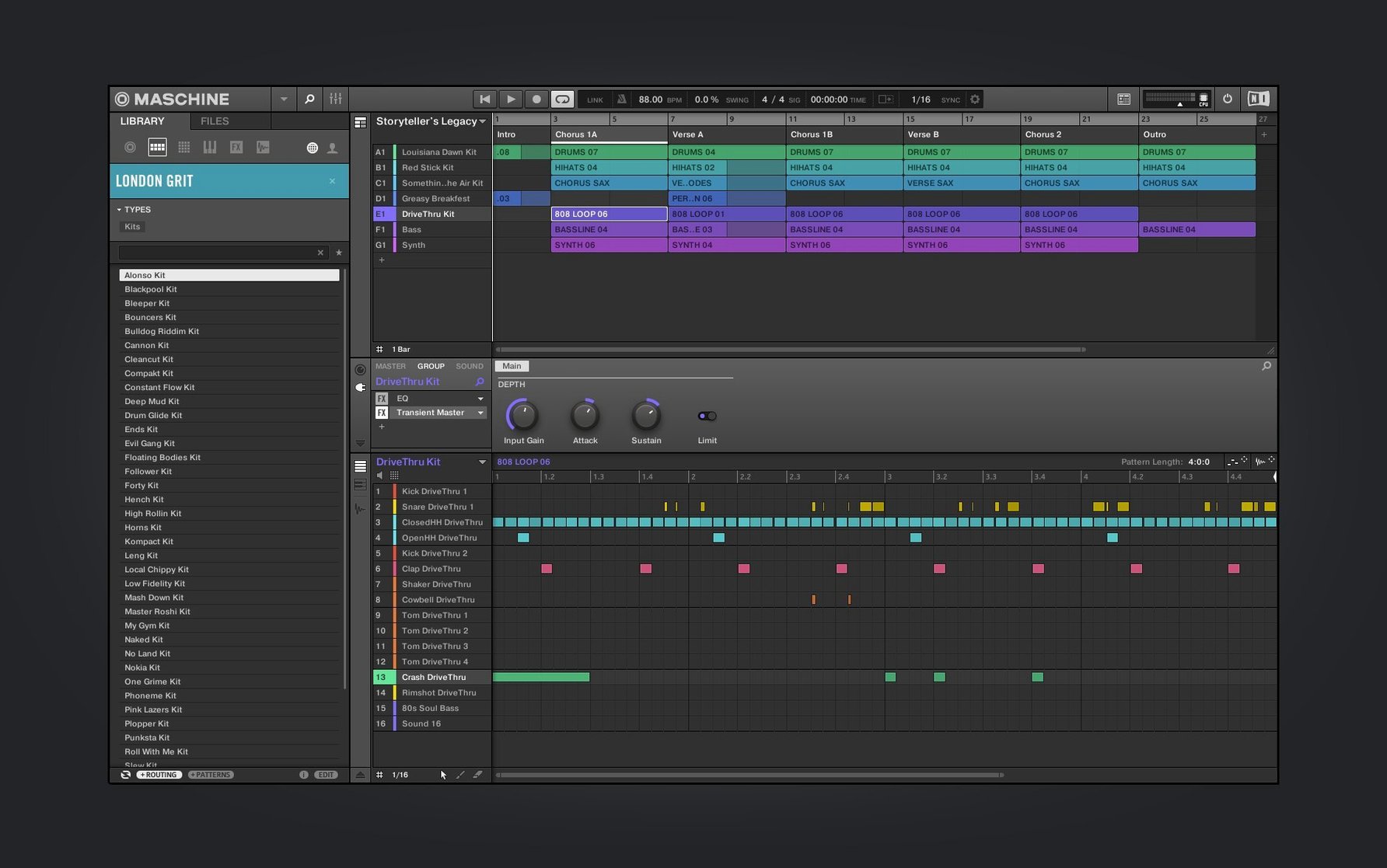
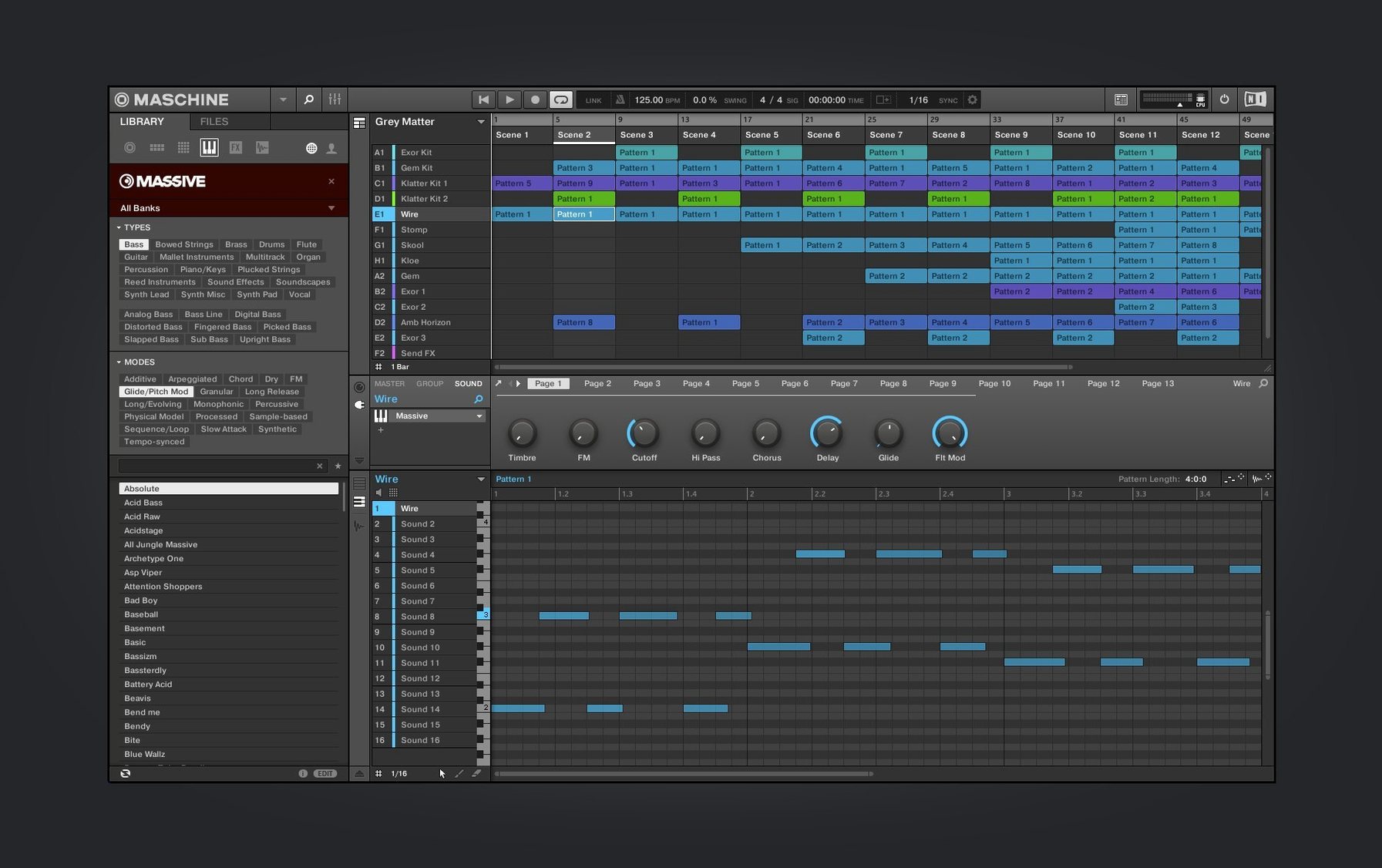
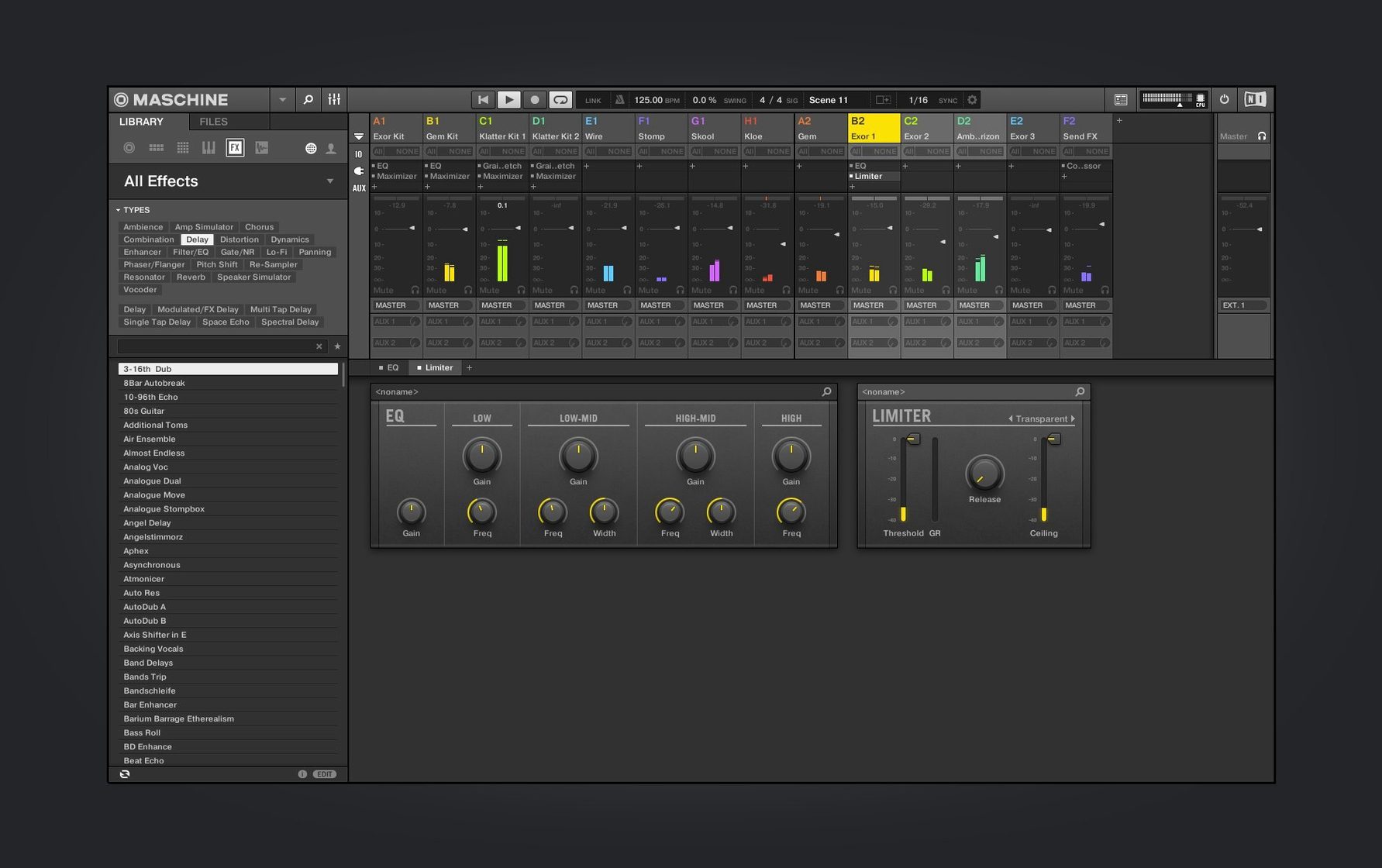
The Browser’s tag-based filtering is where a blank project starts to feel less empty. Instead of dragging through folders, you pick a kit by sound character — Crisp, Punchy, Warm — and Maschine builds a palette across the 16 pads. Tap a pad, hear a kick. Tap another, a snare with a short room tail. Within thirty seconds you have a kit that already sounds mixed.
Pressing Note Repeat turns the grid into a performance tool. Hold a pad and the hi-hats fire at 1/16 or 1/32, locked to tempo. It is the same muscle memory you would use on an Ableton Push, but the Maschine hardware gives you a dedicated button for it — no menu diving. A quick pass of kick and clap on the step sequencer, then you switch to the Sampler to record a short phrase from a record or phone memo. The software slices it across the pads automatically, transient detection doing the heavy lifting.
From there, the Mixer view — still being redesigned in version 3.6.0 — lets you level each slice against the drum bus. You pull the snare slice down a touch, push the vocal stab up. Group-level effects sit above the channel strips, so a single reverb send glues the loop together. You can run Maschine standalone or as a plug-in inside a larger session, which keeps the beat-making focused when you already have an arrangement going elsewhere.
If you have an AKAI MPK mini IV or another NKS Connect controller, the new NKS Mode integration means the hardware maps to Maschine’s browser and mixer without a manual setup routine. Browse sounds from the keyboard, tweak levels from its knobs. It turns a compact desk into a self-contained production station.
You open a blank project and the new welcome screen in 3.6.0 offers a row of demo projects and tutorial links. Skip them — you already have a rhythm in your head. Hit the Browser, tag Kick and Tight, and audition four sounds before one sits right. Pad 1 gets the kick, pad 2 a snare with a woody attack. With Note Repeat locked at 1/16, you tap in a hat pattern that pushes against the downbeat just enough to feel live.
The step sequencer lights up next. You pencil in a kick on beats one and three, then nudge the second hit a few ticks late. That tiny offset changes the whole pocket. By minute four you have a two-bar loop running. You grab a dusty piano chord from your samples folder, drop it into the Sampler, and slice it into eight transients. The third slice — a minor seventh stab — becomes the hook. You pitch it down three semitones, add a touch of drive from the built-in saturation, and suddenly the loop has atmosphere.
You duplicate the scene, mute the kick on bar one of the variation, and let the bass slice carry the downbeat. The arrangement grows by subtraction, not addition. Ten minutes from launch, you have three scenes that build and break apart. You hit record and perform the transitions live on the pads, capturing mutes and filter sweeps into the pattern. Maschine records the performance data, not just the notes — every mute, every knob twist lands in the timeline.
Running standalone on an M2 MacBook Air, the CPU meter barely flickers with a dozen groups active. The high-performance sampler streams from disk without clogging RAM, so long multisampled instruments load fast and play back without glitches. Even when you stack four instances of the Poly Synth module — each with its own effects chain — the fan stays quiet. The redesigned UI for the Audio, Poly Synth, and Drum Synth modules in 3.6.0 comes with no performance penalty; the interface redraws are lightweight.
As a plug-in inside Logic Pro, Maschine syncs to host transport without drift. You can run it on an aux track, route MIDI from an ableton push maschine hybrid setup, and capture automation from the hardware knobs. Crashes are rare. When they happen, the auto-save has your back — reopen the project and your patterns are intact. Memory use sits around 400 MB for a moderate kit, climbing toward 1 GB only when you load several large sample libraries. That leaves headroom for other instruments in a dense session.
Maschine talks to the outside world through drag-and-drop audio and MIDI export. You build a beat in standalone mode, then drag the pattern as a WAV clip straight into Ableton Live’s arrangement view. If you prefer the plug-in route, load Maschine on a MIDI track and route its 16 stereo outputs to individual mixer channels in your DAW. Each pad gets its own strip for external processing. The internal mixer — still evolving with the ongoing redesign in 3.6.0 — handles rough levelling, but you can push group outputs to separate buses for detailed EQ work elsewhere.
Apple Silicon support means the AU and VST3 versions load natively in Logic, Live, and Bitwig without Rosetta overhead. For beatmakers who lean on hardware, NKS Connect bridges the gap: an AKAI MPK mini IV plugged in over USB maps its knobs to the mixer and its pads to the browser. No manual MIDI learn. The integration feels like a Maschine Studio torrent of creative routing — less about configuration, more about playing. macOS features like Audio Unit hosting and Core Audio device switching work without fuss; plug in a second interface mid-session and Maschine picks it up from the audio preferences pane.
Good to know: if you export your patterns as MIDI, the automation data — filter sweeps, effect sends, pad mutes — travels with the notes. Other DAWs read it without translation errors.














Chat 0
Hop in or make an account to join the chat.
Quiet in here so far. If you have used this build, tell me what the install actually did.