
 Millumin
 Mission Control Plus
 Mitti
Mitti Moho Pro
 Mole
Mole Moom
Moom Mela
Mela MediaMate


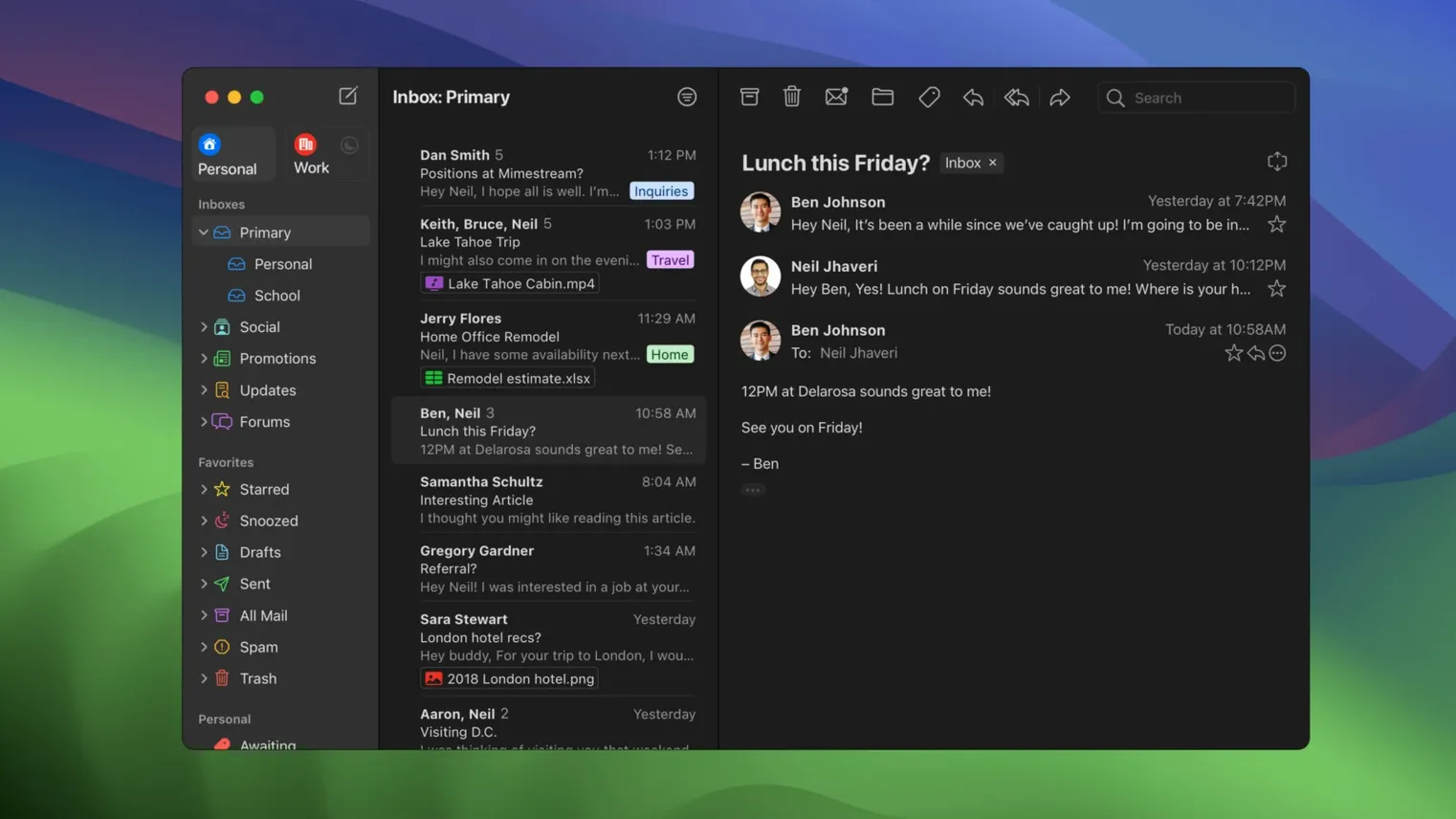
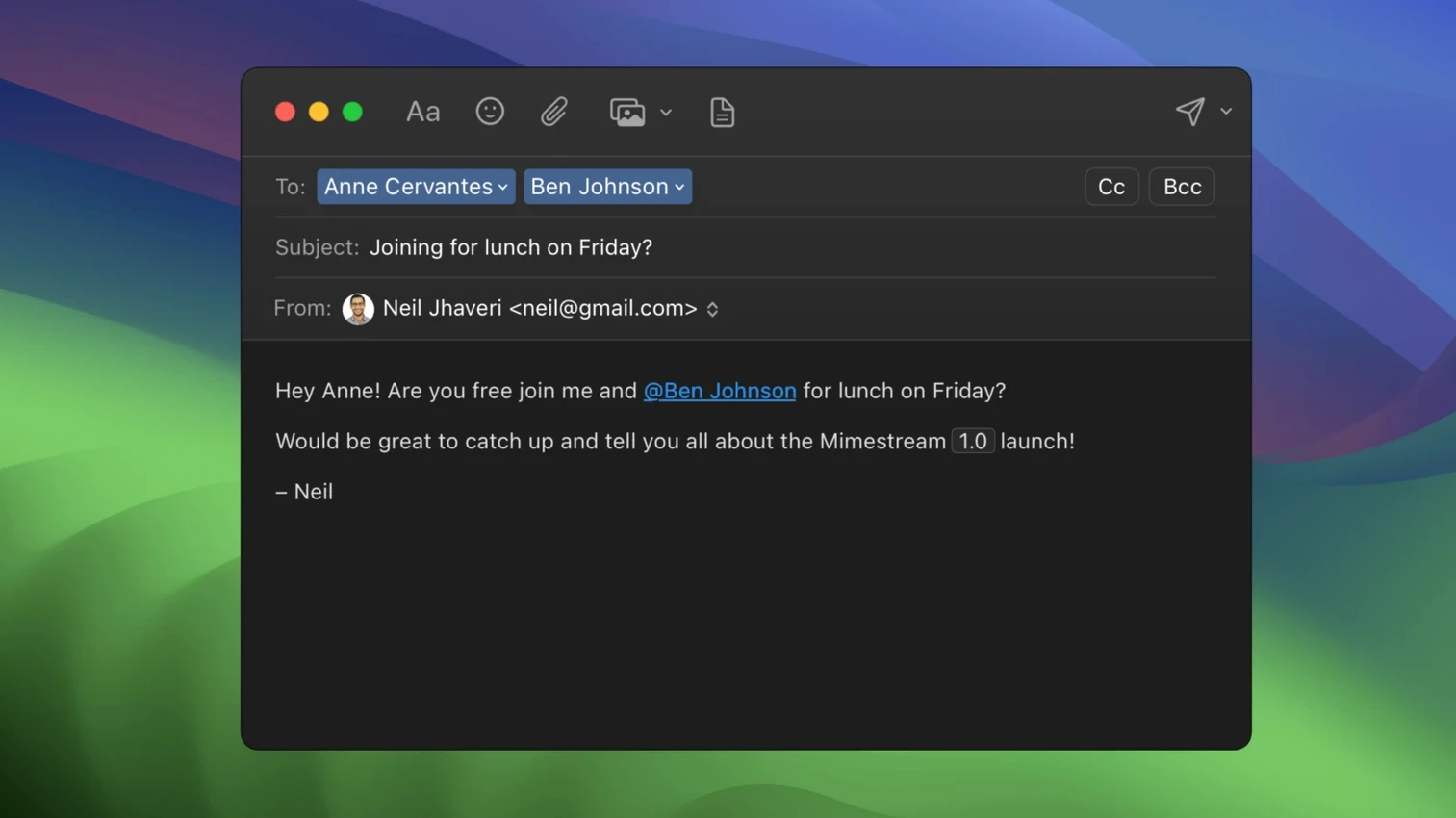
Web Gmail works, but it never quite feels like a Mac app. No swipe gestures, no system notifications, no clean offline reading. Mimestream closes that gap.
Sign in with a Google account and your inbox, labels, aliases and signatures all sync automatically. No IMAP fiddling, no separate setup screens.
Swipe with the trackpad to archive or sort, or use Gmail and Apple Mail keyboard shortcut sets. Every action feels like it belongs on macOS.
Tracking pixels from more than 50 services get blocked before they can report back. New mail arrives as native system notifications, and full offline access means your inbox is there even without a connection.
After dragging the app to Applications and signing in, let it sit for a few minutes while recent messages cache locally. The disk footprint stays small — Mimestream grabs only what you need for fast offline search, not a full mirror of every attachment.
A few tweaks worth making early:
Offline mode needs no toggle. Cut the Wi‑Fi and your inbox, labels and search still work from the local cache. Replies queue until the connection returns, which is handy on spotty café Wi‑Fi or a flight without paid access.
Mimestream isn’t a general mail client, and that’s the point. It only does Gmail, and it uses the Gmail API rather than IMAP. Next to Apple Mail, the difference is plain: Mail.app can handle any provider, but Gmail labels become folders, aliases need manual setup and search syntax rarely matches Gmail’s web search. Mimestream mirrors what Google’s servers understand, so a query like from:amy has:attachment works exactly as expected, even offline.
Compared with a mimestream download mac alternative like Spark, the feel is calmer. Spark layers team collaboration and a smart inbox on top of Gmail; Mimestream sticks closer to a clean, single-account Gmail experience. No read receipts, no shared drafts — just a focused Mac client that syncs aliases and signatures without a single extra step.
Against the browser, the win is integration. System notifications, swipe gestures, Focus mode filters and local search all behave as native features, not webpage tricks. If your workflow is pure Google and you want a proper Mac shell around it, Mimestream replaces a pinned browser tab entirely.
Written in Swift and compiled for both Apple Silicon and Intel, the app launches in under two seconds on an M-series Mac and stays responsive even with a large inbox. Scrolling through thousands of threaded conversations doesn’t hitch; the message list renders as fast as a native table view can manage.
Memory use sits around 200–300 MB in normal use, climbing slightly during a full cache rebuild. That’s leaner than a heavy Electron wrapper and on par with Mail.app for a similar load. CPU spikes are rare — mostly during initial sync — and background idle settles to near zero.
Stability has been uneventful, which is good news. Over weeks of daily use, crashes are uncommon. The app handles sleep and wake cleanly, reconnecting to Google’s servers without hanging. Notification delivery is snappy; a message that arrives on the phone buzzes the Mac a second later.
One quirk: large attachment previews can pause the interface for a blink while the file decodes, but it’s brief and never locks the whole window. For anyone used to a webmail tab eating a gigabyte of RAM after a long session, Mimestream feels refreshingly restrained.
Good to know: future versions of Mimestream will require macOS 14 or later. If you’re on Monterey or Ventura, version 1.10.8 runs smoothly and gives you a long runway before an OS upgrade becomes necessary.
No. Mimestream only supports Google accounts, so it suits people who live in Gmail rather than those juggling multiple providers.
Yes, it runs natively on both Intel and Apple Silicon Macs with macOS 12 Monterey or later.
Yes, the app supports full offline access, so your synced mail stays readable when you're away from Wi-Fi.














Chat 0
Hop in or make an account to join the chat.
Quiet in here so far. If you have used this build, tell me what the install actually did.