
 SketchUp Pro
 Sidebar
 Shadowrocket
 Serato Studio
 Serato DJ Pro
 Sensei
 SoundSource
 SQLPro Studio


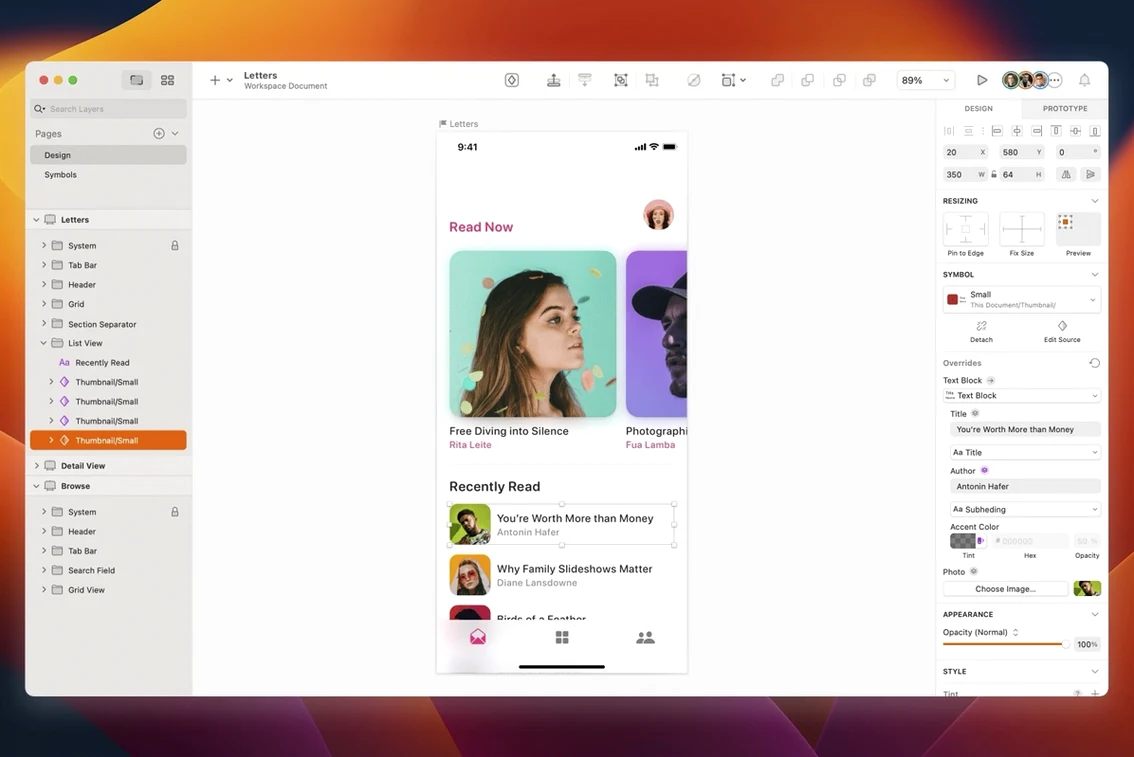
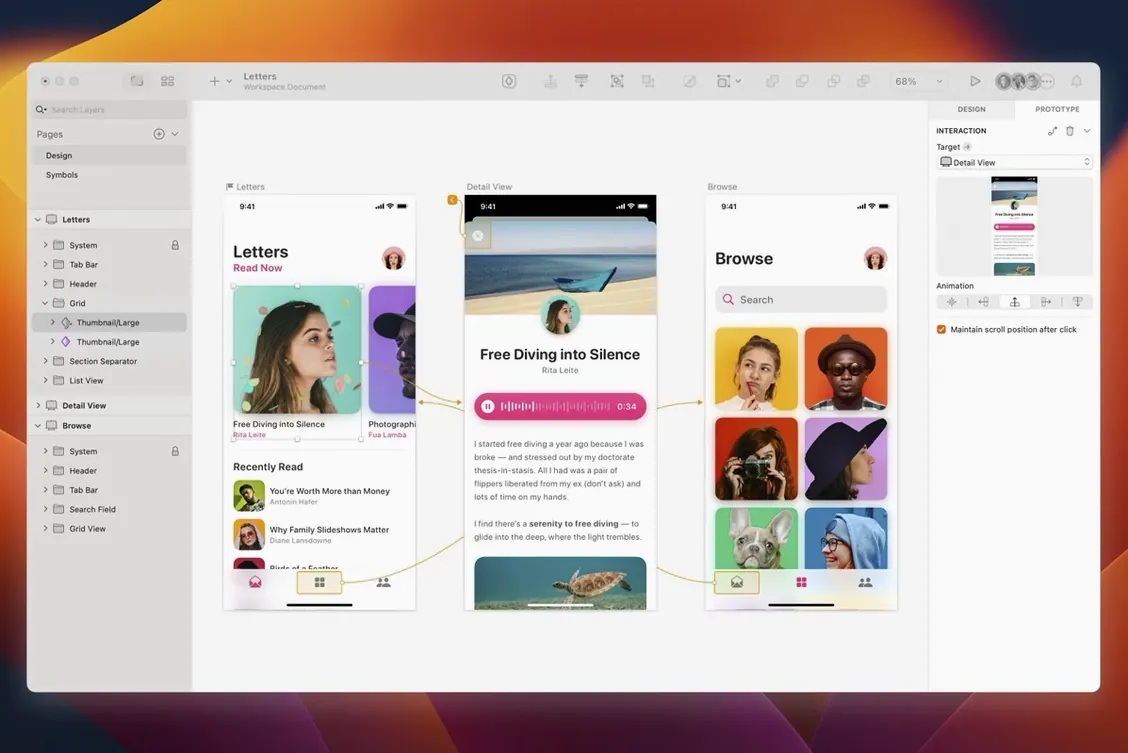
You open Sketch to rough out a sign-up screen for a mobile app. An artboard snaps to an iPhone preset, and a few rectangles map the header, form fields and a button. You pull a text style from the shared library, drop in a symbol for the status bar, and toggle to the prototype view to link the 'Create account' button to the next screen. In 15 minutes you have something you can tap through on your phone.
Sketch stays quick even when a page fills with artboards. On an M-series Mac, panning and zooming across 40-plus iPhone screens feels fluid — no beachball, no dropped frames. The renderer handles multiple shadow layers and heavy boolean groups without slowing down the canvas.
Memory use is predictable. A typical UI document with 30 artboards and a shared symbol library sits around 400–600 MB of RAM. It climbs higher if you embed large bitmaps, but the app releases memory cleanly when you close a tab. CPU spikes are short and tied to specific actions: exporting a batch of PNGs, resampling a placed image, or running a plugin that processes hundreds of layers at once.
Stability holds up well in long sessions. Leaving Sketch open across a full workday — through sleep, external display swaps and a dozen ⌘-Z undo chains — rarely triggers a crash. Autosave catches your work every few minutes, and the recovery state after a forced quit brings back unsaved changes reliably.
Version 2026.3.1 tightens a handful of details that used to nag at daily workflows. Document windows now follow the system corner radius on macOS Golden Gate, so Sketch sits more naturally alongside Finder windows and other native apps. It's a small visual shift, but it cuts the slight "other app" friction when you work across multiple spaces.
A stack layout bug that ignored the minimum width of a text layer is gone. If you build components with auto-layout and mixed text sizes, the fix means your button labels no longer collapse when you toggle a nested symbol. Tooltip clipping near the screen edge is also patched, which helps when you hover over inspector controls on a secondary display pushed to the margin.
Writing Tools integration on macOS Golden Gate no longer blanks the canvas content. If you use Apple Intelligence to rephrase placeholder copy, the artboard stays visible while the text layer updates — a workflow that felt broken before now works as expected. The Rename Selected Layers sheet also aligns text correctly again, so batch-renaming a dozen rectangles reads cleanly without misaligned fields.
UI designers who work inside a design system see the biggest payoff. The symbols-and-overrides model makes it straightforward to maintain a button component with 12 state variants and swap instances across 80 screens without breaking spacing. Shared text styles and colour tokens, synced through a team library, keep a project visually consistent from the first wireframe to the final handoff.
Freelancers juggling multiple client projects benefit from the native performance. Sketch launches fast, handles large files without lag, and doesn't depend on a browser tab competing for memory. You can keep three client files open and switch between them without the slowdown that creeps into browser-based tools after a few hours.
Designers who prefer offline work or spotty Wi-Fi find the local-file model reassuring. Everything lives on your Mac; there's no forced cloud sync, no login screen blocking you from a deadline edit on a plane. The third-party plugin ecosystem — from content generators to accessibility checkers — extends the app without bloating the core. A quick search for sketch v2025. or Sketch 2025 torrent turns up community resources that keep older workflows alive, and the current build handles most tasks with built-in tools.














Chat 0
Hop in or make an account to join the chat.
Quiet in here so far. If you have used this build, tell me what the install actually did.