
 SQLPro Studio
 Squash
 Steinberg Nuendo
 SketchUp Pro
 Sketch
 Studio One
 Sublime Text
 Super Vectorizer Pro

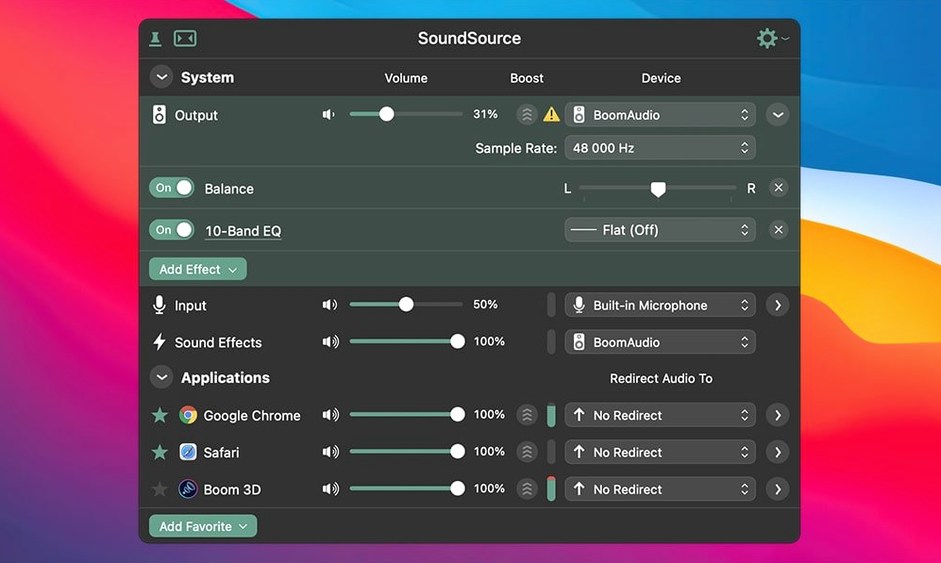
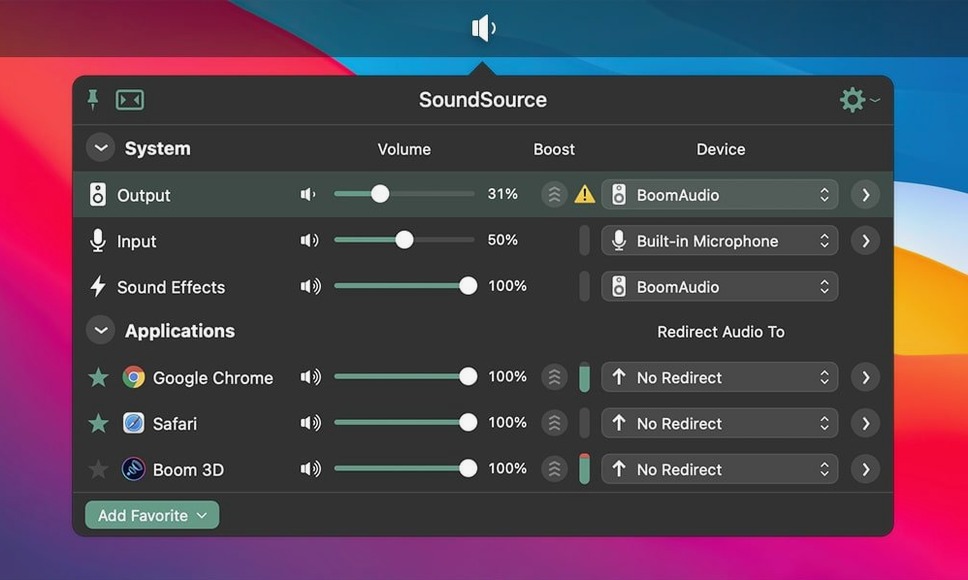
At a glance
Requires macOS 15 or later • Intel and Apple Silicon • English interface • Menu-bar access for all audio settings
1. Check your Mac
SoundSource 6 needs macOS 15 or higher. It's a 64-bit app that runs on both Intel and Apple Silicon machines. If you're still on an older OS, this version won't launch.
2. Pick your devices
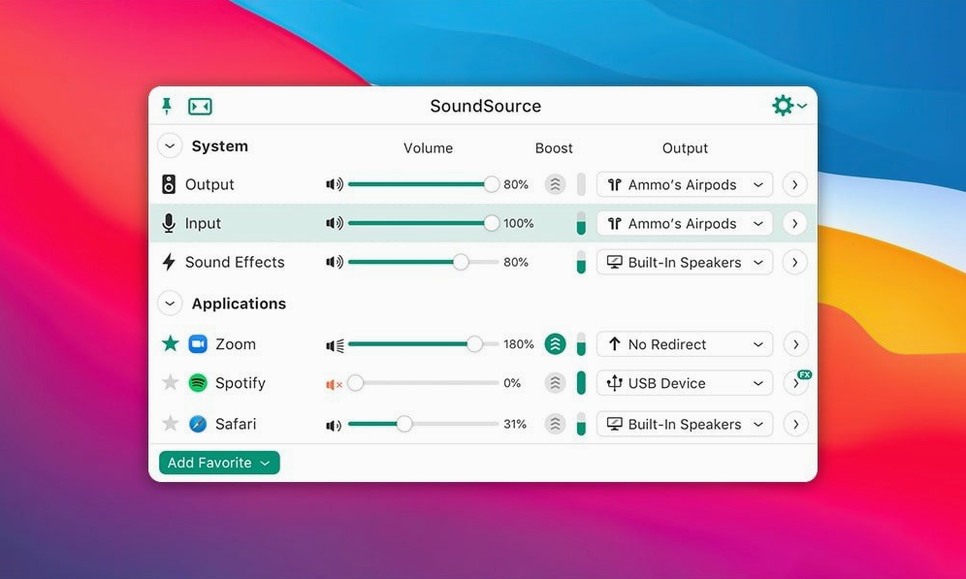
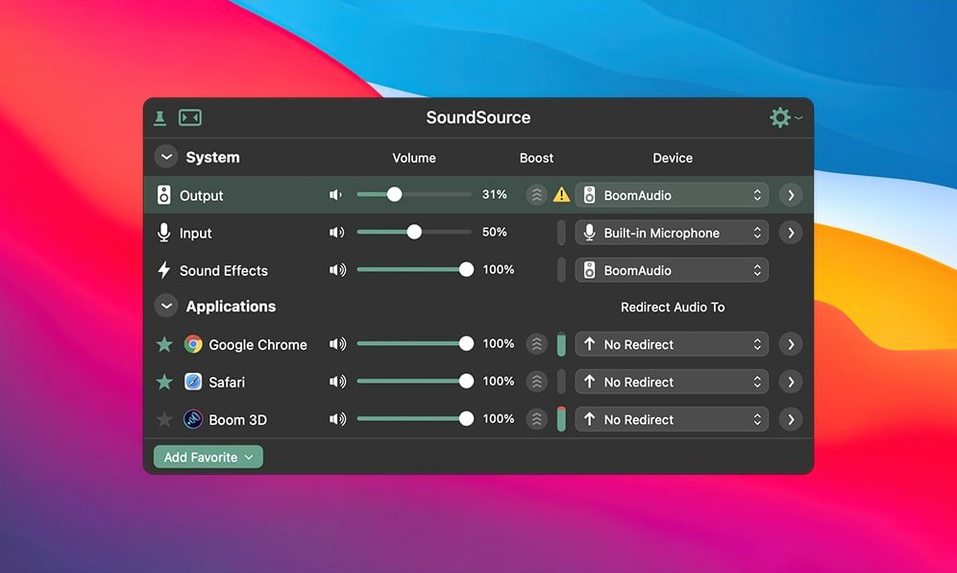
Once it's running, the menu bar becomes your audio hub. You can switch the device used for input, output and sound effects in two clicks — no need to dig through System Settings. Create Output Groups to send the same audio to a pair of headphones and a set of speakers simultaneously.
3. Shape the sound
Apply the built-in Headphone EQ effect to specific apps, not your whole system. The 6.1.4 update tidied up Bluetooth output performance on newer macOS releases, so wireless headphones and speakers behave more predictably.
Good to know: The ARK plugin was bumped to version 13.5.4 in this release, keeping the audio capture engine current.
Most people open SoundSource, switch a device, and close it. That's fine — but the menu bar app hides a few tricks that make daily use much faster. Hold Option while clicking the menu bar icon to instantly mute the default output. A second Option-click brings it back. If you juggle headphones, speakers and a USB interface throughout the day, this beats hunting for the volume slider every time.
You can also drag the volume handle for any device instead of clicking the tiny up and down arrows. The adjustment is finer when you hold Shift while dragging. Podcast creators tend to appreciate that one — it makes gain staging between a mic input and a monitoring output feel less fiddly. And if you record with multiple apps open, per-app sliders let you keep a voice call quiet while your recording app runs hot. Each app remembers its own volume, even after you quit and relaunch it.
The latest release is mostly about stability on newer macOS builds. Two Bluetooth fixes landed in 6.1.4:
The ARK plugin moved to version 13.5.4, which keeps the capture engine in line with current system audio APIs. In everyday use, that means fewer interruptions when macOS updates roll in and audio routing keeps working as expected.
Does it replace my existing audio software? Not exactly. SoundSource sits above your device drivers and system settings. It doesn't burn CDs, stream to a podcast host, or record multitrack sessions. Think of it as the control surface for what those apps hear and where they send it.
Will it work with my Bluetooth headphones? Yes. The 6.1.4 update specifically addressed Bluetooth output on newer macOS. AirPlay streaming is supported too, so you can redirect system audio to another room without opening System Settings.
Can I save my setup? SoundSource saves complete audio configurations. If you have one arrangement for work calls and another for editing, switching between them takes one click.
Does per-app audio work with every app? Any app that plays audio through Core Audio shows up in the list. If an app hasn't made sound yet, it may not appear until it does.
Next to Background Music, SoundSource feels more polished. Background Music does per-app volume well, but it's a free project with a simpler feature set. SoundSource adds AirPlay, Output Groups and saved configurations — the kind of things you miss once you've used them.
Loopback is a different tool from the same developer. Loopback creates virtual audio devices for routing between apps; SoundSource manages the devices you already have. Some users run both, but if you only need to control input, output and volume from the menu bar, SoundSource is the lighter setup.
Audio Hijack focuses on recording and processing audio routes. SoundSource doesn't record. The overlap is in effects and routing, but Audio Hijack's workflow is session-based, while SoundSource is always-on control. For a sound source Mac users adjust constantly throughout the day, SoundSource fills the gap between System Settings and a full recording suite.
SoundSource 6.1.5 ships with Rogue Amoeba’s latest tidy-up of bug fixes and internal improvements.
Yes. Version 6.1.4 specifically fixed Bluetooth output device performance issues and a crash with Bluetooth devices on macOS 27, so wireless audio is more stable.
You can. SoundSource uses Output Groups to route system audio to multiple devices at once — for example, a Bluetooth speaker and wired headphones simultaneously.
The app's interface is in English.














Chat 0
Hop in or make an account to join the chat.
Quiet in here so far. If you have used this build, tell me what the install actually did.