
 Things
 Text Workflow
 Typora
 Ulysses
 Vellum
 VueScan Pro
 Wolfram Mathematica
 SimpleMind Pro


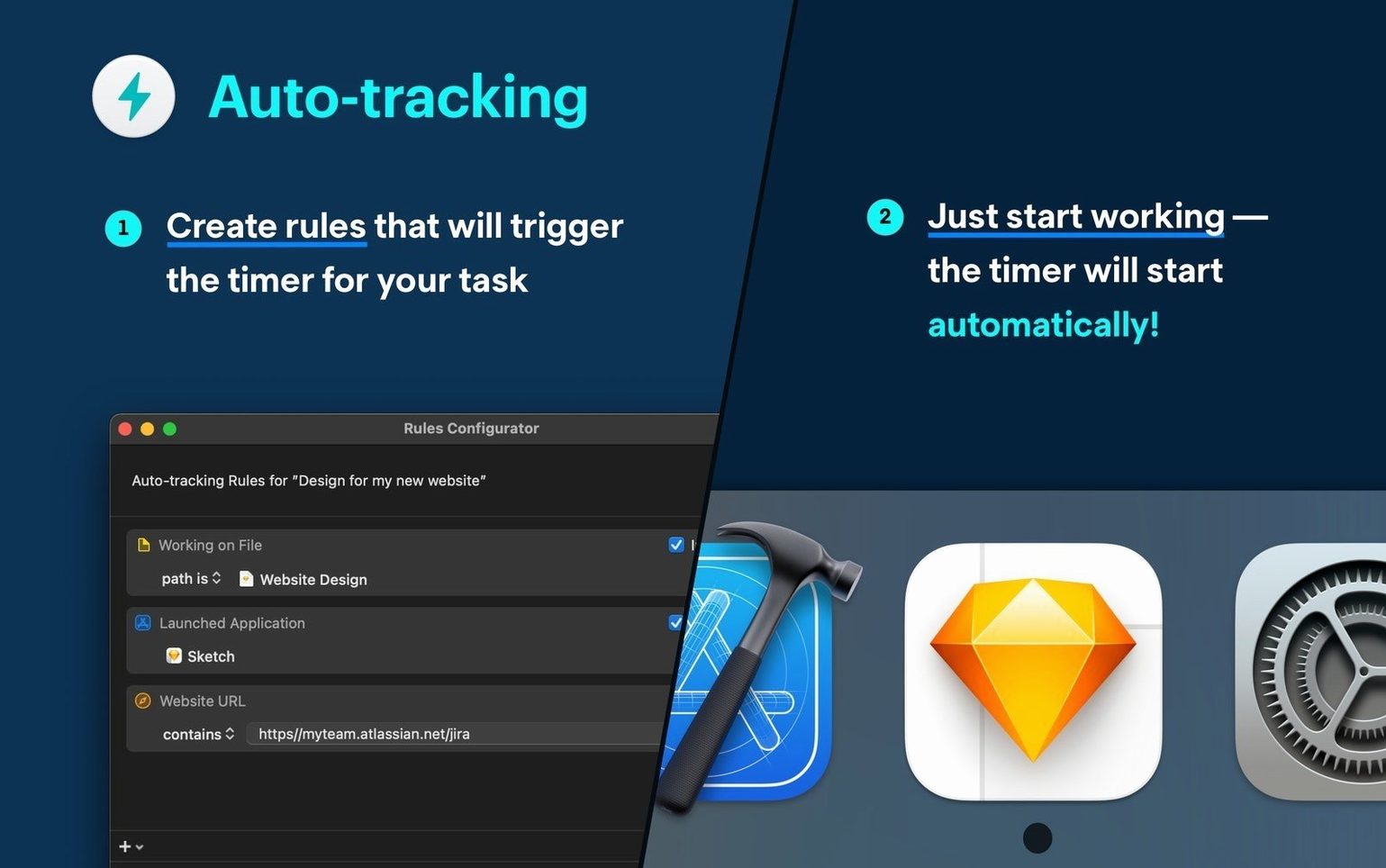
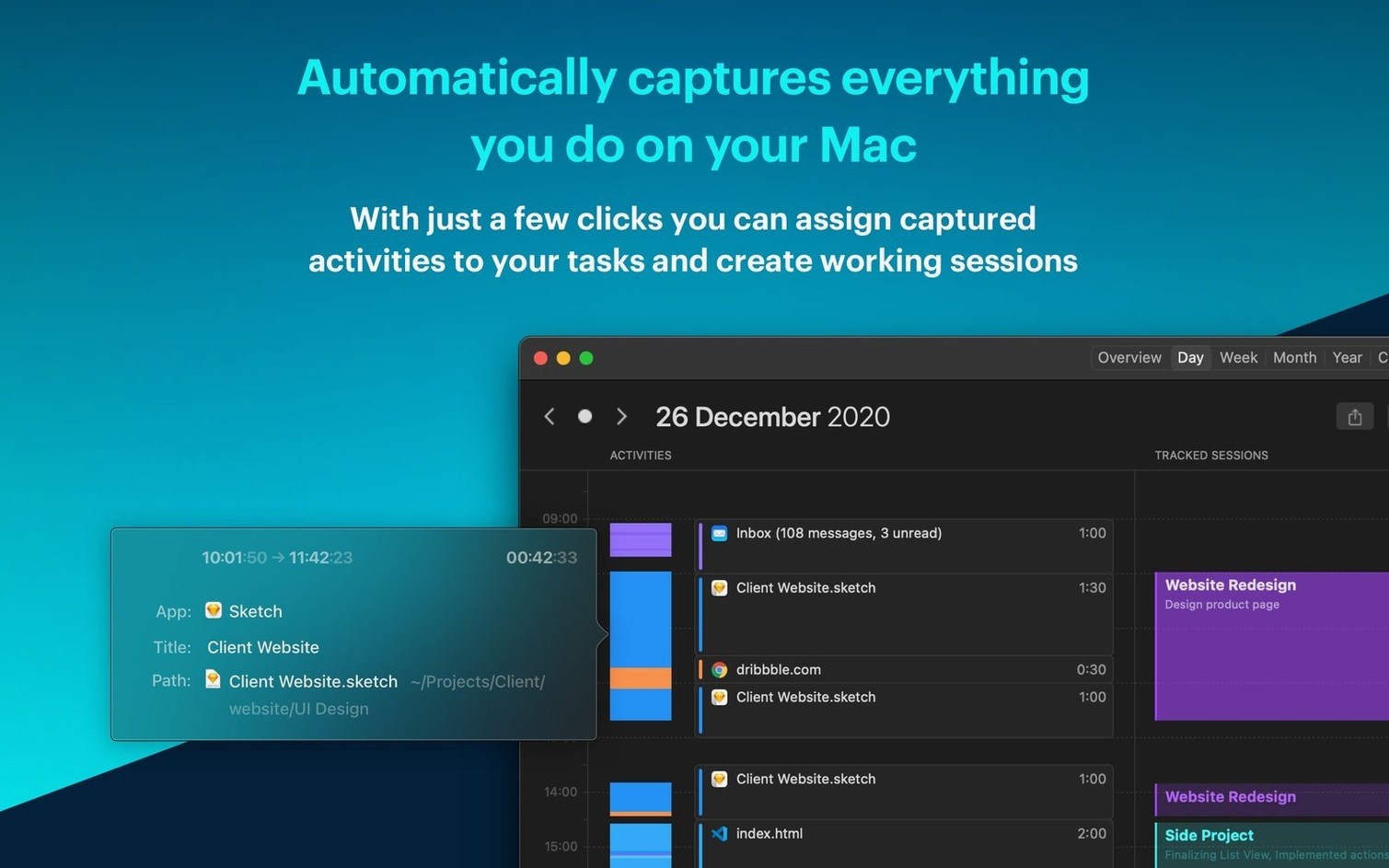
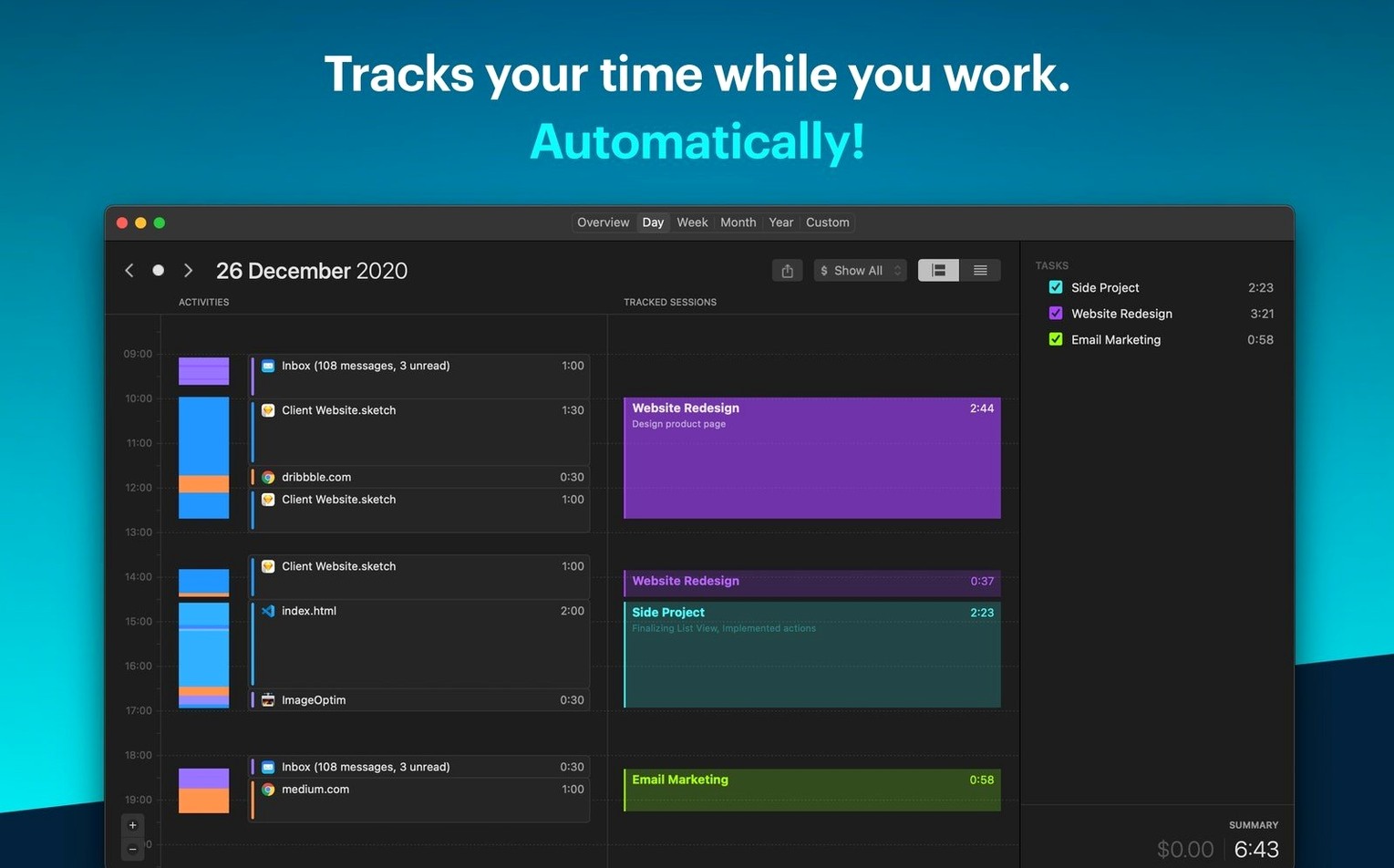
Freelancers and small teams who bill by the hour but hate filling timesheets. Timemator sits in the background, logging every app, file and project switch so you don’t have to.
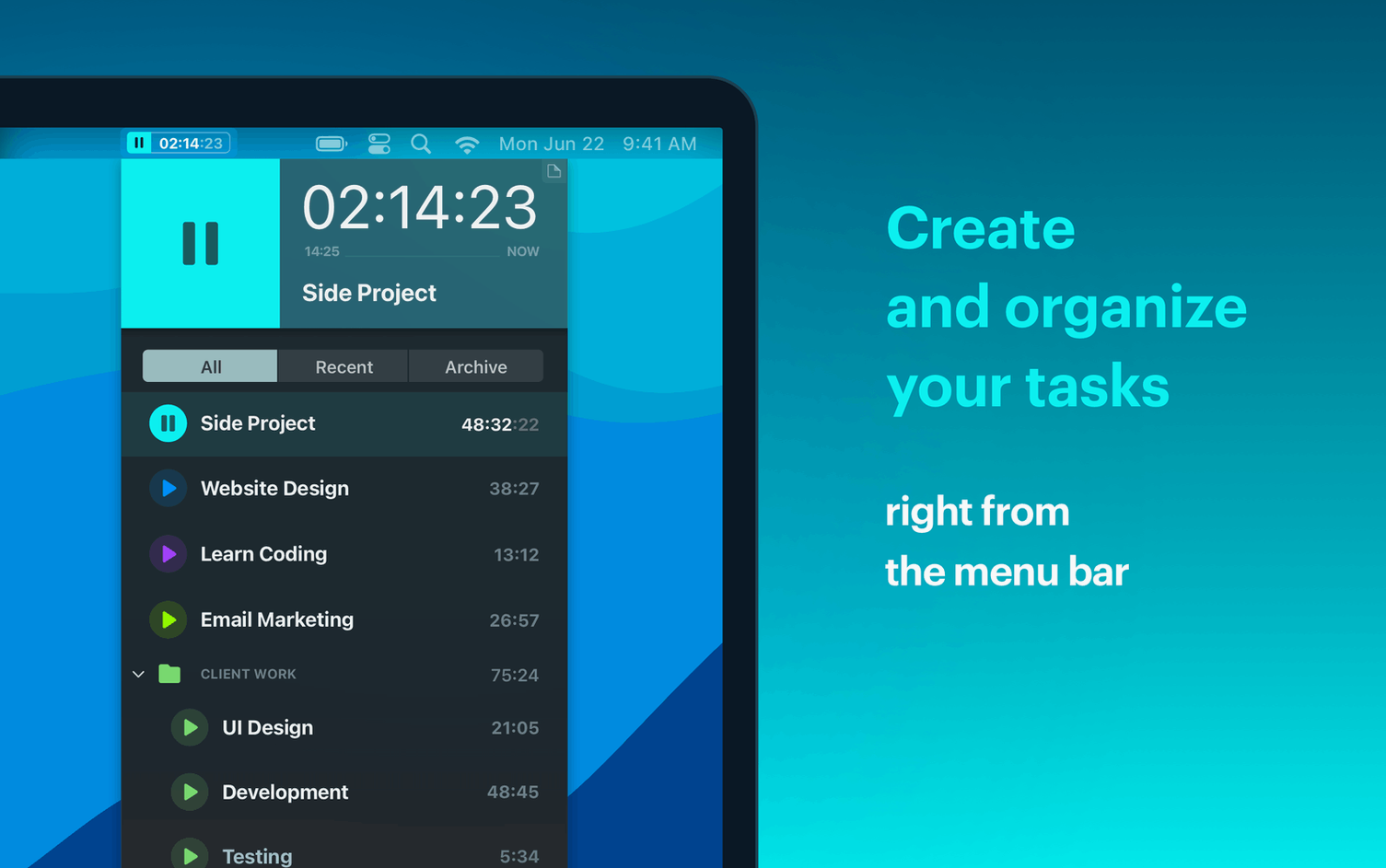
Where a Pomodoro timer asks for attention, Timemator asks for almost none. It lives in the menu bar, understands when you switch from Figma to Mail, and leaves the manual start/stop button there for the moments rules can’t cover. If you already lean on tools like Things or Bear for project focus, this adds the missing proof of where the hours actually went.
Three apps often show up in the same conversation: Timing, Toggl Track and Daily. They all solve time tracking, but the approach differs enough that picking one is more about work style than feature lists.
Timing is the closest cousin — auto-tracking, local storage, a timeline you can edit. It pushes harder on categorisation and its iOS app is read-only. Timemator keeps things simpler: rules based on apps and files, a companion iPhone app that actually starts and stops timers, and no push toward a subscription model.
Toggl Track started as a manual timer and added auto-tracking later. It shines for distributed teams who need shared reports. If you work solo and resent signing into yet another web dashboard, Timemator's local-only storage and menu-bar lightness feel like a relief.
Daily goes the other direction entirely — it's a lightweight, manual timer with no automation at all. Good for simplicity, useless if you forget to start it. Timemator lands in the middle: automatic enough to catch the work, manual enough to stay honest.
Timemator hooks into macOS at the file and app level, so it pairs naturally with tools you already use. Open a Sketch file, a Final Cut library or a folder of client PDFs — if you've set a rule, the timer flips to that project before you think about it. The menu bar widget shows the current task at a glance, and you can pause or switch without opening the full window.
Because everything stays local, Spotlight never indexes a cloud sync conflict, and Time Machine backs your timeline alongside the rest of your home folder. If you use Shortcuts, you can trigger a Timemator action when you open a Focus mode — start tracking "Design" when the Design Focus kicks in, for example. Calendar integration is read-only in the current version, but the timeline view sits comfortably next to a Fantastical or Apple Calendar window when you're reconstructing a week.
Imagine a freelance brand designer starting the day at 8:45. The Mac wakes from sleep and Timemator is already running. Mail opens first — the app sees it, and a rule fires: "Email & admin." The timer starts without a click.
At 9:10, a client Illustrator file opens from a project folder named Riverside Coffee — rebrand. Timemator switches to that project automatically. The designer works until 11:00, then walks away for coffee. The Mac idles; Timemator pauses after the set inactivity window.
Back at 11:15, a Slack message arrives about a different client. The designer opens the project's Figma file, which triggers another rule. By lunch, the timeline shows two clean blocks — Riverside Coffee and the second project — with a gap for the break. A quick drag in the timeline adjusts the end of the Figma session, and the morning is logged.
Good to know: if you've searched for something like Timemator torrent macOS to test the workflow before committing, the drag-and-drop timeline editing is the first thing that sells the approach — it's fast, forgiving and doesn't punish you for forgetting to assign a rule.











Chat 0
Hop in or make an account to join the chat.
Quiet in here so far. If you have used this build, tell me what the install actually did.