
 iDownerGo
 Folx Pro
 iTubeGo
 Downie
 Musify
 AmpliTube
 PullTube
 4K YouTube to MP3


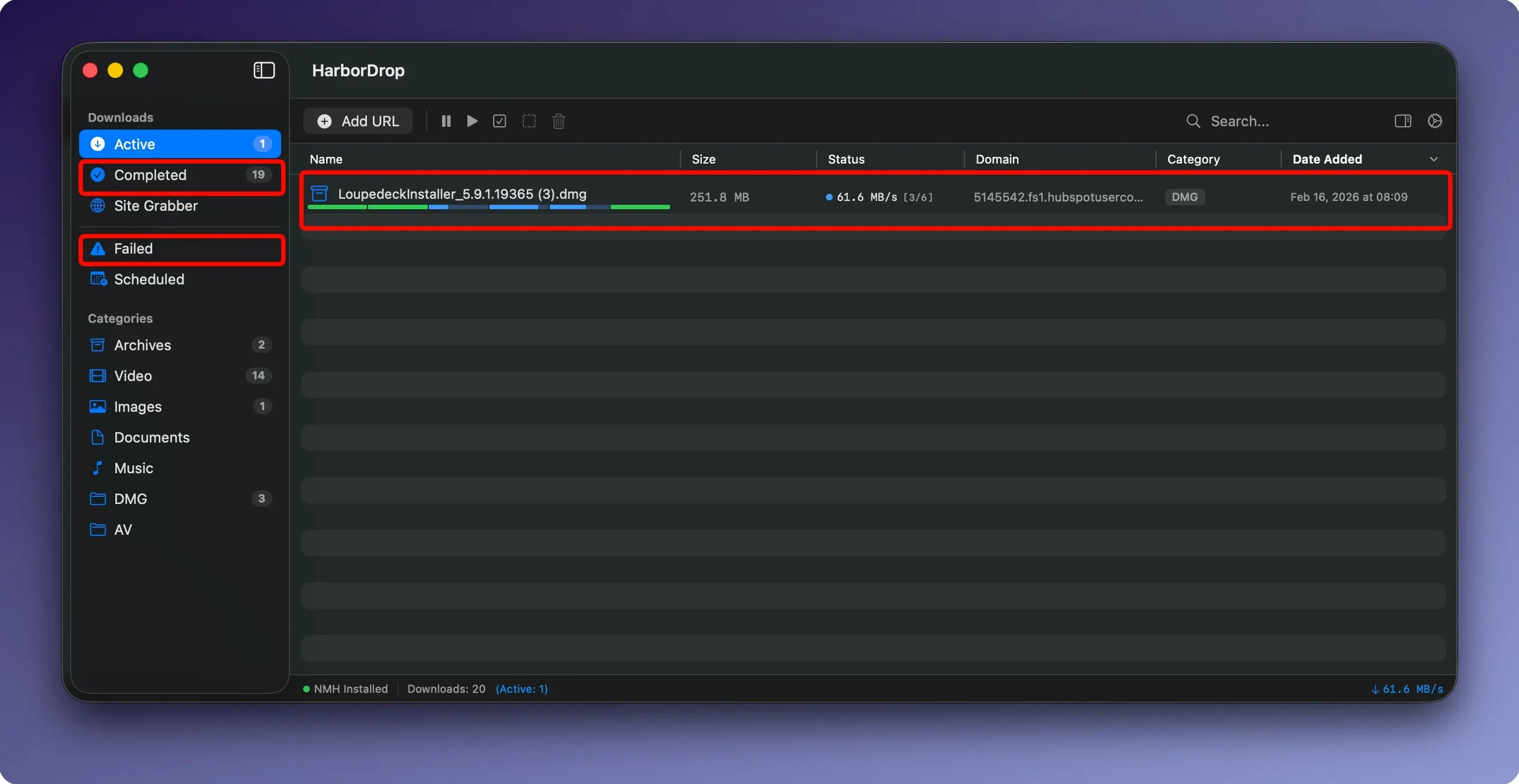
HarborDrop is a Mac download manager that splits files into segments and sorts the results for you.
Turn on the Site Grabber. Set a crawl depth, and it collects every downloadable link it finds across that many page levels — handy for pulling down image sets or document archives in one go.
It opens up to six connections to the server at once, pulling different chunks of the file in parallel. Once all the pieces land, HarborDrop stitches them back together without you lifting a finger.
Yes. It reads m3u8 playlists and HLS streams, grabbing each segment and assembling a clean local file.
Your files land in folders sorted by site domain or file type. HarborDrop can also pop open the destination in Finder straight away, so you don't have to go hunting.
On an M-series Mac, HarborDrop sits quietly in the menu bar while active downloads chew through bandwidth. Memory use stays modest — typically under 200 MB even with multiple files queued — and the segmented engine doesn't hammer the CPU during reassembly. What you notice day to day is the absence of beachballs. The app launches fast, accepts drag-and-drop links without hesitation, and keeps downloads moving while you switch between other heavy programs like Xcode or Photoshop.
Browser capture works cleanly, too. Once the extension is wired up, clicks that would normally land in your browser's built-in downloader get intercepted with a brief flicker. No repetitive permission dialogs, no lost links. For anyone who left IDM behind when moving to Mac, that reliability alone stops the hunt for a replacement.
The 1.4 release tightened a few rough edges that early users flagged. The post-download script runner now handles larger AppleScript payloads without stalling, and the Site Grabber respects the crawl depth you set more precisely — earlier builds occasionally wandered one level deeper than intended. Drop-in support for Arc, the Chromium-based browser, also arrived here, so Arc users no longer need a separate workaround to send links across.
Behind the scenes, the HLS parser got smarter about misformatted playlists from smaller video hosts. Where previous versions might stall on a malformed segment reference, HarborDrop now logs the issue and keeps fetching what it can. Power users who chain together shell scripts after large transfers will notice the log window prints clearer timestamps now — a small fix that actually matters when you're debugging an automation at 11 p.m.
Imagine a freelance editor pulling raw footage from three client portals, a stock library, and a shared cloud folder — all before lunch. She drops a dozen links into HarborDrop, each tagged to land in a client-specific folder. The stock clips, being large 4K files, benefit from the six-segment parallel pull. While those chew away, she sends a few m3u8 reference videos straight from a video host's page using the browser extension.
One download finishes its segments and triggers a short AppleScript that renames the file with today's date and moves the proxy into her watch folder. By the time she's poured a coffee, the queue is clear, Finder windows sit open at each project folder, and nothing got dumped into a generic Downloads pile. For editors who bounce between projects all week, that kind of hands-off sorting turns a chore into background noise.






Chat 0
Hop in or make an account to join the chat.
Quiet in here so far. If you have used this build, tell me what the install actually did.