
 iDownerGo
 HarborDrop
 Folx Pro
 Downie
 Musify
 PullTube
 AmpliTube
 SiteSucker Pro


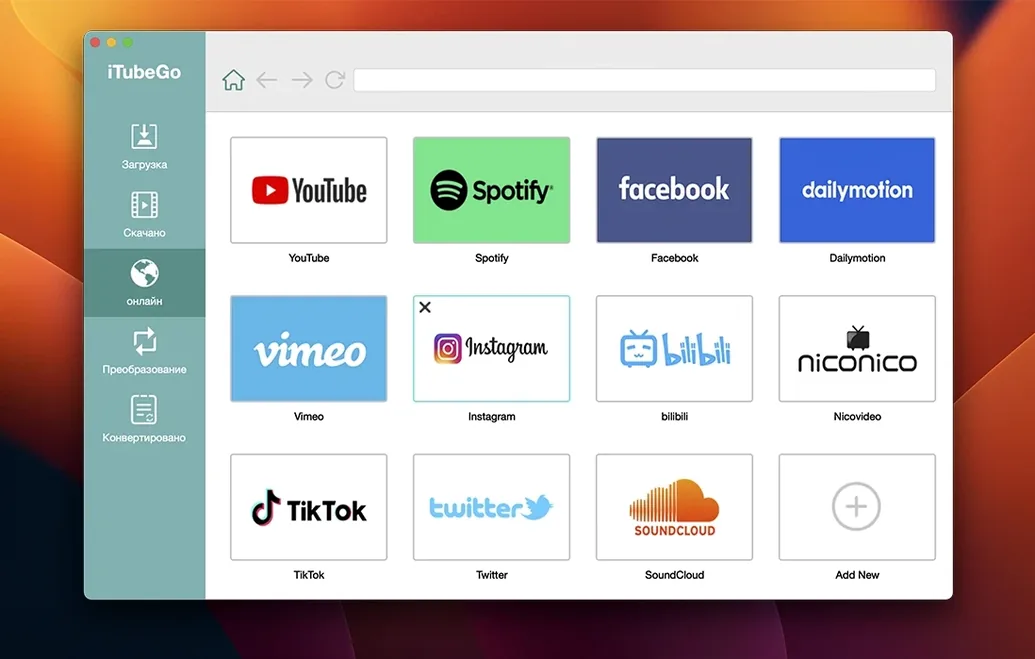
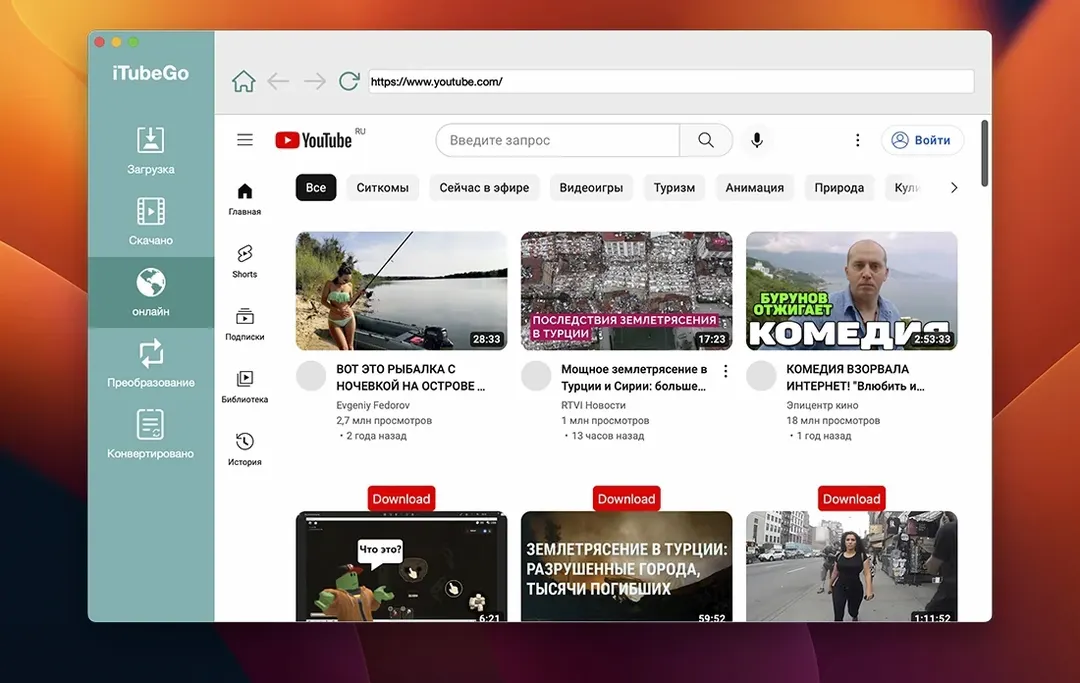
Think of it as a clipboard for video. Wherever you’d normally copy a link, iTubeGo lets you download and convert it instead. It’s the kind of utility that sits quietly until you need an offline copy of a tutorial, playlist or podcast.
This isn’t a media player or a browser extension — it’s a dedicated downloader for macOS. iTubeGo pulls video and audio from YouTube, Facebook, Instagram, TikTok, Vimeo, Dailymotion and a handful of adult sites. Quality runs from modest 480p up to 8K when the source supports it. On the audio side, you can strip sound from a clip and save it as 320 kbps MP3, or grab tracks directly from most music sites.
Output is MP4, MP3 and a few other common containers. There’s no editing timeline or elaborate queue system — just a list of URLs, a format picker and a download button. It runs on Intel Macs back to OS X 10.10, so older machines aren’t left out. If you regularly wish a video were a file on your desktop rather than a bookmark, this fits the bill.
You’ve just found a 40-minute colour grading breakdown on YouTube. You’d rather watch it offline, on the train, without buffering. Here’s how a typical session unfolds.
You copy the link, switch to iTubeGo and hit Paste URL. The app picks it up instantly, no fuss. A thumbnail and title appear in the queue while you decide on format and quality. You set it to MP4 at 1080p — enough detail for the scopes and curves the presenter keeps pulling up.
One click on Download and the progress bar starts ticking. The file lands in your chosen folder inside a minute. While it downloads you paste three more links: a short Vimeo reel, an Instagram story from a cinematographer and an MP3 version of a podcast episode. The queue handles them in sequence without slowing your Mac to a crawl.
By the time you’ve poured a coffee, everything’s sitting in Finder, named sensibly and ready to drag into your media library. No watermarks, no extra clicks. Just files where you wanted them.
Say you’re putting together a mood board for a client pitch. You need clips from TikTok, Instagram, and YouTube — plus a clean audio track from a Dailymotion interview.
Start by opening the built-in browser inside iTubeGo. Browse directly to the TikTok clip. The app detects the video automatically; you pick MP4, 720p, and download. Do the same for the Instagram reel. For the YouTube clip you want in 4K, paste the URL from Safari — no need to switch windows mid-flow.
Now the audio. Head to Dailymotion, find the interview, and this time choose MP3 320 kbps from the format dropdown. The app extracts and converts in one pass. No separate converter needed.
Within ten minutes you have four files in a single folder, all compatible with your editing suite. Rename them, drop them into your project, and you’re done. The whole thing feels less like “using a downloader” and more like simply collecting assets.
Does it work on older Macs? Yes. iTubeGo runs on OS X 10.10 and later, Intel-only. The build is lightweight, so a MacBook Air from 2013 handles it without complaint.
Will it download 8K video? If the source offers 8K, the app will grab it. The file size gets hefty fast, but the option is there for archival or editing purposes.
Can I download an entire playlist in one go? Paste the playlist URL and iTubeGo parses every item. The bulk downloader queues them all at once, typically at several times the speed of fetching them individually.
Is the built-in browser safe or just a gimmick? It’s a straightforward WebKit view, no ad-blocking trickery. It saves you switching apps when you want to browse and grab in one window. For sites that don’t expose direct links easily, it’s the quickest path to the file.
What about MP3 quality? Audio extraction tops out at 320 kbps, which is as high as MP3 gets. For voice recordings, podcasts or music rips, the result sounds indistinguishable from the source stream.
If you’re looking to download iTubeGo full version for your Mac, the current release covers all these scenarios without feature gates. The iTubeGo Mac experience stays consistent whether you’re pulling a single track or queueing forty clips.
The latest build tightened up queue handling. Where earlier versions occasionally stumbled on long batch lists, 10.15.0 moves through large playlists more reliably — useful when you’re grabbing a season of tutorials in one sitting.
Format detection inside the built-in browser got a subtle polish. The app now presents available quality tiers faster, especially on pages with multiple video sources embedded. Less waiting between pasting a URL and seeing the 4K option appear.
Gatekeeper workarounds remain part of the install dance on newer macOS versions, but the included opener script handles it cleanly. Mount the disk image, run the opener, press Enter in Terminal, then drag the app to Applications. That routine hasn’t changed, and the app behaves the same once it’s in place.
Everyday stability improved for sites that frequently update their delivery methods. While no downloader stays compatible with every platform forever, this version held its ground across a broader range of sources during testing than the build it replaced. If you’ve used an older iTubeGo torrent release in the past, this one feels like a quieter, less maintenance-heavy tool.
It works with YouTube, Facebook, Instagram, TikTok, Vimeo, Dailymotion, Pornhub, Xvideos, SpankBang and xHamster, plus most music sites for MP3 downloads.
You can choose from 480p up to 8K, as long as the original source offers that resolution.
Yes — it extracts audio from video files and saves it as MP3 at up to 320 kbps, and can also grab MP3s directly from music sites.






Chat 0
Hop in or make an account to join the chat.
Quiet in here so far. If you have used this build, tell me what the install actually did.