

Download Komplete Kontrol for macOS
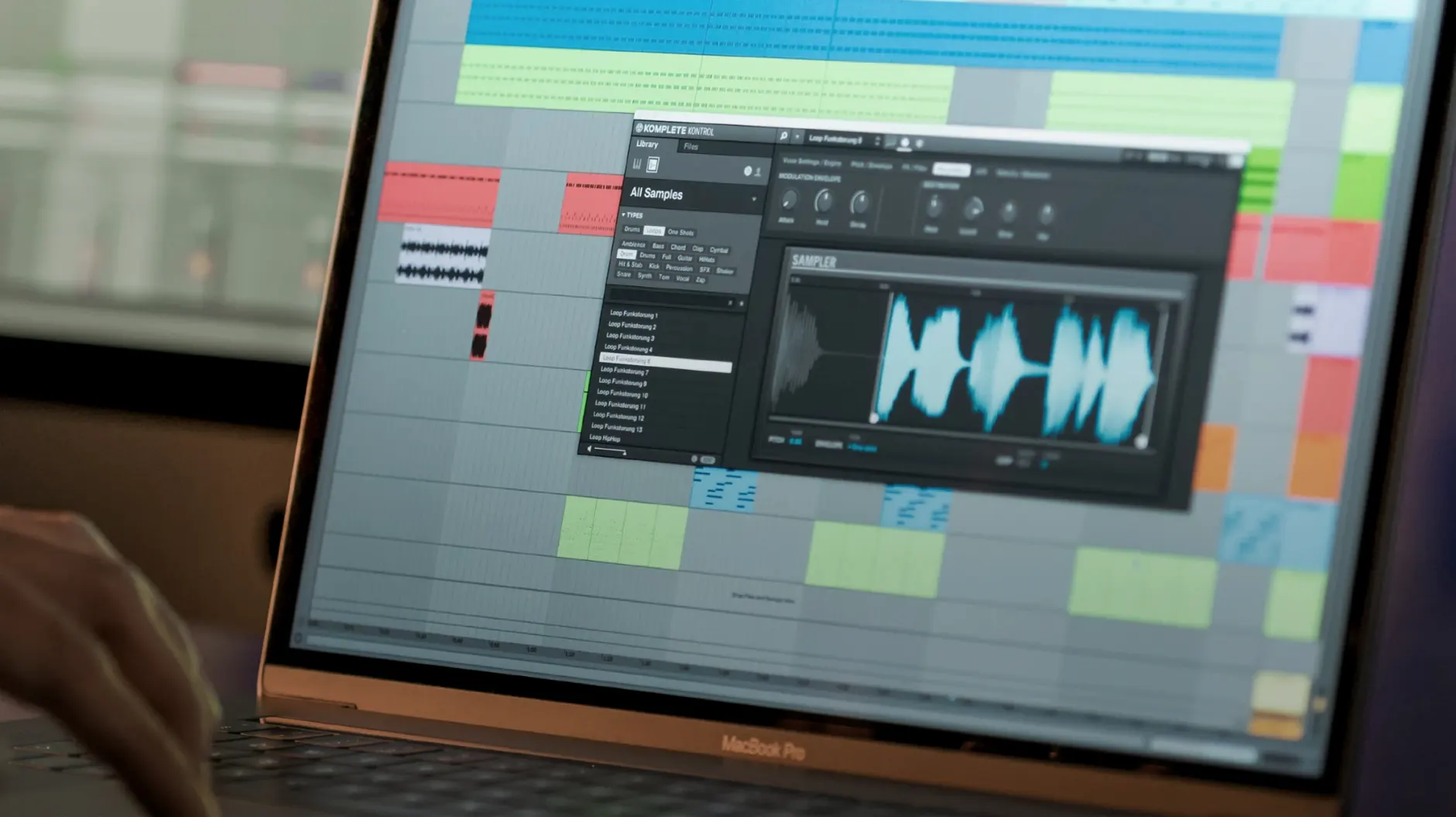
You have a Komplete library spread across three drives, a deadline in two hours, and a bassline that still isn't sitting right. In Komplete Kontrol you type 'sub', skim the previews, and drag a one-shot straight onto the timeline without touching Finder.
The plug-in runs as VST, AU and AAX — Intel or Apple Silicon — inside Live, Logic, Cubase or whatever DAW you already use. Version 3.5.4 adds NKS Connect support, so compatible controllers switch into NKS Mode without extra mapping. Everything tagged with Native Kontrol Standard — instruments, effects, presets and loops — appears in one browser with consistent knob assignments.
At the core it is a librarian that reads NKS metadata. You browse by sound type, character or vendor, audition with the built-in sampler, then load the source instrument fully only when you commit. Loops and one-shots sync to the project tempo and drag out as audio clips. Smart Play offers over a hundred scales and modes — pick Phrygian and single-finger chords stay in key across the keyboard.
The browser syncs collections with Sounds.com if your workflow pulls from both local and cloud libraries. Everything lives in one window: search, tag, preview, assign. The controller stays mapped whether you are tweaking a Massive X pad or a Raum reverb tail.
Skipping the instant browser preview
Loading every instrument through the full plug-in window instead of using the browser preview is the big one. The built-in sampler lets you audition sounds instantly — the source instrument only boots when you double-click to commit. Skipping this step turns a quick flick through bass presets into a wait-for-every-synth-to-load marathon.
Another common slip: ignoring the file type filter in the browser sidebar. When a search for 'kick' returns 400 loops, 80 drum kits and a handful of effects presets, ticking the Loops or One-Shots box cuts the noise. Beginners often scroll through everything, drag a loop that isn't tempo-synced, then wonder why it sounds off against the project grid.
Some producers also treat Smart Play as a crutch instead of a sketch tool. Locking to C minor and mashing keys makes anything sound passable, but you miss the phrasing that comes from learning a scale's intervals. The better habit: use Smart Play to rough out an idea, then switch it off and nudge the MIDI notes by hand.
Using the software without NI hardware
Does Komplete Kontrol work without Native Instruments hardware? Yes. The software runs standalone or as a DAW plug-in with just a mouse and keyboard. You lose the Light Guide and hardware browsing, but the full browser, Smart Play and drag-and-drop workflow all function. Plenty of users run it on a MacBook with nothing plugged in but headphones.
Will it scan my existing third-party plug-ins? It will if they include NKS support. Over 750 plug-ins from 90 developers carry NKS mapping — Arturia, Output, u-he, Spitfire Audio and dozens more. Non-NKS plug-ins still load inside Komplete Kontrol, but they appear without tagged presets or mapped controls. The browser shows only what the tagging system can read.
Is version 3.5.4 stable on Apple Silicon? The build runs native on ARM and x86. The 3.5.4 update specifically fixes performance lag when tweaking parameters from a Kontrol S-Series MK3, and it resolves a metering freeze some MK2 users hit in Cubase on Windows. On macOS 12 or later, both architectures are supported without Rosetta gymnastics.
Pointing it at your sound libraries first
Point the software at your sound libraries before doing anything creative. Open Preferences, hit the Library tab, and add every folder where instruments, expansions or third-party NKS content live. A rescan after install catches what the initial indexing missed — especially if you have komplete kontrol 3.5 content scattered across external SSDs. A clean library is a fast browser.
Tag a handful of go-to presets on day one. Right-click any sound in the browser and assign a colour or a custom tag like 'low end', 'arp', 'transition'. After a week of sessions you will have a shortlist that cuts browsing time in half. It takes 30 seconds per sound and pays back every time a deadline looms.
Test Smart Play with a scale you actually use in your music. Flick through the list — Harmonic Minor, Dorian, Phrygian Dominant — and map the ones you reach for onto the favourites bar. While you are there, set the chord mode to trigger triads or sevenths with one finger. Producers coming from komplete kontrol 3.5.1 often miss that the chord voicing options expanded in later builds, so dig into the Smart Play panel even if you think you know it.
Finally, drag a loop onto the timeline and check the tempo sync. If the DAW tempo is 128 BPM and the loop previews correctly but lands stretched, right-click the clip and re-trigger the sync from the browser. It is a one-click fix that stops a messy first session.
- NKS Connect support added in Komplete Kontrol.
- NKS Mode integration for compatible NKS Connect controllers.
- Fixed performance issues when changing plug-in parameters from Kontrol S-Series MK3.
- macOS 12 or later
- Intel and Apple Silicon supported
Questions I get
Yes, any plug-in with NKS support loads with pre-mapped controls and tagged presets inside Komplete Kontrol.
Smart Play scales and chord modes work from the software interface, though a compatible controller gives you direct hardware access.
It resolves performance issues when changing parameters from Kontrol S-Series MK3 and adds NKS Connect support for compatible controllers.







Chat 0
Hop in or make an account to join the chat.
Quiet in here so far. If you have used this build, tell me what the install actually did.