


Download Neural DSP Mantra for macOS
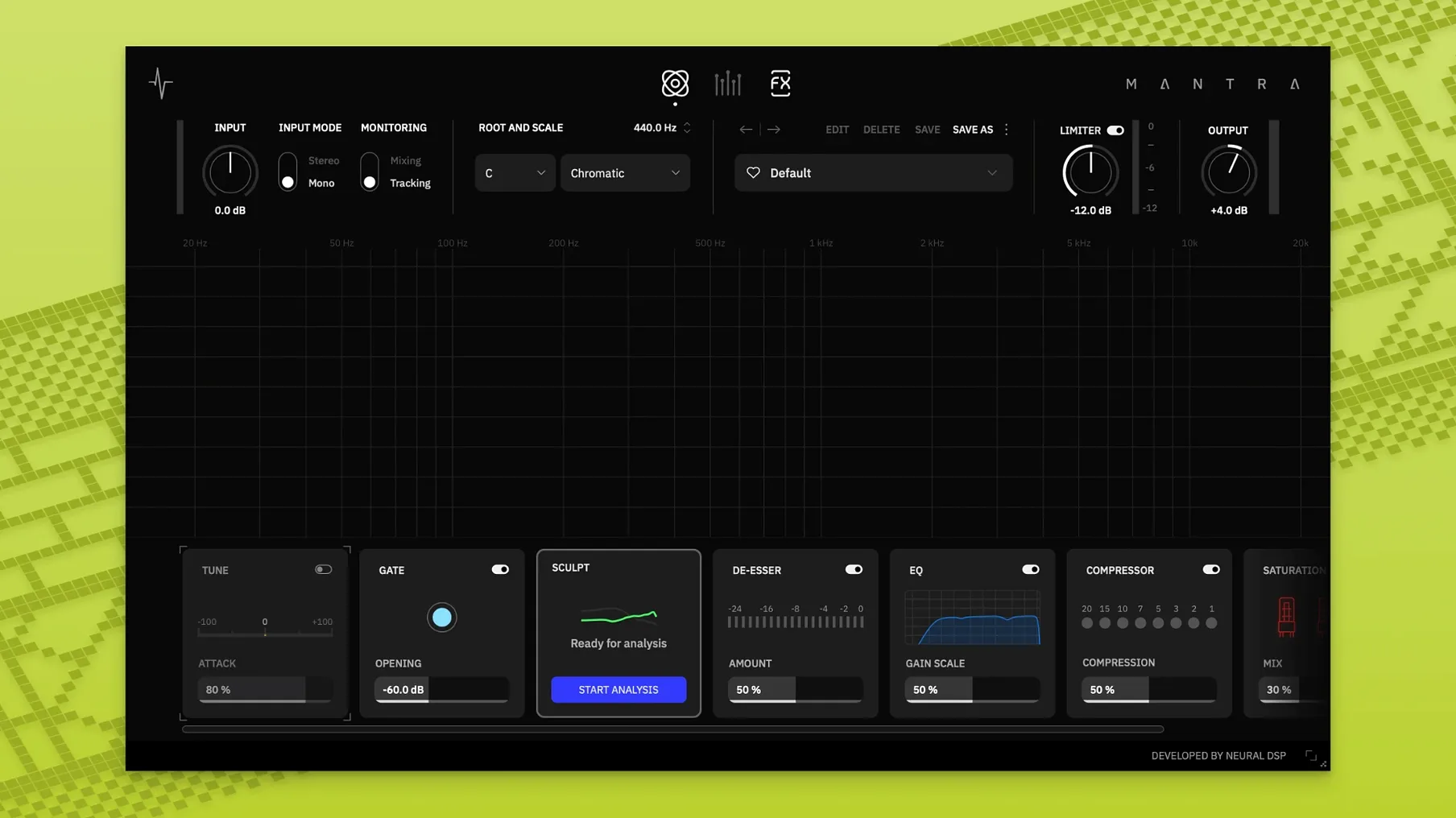
The De-esser knob reacts before sibilance hardens. It's a shaped cut, not a blunt clamp. From there the whole chain unfolds in definition style.
Sculpt — Broad tone shaping that tilts the vocal body without fighting a multiband. One knob moves weight up or down.
Compress — Two behaviours under one dial. Light glue on the way in, heavier control in mixing mode for finished placement.
Saturate — Gentle harmonics to dense drive. Adds front-to-back depth without burying the vocal.
Harmonies — Generated doubles that follow the corrected pitch. A DI Mute switch keeps the dry signal clean when you only want the spread.
Space — Combined reverb and delay timed to the session. Wet level is all you touch.
Recording and mixing modes share the same controls but change their curves. Tracking keeps latency low, mixing opens the attack and release times for polish. The gate and pitch correction sit first in line regardless.
Give yourself a few days where you don’t open the deep settings. Let each module’s single knob teach you what it’s actually doing to the signal. On day three, click through to the hidden controls on Compress and Saturate only — you’ll have a much clearer sense of what “a little more” sounds like by then.
Record a scratch take with Sculpt set flat and the gate open. Then print a second pass with Sculpt pulling weight towards the low-mids. A/B them in the car or on earbuds before you decide which one stays. Mantra’s curves are broad for a reason; they’re meant to be chosen fast, not dialled in forever.
Beginners often treat the pitch correction like a tuning pedal — zero or full, nothing between. The knob maps to speed and depth together. A quarter turn on a shaky phrase sounds more human than a hard snap at fifty percent. Let the singer’s natural drift show through; the correction is there to catch the edges, not erase the performance.
Another early mistake is stacking Harmonies before cleaning the source. If the dry vocal still has low-end rumble or mouth clicks, the doubled voices will amplify them. Gate first, Sculpt second, then bring in the spread. And if you’re blending the DI signal later, remember the Mute switch — it’s easy to forget and end up with a phased mess in the centre.
Finally, resist the urge to pin every module at 12 o’clock just because it looks balanced. Some voices want Saturate barely nudged and Space pushed wide. Others need heavy compression and almost no de-essing. Mantra’s single-knob layout rewards listening over looking.
- macOS 10.13 or later
- Intel and Apple Silicon Macs
Questions I get
No, Mantra is not available on Quad Cortex devices.
Recording mode is tuned for low-latency tracking. Mixing mode adjusts the compressors and processing for final-quality vocal polish.
Yes, the developer describes it as usable on vocals and other instruments.







Chat 0
Hop in or make an account to join the chat.
Quiet in here so far. If you have used this build, tell me what the install actually did.