
 AI Transcription
 Aiarty Video Enhancer
 AIMP
AIMP AirBuddy
 Affinity Publisher
 Airflow
 Airfoil
 Affinity Photo


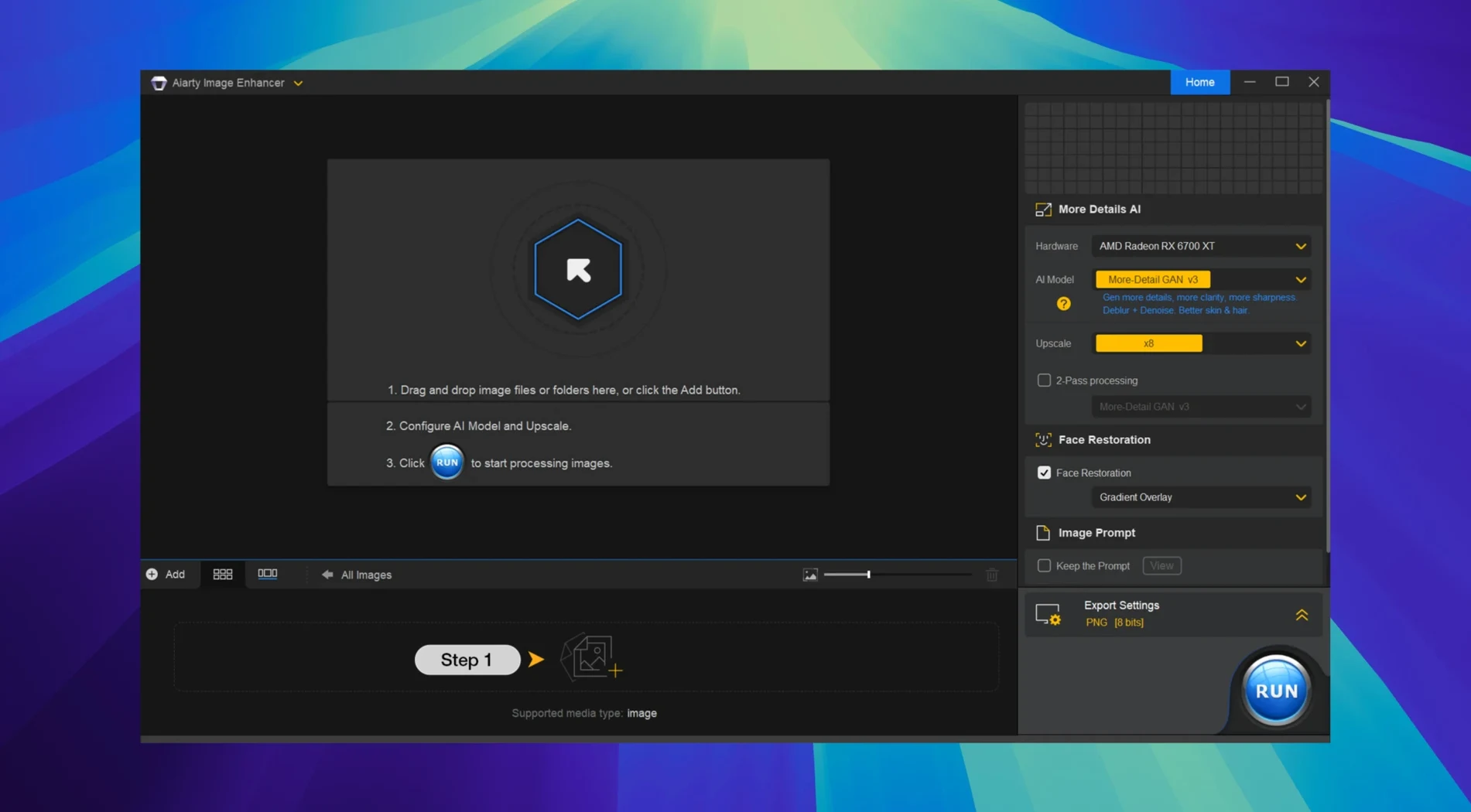
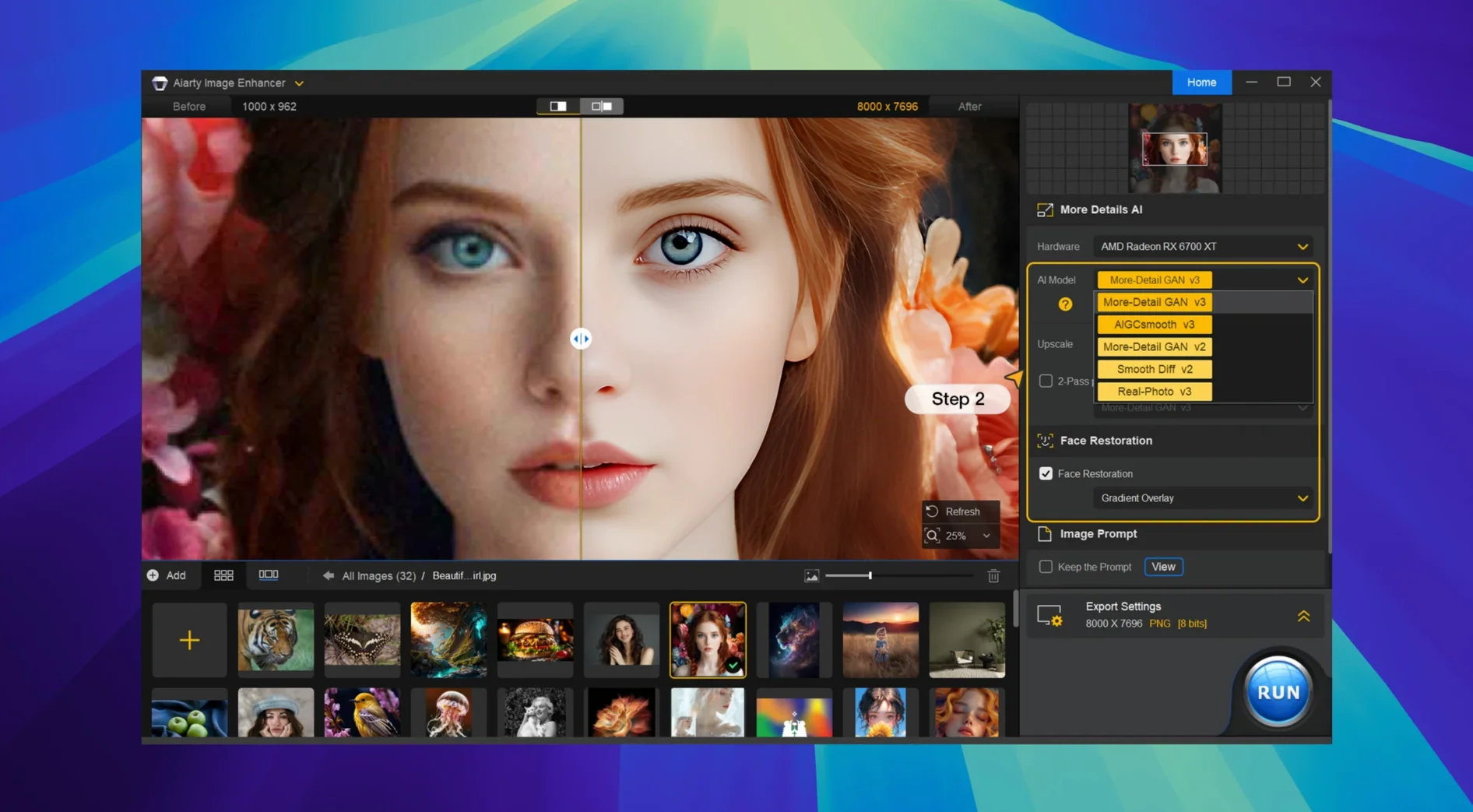
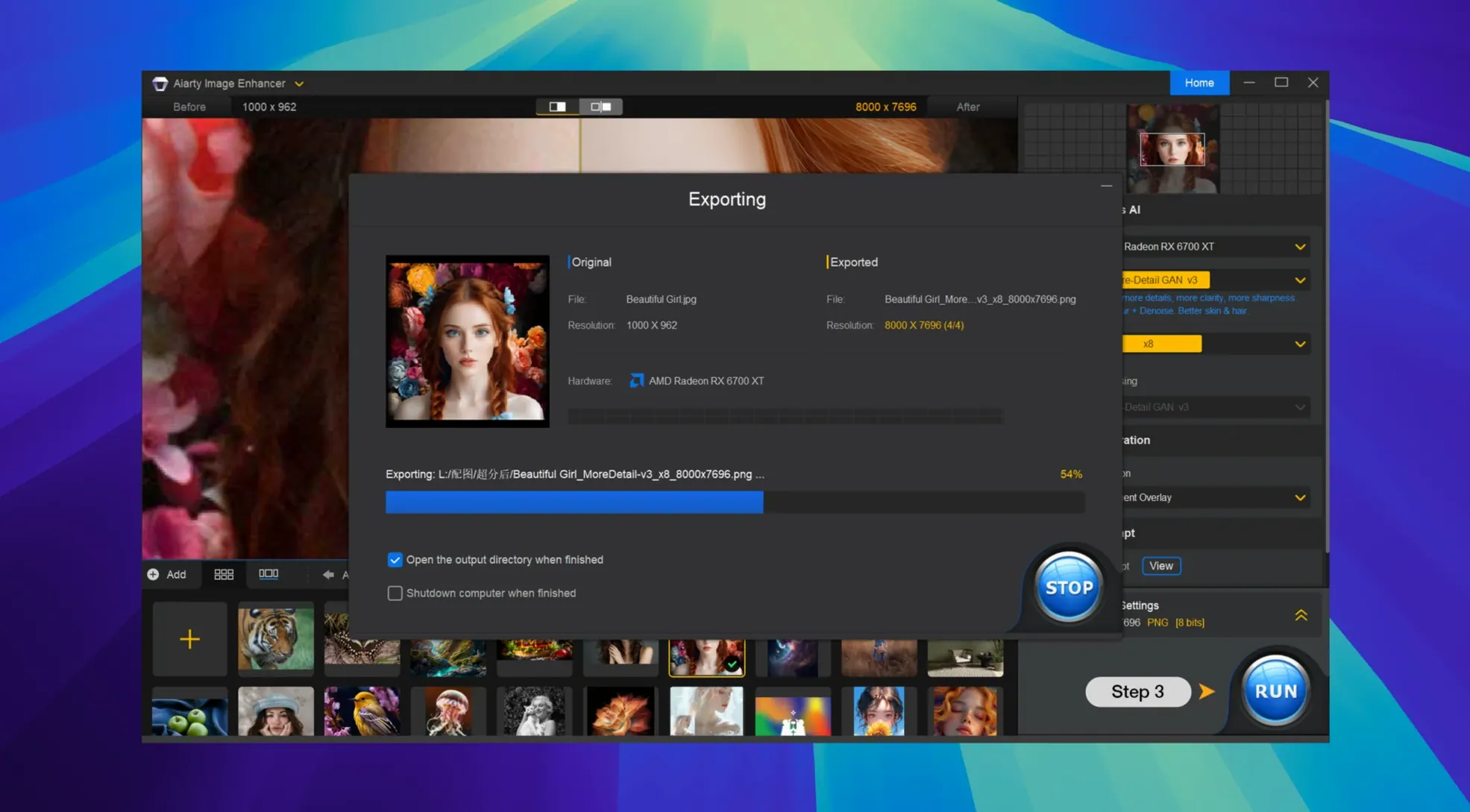
Aiarty Image Enhancer is a desktop tool that uses AI to clean up, sharpen, and enlarge your photos.
It works on Apple Silicon and Intel 64-bit Macs, so both older and newer machines are covered. You need macOS 11 (Big Sur) or later.
It denoises grainy shots, deblurs soft edges, and restores detail in old or compressed images. RAW files are supported.
You launch the app and drop a noisy concert shot onto the window. Aiarty reads it instantly. Click the AI Model dropdown near the top-right and pick Denoise. The preview panel splits the screen: original on the left, processed sample on the right.
Drag the preview square around the singer's face. Grain vanishes, but the eyelashes stay crisp. Zoom to 200% with a pinch on the trackpad — no smearing. Flick the Output Format to PNG, set the scale to 4x, and hit Start Processing. A progress ring fills while the fan stays quiet. Twenty seconds later the file lands on your desktop, metadata intact.
Next you open a scanned family photo from the 80s. Switch the model to Restore. The app rebuilds the faded floral pattern on a dress and pulls readable text from a blurred street sign in the background. You upscale to 8K, save as TIFF, and hand it off to Lightroom Classic — the new workflow hooks in version 3.14 mean the enhanced file appears in your catalogue without extra import steps.
The defaults are sensible, but three tweaks make the app feel more your own.
_enhanced and lock the default format to TIFF if you plan to print. The suffix stops you overwriting originals by accident.Most hiccups are quick to clear once you know where to look.
This crops up on Intel Macs after a macOS update. Open Terminal and run killall AiartyImageEnhancer, then relaunch. If that does not fix it, toggle Open using Rosetta in the app’s Get Info panel — even Intel machines sometimes need the translation layer after a system patch.
Aiarty processes the sensor data without applying your camera’s colour profile. Import the enhanced DNG or TIFF into Lightroom and apply a preset — the detail is there, it just needs the colour grade you intended.
A stalled progress bar usually means the GPU ran out of memory on a large upscale. Cancel the job, drop the scale one step (e.g., from 8x to 4x), and process again. You can stack a second 2x pass on the result if you really need wall-sized resolution.
If a firewall or VPN blocks the handshake, the prompt appears mid-session. Disconnect the VPN briefly, let the app settle, then reconnect. A few users pair this with an older Aiarty Image Enhancer crack approach, where a simple network flap is usually the culprit.
Check that the app is running natively. Select the app in Finder, press ⌘I, and make sure Open using Rosetta is unchecked. An accidental Rosetta tick halves the speed. If you recently grabbed an aiarty torrent build, re-drag a fresh copy from the disk image — some archives ship with the flag set.
Good to know: Aiarty writes a log file to ~/Library/Logs/Aiarty/. If something feels off, skim the latest log — the last three lines usually spell out exactly what failed.
You can upscale an image to 32K resolution. Version 3.14 also lets you inspect EXIF metadata right inside the app.














Chat 0
Hop in or make an account to join the chat.
Quiet in here so far. If you have used this build, tell me what the install actually did.