
 Airflow
 AirBuddy
 Alcove
 AIMP
AIMP AlDente
 Amadeus Pro
 Aiarty Video Enhancer
 Aiarty Image Enhancer


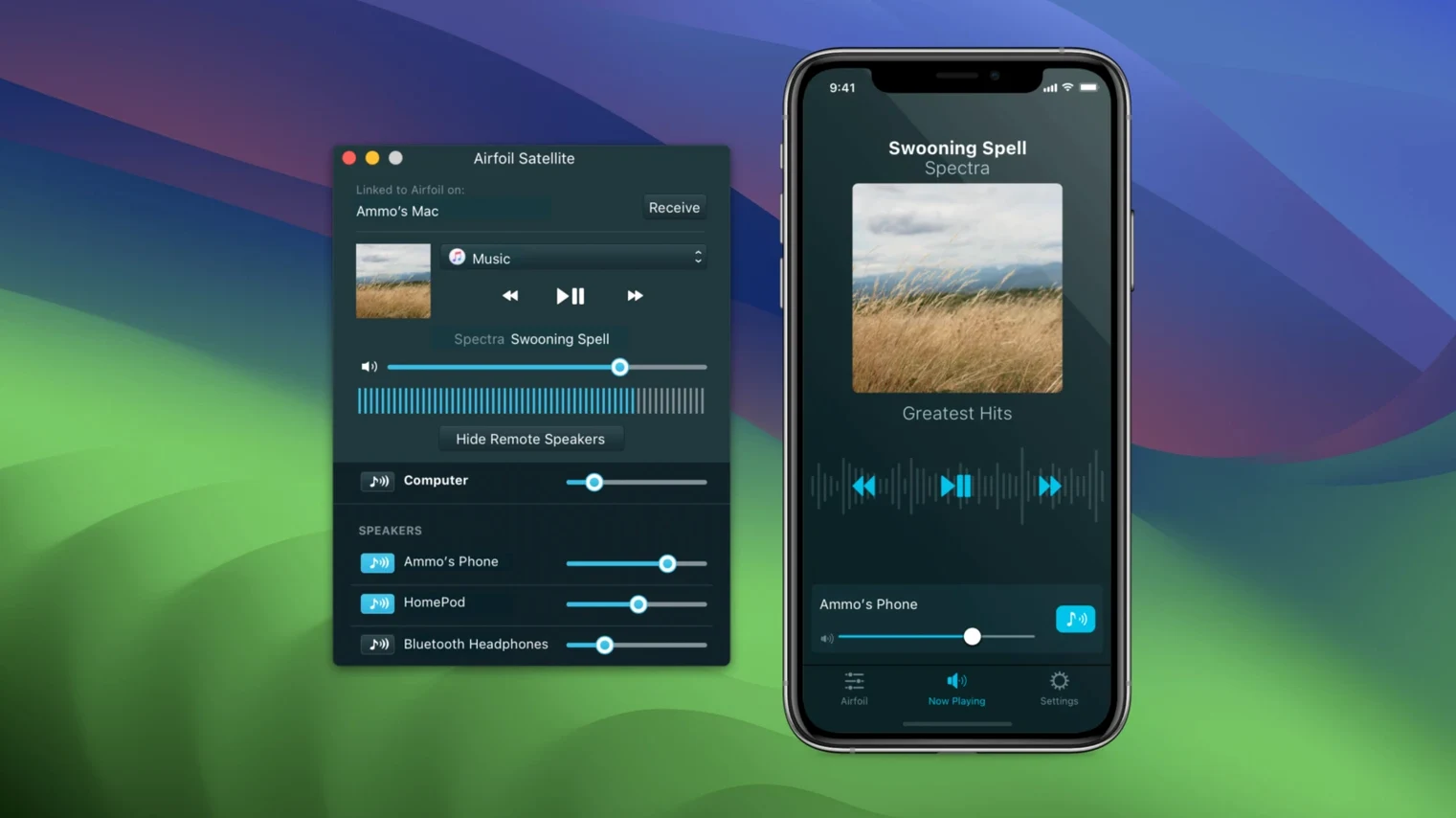
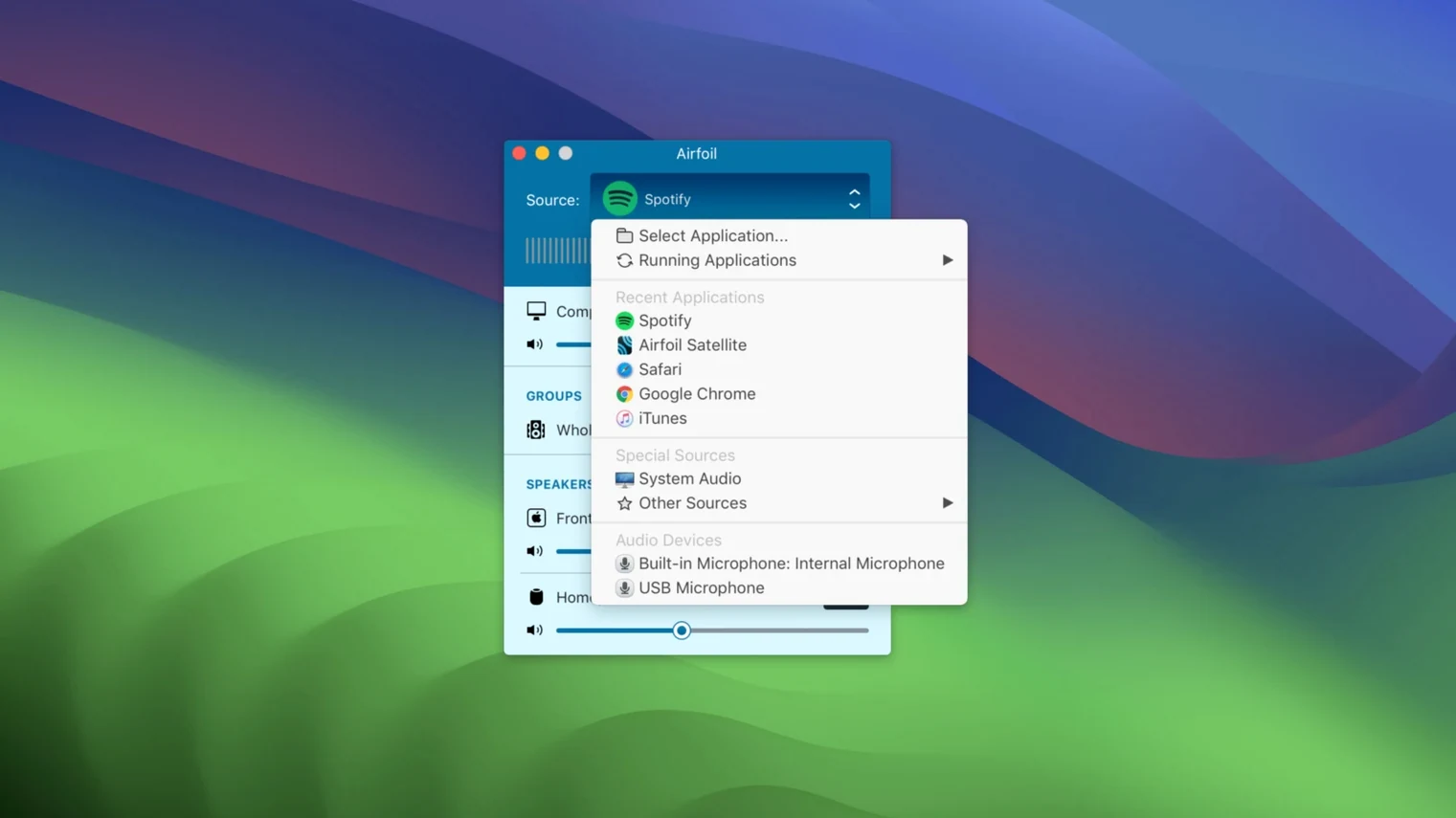
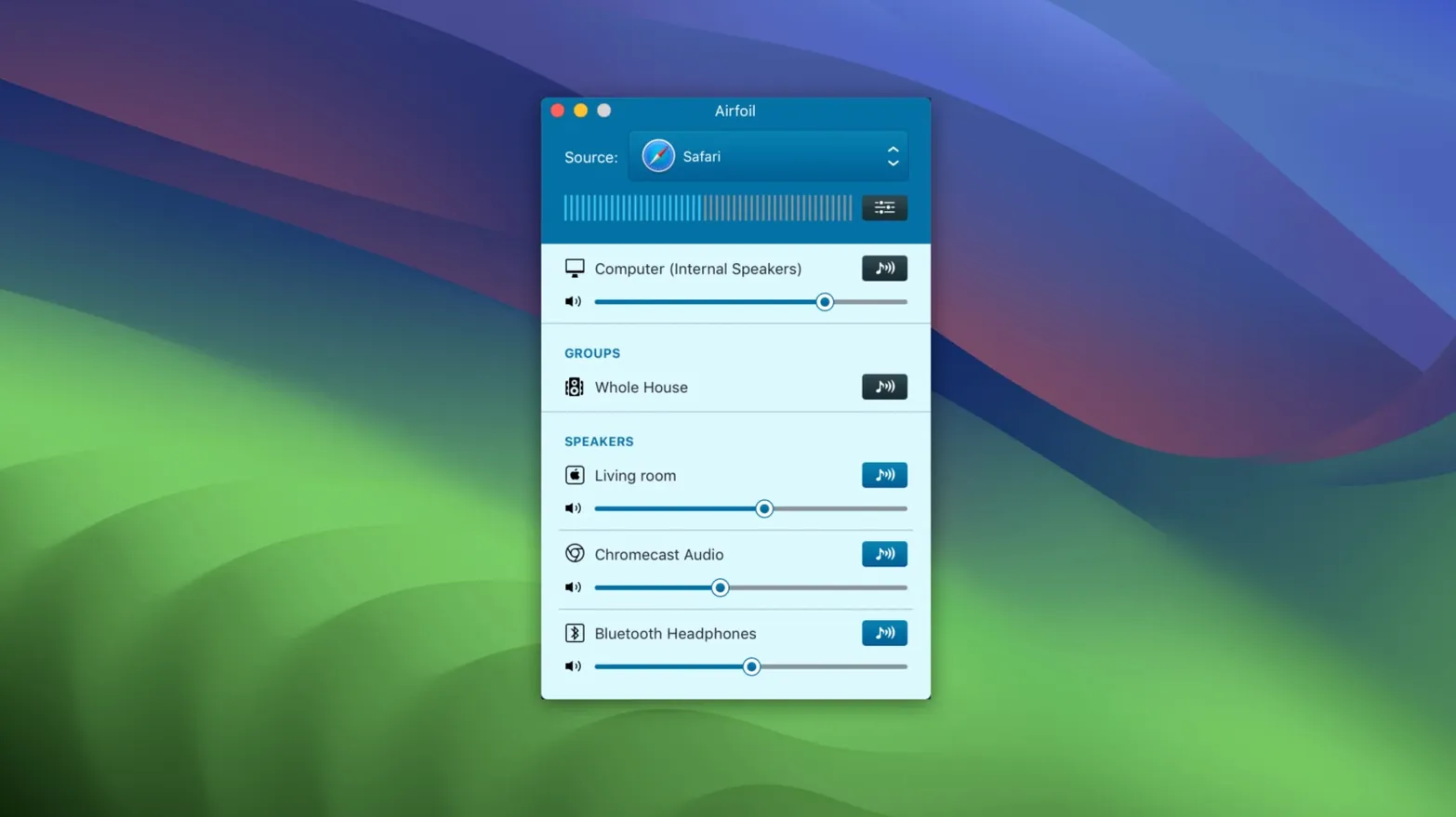
Airfoil runs on any Mac with macOS 14.4 or later, including both Apple Silicon and Intel machines. Here is one concrete way you might use it: sending a podcast from your browser to the kitchen speaker while keeping a music app playing locally on your headphones.
Audio travels as Apple Lossless, so there is no compression degrade across the local network. The app remembers your last setup, which makes repeating a daily routine quick.
Out of the box, Airfoil streams whichever app you click. A few early tweaks make the whole experience smoother.
Control+Option+Command+S works.It's Saturday morning. The MacBook is on the dining table and I want the same playlist across three rooms while I tidy up.
I launch Airfoil and it immediately connects to the HomePod mini in the kitchen—that's the auto-transmit target I set weeks ago. The app's source list shows Safari, Music and a handful of other running apps. I click Music and the waveform meter jumps. Good, the app is grabbing audio.
Next I tick the Google Nest Hub in the lounge and a little Bluetooth speaker in the bathroom. The sync is tight enough that walking between rooms feels like a single sound field. I pull up the equaliser, switch to a flat preset I saved earlier, and nudge the mids down a touch because the Nest Hub can get shouty.
Halfway through, the iPad on the couch catches my eye. I open Airfoil Satellite on it, and the tablet shows up as a receiver in the Mac's device list. One click, and now I have a fourth speaker with independent volume—useful when someone settles in that room to read and wants the music lower than the rest of the house.
When the chores are done, I hit my hotkey to stop transmission. Music pauses everywhere at once. The whole session took maybe twenty seconds to set up.
Even a clean app like Airfoil has its friction points. Most are quick to fix once you know where to look.
Device not showing up. AirPlay and Google Cast devices need to be on the same network as the Mac. If a speaker vanished after a router restart, toggle Wi‑Fi off and on—on the Mac and the speaker. For stubborn cases, open Airfoil's View menu and choose Refresh device list.
Audio cuts out or stutters. Apple Lossless sounds great but wants a stable connection. If you are streaming to four devices over a busy 2.4 GHz network, drop the quality one notch in Preferences > Transmit > Streaming quality. Still glitchy? Try wired Ethernet on the Mac and leave Wi‑Fi for the speakers only.
Wrong app captured. Airfoil grabs the last app that played audio unless you lock the source. Click the padlock icon next to the source name to pin it. Handy when a browser tab autoplays a video and steals the stream.
Bluetooth delay. A budget Bluetooth speaker can lag behind AirPlay devices by half a second or more. In Preferences > Transmit, adjust the Bluetooth sync slider to delay the faster speakers and bring everything into alignment. It takes a few taps on a snare hit to dial in.
Airfoil Satellite won't connect. On the receiving Mac or iOS device, make sure Satellite is allowed through the firewall. On the Mac side, System Settings > Network > Firewall > Options, and check that Airfoil Satellite is set to allow incoming connections. Restart Satellite after making the change.
Yes, version 5.13 restores streaming to Apple TV and HomePod devices.














Chat 0
Hop in or make an account to join the chat.
Quiet in here so far. If you have used this build, tell me what the install actually did.