
 Aiarty Image Enhancer
 AIMP
AIMP AI Transcription
 AirBuddy
 Airflow
 Airfoil
 Affinity Publisher
 Affinity Photo


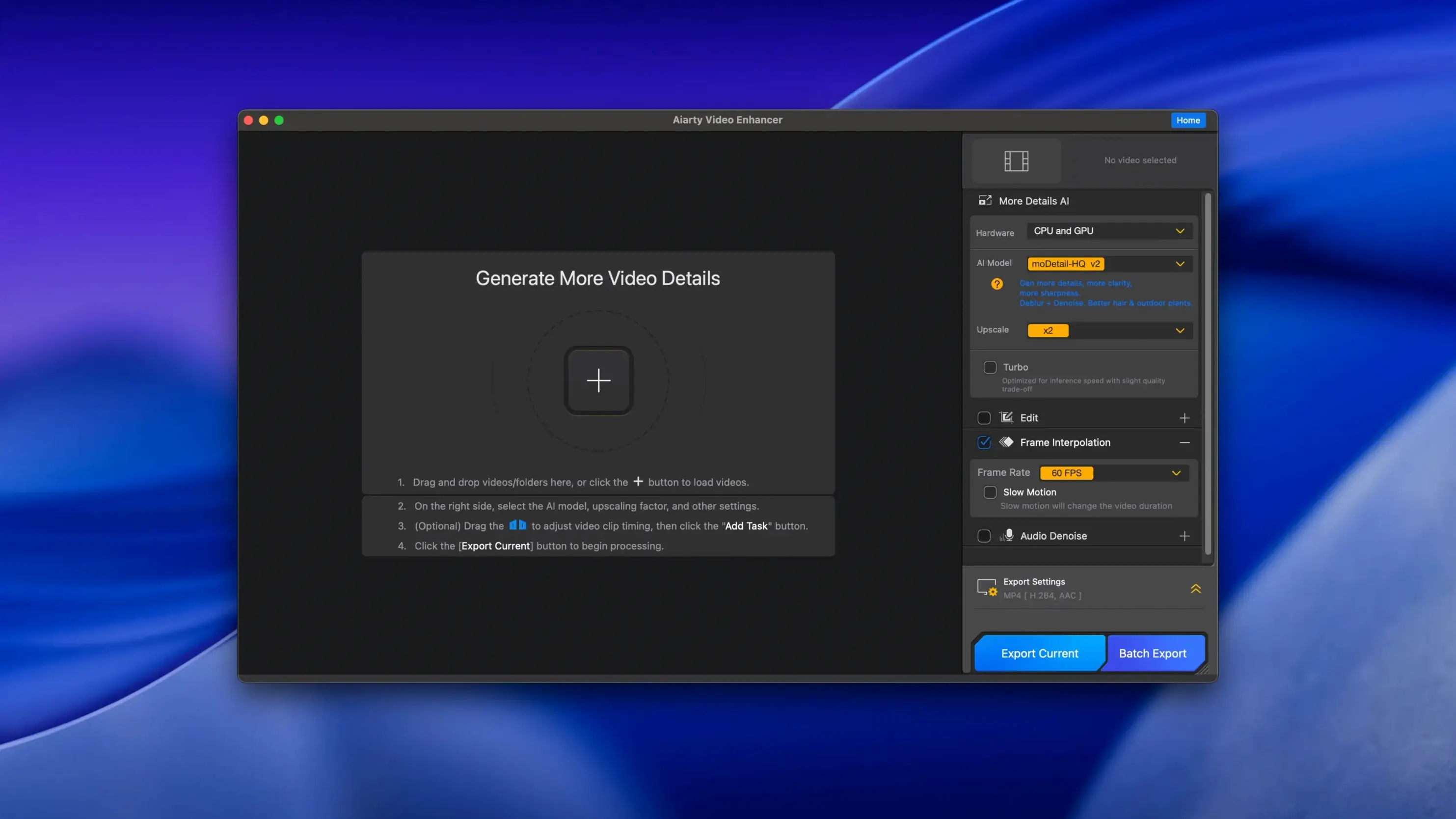
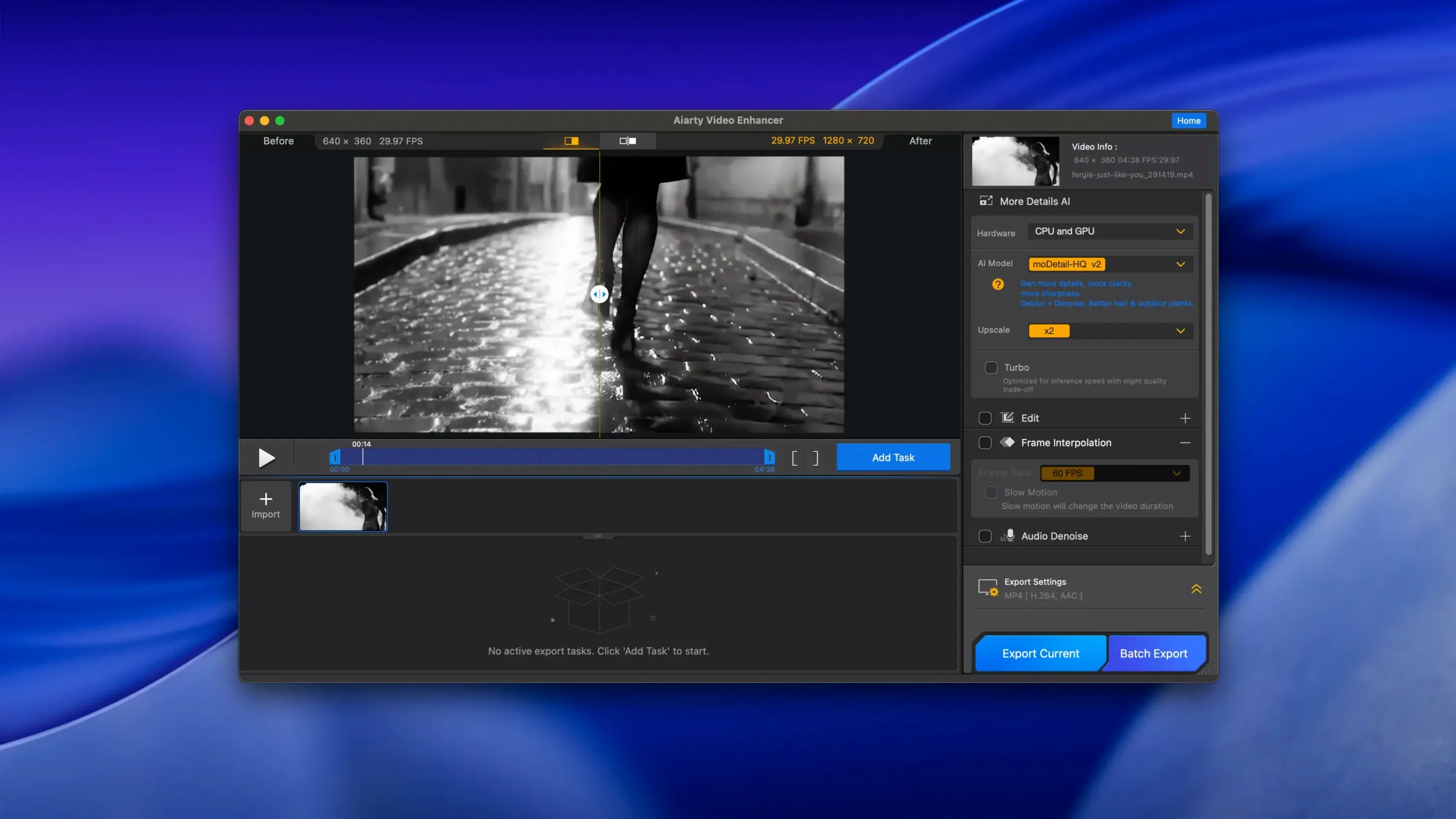
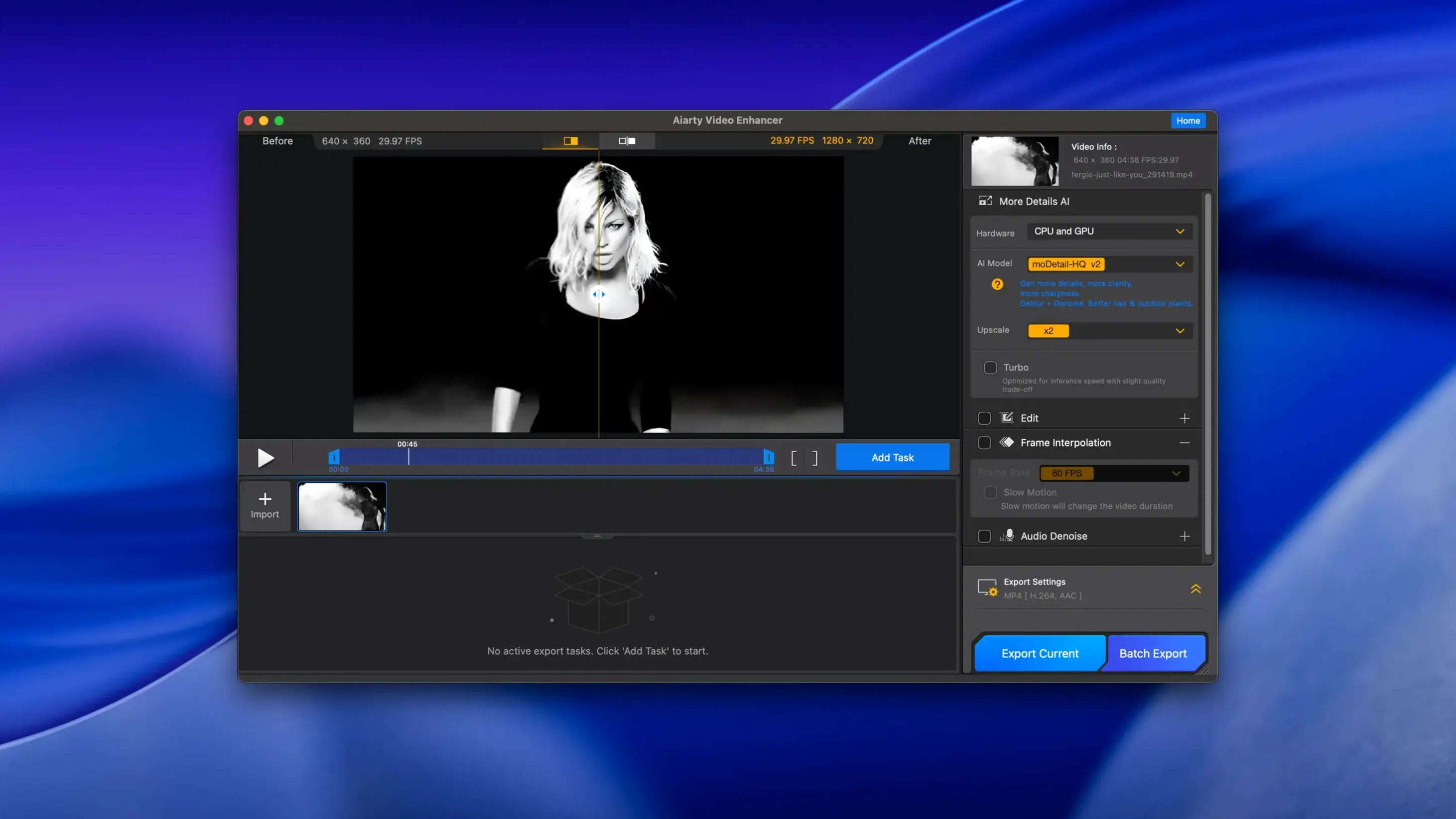
Aiarty Video Enhancer runs on macOS 13 or higher, with full support for Apple Silicon. Intel Macs will need a dedicated graphics card with at least 4 GB VRAM and 8 GB of system memory to do the heavy lifting.
Breathe new life into old low-res clips. The AI model adds realistic detail and clarity, pushing footage beyond its original resolution without the usual jagged edges.
Grainy night shots and soft focus get a proper fix. The denoiser smooths out sensor noise while the deblurring tools pull back definition you thought was lost.
Background hums and wind noise disappear with a single click. The Audio Denoise module isolates voices and makes dialogue crisp, saving you a round trip to a separate audio editor.
Jumping straight to 4K upscale on a two-minute clip without testing a short segment first. The AI models are hungry — preview a 10-second slice before committing to a long export. It saves you realising halfway through that your Mac’s fans are screaming and the estimate says two hours.
Another one: leaving the denoiser cranked to maximum on footage that was already clean. Over-denoising gives skin a waxy, plastic look. Dial it back to about 30–40% for most daylight footage and only push it higher for genuinely noisy low-light material.
People also ignore the audio cleanup because the name says “video.” The Audio Denoise toggle is right there. Running it on interview footage recorded near a fridge or air conditioner takes the track from amateur to broadcast-ready without touching another app.
Restorers of family archives. Scanned MiniDV tapes and old phone footage from 2012 respond beautifully to the upscale and deblur combination. The AI doesn’t just stretch pixels — it guesses what sharp hair and fabric texture should look like and fills in the gaps.
YouTube creators working with screen recordings. A 1080p screen capture of a tutorial or gameplay often looks soft when uploaded. Running it through Aiarty before editing gives text and UI elements a crispness that holds up on larger displays.
Drone and action cam shooters. Low-light drone clips suffer from grain and motion blur. The denoiser paired with frame interpolation smooths out stuttery pans, and the slow-motion tools at 8X let you stretch a fast fly-by into usable B-roll.
Editors who don’t own a dedicated audio suite. The built-in Audio Denoise handles wind, hum and background chatter well enough that you can skip round-tripping to a DAW for simple cleanup jobs.
“Will it run on my M1 MacBook Air?” Yes, and without much fuss. Apple Silicon Macs handle the AI models efficiently. An 8‑GB M1 Air will process a 30‑second clip in a few minutes. Intel Macs need that dedicated GPU with 4 GB VRAM or more, otherwise the app will struggle.
“Does version 3.8 support MKV?” It does. That was added alongside resumable exports, so if a render gets interrupted you won’t lose all progress. CUDA memory optimisations in this release also help Nvidia-equipped Windows rigs, but on macOS the Metal backend is what matters.
“Is this the same as Aiarty Image Enhancer?” No, it’s a separate desktop app built specifically for video. The two share a developer but handle different media. People who search for aiarty video enhancer 2.5 are usually looking at old image-enhancer version numbers and landing here by mistake.
“Do I need Rosetta?” The installer will prompt you if it’s missing. Apple Silicon Macs can run the ARM build natively once Rosetta is installed for the initial setup. Some users also run a VPN during the install step to avoid Gatekeeper timeouts on the Terminal bypass.
Frame interpolation for slow motion works best on footage with consistent motion. Rapid camera shakes or whip pans will produce artefacting, so trim those sections out before applying 8X or 16X slowdowns.
It works best with a dedicated GPU. Intel Macs specifically require a graphics card with 4 GB VRAM or more for smooth processing.
Yes, the built-in Audio Denoise module removes background noise and bumps up voice clarity in one click, no extra software needed.
It generates AI-calculated intermediate frames to make motion look smoother, which is handy for converting lower frame-rate clips.














Chat 0
Hop in or make an account to join the chat.
Quiet in here so far. If you have used this build, tell me what the install actually did.