
 BetterMouse
 BetterZip
 BetterDisplay Pro
 Beyond Compare
 Binary Ninja
 Bitwig Studio
 BBEdit

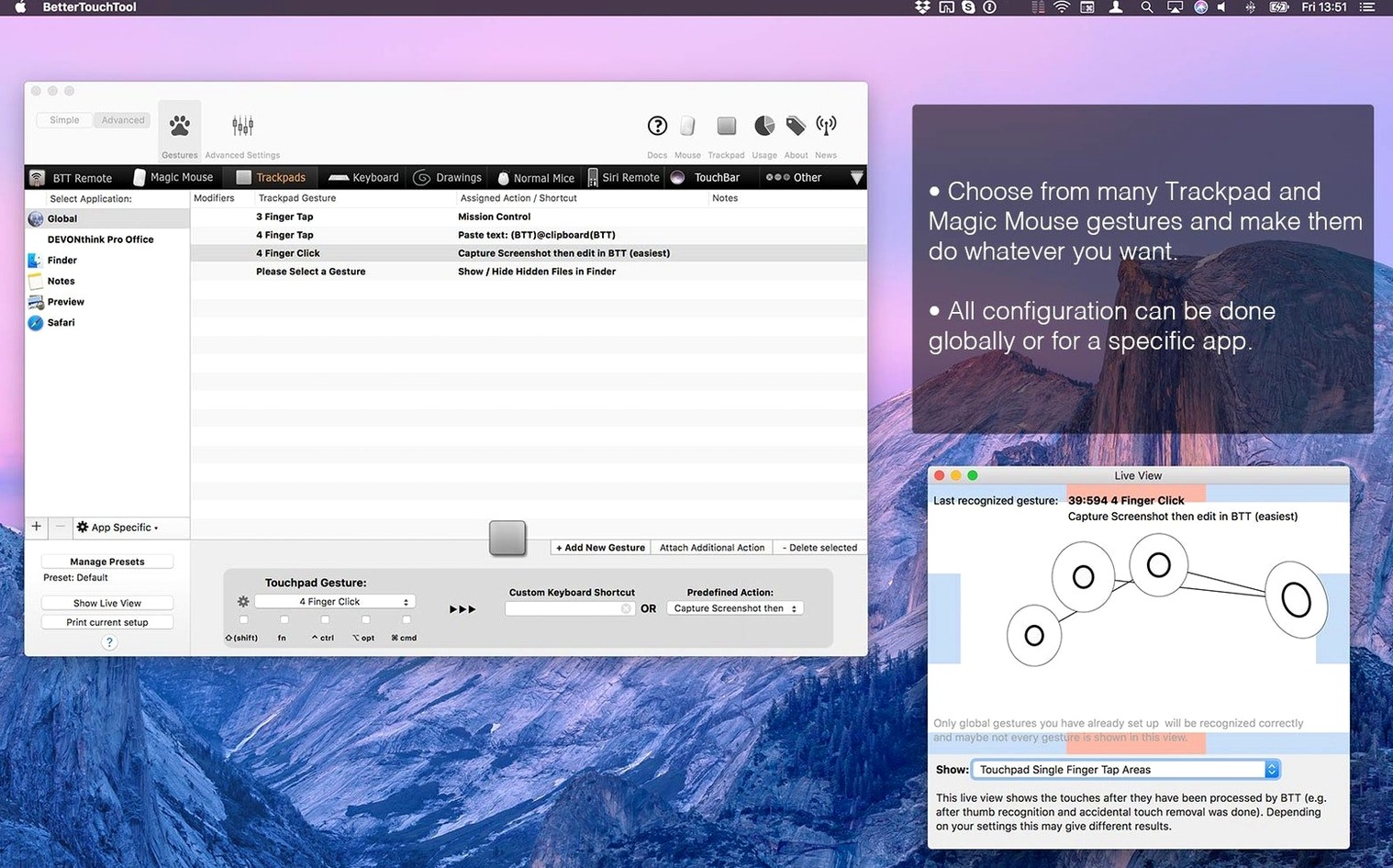
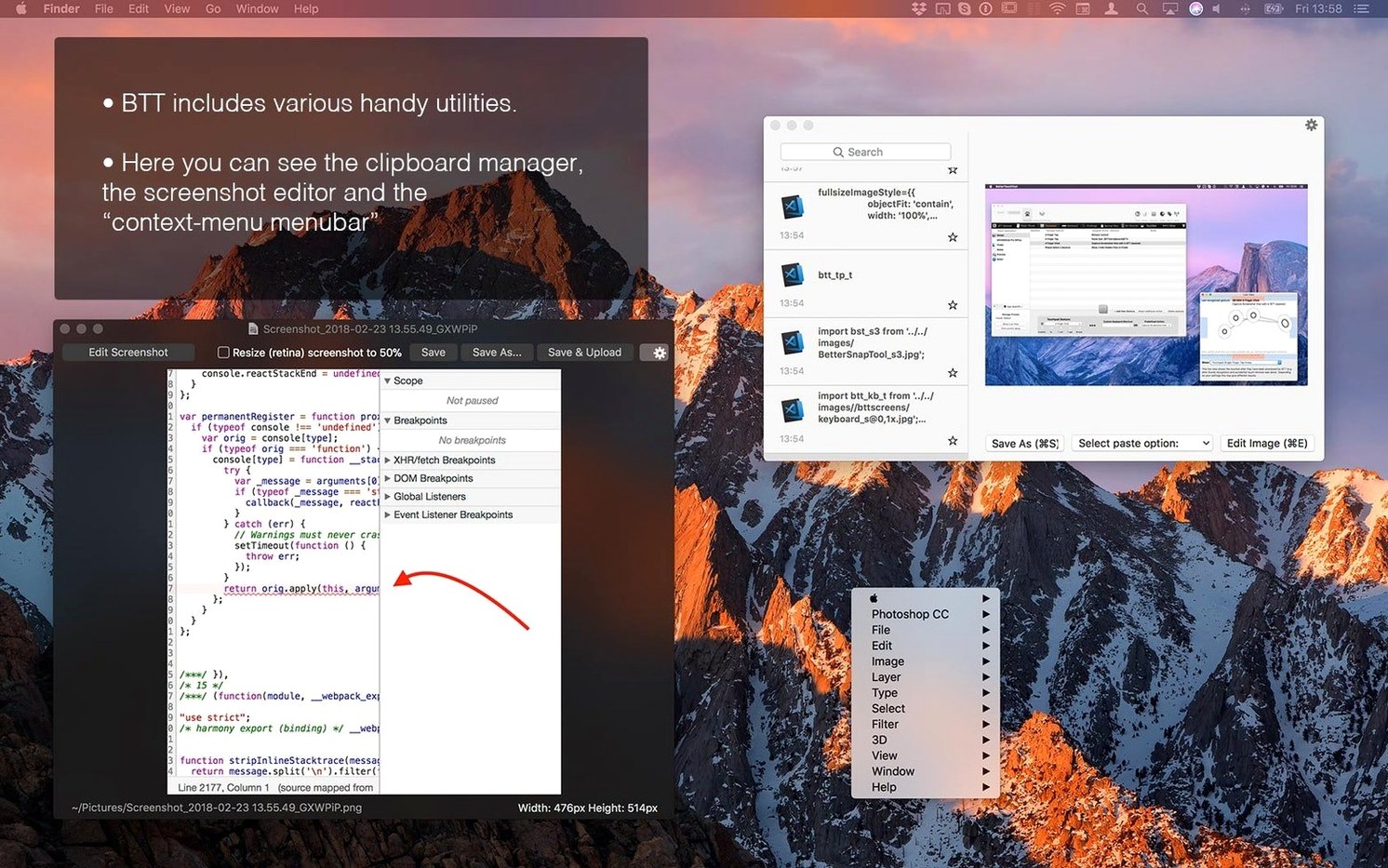
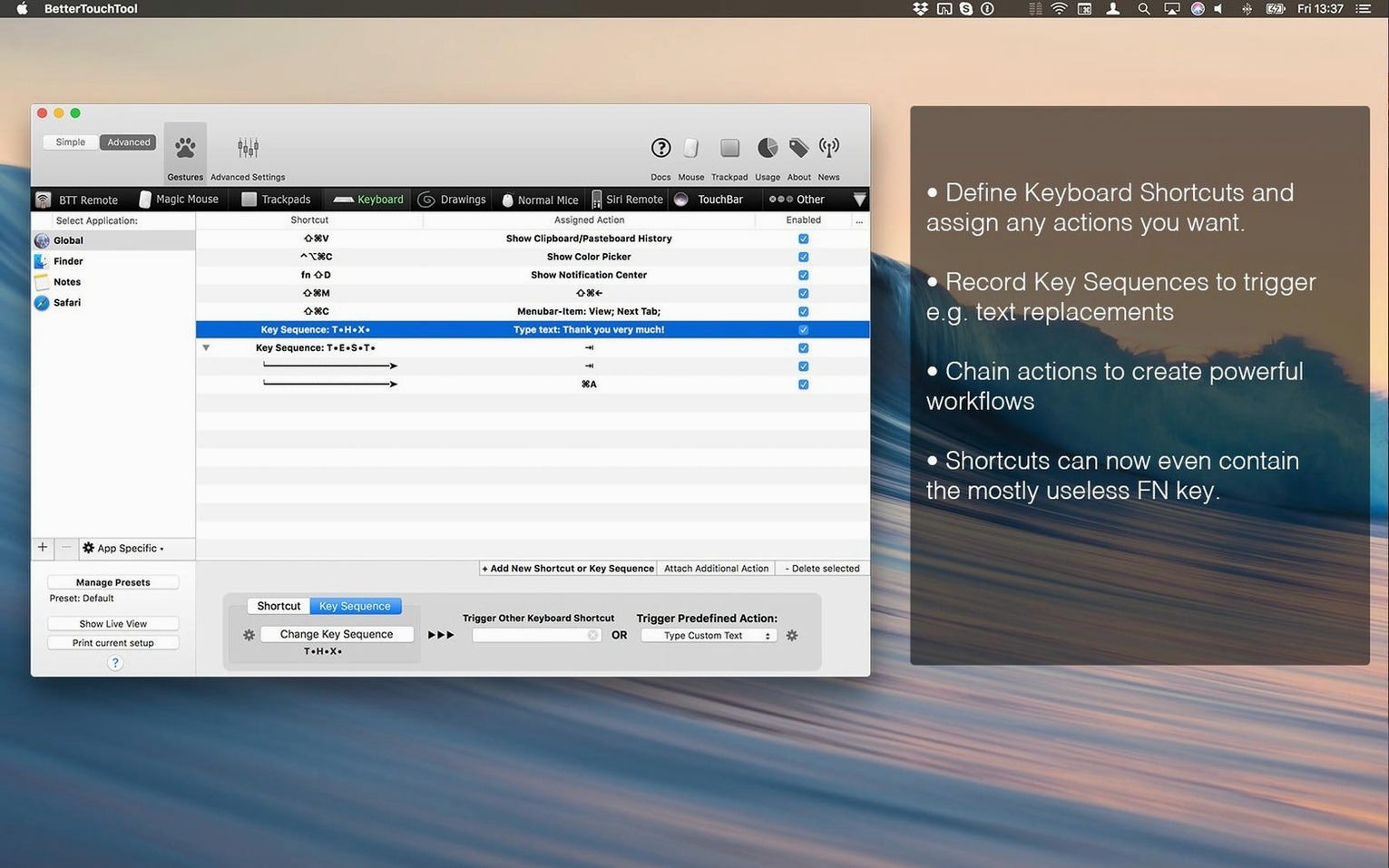
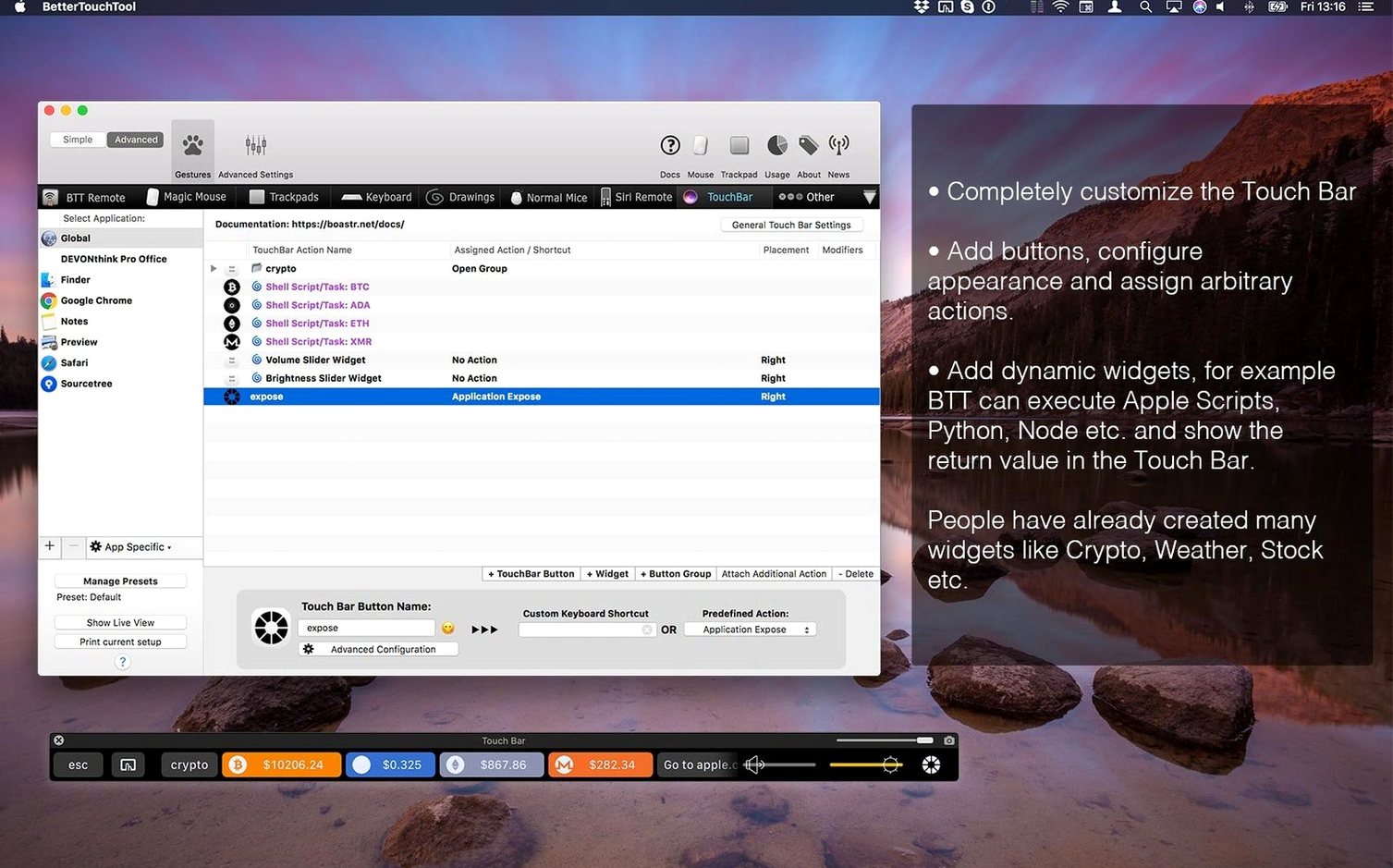
Designers, coders, and anyone who spends hours with their hands on a Mac. BetterTouchTool is for the tinkerers who want every tap, swipe, and click to do something useful.
| Detail | Value |
|---|---|
| Current version | 6.726 |
| macOS required | macOS 10.15 or newer |
| Architecture | Apple Silicon & Intel |
Once you confirm it runs, you unlock a toolkit built on trackpad, mouse, keyboard, Siri Remote, and Apple Remote input. You define keyboard shortcuts, draw custom gestures on your trackpad, and design your own Touch Bar widgets. A built-in clipboard manager holds multiple copied items. For deeper automation, the app talks AppleScript, custom URL schemes, and HTTP requests to trigger actions across your system.
Power users who live by muscle memory get the most mileage. If you already remap keys in System Settings and wish Apple gave you more sliders, BetterTouchTool fills those gaps without feeling bolted on.
Designers working across Figma, Illustrator, and Photoshop benefit from per-app gesture sets. A three-finger swipe can switch tools in one app and undo in another — no modifier keys needed. Coders lean on the clipboard manager and custom keyboard triggers that launch terminal commands or run scripts with a single chord. Anyone with a Touch Bar MacBook Pro suddenly gets a row they design themselves, with widgets that show CPU temperature, now-playing tracks, or buttons that fire AppleScripts.
Trackpad-heavy users who rarely touch a mouse discover they can draw tiny shapes to trigger actions. Magic Mouse owners find middle-click and tip-tap zones that Apple never exposed. Even Apple Remote and Siri Remote users can map playback controls to Mac functions beyond media.
BetterTouchTool doesn't replace your existing tools — it threads between them. Per-app triggers mean the same gesture can run a Photoshop action, a Figma plugin, and an Xcode build command depending on which window is frontmost.
macOS features like Mission Control, Spotlight, and Quick Actions stay intact. You can remap the keys that trigger them, but the app never overrides system-level security prompts or accessibility permissions without asking. The clipboard manager sits alongside Universal Clipboard — items you copy on an iPad appear in the same stack. Trigger URLs let you call BTT actions from Alfred, Raycast, or a Shortcut, so it slots into whatever launcher you already use.
AppleScript support means a gesture can talk to Finder, Mail, or any scriptable Mac app. HTTP request triggers let a tap on the Touch Bar ping a webhook, toggle a smart light, or notify a Slack channel. It's less about replacing macOS features and more about giving them extra handles you can reach faster.
Will it slow down my Mac? The app runs lean on both Apple Silicon and Intel machines. Background CPU use stays near zero when idle because it listens for input events rather than polling constantly. The clipboard manager stores items in memory, not disk, so it doesn't bloat caches.
Does it conflict with system gestures? You choose which system gestures to keep. The setup assistant asks which trackpad and mouse gestures you want to preserve before suggesting replacements. If a gesture feels wrong, you can toggle back to the macOS default for that specific input.
Can I share my setups between Macs? Presets export as JSON files. Drop one on a new Mac, import it, and every trigger, widget, and per-app rule lands in place. Some users keep a versioned preset folder synced through iCloud or git.
Is there a steep learning curve? The interface is flat and visual — you pick a trigger type, assign an action, and test it immediately. Drawing custom gestures takes a few tries to get the shape recognised consistently, but pre-made gesture libraries cover common needs. Most people searching for a bettertouchtool mac download want the deep control, not a one-click installer experience, and that's exactly what they find.
Start small. Pick one input device and build two or three triggers before touching the advanced panels. Trackpad users often begin with a tip-tap in the corner for Mission Control and a four-finger swipe down for hiding all windows. Mouse users might map a button chord to screenshot and annotate with the built-in tool.
On day two, open the clipboard manager and set its history to 50 items. Assign a keyboard shortcut to pop it up — something like ⌃⌘V — and paste without cycling through old copies. The screenshot tool works well here too: trigger it, draw a rectangle, and the editor opens with arrows, text, and blur tools ready before you save.
By day three, try one per-app rule. Give your browser a gesture that closes tabs without aiming for the tiny X. Give your code editor a Touch Bar button that runs a test suite. Each small win builds the muscle memory that makes the tool stick.
When you're comfortable, explore the community presets library inside the app. You'll find gesture packs for Logic Pro, DaVinci Resolve, and Blender — workflows others have tuned over years. Import one that matches a tool you use, then tweak it to your own hand position and screen layout.
Good to know: the app writes a backup of your preset every time you quit. If an experiment goes sideways, restore yesterday's config from the backups folder inside ~/Library/Application Support/BetterTouchTool.
You can customise keyboard shortcuts, Touch Bar elements, trackpad and mouse gestures, plus Siri Remote and Apple Remote actions.
Yes, a built-in clipboard manager lets you access multiple previously copied items.














Chat 0
Hop in or make an account to join the chat.
Quiet in here so far. If you have used this build, tell me what the install actually did.