
 Clip Studio Paint
 CloudMounter
 Cockos REAPER
 Cocktail Sequoia Edition
 CleanMyMac
 Coherence X
 Color Finale
 Commander One PRO


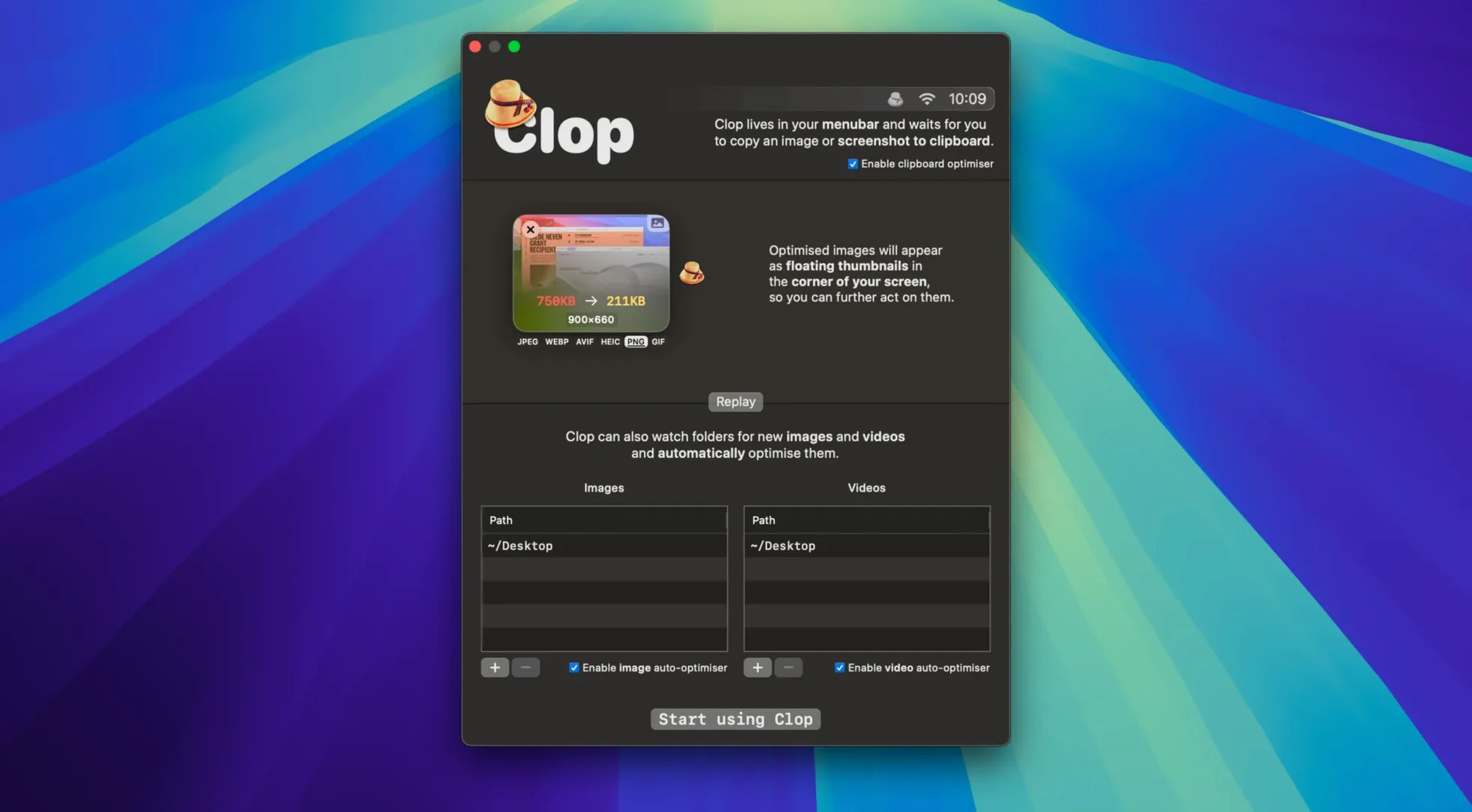
You grab a crisp 12 MB product photo from a Finder window and copy it to paste into a Keynote deck. The second you hit ⌘C, a tiny progress ring flashes in the menu bar. By the time you switch to Keynote and press ⌘V, the image lands at 280 KB — same dimensions, no visible loss.
That’s Clop Pro’s default rhythm. It hooks into standard copy-and-paste on macOS 13 and up, watching for images, videos, and PDFs that cross the clipboard. When it spots one, it runs an optimisation pass without a single dialog. You keep working; the file shrinks in the background.
Drag-and-drop works the same way. Pull a folder of screengrabs onto the Clop drop zone and it processes them in place. Finder actions and Shortcuts integration let you fold it into automations — right-click a batch of PDFs and run a quick-compress workflow without opening any app.
It’s a quiet utility that slips into your muscle memory. Copy large, paste small. The original stays untouched until Clop replaces it with the optimised version, so you can always pull the full-quality file again if you need it.
If you already use Shortcuts for renaming batches or resizing exports, Clop slots in with a single action. Drag the “Optimise with Clop” step into a shortcut that watches a folder, and every new screen recording that lands there gets slimmed down before it ever reaches a Slack thread. The same action works inside Quick Actions in Finder, so you can select a PDF and trigger it from the preview pane without interrupting whatever else you're doing.
ImageOptim and Clop both chase leaner files, but they take different paths. ImageOptim is an intentional drag-and-drop affair: you gather images, you run them through, you see the before-and-after numbers. Clop works on copy — the moment you lift a screenshot, it's already been optimised. There's no gathering step at all.
Downie handles video downloads from the web, and once the clip lands it's at its source size. Clop Pro doesn't fetch video, but if you copy a heavy MOV from a camera card or a screen recording from a desktop folder, it trims the bitrate on the fly. The two complement each other neatly when a downloaded video needs to land lighter in a shared document.
For PDFs, something like PDF Squeezer gives you a slider and a preview before it commits. Clop's approach is hands-off: copy a bloated product sheet, paste a tidy one. You lose the granular control but gain speed when you're pasting into an email and just need it under the attachment limit. The shortcut variant of Clop Pro Mac torrent queries show people searching for that set-and-forget compression style, which is exactly where Clop lives.
The menu bar icon shows a tiny gauge during optimisation — no popover, no notification. If you'd rather not see it, you can hide it entirely from System Settings under Control Centre. Clop registers as a login item, so it's active the moment you unlock your Mac, and its clipboard watcher respects Universal Clipboard, meaning an image copied on an iPad can arrive optimised on the desktop if Clop is running when it lands.
It works with images, videos, PDFs, and any copied content that can be compressed or resized on the fly.
Yes. You can trigger optimisations from Shortcuts automations and use Finder Quick Actions to process files without opening the main window.
Clop Pro requires macOS 13 or later and runs natively on both Intel and Apple Silicon Macs.














Chat 0
Hop in or make an account to join the chat.
Quiet in here so far. If you have used this build, tell me what the install actually did.