
 Cockos REAPER
 Coherence X
 Color Finale
 CloudMounter
 Clop Pro
 Commander One PRO
 Clip Studio Paint
 CleanMyMac


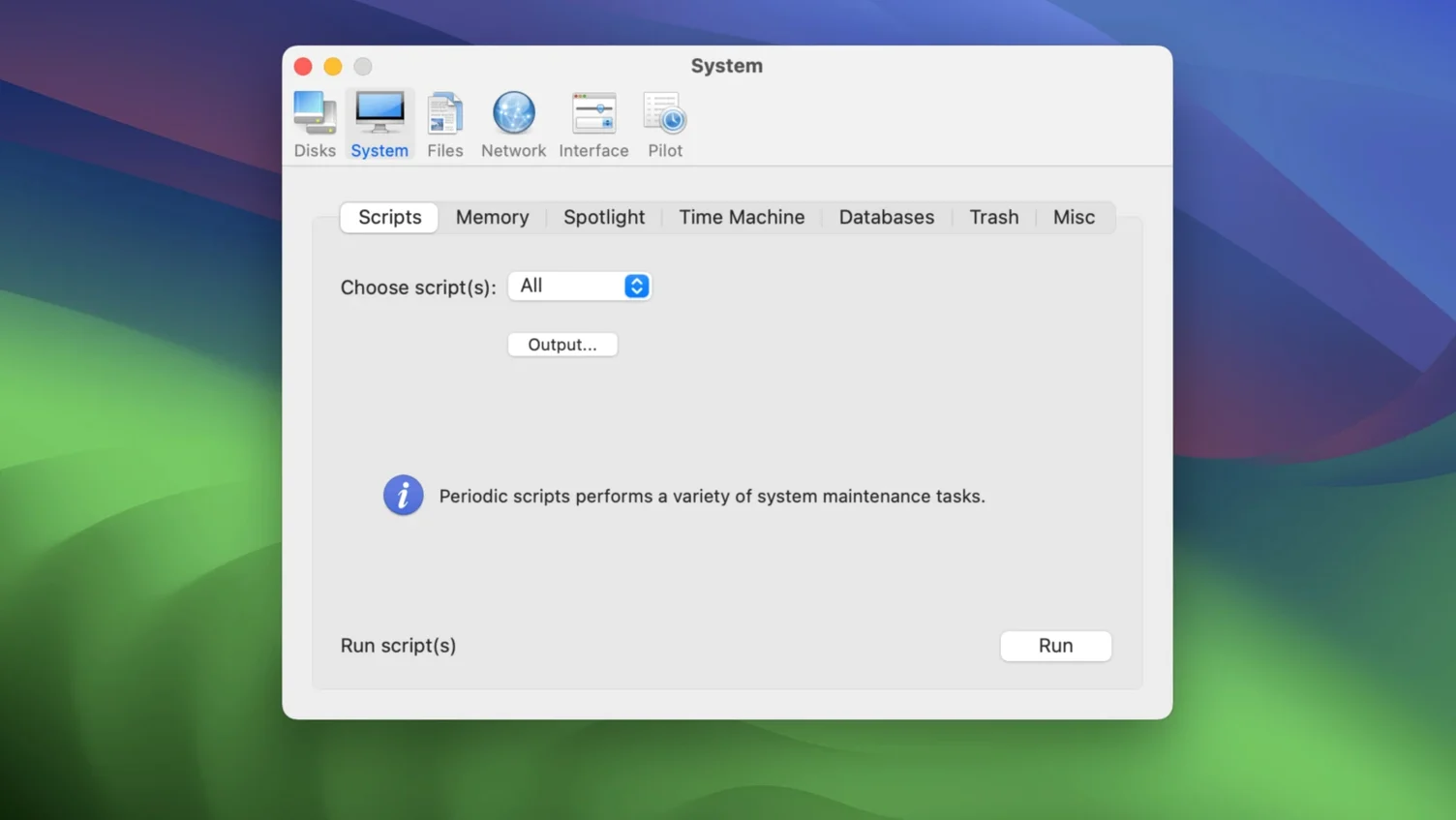
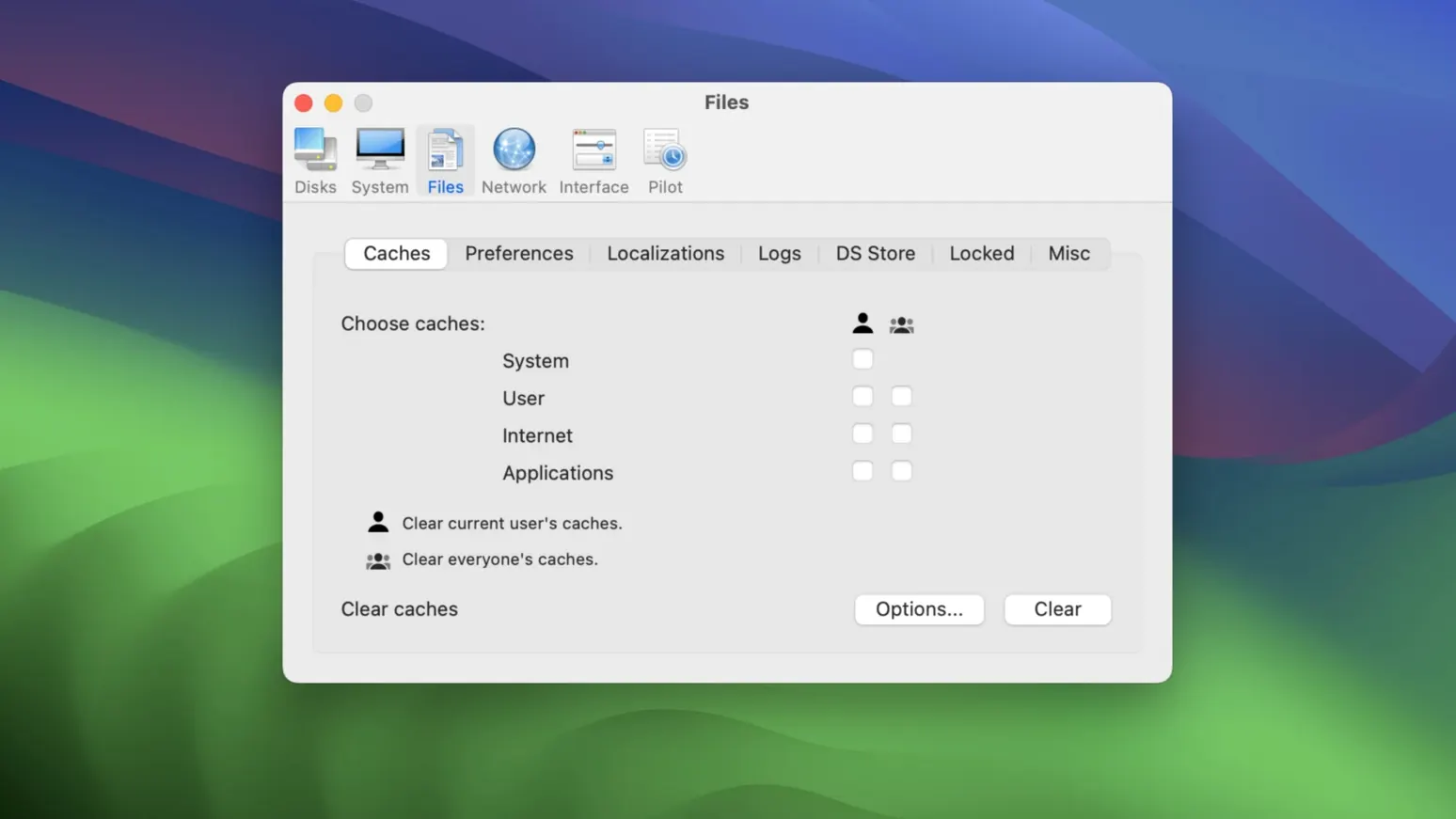
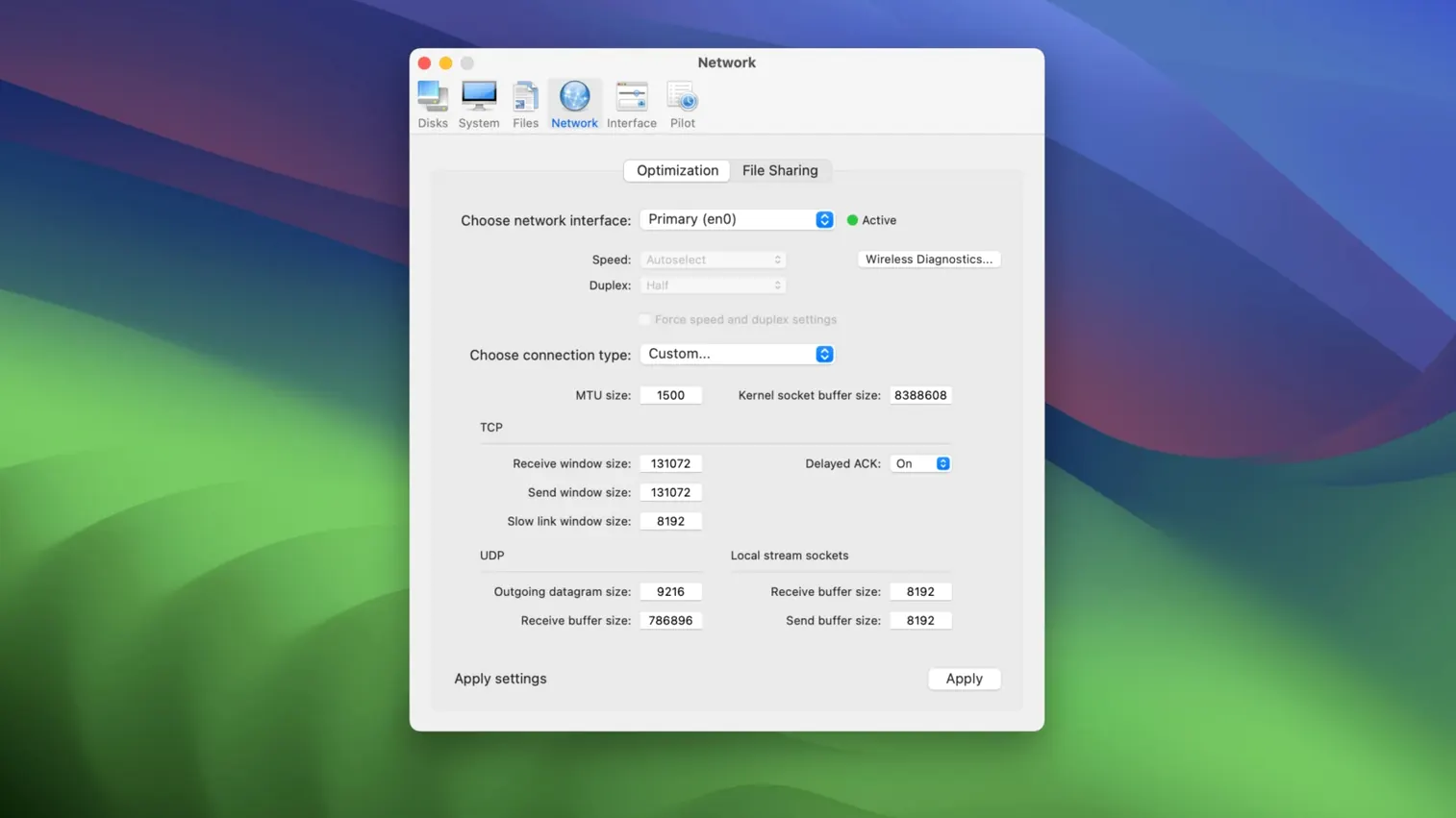
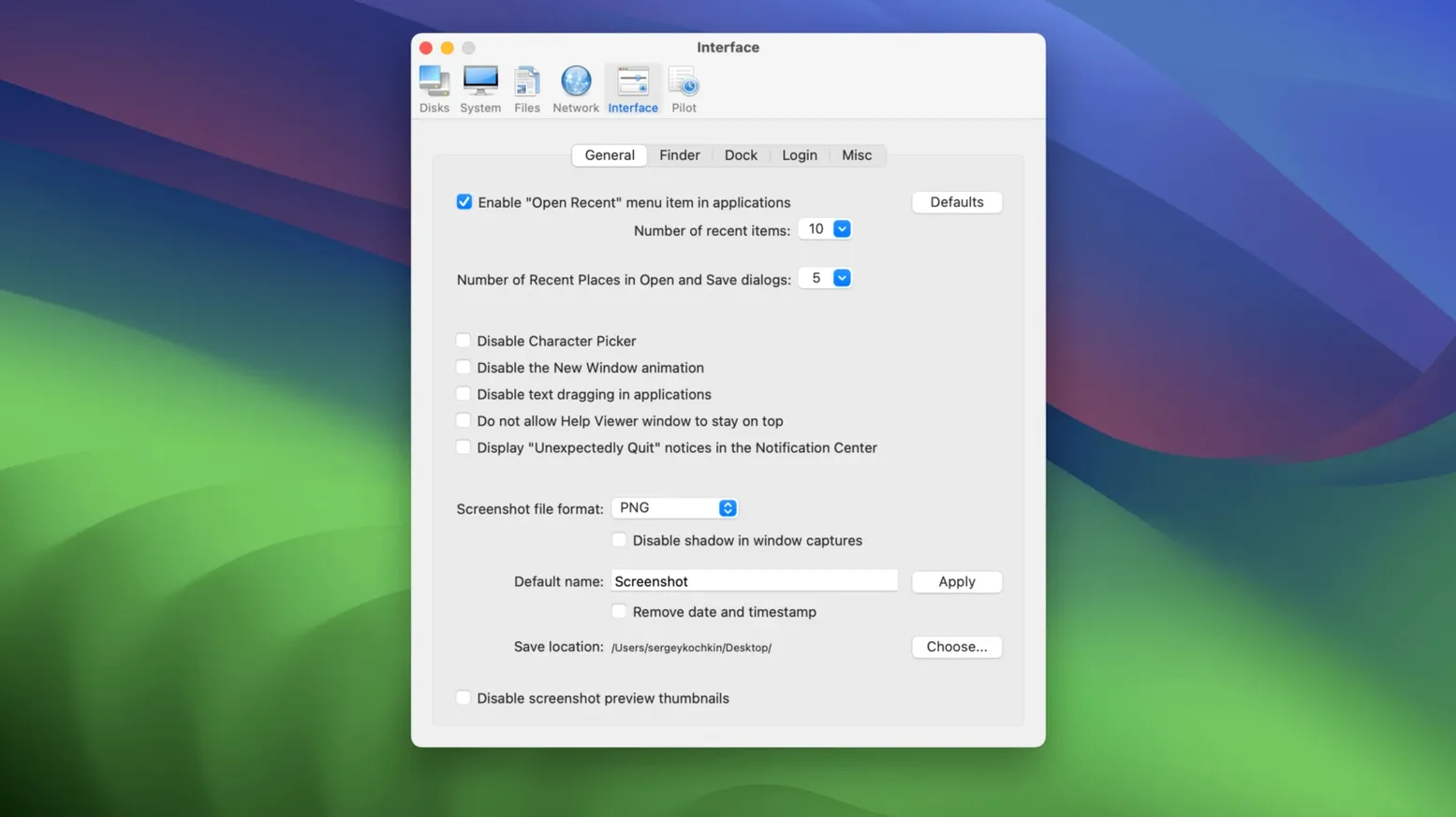
A Mac that feels sluggish or cluttered with system junk can slow you down. Cocktail Sequoia Edition tackles that head-on, sitting alongside your everyday design tools and browsers as a quiet housekeeper for macOS 15. It clears caches, runs maintenance scripts, and repairs disk permissions without making a fuss, so your creative apps have more room to breathe.
The tool organises its work into five clear feature categories. You can pick individual tasks or let the automatic pilot mode handle everything with a single click. That’s where it fits neatly into a designer’s day: you launch it, hit Pilot, and get back to your layout while it tidies up behind the scenes.
Cocktail doesn’t try to replace anything. It complements the utilities you already use by focusing on deeper system-level cleaning and repair jobs that most apps skip. Think of it as the maintenance layer underneath your file manager, browser and design suite — something the developer describes as helping you get the most out of your computer every day.
Designers who keep dozens of large TIFFs and Figma files open find the cache-clearing routines a genuine timesaver. After a week of client rounds, the system caches can balloon, and Cocktail strips them back without touching your project folders.
Developers hopping between Xcode, Docker and several npm processes also lean on it. Running the periodic maintenance scripts by hand gets old fast — the Pilot mode fires them off while you grab coffee. And anyone who inherited an Intel Mac on Sequoia will appreciate that it stays lean and never feels like bloatware layered onto an already taxed machine.
If you are the kind of user who tweaks hidden preferences and wants a single pane to control things like animation speed or the auto-save delay, the interface saves you from digging through Terminal commands. It is less about power-user posturing and more about quick, repeatable adjustments.
Version 18.7.1 tightened a few things under the hood. The disk repair routines now play more nicely with the way Sequoia handles snapshots on Intel hardware, so verification passes finish faster and with fewer false flags. The Pilot schedule editor also got a small polish — setting a weekly clean now sticks properly across reboots, which was a friction point in earlier Sequoia editions.
Another quiet improvement: the network optimisation panel skips VPN interfaces by default now. Earlier Cocktail Sequoia Edition releases would sometimes reset DNS settings in ways that clashed with always-on VPNs, and the developer finally addressed that in the current build. Everyday use feels smoother because you do not have to babysit the tool after every run.
Cocktail sits comfortably alongside macOS’s own tools. System Settings covers the basics, but Cocktail reaches into launch services, font caches, and the dyld shared cache — spots the built-in utilities rarely touch. If you use a third-party menu bar monitor like iStat Menus, you will notice the memory pressure dip after a Pilot run clears inactive kernel memory.
It also works well before a Time Machine backup. A quick sweep of user and system caches means less dead weight in your snapshots. Some users run a Pilot pass before opening a heavy Adobe suite, just to give the scratch disk a clean slate. The tool does not interfere with Gatekeeper or XProtect, so macOS security layers stay intact while the cleaning routines do their job.
When you search for a cocktail torrent or a sequoia torrent to keep your Mac tidy, you are really after a maintenance layer that respects how Sequoia handles permissions and disk structures. A macos sequoia torrent for a utility like this only makes sense if the tool aligns with the OS version it targets — and Cocktail Sequoia Edition does exactly that, without dragging across baggage from older releases.
It’s a general-purpose macOS utility that cleans, repairs and optimises your Mac through five feature categories.
Pilot mode performs a set of pre-selected maintenance tasks with a single click, so you don’t have to run each one manually.
Cocktail Sequoia Edition requires macOS 15 or later and runs on Intel-based Macs.














Chat 0
Hop in or make an account to join the chat.
Quiet in here so far. If you have used this build, tell me what the install actually did.