
 Guitar Rig
 Glyphs
 Haptyk
 Ghost Buster Pro
 Gemini
 Garden Planner
 FxFactory Pro
 HitPaw Edimakor


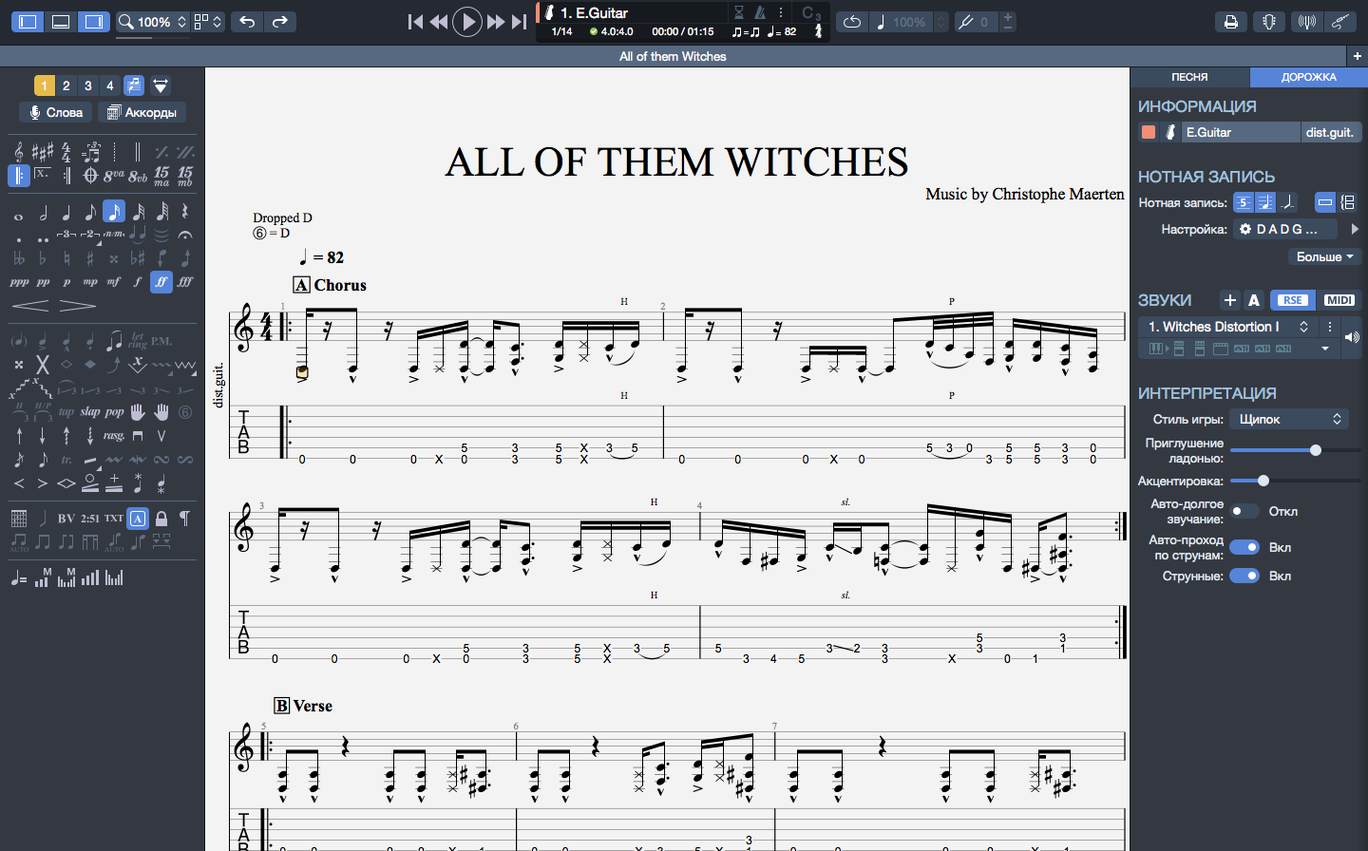
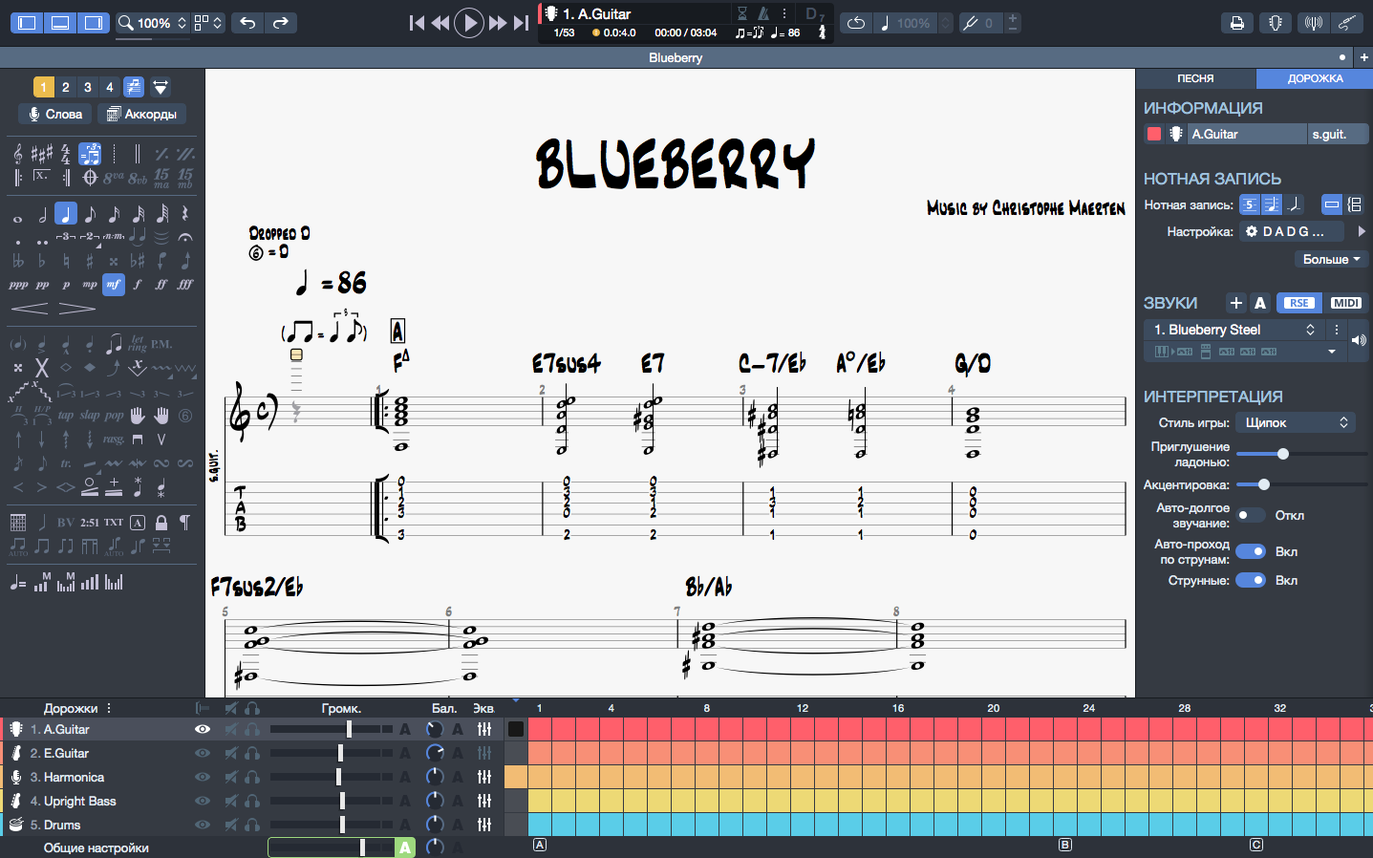
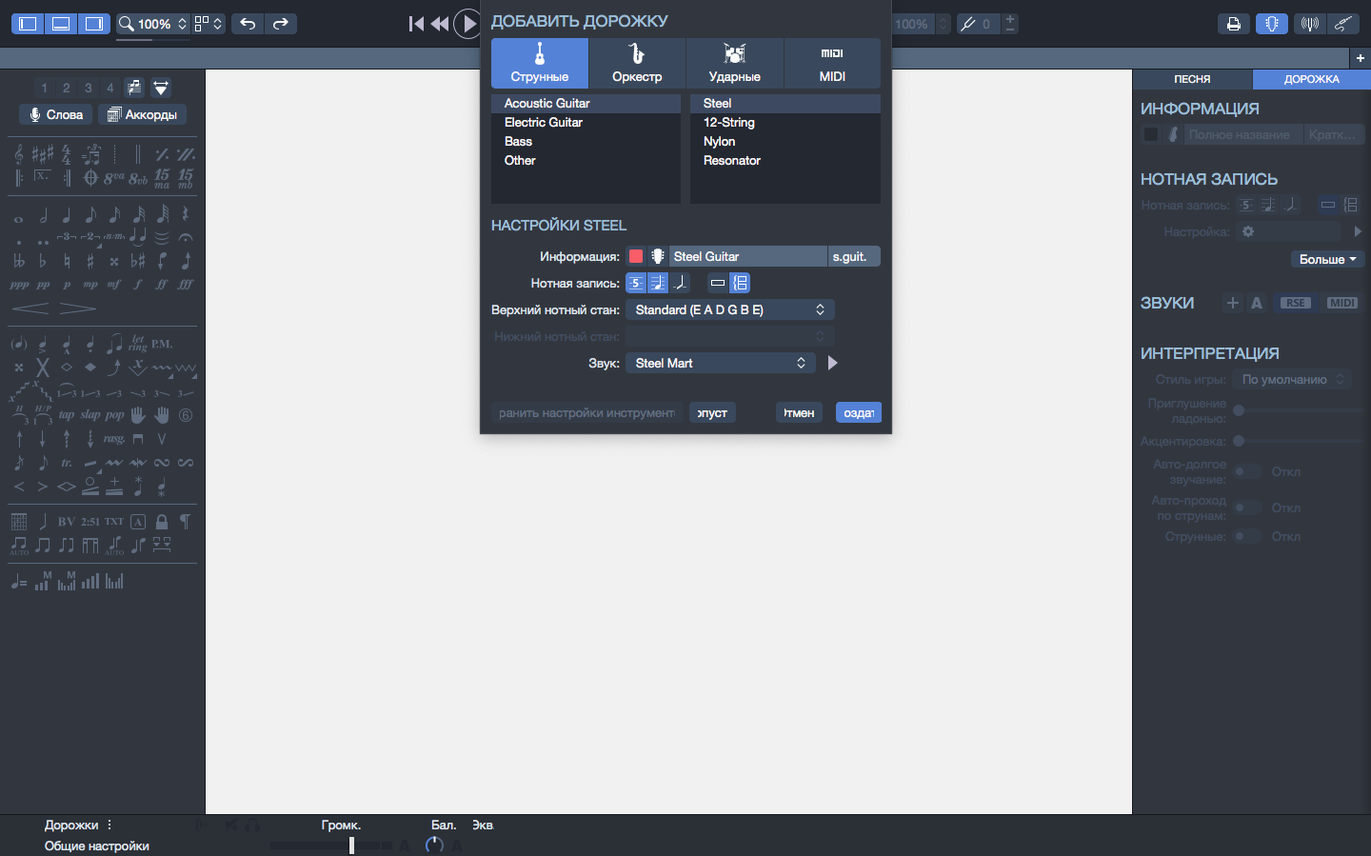
If you have used a plain text tab editor, the leap to Guitar Pro is like moving from a sketchpad to a full recording desk. It is the Mac notation editor from Arobas Music, built for editing and playing guitar tablature and sheet music.
| Detail | Specs |
|---|---|
| Current version | 8.1.5-31 |
| macOS | 10.13 or later |
| Architecture | Intel & Apple Silicon |
The app runs natively on both Intel and Apple Silicon Macs, needing a 64-bit dual-core processor, 4 GB of RAM, and 2 GB of free disk space. Administrator rights are required for installation. Inside, you get a complete score player with a metronome, a built-in MIDI editor, and clean visual exports to SVG or PNG with transparent backgrounds. Chord names and fingerings transpose together, so reworking a key is fast work rather than manual cleanup.
Picture a bass player in a covers band, three days before a wedding gig. The setlist just arrived and five tracks need solid bass lines that match the original recordings, not just root-note approximations. She opens Guitar Pro, loads a rough tab, and tags the tricky bridge in a prog-rock tune. The built-in player runs the section while she watches the fretboard animation — her fingers shadow the neck of her P-Bass unplugged. She slows the tempo to 60%, loops four bars, and within twenty minutes the line is committed to muscle memory. She then mutes the bass track and plays along with the drums and keys, checking every syncopated hit. No amp, no bandmates, no guesswork. The chord builder helps her double-check a chord voicing she rarely uses, and she pins the file to the home page so it stays at the top of the recent list all week.
Does it work on a new Apple Silicon Mac?
Yes. Version 8 runs natively on ARM, so you are not leaning on Rosetta. The app feels snappy, even with larger scores.
Can I open old Guitar Pro files from other people?
It opens .gp, .gp5, .gp4, .gpx, and .gp files from older versions. The import is solid — formatting and playback data usually come through intact.
Is it only for guitar?
Not at all. You can write tablature and standard notation for guitar, bass, Hawaiian guitar, drums, piano, and more. Multi-instrument scores are a big part of what makes it useful.
Do I need to read music?
You can work entirely in tab view if you prefer. The notation stave is there when you want it, but the tab editor and fretboard view are fully capable on their own.
What is the MIDI editor for?
It lets you fine-tune note velocities, durations, and controller data underneath the score. If a bend or slide does not sound quite right on playback, the MIDI editor is where you fix it.
The installer is straightforward: mount the disk image and run the standard procedure. Once you are in, resist the urge to open a thirty-page orchestral score immediately. Start small.
Create a blank file with one guitar track. Type a simple four-bar riff using the number keys on your keyboard — the fretboard diagram highlights each note as you go. Turn on the metronome and let the built-in player run the phrase. Slow it down to a tempo that feels comfortable, then gradually nudge it back up. This routine teaches you how the playback engine breathes, and you will notice little things like how palm-muted notes decay differently from open strings.
Next, pin two or three files you will return to often. Right-click any item on the home page recent list and choose pin. Those files stay put even as you open new scores.
Spend a few minutes with export. Take a short score and export it as a PNG with a transparent background. Drop it into a document or a teaching handout — it sits cleanly on any page. The SVG export is sharper still if you need vector artwork for print.
On day two, try a file with multiple instruments. Mute the guitar part and play along with the backing. Notice how the playback continuity holds when you plug headphones in or unplug a USB interface — the 8.1.5 update tidied up that exact scenario on macOS.
The arpeggio playback fix in 8.1.5 means arpeggiated chords right at bar one now sound as they should — no clipped first notes. If you had old scores that stumbled on the downbeat, give them another listen.
Stem direction changes are another quiet improvement. When a part flips between voices, you can now set the stem direction reliably instead of wrestling with a note that wants to point the wrong way.
The chord builder deserves more attention than it usually gets. It is not just a reference chart; it suggests voicings and lets you hear them before dropping them onto the score. If you are sketching a progression and a chord is not sitting right, open the builder, try a few inversions, and listen. You might land on a voicing you would not have reached for on the fretboard.
For songwriters, the rhythm section tools are worth exploring. Drop a drum track into a score and build a quick beat. Add a piano part with simple block chords. Now mute the guitar and play over the top. In fifteen minutes you have a full arrangement sketch that sounds like a band, not a solo demo. The metronome can be tucked away once the drum track holds time.
Export transparency is a quiet gift for designers. A tab exported as a PNG with no background slides into lesson materials, social posts, and lyric sheets without a white rectangle ruining the layout. SVG export keeps the notation crisp at any size, which matters if you are printing large charts for a music stand.
People sometimes search for guitar pro torrent or guitar pro mac torrent to jump right into a quick download, and the app arrives as a compact disk image that's easy to launch. The same goes for guitar pro 8 crack and guitar pro 8 torrent searches — the experience people are really chasing is the notation engine and the playback quality, which are identical in the standard installation. A guitar pro mac free search often means someone wants to test the waters before committing, and the blank-score workflow described above is a good way to see if it clicks.
Yes, a built-in MIDI editor is included for tweaking playback data inside your scores.
You can export scores to PNG with transparent backgrounds, which is handy for dropping notation into other designs.














Chat 0
Hop in or make an account to join the chat.
Quiet in here so far. If you have used this build, tell me what the install actually did.