
 Guitar Pro
 Haptyk
 Glyphs
 Ghost Buster Pro
 Gemini
 Garden Planner
 HitPaw Edimakor
 FxFactory Pro


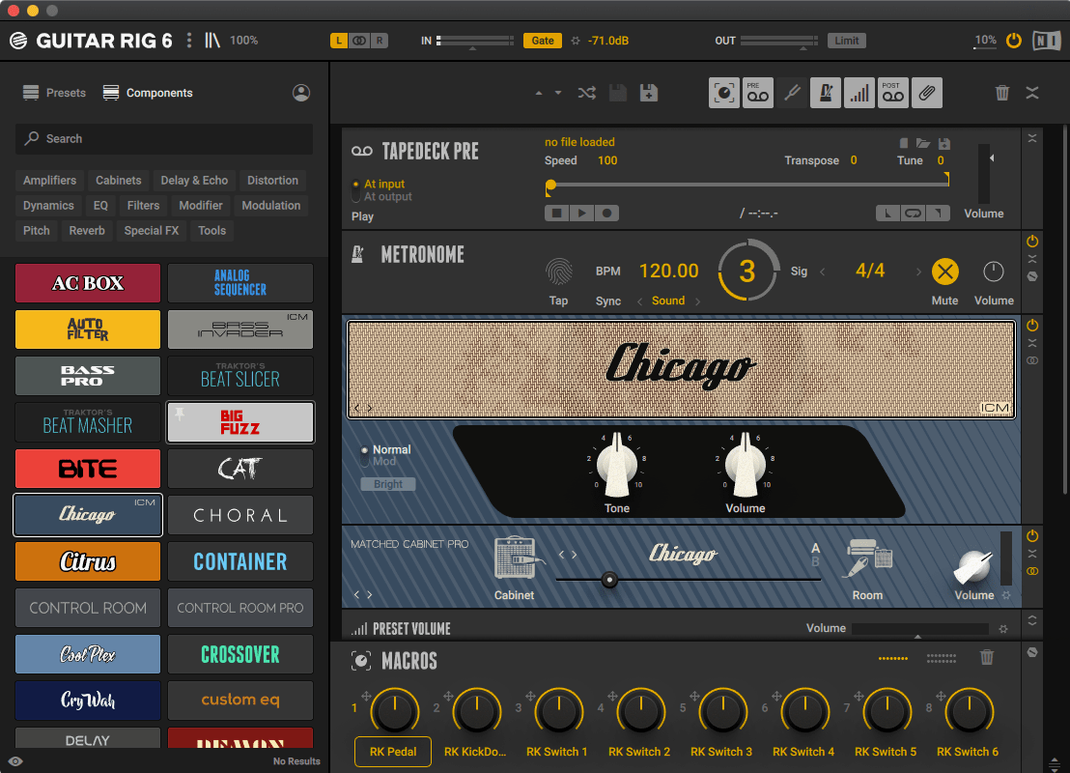
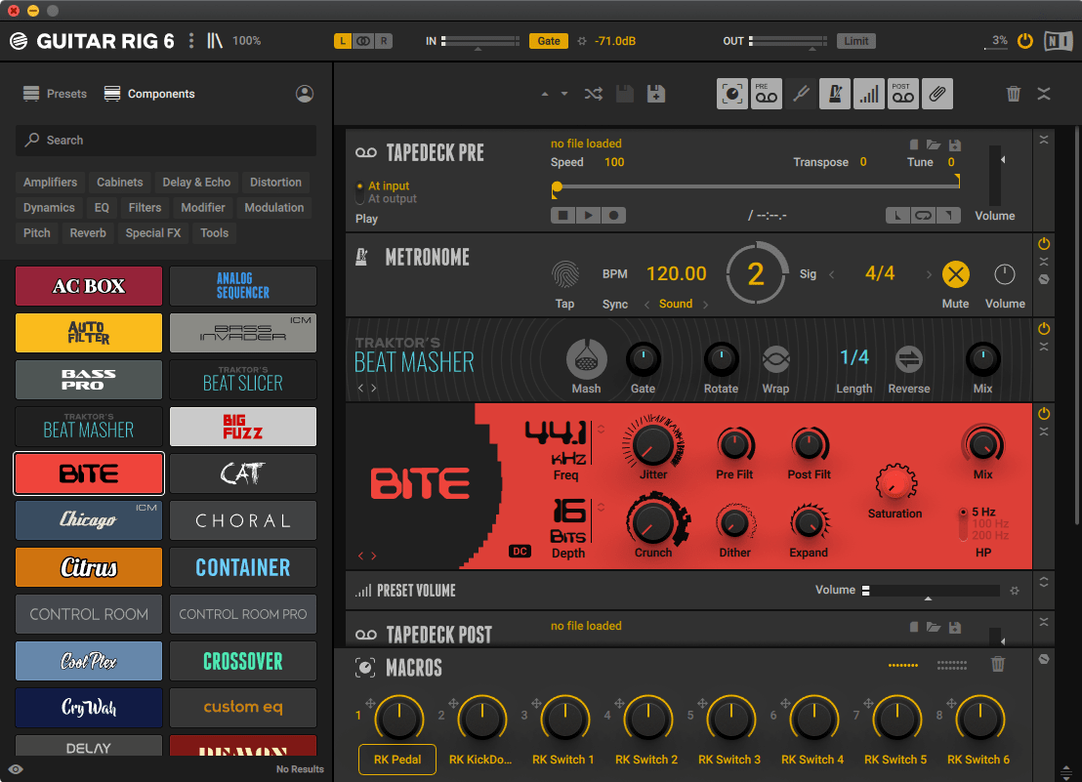
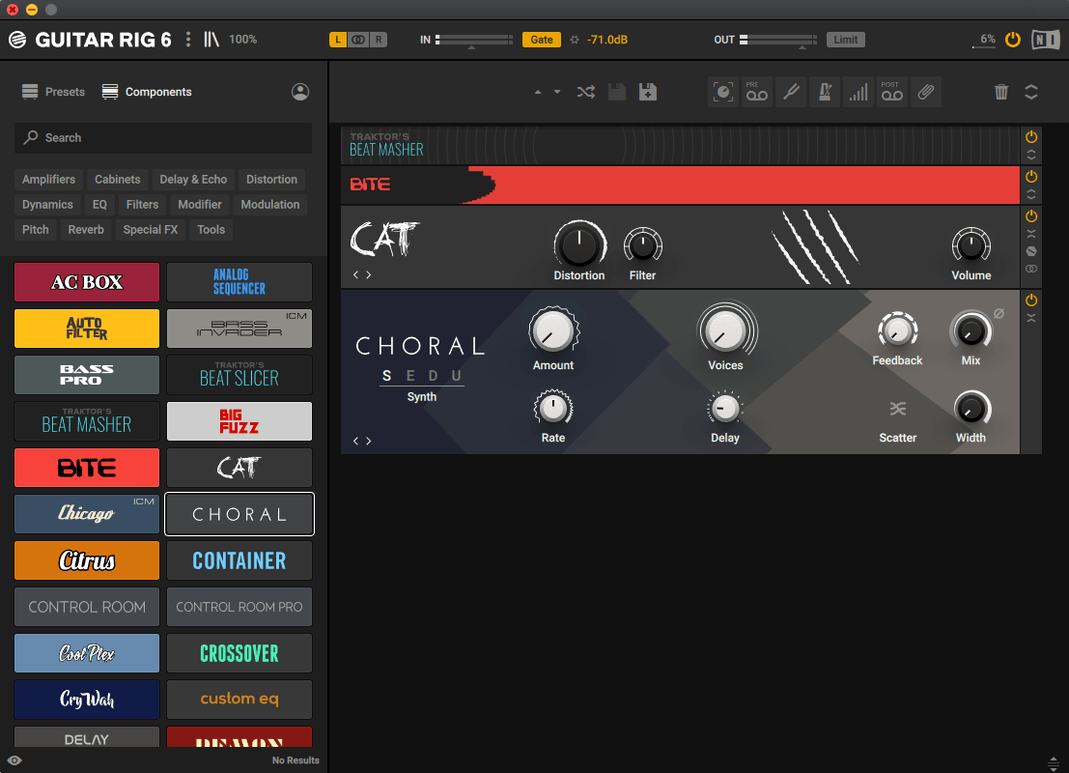
Version 7.0.2 is now listed on the official downloads page for Guitar Rig 7 Player. The update keeps the focus tight: a rack full of amp simulators, pedals, and studio effects that sits on your Mac and handles guitar or bass signal chains without fuss.
Guitar Rig is an audio effect rack and amp simulator from Native Instruments. You build chains of effects for guitar and bass guitar, stacking pedals, amps, and studio processors in whatever order makes sense. Complex effect configurations are part of the deal, and the interface keeps tools and effects within easy reach. A metronome with sync settings helps when you are practising or laying down ideas, and a volume preset with multiple options saves you from fiddling with output levels every time you switch patches.
Players who want one window for everything from clean amp tones to layered modulation will feel at home. Guitar Rig runs on macOS 13, 14, and 15 on both Intel and Apple Silicon Macs, so it covers most current setups. If you already work inside a Mac-based recording workflow, the app slots in as your central guitar and bass processor.
Once Guitar Rig has settled into your Mac’s audio setup, a few small moves in the first couple of days make the whole rack feel more like your own. Start by pinning the tuner to the top bar so a single click brings it up between takes — the display is fast enough that you can check tuning mid-practice without losing momentum. Next, open the preset browser and favourite half a dozen clean, crunch and lead patches. Tag them with something short like ‘baseline’ or ‘go-to’ so you are not scrolling through hundreds of presets when you just want to track an idea.
Spend ten minutes with the metronome sync settings too. Tying it to your DAW’s tempo from the drop-down keeps delay times and modulation rates locked in, which saves you adjusting tap tempo every time the session changes. If you record late at night, set the volume preset to a safe headphone level and save it as the default — you will thank yourself the first time you plug in after midnight.
Over a week of switching between stand-alone mode and the AU plug-in inside Logic, the rack stays responsive. Patch changes land without a gap that throws off playing rhythm, and the interface redraws quickly even with a dozen modules in the chain. Memory use hovers around a few hundred megabytes for moderate presets, which leaves breathing room when the DAW is already juggling virtual instruments and sample libraries.
On an Apple Silicon Mac, the CPU meter barely nudges with a straightforward amp-and-cabinet pairing. Stacking a stereo delay, reverb and two modulation pedals pushes it higher but still leaves enough overhead to record four or five armed tracks without crackles. The stand-alone app launches in under ten seconds cold, and restoring a session with Guitar Rig inserted is near-instant. Stability over long editing sessions is solid — no unexpected quits or audio dropouts during a three-hour patch-building evening.
Open Preferences and check the audio driver selection before you do anything else. The default might pick your Mac’s built-in output, but switching to your audio interface’s driver cuts round-trip latency noticeably. While you are there, set the buffer size to 128 samples for tracking and bump it to 512 for mixing — the change takes effect without restarting the app.
Under the interface options, turn on ‘Show value readouts’ if you prefer seeing exact parameter numbers when you drag a knob. The preset browser has a ‘Scan user presets’ checkbox that is off by default; enable it so your own saved patches appear in searches alongside the factory library. And if you use the volume preset often, map its bypass to a spare key command — one tap mutes the whole rack, which is handy when you want to compare processed and dry signals quickly.
Here is a workflow for a bass line that needs to sit under a busy mix without losing its low end. Start with the Bass Pro amp model — load it into an empty rack slot and set the gain so the input meter just touches yellow on your hardest notes. Follow it with a cabinet from the Bass category; the 8×10 model gives a rounded bottom that does not fight the kick drum.
Next, insert a compressor after the cabinet. Dial the ratio to 4:1, attack around 10 ms, and release fast enough that the needle breathes with the song’s tempo. Pull the threshold down until you see 4–6 dB of reduction on sustained notes. The goal is evening out the plucks, not squashing the dynamic shape.
Now add a split point using the crossover module. Send everything below 120 Hz to a clean path — just a touch of volume trim — and route the upper band through a light overdrive pedal with the tone rolled back to avoid fizz. Blend the two paths back together and place an EQ at the end of the chain. A gentle boost at 800 Hz adds finger noise that cuts through on small speakers, and a high-pass filter at 40 Hz removes sub-bass rumble that most playback systems cannot reproduce. Save the preset with a name that includes the bass and pickup type so you can recall it fast when the next tracking session starts.
Good to know: if you ever search for guitar rig mac torrent or guitar rig 6 torrent to grab an older version, version 7.0.2 runs on the same macOS 11 baseline and brings a smoother preset browser plus Apple Silicon support out of the box — so you skip the Rosetta layer entirely. And while some folks still hunt down a guitar rig pro torrent for legacy presets, the current rack loads those patches just fine once you point the browser at the right folder.
The official product page lists macOS 13, 14, and 15 as supported on both Intel and Apple Silicon Macs.
Yes, Guitar Rig includes a metronome with sync settings for practice and recording.














Chat 0
Hop in or make an account to join the chat.
Quiet in here so far. If you have used this build, tell me what the install actually did.