
 Photomator
 Picview - Image Viewer
 Pixea Plus
 Photo Mechanic
 Pixelmator Pro
 Permute
 Pixologic Zbrush
 Plasticity


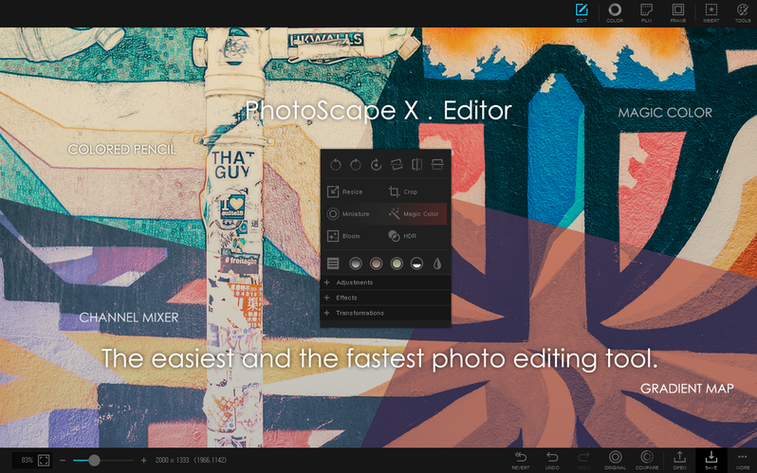
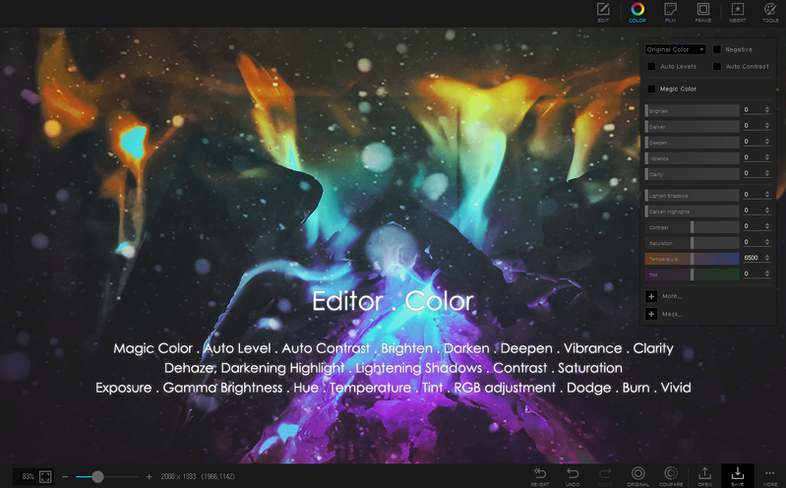
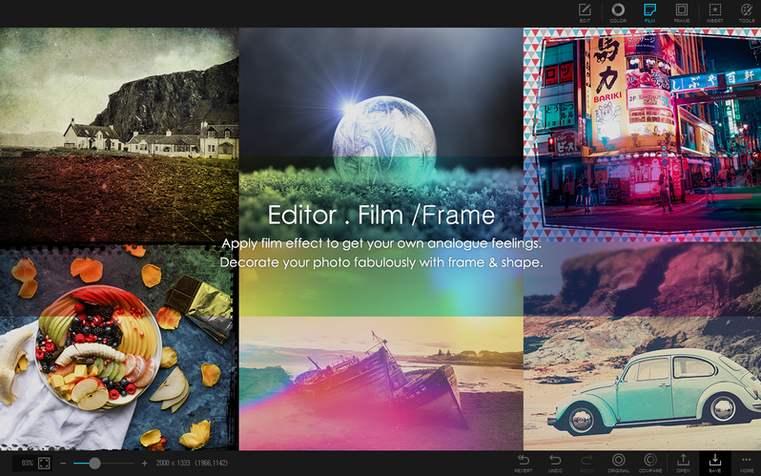
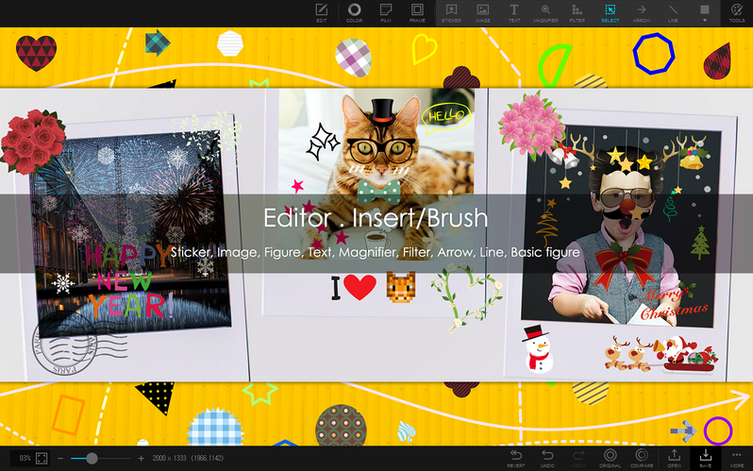
Focus stacking and HDR merging sit right on the toolbar, a quiet nod to how much this app packs in without clutter. PhotoScape X Pro keeps its familiar light grey workspace, where tabs for Viewer, Editor, Batch, Collage, and GIF mark out the main jobs.
The liquify tool, healing brush, and clone stamp handle skin fixes and stray distractions. Red-eye removal and a straightforward colour picker are also within reach, alongside over a thousand stickers if you want a playful finish.
Pick a grid, drop in photos, and apply one of 290+ frames or drop in shapes from a library of 240+ figures. Splitting a single photo into parts is just as quick for poster-style prints.
Grab the magic eraser, lasso, or brush to cut a subject free. It’s a manual process that gives you control over the edge, no cloud uploads needed.
PhotoScape X Pro doesn't live in a bubble. Drag a batch of RAWs from a Finder folder straight onto the Batch tab and it picks them up without complaint. The share button hooks into the standard macOS share sheet, so sending a finished collage to Messages or AirDrop takes two clicks. If you use Apple Photos as your main library, you can pull images from there through the browser sidebar — no exporting first.
Spotlight won't surface your edits unless you save to a folder it indexes, but once you do, Quick Look previews show the finished file without launching the app. The colour picker grabs hex values you can paste into a CSS file or a Keynote slide, and the screen capture tool respects multi-monitor setups, snapping just the active window or a region you drag out.
A few rough edges catch people out early on. The magic eraser works best on clean contrast between subject and background — busy edges need the lasso or brush instead. Undo steps aren't infinite, so if you're deep into a liquify session, save a version before pushing further.
Batch renaming applies to the whole folder you point it at, not a filtered subset, so drag your picks into a temporary folder first. The GIF tool doesn't warn you when frame count makes the file balloon; keep an eye on the preview size counter. On Apple Silicon machines, the app launches fast but the first time you open the editor with a large RAW, there's a brief hesitation while it builds the preview. After that, it's snappy.
If you've been hunting a photoscape x pro mac build that feels native, this one fits — it's ARM-native and matches the light, no-distraction workspace Mac users expect. Some people look for a photoscape x torrent out of habit, but the direct disk image route is simpler.
You open the browser on a folder of beach photos from the weekend. The loupe view helps you flick through and flag the five worth keeping. One portrait has a power line cutting the sky, so you right-click and send it to the Editor tab.
Clone stamp out the wire first, sampling clean sky nearby. Then switch to the healing brush for a couple of sensor spots on the sand. The subject's eyes are a little dark — a quick pass with the red-eye tool tightens them up. You add a light vignette from the filter set, pick a thin white frame from the 290+ options, and hit save. No export wizard, just a keyboard shortcut and you're back to the browser.
Three of the flagged shots go to the Collage tab next. A two-by-two grid, drag-and-drop placement, then a shared colour mat around each cell. You drop in a shape from the library as a subtle label, type the date, and save the final flat image to the desktop. The whole loop — cull, fix, arrange — runs inside one app without swapping windows. That's where PhotoScape X Pro earns its keep.
Good to know: the built-in browser handles photos, video, and audio with loupe view, star ratings, and lossless rotation for a fast first pass.
No, the current version is built for Apple Silicon only and requires macOS 13 Ventura or later.
Yes, it provides a magic eraser, lasso, and brush tools for cutting out image backgrounds manually.
It includes over 1000 stickers, 240+ figures, 290+ frames, and 240+ shapes for editing and collage work.














Chat 0
Hop in or make an account to join the chat.
Quiet in here so far. If you have used this build, tell me what the install actually did.