
 QLab
QLab QuarkXPress
 ProPresenter
 Radio Silence
 Prizmo Pro
 Principle
 RAR Extractor - unzip
 RAR Extractor


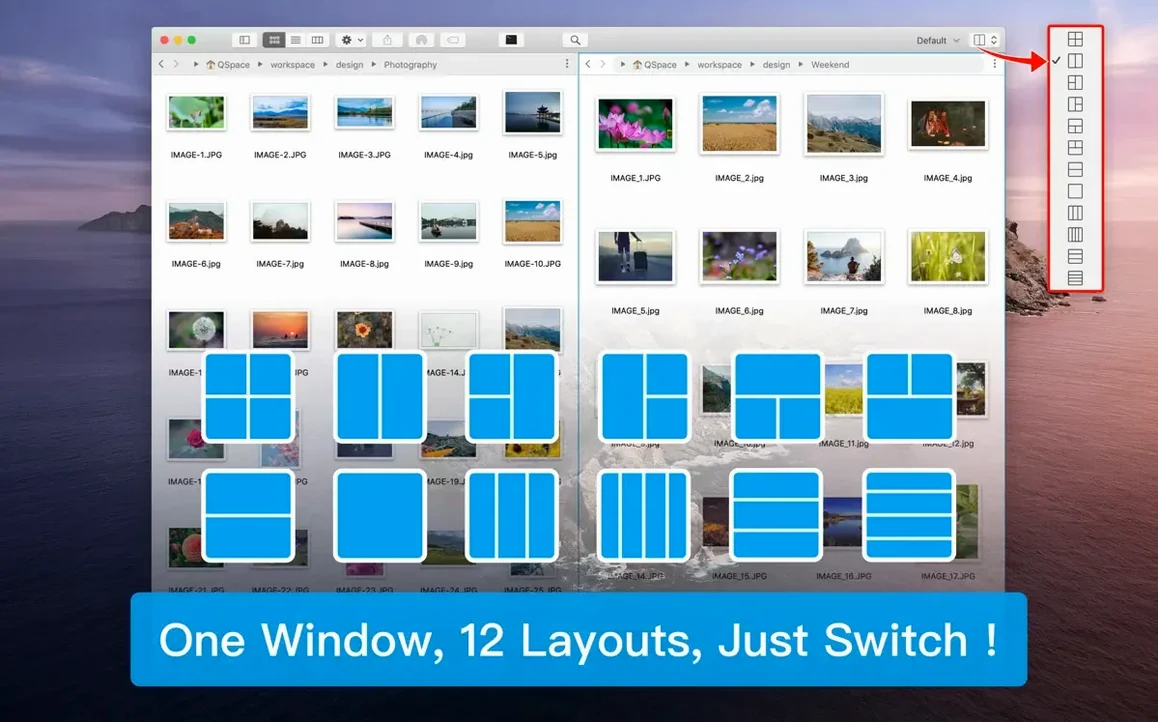
Two. That's the device limit per account, which keeps things straightforward from the start. QSpace Pro is a Finder-like file manager that adds panes, tabs, and direct path navigation without drifting far from what you already know.
Connect to FTP, SFTP, WebDAV, Dropbox, OneDrive, Google Drive, Amazon S3, and Aliyun OSS right from the sidebar. Drag files between a server pane and a local pane exactly as you would on the desktop.
Your open panes, tabs, and folder positions are saved automatically. Close the app mid-task and pick up where you left off — no need to rebuild the layout.
Drop files, folders, and web images onto the stash shelf. It holds them temporarily while you browse other locations, then lets you move or copy the batch in one go.
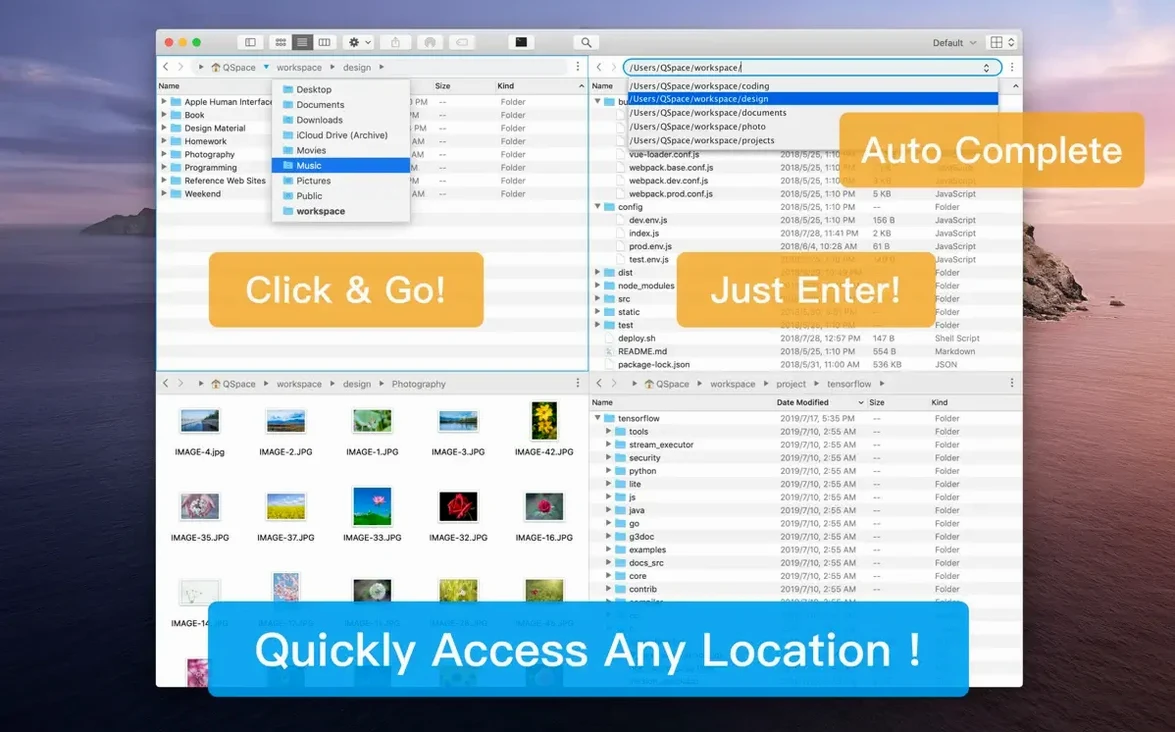
A few conveniences sit just below the surface. Double-click the empty area of a pane to jump up one folder level — faster than reaching for the back button. While dragging files, hover over a tab to switch into that pane without dropping first. The address bar doubles as a quick path editor: click the rightmost empty space and type a path manually. Tabs can be torn off into new windows with a simple drag, and right-clicking the tab bar reveals options to duplicate or close tabs in bulk.
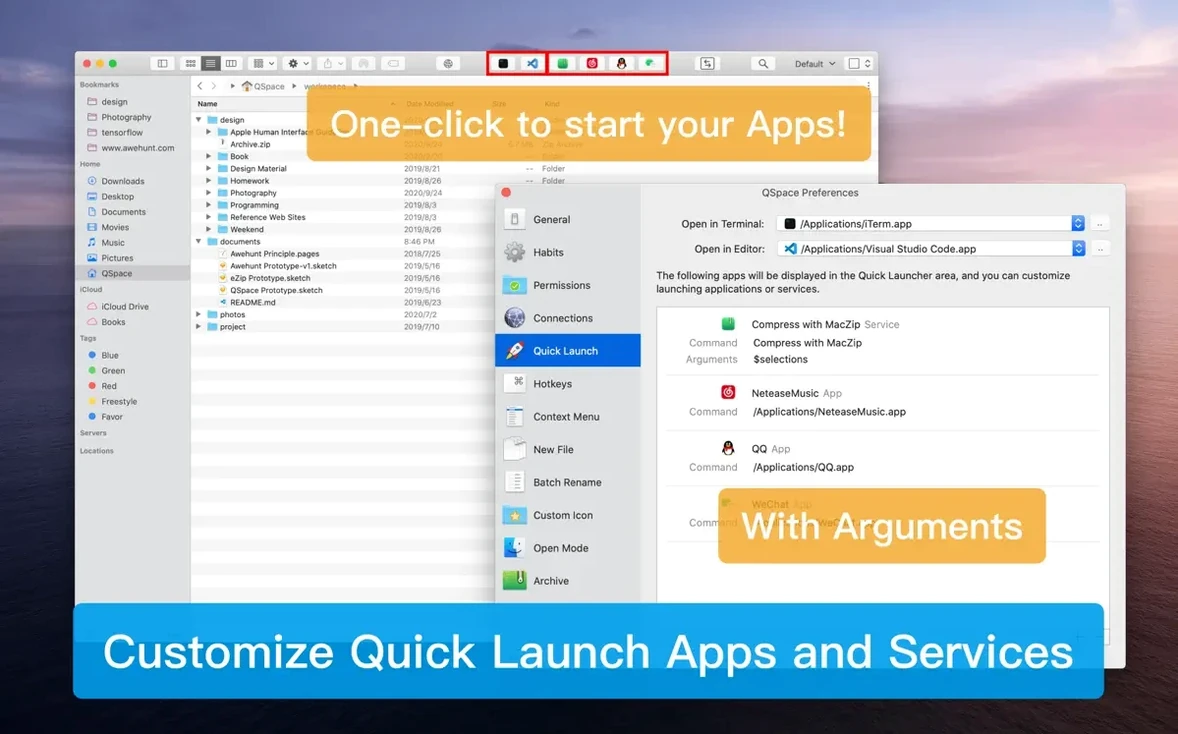
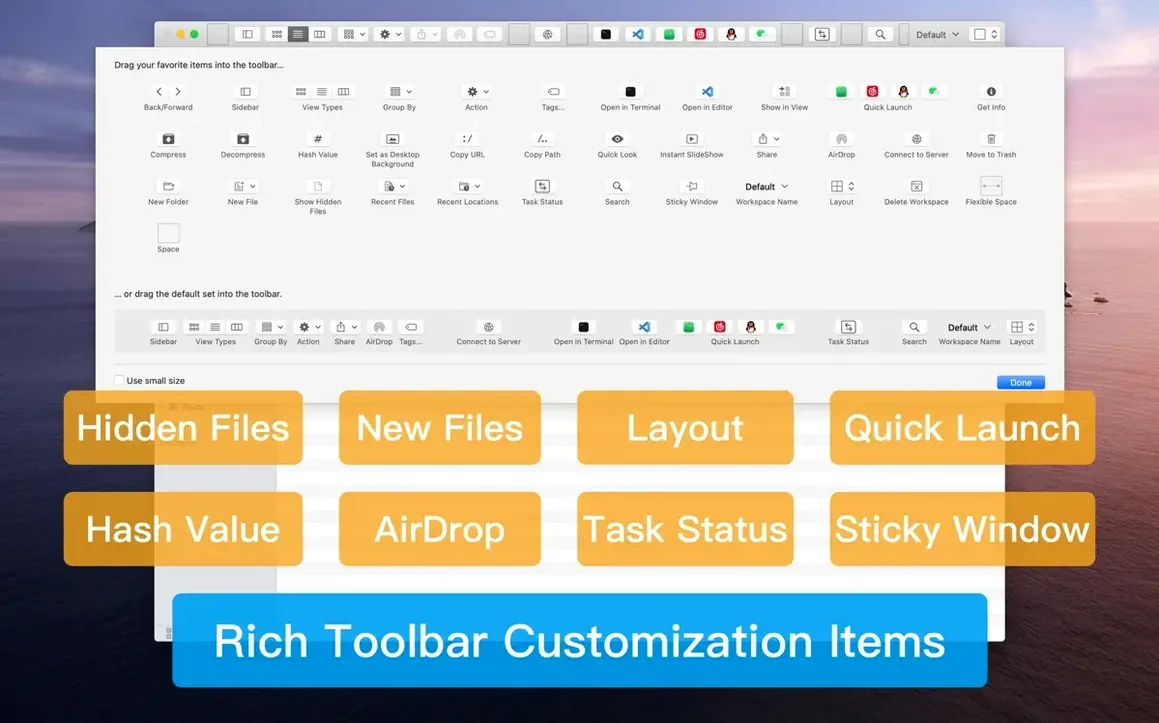
The customisable sidebar rewards a few minutes of setup. Bookmark groups collapse independently, and you can drag entire folders onto the sidebar as quick-access entries. If you spend half your day in a project folder, place it inside a group and give it a short label. The quick launcher, tucked into the toolbar, accepts custom commands — open a specific folder, run a script, or launch an editor with the selected file as an argument. Once configured, it becomes muscle memory.
Imagine you have forty screenshots from a UI review, all named with default timestamps. Select them all, right-click, and choose Batch Rename. The live preview panel shows exactly what the names will become before you commit anything. Strip the original name entirely, then add a pattern: ui-review- as a prefix, followed by a two-digit counter starting at zero. Toggle the case change to lowercase, and the preview updates instantly. Hit apply, and all forty files adopt clean, readable names in under two seconds. Drag the renamed batch onto the stash shelf, then switch to a shared Dropbox pane and drop them in one motion — no intermediate Finder windows needed.
On an Apple Silicon Mac, QSpace Pro sits comfortably under 200 MB of RAM with a two-pane layout and a handful of tabs. Opening four panes, each pointed at a different remote server, nudges memory use upward but never enough to feel heavy. Pane resizing stays smooth, and the redraw when switching workspaces is near-instant. The recent update targeted interface lag specifically, and it shows: scrolling through a folder with thousands of items no longer stutters the way it did in earlier builds. If you keep the app running for days, memory pressure stays flat, and the automatic workspace saves happen without interrupting your flow. For anyone who regularly uses a qspace pro mac download to replace Finder for daily file work, the stability holds up across long sessions.
QSpace Pro 7.0.4 brings a round of quiet refinements that sharpen everyday navigation across its multi-pane workspace.
The developer states one account can be used on a maximum of two devices at the same time.
Yes, it supports cut, copy, paste, and drag-and-drop between all open panels and tabs.














Chat 0
Hop in or make an account to join the chat.
Quiet in here so far. If you have used this build, tell me what the install actually did.