
 Principle
 ProPresenter
 QLab
QLab PowerPhotos
 QSpace Pro
 PopClip
 QuarkXPress
 Plugin Alliance Brainworx bx_mastering studio

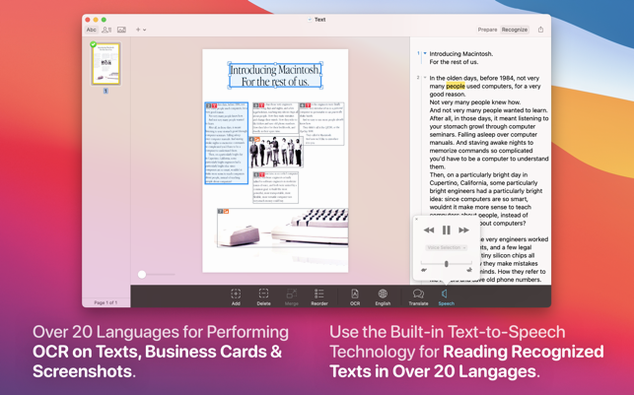
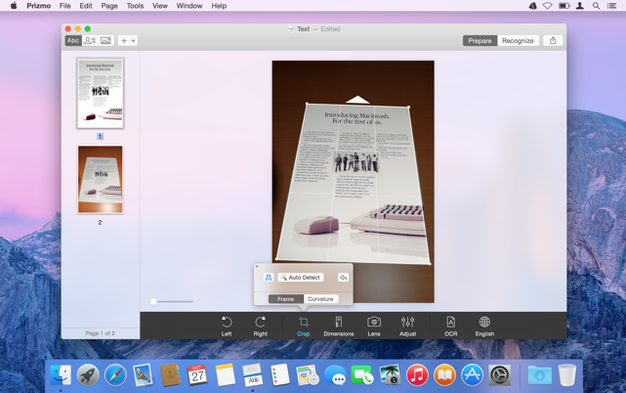
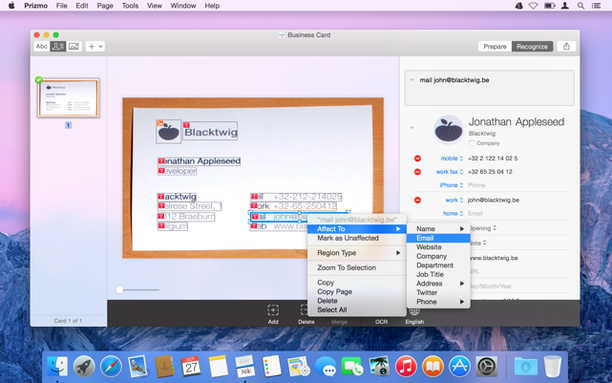
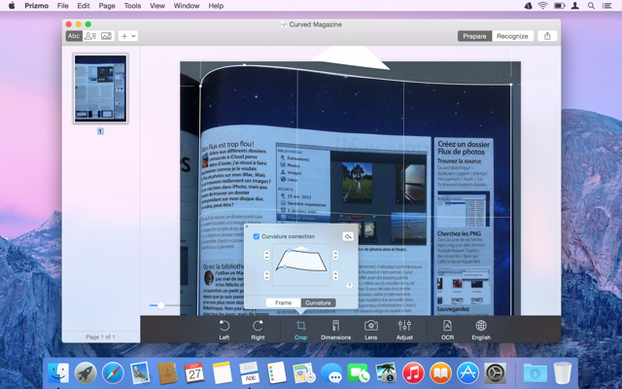
If you've ever emptied a scanner bed into Apple's Preview app, you already know half the dance. Prizmo Pro takes the same flat scans and gives them a brain—reading the text, tidying the page, then sending the result off to wherever you actually keep your files.
Scan a page with your flatbed, an iPhone snap, or even a slightly wonky digicam shot. Hit the OCR button and choose a language from the 30 on offer. The app chews through the image and layers live text right over the page. Now you get the good part: save it as a searchable PDF or a clean DOCX file. The text-to-speech engine can even read the result aloud while you check the layout.
Once the readout looks right, don't just bury the file on your desktop. Link Prizmo Pro to Evernote, Dropbox, or Google Drive so the export lands where you'll actually search for it next week. It also talks Handoff, so you can start a scan on a Mac and tidy the text on an iPad without emailing drafts to yourself.
Monday morning. A five-page contract lands on the scanner, slightly askew on page three, with a coffee-ring ghost near the footer. You fire up Prizmo Pro and hit the scanner button. The sheet feeder whirs, and the pages stack up in the sidebar as thumbnails — each one its own card, ready for a closer look.
Page three needs help. A quick drag on the crop handles trims the edges, and the perspective slider flattens the page so the text sits square again. You tap the cleanup tool — a single pass knocks the coffee stain down to a faint smudge. Good enough. You select all five cards and choose English from the language picker. The OCR engine hums through the batch, and within seconds live text overlays each scan.
You spot a garbled clause in the export preview: the word indemnification came out as indemnity cation. Double-click the line, type the correction in the side panel, and the overlay updates instantly. Now you save the whole stack as a searchable PDF and shoot it straight to the Google Drive folder your legal team watches. Eight minutes from scan to shared file, and you never touched a separate editor.
The jump to version 5 brought native support for Apple Silicon Macs, which means the OCR engine now chews through high-resolution scans without spinning up the fans. The 5.0.2 fix tightened a few loose edges: image curvature correction stopped drifting on wide-angle phone shots, and the Russian and Czech language packs now load reliably when you switch between them mid-session.
Everyday use feels snappier because of one small change — the app no longer re-analyses the whole page when you tweak a single text region. Crop a corner, and only that corner recalculates. It's the kind of polish you stop noticing after a week, until you sit down at a machine still running the old version and wonder why everything feels sticky.
Good to know: if you're hunting for the prizmo pro mac full version, you'll get the complete feature set in one hit — batch OCR, cloud export, and all 30 languages unlocked from the first launch, no modules to chase down later.














Chat 0
Hop in or make an account to join the chat.
Quiet in here so far. If you have used this build, tell me what the install actually did.