
 PlistEdit Pro
 Plasticity
 PopClip
 Pixologic Zbrush
 PowerPhotos
 Pixelmator Pro
 Pixea Plus
 Picview - Image Viewer

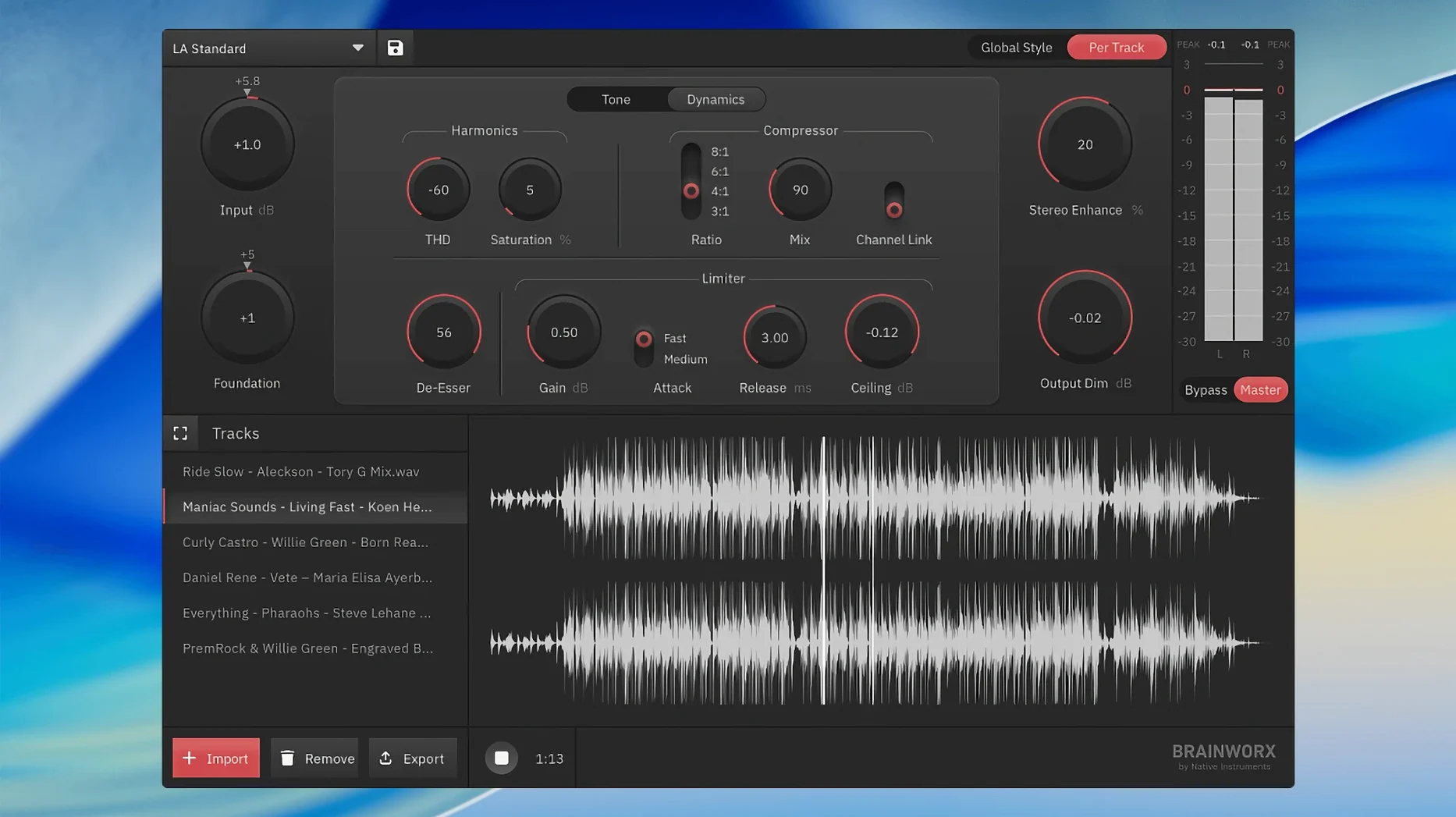
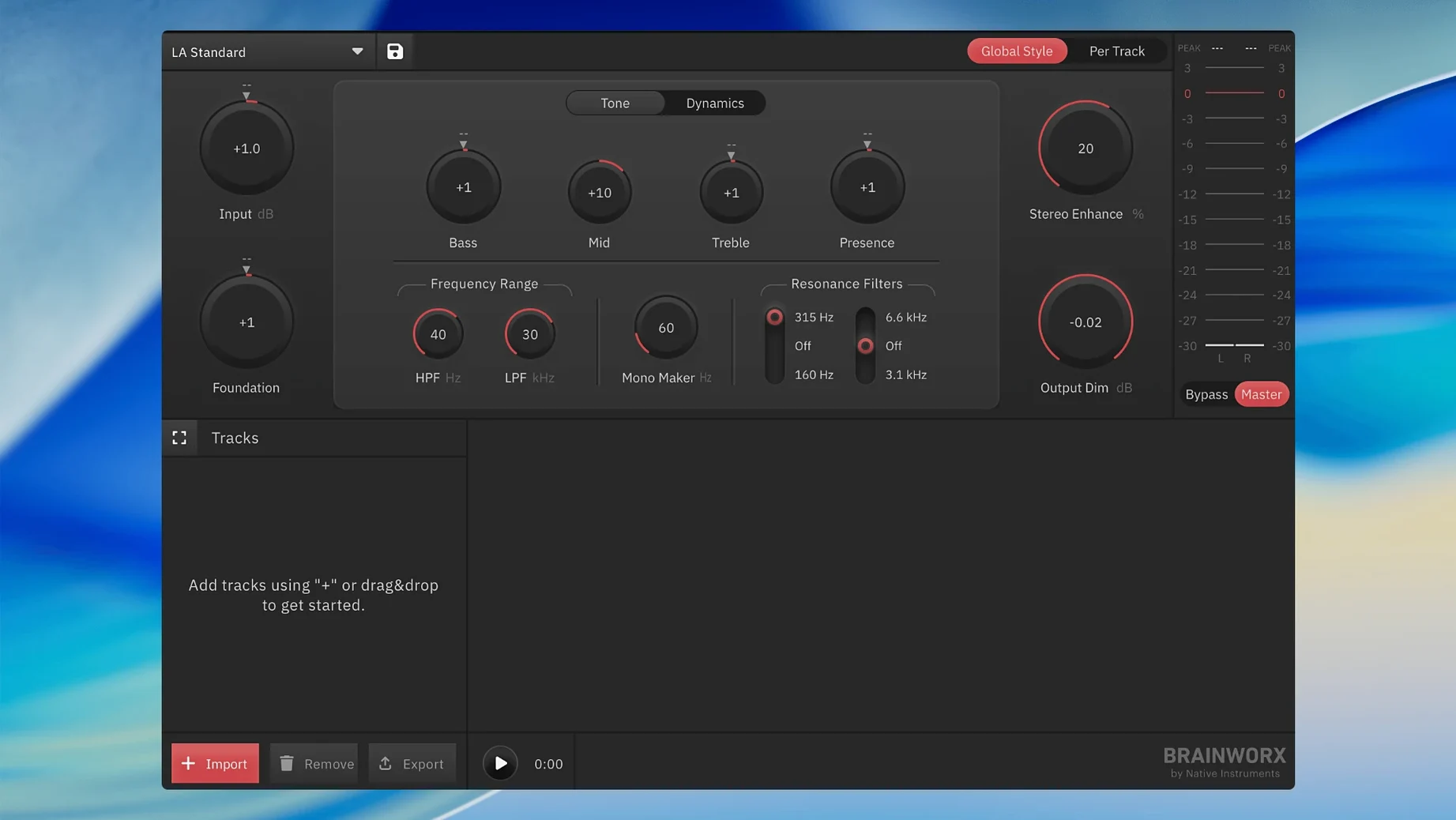
Pick a built-in mastering style or tweak the creator until it gels. It is a fast way to land a consistent tone across an EP or a run of podcast episodes.
Open a file and go. No routing, no project templates — just a clean standalone window that handles unlimited masters for music, voice or video content.
Drop in a stereo mix — a singer-songwriter demo, say — and the app analyses it within seconds. Pick the Acoustic Warmth style from the creator panel, nudge the width slider a touch right, and hit preview. The low-mid bloom feels right, but the top end needs a little air, so you toggle the presence lift on. Jump to the loudness section, check the integrated LUFS readout sits around -14, then export. The whole pass takes under three minutes and leaves you with a streaming-ready WAV that translates cleanly to phone speakers and car stereos alike.
A few things trip people up early on, and they are nearly always quick fixes.
No. bx_mastering studio is a standalone macOS application. It does not require a DAW, an AU host, or any wrapper. You launch it, load a file, and work directly in the window.
It covers the core moves — tonal balance, stereo width, loudness — with a style-driven engine rather than individual modules. Many users find it handles the whole job for demos, podcasts and social content. If you have very surgical needs, you might still reach for a dedicated linear-phase EQ elsewhere, but the app gets you to a release-ready sound faster than building a chain from scratch.
Yes, and that is one of its strong suits. Bounce a 24-bit stereo file from GarageBand, drag it in, and the app handles the rest without you ever touching a bus or a mastering template inside the DAW.
The app runs entirely on your Mac. Its algorithms are local; you are not uploading tracks to a cloud service. An internet connection is not needed for analysis or export.
Musicians cutting demos or self-releasing singles benefit straight away — they get a finished-sounding master without learning a separate mastering environment. Podcast producers who need consistent episode loudness and tone find it a tidy alternative to chaining stock plugins. Content creators working in Final Cut Pro or DaVinci Resolve often bounce audio stems, run them through the app, and drop them back into the timeline for video uploads. Even seasoned engineers occasionally keep it around as a quick reference chain; comparing a style preset against a manual master can highlight where their own moves might be over- or under-cooked.
Users who lean heavily on a particular ableton mastering rack might find the standalone approach a refreshing change of pace — fewer distractions, no temptation to second-guess a compressor ratio mid-session. The app encourages committing to a sound and moving on, which suits anyone with a release deadline and limited patience for endless tweaking.
The output is tuned for modern platforms, so your track holds its weight next to commercial releases without chasing loudness targets by hand.
No. It runs as a standalone app on macOS and Windows, so you can master audio without opening a digital audio workstation.
Musicians, podcast producers and content creators who want polished, streaming-ready results without the complexity of a full mastering session.














Chat 0
Hop in or make an account to join the chat.
Quiet in here so far. If you have used this build, tell me what the install actually did.