
 PowerPhotos
 Plugin Alliance Brainworx bx_mastering studio
 Principle
 Prizmo Pro
 ProPresenter
 PlistEdit Pro
 Plasticity
 Pixologic Zbrush

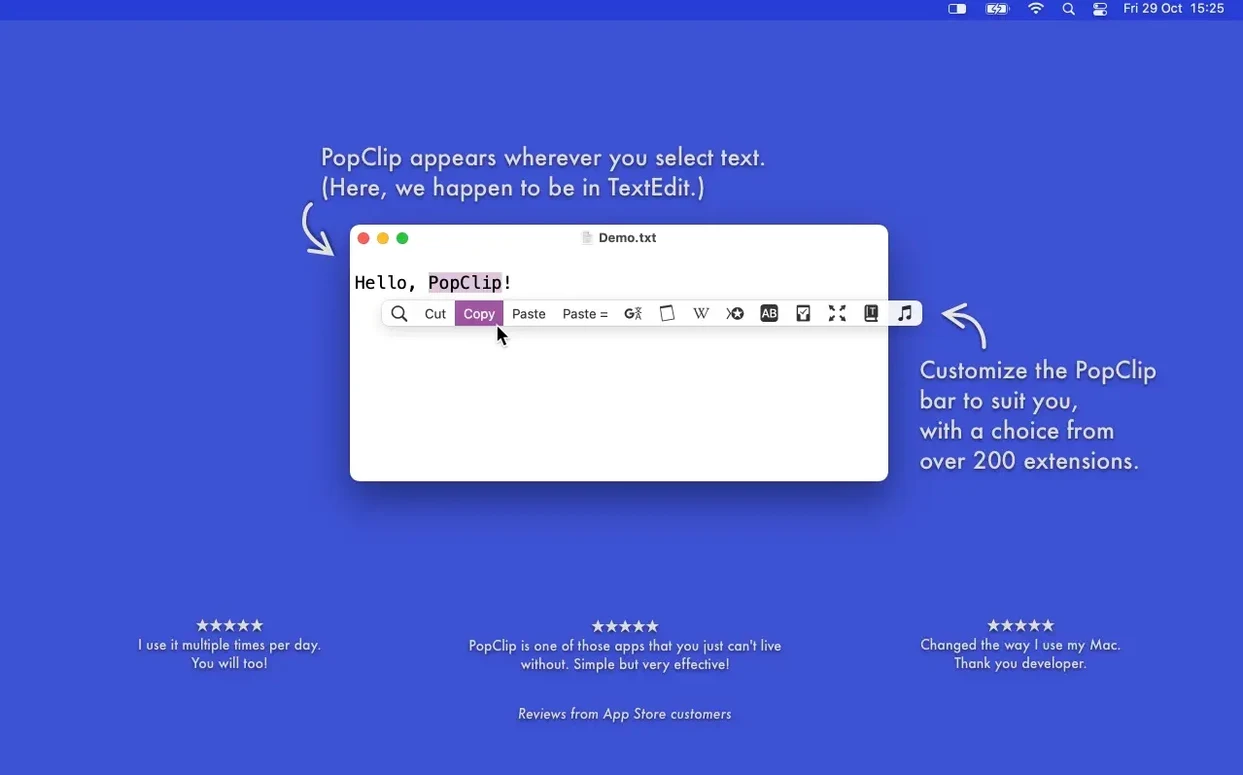
2026.8.1 is a tidy-up release, refreshing the code that sits behind the pop-up bar you see after selecting text.
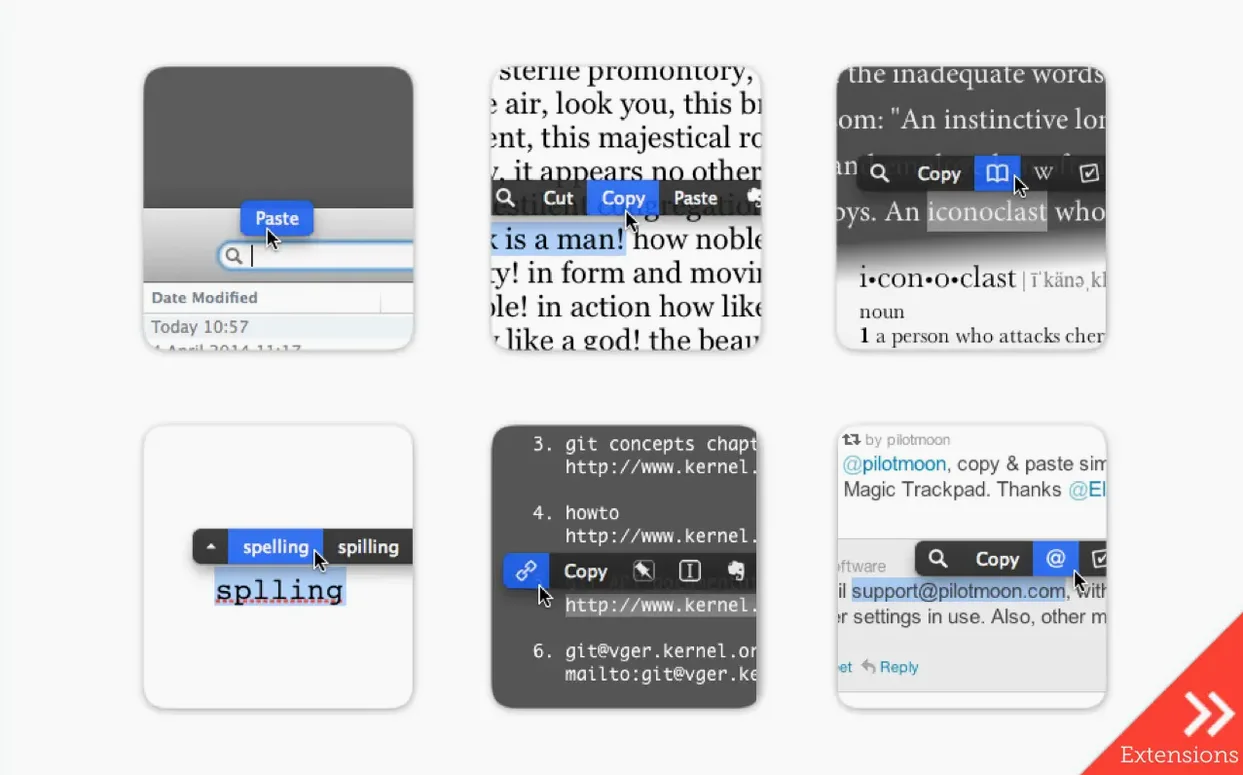
Select and act — Highlight any word or sentence and a row of context-sensitive icons appears. Copy, paste with style matching, or convert case without touching a menu.
Extension actions — Send a quote straight to Evernote, check a word count, or translate a phrase on the spot. Extensions you install, along with their layout and settings, sync across your Macs via iCloud.
Compatibility — Works in most Mac apps, though not every single one. The minimum requirement is macOS 13.5 Ventura, with native support for both Apple Silicon and Intel machines.
Writers and editors notice the difference within an hour. Selecting a clunky phrase and hitting paste-and-match-style skips the format-painter dance. One tap on a misspelt word brings up corrections; another on a URL opens it in the background while you keep typing.
Developers get mileage from file-path actions. Highlight a path in a terminal log, click, and the file opens in the default app. People who juggle Slack, email and a notes app all day use the translation and web-search extensions as a quick bridge — no tab-switching needed.
Designers writing UI copy like the case converter. Highlight a label in sentence case, tap once and trade it for UPPERCASE or lowercase without retyping. And if you send clips to Evernote regularly, the extension saves you from opening the full client just to stash a paragraph.
It clicks less with people who rarely select text with a mouse. If your hands stay on the keyboard and you already memorise every shortcut, the pop-up bar might feel like a visual echo of things you type faster. Trackpad-first users who highlight with three-finger drags sometimes trigger the bar by accident while adjusting a selection — but you can fix that in settings.
The defaults are sensible, but a couple of changes make the bar feel more yours. Open PopClip’s preferences from the menu-bar icon and start here:
If you use multiple Macs, the iCloud sync means you set these once. Extension layout, action order and app exclusions travel with you.
Version 2026.8.1 is labelled a maintenance and cleanup release, so the visible changes are subtle. The big shift is what you don’t notice: the pop-up appears faster after text selection, especially in apps that previously introduced a half-second lag. The code refresh behind the scenes trimmed some timing quirks that crept in during the 2026.7 cycle.
Extension loading also feels smoother. If you had a handful of community extensions installed, earlier builds sometimes paused briefly when the bar first appeared after a reboot. That pause is gone now — actions are ready the instant you highlight text.
In practical terms, everyday use stays the same. The same iCloud sync, the same extension set, the same macOS 13.5 floor. The maintenance work just means fewer moments where you select a word and wait for the bar to catch up. For an app that lives in the split second after highlighting, that timing polish matters more than a feature list.
Good to know: PopClip lives on the Mac only — there’s no iPad or iPhone version.
It’s compatible with most Mac apps, but there are a handful where text selection behaves differently and the pop-up bar won’t appear.














Chat 0
Hop in or make an account to join the chat.
Quiet in here so far. If you have used this build, tell me what the install actually did.